UI Enhancements
dsh-sidebar-drawer
1dustycy/dsh-sidebar-drawer · ★ 0
 1dustycy
Edge-hover drawer for the Web GUI left sidebar: reveal it by moving the pointer to the left screen edge, keep it while the pointer stays inside, retract it when the pointer leaves
安装
dsh plugin --profile web add 'dsh-sidebar-drawer@0.1.1'从 npm 安装预构建包
For install and environment setup, plus plugin development tutorials, see DSH community docs ↗
README
Table of contents
English | 简体中文
An edge-hover drawer for the left sidebar: while the sidebar is collapsed, moving the pointer into the leftmost 10 px of the screen and holding it there for 500 ms pulls the sidebar out; it stays out the whole time the pointer remains inside the drawer, and retracts by itself once the pointer leaves.
A pure browser-behavior plugin (the host half is empty). It only borrows DSH's own sidebar toggling and changes no built-in file.
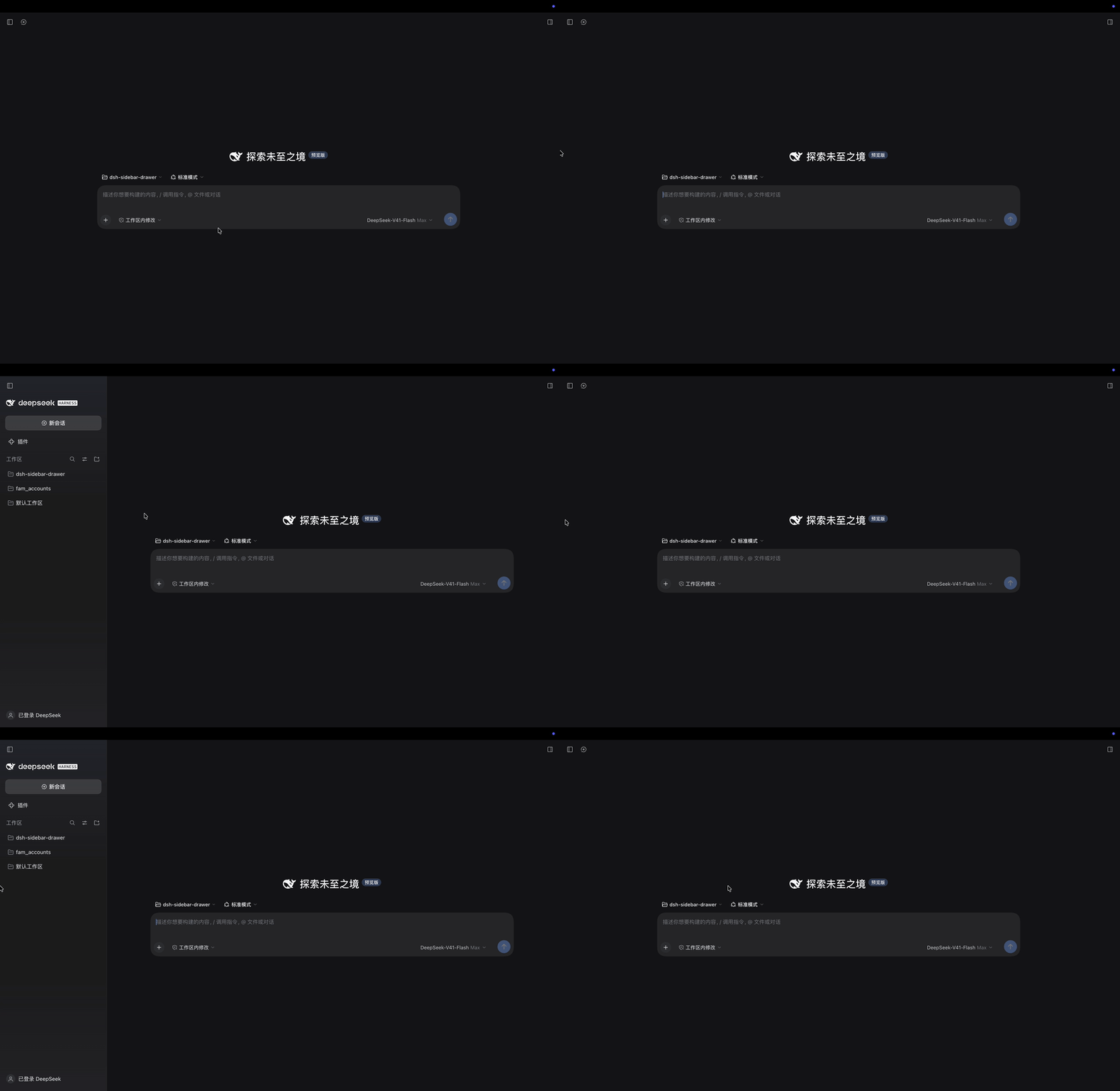
What it does
- Dwelling is what counts — the pointer must stay inside the leftmost 10 px for 500 ms before anything happens; sweeping past the edge never triggers it by accident.
- Inside the drawer means staying — while the pointer rests inside the drawer (reading, clicking, idling) the drawer stays out and nothing rushes you.
- No interrupting an animation — a second toggle is never issued while an open/close transition is in flight, so the drawer neither jumps nor vanishes mid-flight.
- Slides, not jumps — the shipped frame writes the column width first and publishes its transition marker afterwards, so a plain toggle is instantaneous (a retraction looks like the drawer simply disappearing); before requesting a toggle the plugin pre-arms the frame's own marker, so both the reveal and the retraction really slide.
- A hand-opened sidebar is left alone — a sidebar you opened yourself with the button, Cmd+B, or a width drag is never touched and never retracted.
- Yields — width drags, window blur, and page scroll each have their own yield rule.
Row-by-row scenarios, state-machine invariants, and known gaps: docs/behavior.md (Chinese).
Install
This is a DSH plugin bundle: it ships its own cordis.patch.yml and declares dsh.bundle.patch in package.json, so Plugin Manager installs it and owns the mount row — you never hand-edit the profile's patch file.
# From npm (recommended: pins the version)
dsh plugin --profile desktop add dsh-sidebar-drawer@0.1.1

# From GitHub (also version-pinned, through the repo's v0.1.1 tag)
dsh plugin --profile desktop add "github:1dustycy/dsh-sidebar-drawer#v0.1.1"

# Track the latest commit on main (to pick up behavior changes early)
dsh plugin --profile desktop add github:1dustycy/dsh-sidebar-drawer

# From a local directory (for development: writes a link: dependency, edits take effect immediately)
dsh plugin --profile desktop add /path/to/dsh-sidebar-drawer
Replace desktop with the profile you want (e.g. web, tui). The command does two things: it adds the package to dependencies in ~/.dsh/profiles/<name>/package.json, and adds dsh-sidebar-drawer to that profile's dsh.profile.bundles. Once installed, refresh the page and it is live — no app restart needed (the client half is hot-loaded through the bundle's mtime polling plus /plugins/events).
Uninstall:
dsh plugin --profile desktop remove dsh-sidebar-drawer
Why not just add a row to the profile's
cordis.patch.yml? That file is shared with other sessions, and when it gets overwritten the symptom is a plugin that looks installed but does nothing — with nothing in the plugin itself to show for it. Rationale in ADR-0003.
Requirements: DSH Desktop (or any profile with a Web GUI). The client half injects @deepseek-ai/dsh-client-ui-layout, so the target profile must already mount the Web layout bundle. peerDependencies is @deepseek-ai/cordis >=4.0.4 <5 — when installing from a registry, Plugin Manager checks that range first and refuses before anything is downloaded if it does not match.
Development and verification
node test/client.test.mjs    # unit suite: vm + DOM doubles + an advancing virtual clock, no browser needed
node test/browser.test.mjs   # browser suite: real Chromium + CDP real mouse events and real CSS animations
npm test                     # runs both suites, in that order
node tools/probe.mjs         # diagnostic tool: prints the decision trail of one edge dwell
npm pack --dry-run           # confirm what gets published
After editing lib/client.js, refresh the page and the change is live (provided the profile's hmr row is enabled, which the desktop profile does by default).
test/browser.test.mjs brings its own HTTP server and browser process and exits when it is done; it needs Chromium on the machine (it skips itself when none is found). SHOT=<path> node test/browser.test.mjs saves the final "drawer open" frame as a PNG (that is where docs/harness-open.png comes from). The animation at the top is the other way round — a screen recording of the real GUI, not the fixture — and node tools/demo-gif.mjs <recording> regenerates it, which needs ffmpeg on the machine. test/harness.html is a faithful replica of the shipped three-column frame: open it in a browser with ?plugin=<URL of client.js> to try the behavior by hand.
Read docs/implementation.md before touching the test fixtures. Both fixtures must model the shipped shell's anchor contract exactly: once a fixture renders a conditional anchor unconditionally, it goes all-green on a broken bundle — which is precisely how this plugin once shipped a defect where a pointer resting motionless on the edge toggled the drawer forever.
Docs
| Document | Contents |
|---|---|
| docs/behavior.md | Behavior spec: row-by-row scenarios, state-machine invariants, known gaps |
| docs/implementation.md | Implementation notes: shipped anchor contract, decision logic, tunable constants |
| docs/adr/ | Decision records (why it is built this way) |
| CONTEXT.md | Glossary: Chinese wording mapped to code identifiers |
The detailed docs are Chinese-only for now; this file is the English entry point.
License
MIT
Related plugins
dsh-web(原 dsh-web-ui)
 zhu1090093659
/dsh-web-ui
dsh-web(原 dsh-web-ui):任务看板、git 图、右侧面板、远程移动端 UI、桌宠、实时 token 统计与皮肤中心的全家桶。仓库已更名 zhu1090093659/dsh-web,根目录声明 dsh.bundle.patch,支持根 Git 入口安装。
Added:
dsh plugin --profile web add github:zhu1090093659/dsh-webdsh-web-all 聚合包(原 dsh-web-ui-all)
zhu1090093659zhu1090093659/dsh-web-ui/packages/dsh-web-ui-all
旧整包路径 packages/dsh-web-ui-all 已随仓库更名 dsh-web 迁移:现聚合目录为 packages/dsh-web-all,npm 聚合包 @linxin666/dsh-web-all。与总仓根 Git 入口是同一产品的两种整包方式,不重复计数。
Added:
dsh plugin --profile web add @linxin666/dsh-web-all@latestdeepseek-balance-whale-widget
 meteornox
/deepseek-balance-whale-widget
DSH 小鲸鱼余额挂件(DeepSeek Balance Whale Widget)
Added:
dsh plugin --profile web add github:meteornox/deepseek-balance-whale-widgetdsh-cc-tui
 ccch1mneyyy
/dsh-cc-tui
一个美观且实用的 Claude Code 风格 TUI 插件:像素鲸鱼顶栏、双流光大字、实时工作状态行、思考流式展开、双击 Esc 时间回溯、蓝白上下文进度条 + TPS 仪表。 零核心改动,纯插件挂载。安装插件即可启用,卸载后不会留下核心补丁。 献给钟爱tui的各位极客们 A beautiful, practical Claude…
Added:
dsh plugin --profile web add github:ccch1mneyyy/dsh-cc-tuidsh-TUI
ccch1mneyyyccch1mneyyy/dsh-TUI
Claude Code 风格全屏终端 UI:像素鲸鱼顶栏、实时工作状态行、思考流式展开。
Added:
dsh plugin --profile web add github:ccch1mneyyy/dsh-TUIDSH-better-sidebar
 omdsh-dev
/DSH-better-sidebar
侧边栏完整工作台:内置文件渲染编辑、终端、Git 与子代理,支持三方插件注册新 Tab。
Added:
dsh plugin --profile web add github:omdsh-dev/DSH-better-sidebar