
Sessions & Messages
dsh-project-workbench
937862061/dsh-project-workbench · ★ 1
 937862061
Local project, requirement-group, and conversation workbench for DeepSeek Harness Web and Desktop
Manifest details
安装
dsh plugin --profile web add 'github:937862061/dsh-project-workbench#24eddc65fab5517b7641e3fac79f8f629bc92ff0'GitHub 源码安装:首次需按提示配置 allowBuilds 构建授权后重试
For install and environment setup, plus plugin development tutorials, see DSH community docs ↗
README
Table of contents
Project Workbench is a DSH sidebar plugin that groups the conversations of one requirement together and manages their progress and memory, so you no longer have to repeat the background in every chat.
What it solves
- One requirement often needs several conversations for analysis, implementation, and verification — and each new chat starts from scratch.
- The sidebar lists chats by time, making it hard to see which chats belong to one requirement and how far it has progressed.
How to use it
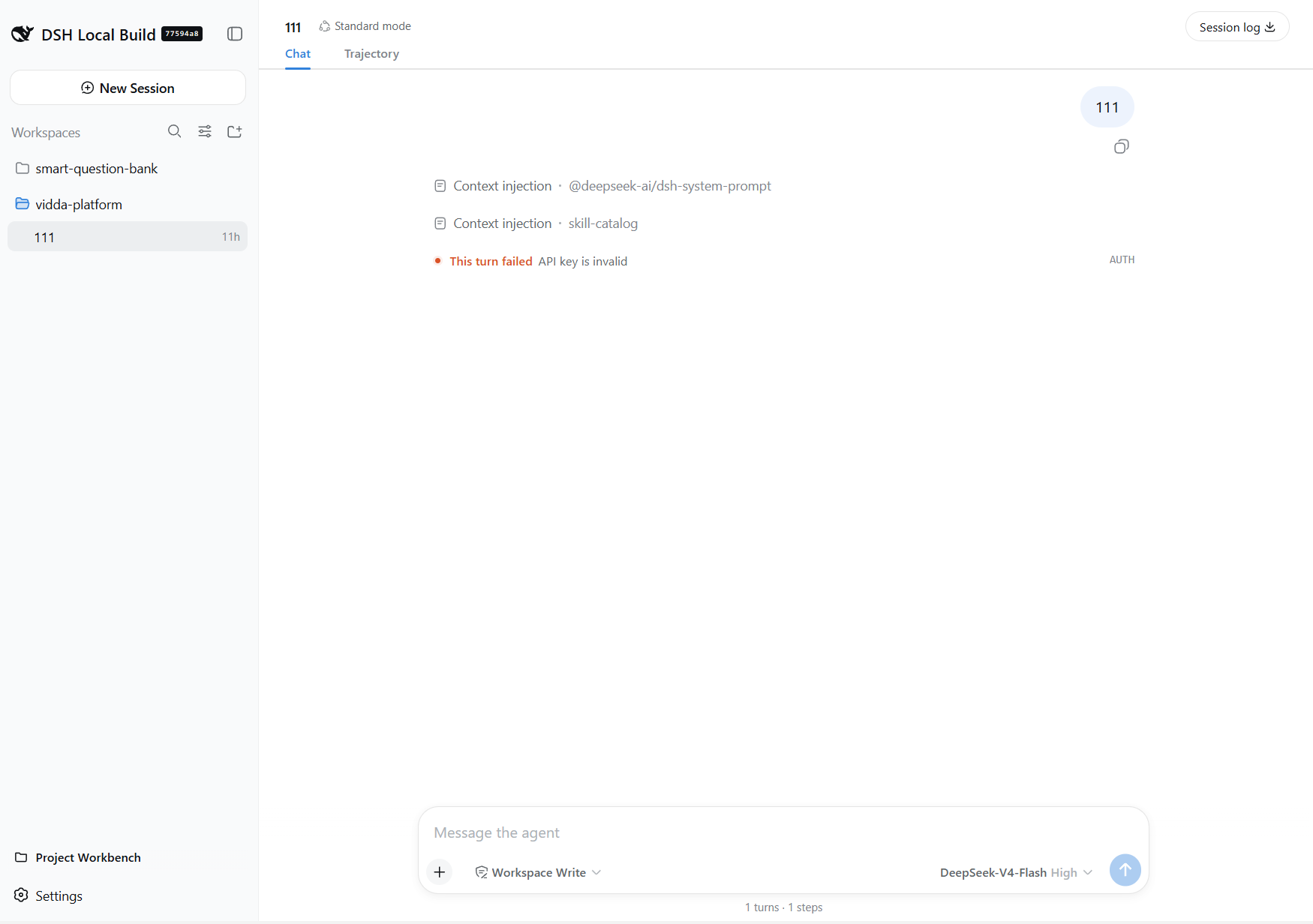
Open the workbench: click the "Project Workbench" button at the bottom of the sidebar to expand or collapse it.
Create a group: pick a project, click "New group", give it a name (e.g. "Sign-in redesign"), and put all conversations of that requirement into it.
Add chats: use the "+" dropdown inside a group —
- New chat: opens a fresh conversation in the group right away, like the native New Chat;
- the other entries are existing conversations that belong to no group yet — click one to attach it.
Manage chats: each chat's "⋯" menu lets you rename, fork (continue from the last step on a new line), archive, or remove it from the group (handy for moving it to another group). While a chat is running, its row shows the same live indicator as the native sidebar.
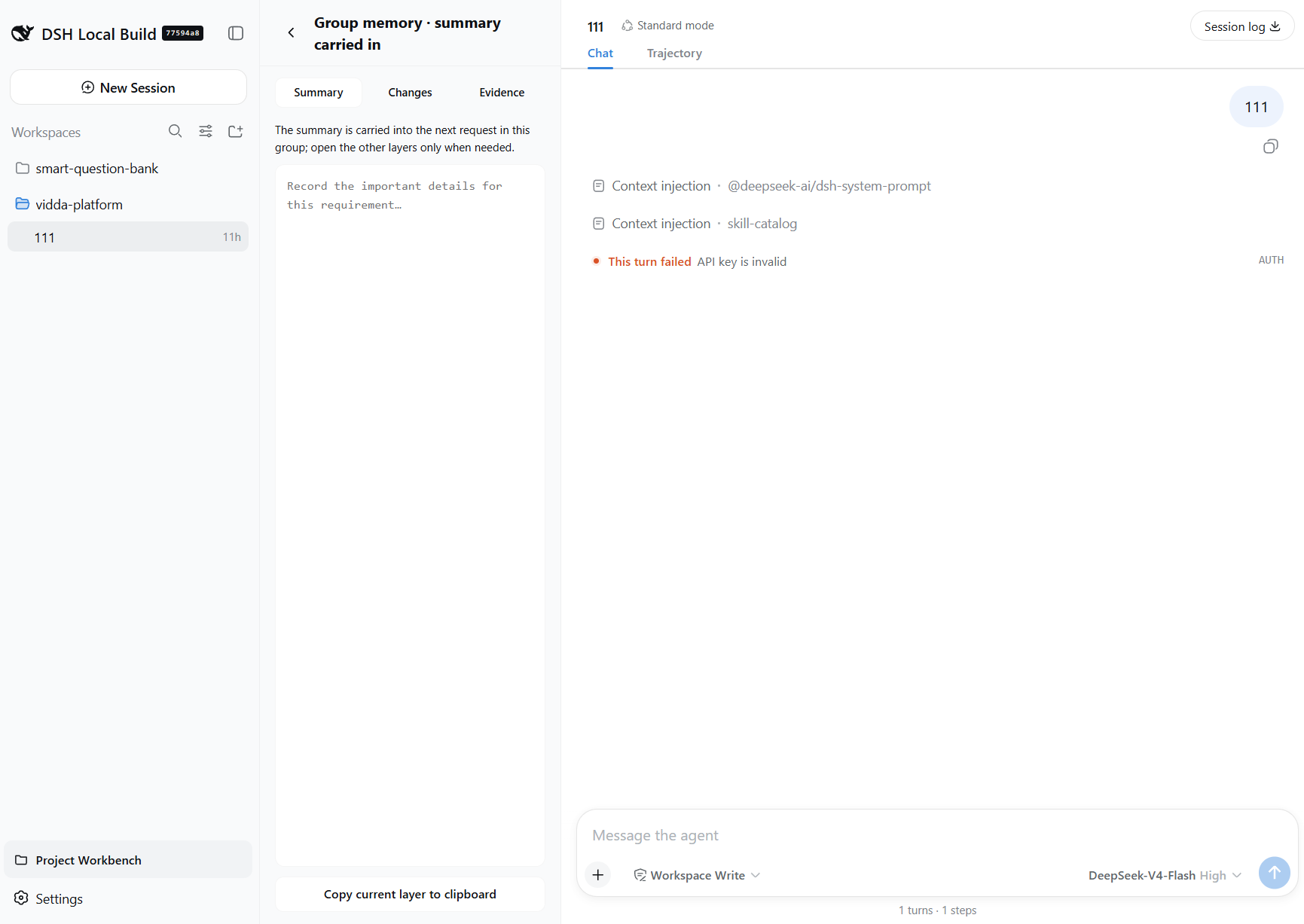
Take notes: every group keeps a "summary" and "notes". The summary refreshes automatically after a conversation that actually advanced the requirement (used a tool or produced a substantive result, and was not a status inquiry), and is carried into the first conversation of each group session so the session knows the background; it is never re-injected afterwards. Status questions, chit-chat, and unrelated Q&A never change it. Notes are maintained by you and are never carried into conversations.
Wrap up: when the requirement is done, archive the group and its chats go with it.
Screenshots
Projects and requirement groups
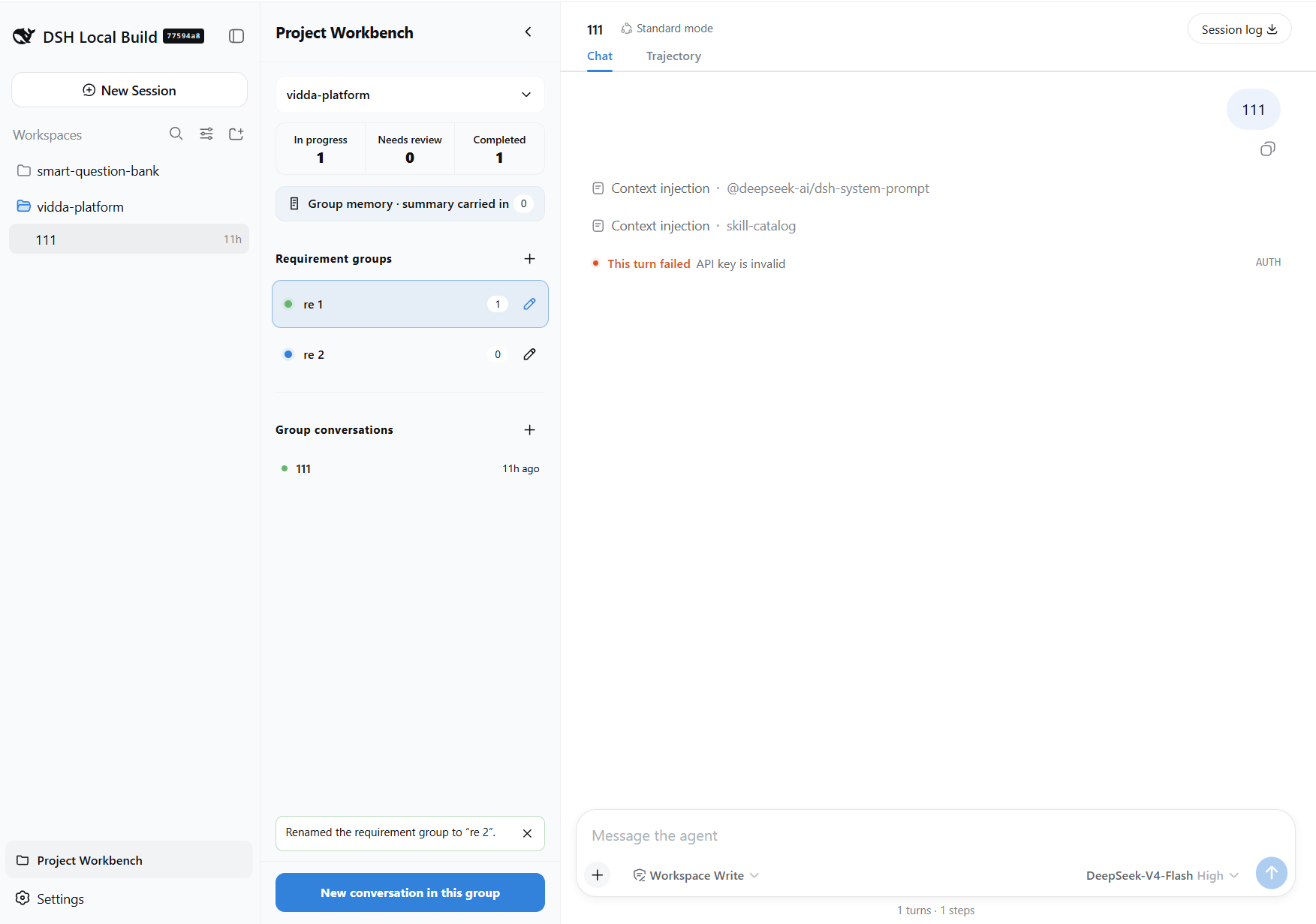
Auto-updated group memory
Collapsed state
Install
The plugin requires a profile that includes @deepseek-ai/dsh-web-app.
pnpm dsh plugin --profile web add ./plugins/dsh-project-workbench
pnpm dsh --profile web
Data
- All data stays in the DSH data directory on the current device — nothing is uploaded or synced across devices.
- Labels follow the current DSH interface language automatically.
Technical overview
The plugin has a browser half and a host half, integrated through public Cordis slots and host services without taking over the native sidebar, conversations, or composer.
Integration surface
- The browser half (
client.js, awindow.__ModuleLoader__bundle) registers two slots:sidebar.footer.action(order 20): the "Project Workbench" entry button in the sidebar footer, styled identically to the Settings and plugin-panel buttons;shell.overlay: the workbench panel itself (a full-height 320px column), positioned beside the native sidebar by measuring the column siblings preceding the overlay, with matching space reserved in the center conversation column.
- The host half (
index.js) registers local routes throughwebServer, listens tosession/eventto refresh the group summary after every conversation, and attaches the summary injection onagent/pre-step.
Host routes
GET/PUT /project-workbench/state: reads and writes the workbench state, persisted toproject-workbench/state.jsonunder the active profile.POST /project-workbench/create-session: truly mints a new session viactx.apiProxy.sessions.create(the browser first scans for a reusable blank session and only calls this when none exists).GET /project-workbench/session-summary?sessionId=: returns the session's first user message (firstUserMessageSummary, a pure function, truncated at 240 chars) for group-memory seeding.
Data model
State is shaped as projects[workspaceId].groups[]; each requirement group carries id, name, status (in progress / review / completed), archivedAt, sessionIds, and memory { summary, notes }. Browser storage is only an offline cache and migration source for older data.
Auto-updated group memory and injection
The host listens to session/event and, only after a turn that actually advanced the requirement (the request was not a status inquiry, and the turn used a tool or produced a substantive reply) finishes (turn/end), updates the group summary ON TOP of its current content and persists it to state.json. The digest keeps a structured 需求:… / 进展:… shape (the whole group always carries exactly one requirement line and one progress line, compact and easy for the model to read): the progress line is refreshed in place to the key sentence of the latest progress reply (auto-condensed to a single, complete sentence; no detail lists). Status questions, chit-chat, and unrelated Q&A never change it. agent/pre-step then adds the current summary as a source-attributed context message ([project-workbench-memory group=… revision=…]) only to the first conversation (first turn) of each group session; later turns are not re-injected. Notes stay local and never enter any model request.
Group-memory generation: current state and the LLM-mode toggle
By default the digest is generated deterministically, with rules (no model call): the host folds session events into turns (collectTurns), keeps only turns that actually advanced the requirement (turnCountsAsProgress), picks a key sentence per session for 需求/进展 (condenseText, skipping "好的/我先…" openers and detail lists), and supplementGroupSummary maintains the single-line 需求:… / 进展:… digest in place. The whole digest stays within 240 characters; when over budget, whole sentences are dropped — never a mid-sentence cut, never an ellipsis.
Every requirement group's memory pane has an Auto / Manual toggle on the summary tab: in manual mode the host never rewrites the summary after conversations (and does not auto-seed it) — you maintain it fully, yet it is still injected into the first conversation of each group session.
A toggle for LLM summary mode is reserved in the plugin config (rule-based by default, for future improvement):
summaryMode: "rule" | "llm"(default"rule"): with"llm", after a progress turn the configured model generates the需求:… / 进展:…digest from a dedicated prompt (llmSummaryPrompt);summaryModel: "provider/model"(e.g."deepseek-official/deepseek-chat"): the model used in LLM mode; when unset, the session's own active model is resolved automatically (via the hostapiProxysession models — the config system's own conversation model); on any failure or unavailability it falls back to the rule digest.
Future improvements: ① let the model really rewrite/condense instead of rule extraction; ② async queue + retry for the LLM call; ③ configurable budget and prompt; ④ a "pin this digest" option so manual edits are not overwritten.
Conversation behavior
- "New chat" follows native New Chat semantics: it reuses the project's unused blank session when one exists (blank chats show no timestamp and do not accumulate), and only mints a fresh one through the host gateway otherwise.
- "Add existing chat" lists only conversations claimed by no requirement group and not archived.
- Group conversation rows support rename, fork (
ctx.sessions.fork), archive (ctx.workspaces.archiveSession), and remove-from-group; the running indicator matches the native sidebar.
For the design and product boundary, see docs/design.md.
Related plugins
archify
 tt-a1i
/archify
架构图生成 Skill 总仓(多宿主):可校验的自包含架构图、工作流图、时序图、数据流图与生命周期图。DSH 安装不走本仓根——根目录不是 DSH bundle,请用适配包 @tt-a1i/archify-dsh(见 DSH 集成条目)。
dsh plugin --profile web add @tt-a1i/archify-dsh@1.0.0DeepSeek-Bot
 Fei2411
/DS-Bot/ds-bot
DS Bot: a team of long-lived Bots for DeepSeek Harness, with Main Bots, Bot-to-Bot messages and group chats
dsh plugin --profile web add 'ds-bot@0.2.4'Study-Mate
 Miaotofu01
/Study-Mate
StudyMate learning skills and lesson engine for DeepSeek Harness, Google Antigravity, Codex and ChatGPT Work.
dsh plugin --profile web add 'github:Miaotofu01/Study-Mate#d8114f38363272852b339d6788b2f8f007243b43'dsh-plugin-subscriptions
 V1ki
V1ki/dsh-plugin-subscriptions
把 ChatGPT(Codex)、Claude 与 Grok(X Premium)订阅用作 DeepSeek Harness 的 LLM provider——Web UI OAuth 登录,无需 API key
dsh plugin --profile web add github:V1ki/dsh-plugin-subscriptionsRabiRoute
 vb2250158
/RabiRoute/plugins/rabi-dsh-context
Connect DSH lifecycle events and conversation context to Rabi Manager.
dsh plugin --profile web add 'github:vb2250158/RabiRoute#e483f87e68cef2c8f5112b101e333b1a9577a9f7&path:/plugins/rabi-dsh-context'dsh-deepseek-web-login
 cv-superding
/dsh-deepseek-web-login
Unofficial DSH plugin: use chat.deepseek.com web models as a DSH LLM provider (browser login capture + PoW solving + SSE streaming + prompting-based tool calls), provider route deepseek-web
dsh plugin --profile web add 'dsh-deepseek-web-login@1.0.3'