
Skills
dsh-skill-manager
AKS1st/dsh-skill-manager · ★ 2
 AKS1stCurated
DSH web plugin: a Skill Manager page in the settings panel browsing system / user / workspace / preset skills, with file-tree editing, zip import/export, and delete (system skills read-only).
Manifest details
安装
dsh plugin --profile web add github:AKS1st/dsh-skill-managerGitHub 源码安装:首次需按提示配置 allowBuilds 构建授权后重试
For install and environment setup, plus plugin development tutorials, see DSH community docs ↗
README
Table of contents
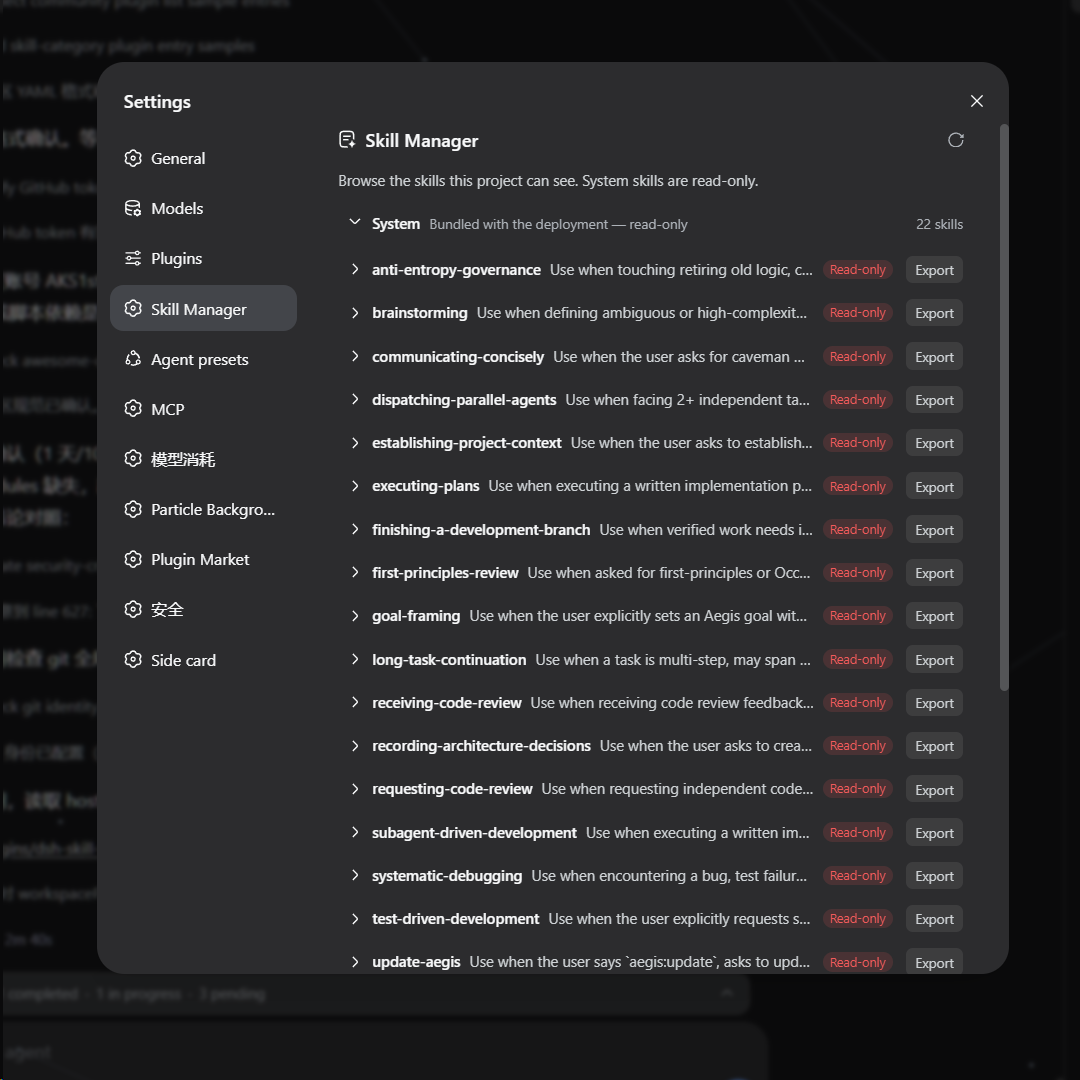
A DSH web plugin that adds a Skills page to the settings panel (opened from the sidebar-foot Settings trigger). It shows every skill the deployment can see, grouped into system / user / workspaces / preset tiers, and lets you manage them without touching the filesystem by hand:
- Browse — expand a skill to its directory file tree; system (bundled) skills are read-only, user and workspace skills are fully manageable.
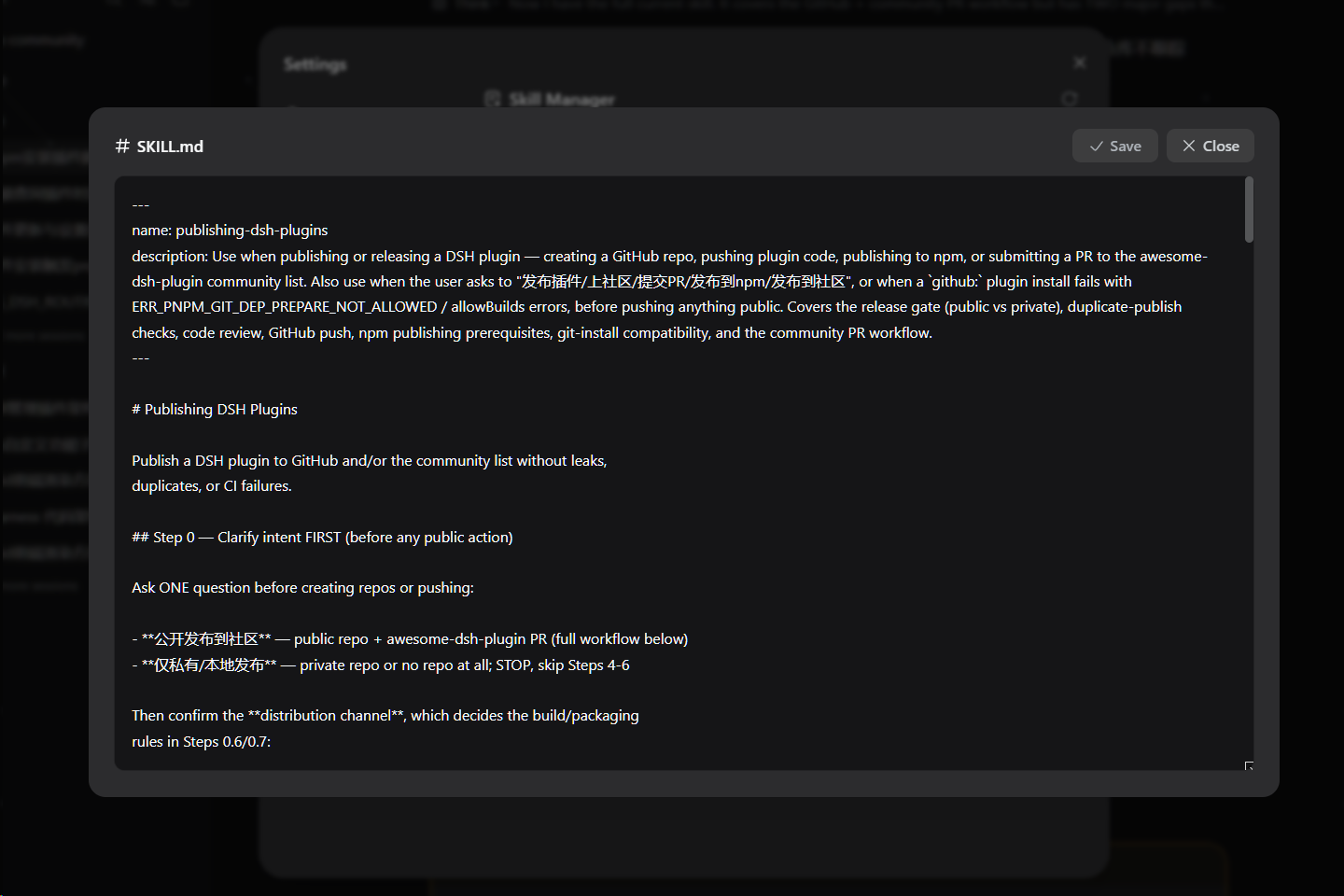
- Edit — click a file to open a view/edit window and modify the skill's content directly.
- Import — upload a zip package to install skills into your user skills directory or any workspace (blank workspaces included, sorted last).
- Export — download any skill as a zip, read-only ones included.
- Delete — remove writable skills with a two-step confirmation.
Screenshots
The Skills page inside the settings panel:
The file editor window (click a file to open it):
Install
dsh plugin --profile web add https://github.com/AKS1st/dsh-skill-manager
dsh web   # restart the web service for the profile change to take effect
Installs straight from the GitHub repository (pnpm git-source install).
How it works
The plugin has two parts that work together:
- Server side (runs inside the dsh service,
src/index.ts): reads the skills dsh already knows about and serves them to the page, and handles the file operations the page triggers — listing a skill's files, reading or saving a file, importing a zip, exporting a skill, and deleting a skill. Write and delete are only allowed for user and workspace skills; system skills (the ones dsh ships with) and preset-provided skills are read-only. - Browser side (the settings page,
src/client/): shows the catalog grouped into system / user / workspaces / preset sections. Workspaces and presets appear as collapsible groups (blank workspaces included, sorted last, as import targets). Clicking a skill expands its file tree; clicking a file opens an editor. The user section and every workspace heading have an Import button (zip upload); every skill row has Export (downloads a zip); writable rows also have Delete (two-step confirm). All styling uses dsh's theme tokens, so the page follows light/dark mode.
Everything is additive — no changes to dsh itself are needed.
Model Experience
- Token effects: the plugin adds no model-visible tokens. The page is a user-facing browser UI; it only reads the same skill catalog the model already sees, and file edits are user-initiated, not model actions.
- KV-cache: none.
Development
pnpm run check   # tsc --noEmit
pnpm run build   # tsc + tsdown (lib/index.js, lib/client.js, lib/invariant.js)
pnpm run test    # vitest
The @deepseek-ai/* packages are declared as devDependencies; at runtime they
resolve from the dsh installation that loads the plugin. The client-bundle
build scaffold (tsdown.client.ts + build/web/src/platform.ts) is a
check-in snapshot of the harness's shared preset so the repo builds standalone.
Related plugins
Distilly(原 colleague-skill)
 titanwings
/colleague-skill
Distilly(原 Colleague Skill):把同事、亲友或名人的经验、判断与表达蒸馏成可复用的人物 Profile Skill。DSH 经 skills 目录原生发现(/distilly 调用),非插件加载。
mkdir -p ~/.dsh/skills && git clone https://github.com/titanwings/distilly ~/.dsh/skills/distillyskillhub-iflytek
 iflytek
/skillhub/plugins/dsh
Native SkillHub browsing and local skill management for DeepSeek Harness
dsh plugin --profile web add '@astron-team/skillhub-dsh@0.6.1'vibe-skills
 foryourhealth111-pixel
/vibe-skills
vibe 编码技能合集(含快速开始、CI 证明、发布说明与文档)
dsh plugin --profile web add github:foryourhealth111-pixel/vibe-skillsJ-Space-Cognition-Suite-V3.6
 Tiger3807861189
/J-Space-Cognition-Suite-V3.6
A model-agnostic inference-time control suite for deep reasoning, long-horizon work, tool use, verification, and recovery. 面向深度推理、长程任务、工具调用、验证与恢复的模型不可知推理时控制套件。
dsh plugin --profile web add github:Tiger3807861189/J-Space-Cognition-Suite-V3.6Aegis
 GanyuanRan
/Aegis
面向编码 Agent 的软件工程方法包,提供基线优先规划、系统化调试、提示词卫生、完成前验证,以及修复/退役双轨跟踪技能。
dsh plugin --profile web add github:GanyuanRan/Aegisex-skill
titanwingstitanwings/ex-skill
「分手了,可对方的打字方式还刻在你脑子里。每个语气、每次停顿都记得——只是再也收不到下一条了。」
dsh plugin --profile web add github:titanwings/ex-skill