
Development & Runtime
dsh-file-and-terminal
CarrotFish/dsh-file-and-terminal · ★ 3
 CarrotFish
Host terminal and Explorer-style file manager panels for the DSH web profile
README body is shown in Chinese.
Manifest details
安装
dsh plugin --profile web add 'github:CarrotFish/dsh-file-and-terminal#d2409200469f3ba7cb0bb907edda84a21ff81990'GitHub 源码安装:首次需按提示配置 allowBuilds 构建授权后重试
For install and environment setup, plus plugin development tutorials, see DSH community docs ↗
README
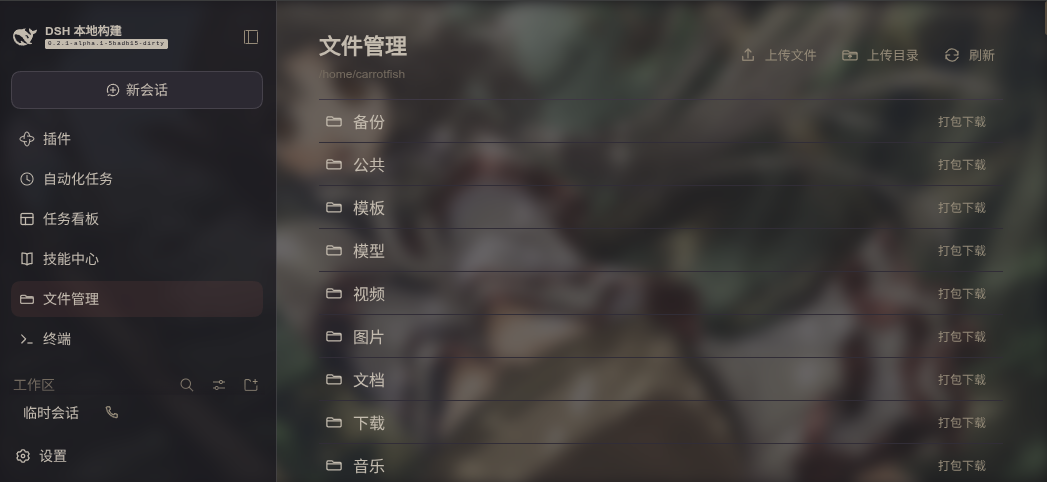
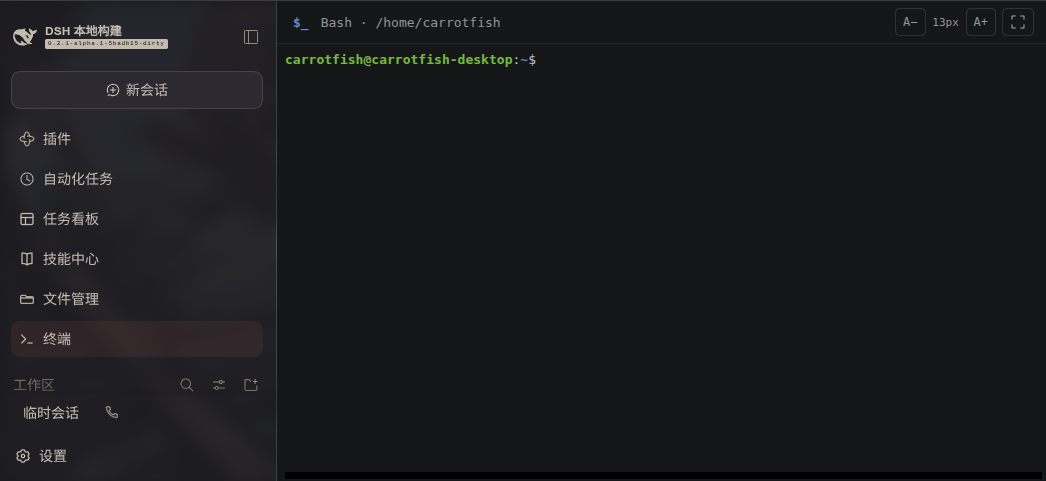
为 DSH Web 配置添加“文件管理”和“终端”面板。若安装了 dsh-better-sidebar,两个面板也会注册为侧栏标签;侧栏和主面板共享文件浏览状态与 Bash 终端,不会为同一个视图重复启动进程。
界面预览
文件管理
Bash 终端
安装
从本地项目目录安装:
dsh plugin --profile web add .
也可以从 GitHub 安装:
dsh plugin --profile web add github:CarrotFish/dsh-file-and-terminal
安装后启动或重启 Web profile:
dsh web
文件管理
文件管理器从配置的 root 目录开始浏览,默认值为用户主目录 ~。支持:
- 浏览目录、进入子目录和返回上一级。
- 上传多个文件,或上传整个目录并保留目录结构;不会覆盖已有文件。
- 下载单个文件,或将目录打包为 ZIP 下载。
- 仅跟随目标仍位于配置根目录内的符号链接。
每次目录列表最多显示 maxEntries 项。单文件下载大小受 maxDownloadBytes 限制;目录 ZIP 按未压缩总大小计算。上传总大小受 maxUploadBytes 限制。上传目录最多包含 10,000 个文件或目录项。
终端
终端面板提供宿主上的交互式 Bash PTY,并以 xterm.js 显示终端内容。它独立于对话和 Session;切换面板时会保留终端会话和屏幕内容。关闭 Web 页面或卸载插件时,终端进程会被终止。终端从配置的 root 目录启动。
配置
在 profile 的 cordis.patch.yml 中配置插件:
- insert:
    - id: file-and-terminal
      name: dsh-plugin-file-and-terminal
      config:
        root: "~"
        maxEntries: 1000
        maxDownloadBytes: 67108864
        maxUploadBytes: 67108864
maxDownloadBytes 和 maxUploadBytes 默认均为 64 MiB。插件还提供 terminalBufferBytes、terminalGraceMs 和 maxTerminals 配置项,用于限制终端输出缓冲区、进程宽限时间和同时打开的终端数。
安全提示
此插件可访问宿主文件系统中配置根目录内的内容,并提供宿主 Bash 终端。只应在可信的 DSH Web 部署中启用,并妥善设置 root 与上传、下载大小限制。
Related plugins
DSH-better-sidebar
 dsh-external
/DSH-better-sidebar
右侧侧边栏增强:文件预览/终端/Git,可拖拽自定义位置
dsh plugin --profile web add github:dsh-external/DSH-better-sidebarmirage#dsh
 strukto-ai
/mirage/typescript/packages/dsh
把文件系统与 bash 提供者换成 mirage 虚拟工作区:文件工具与 shell 命令作用于挂载的资源(RAM、S3、Redis、Slack、Gmail、Notion、Postgres)而非宿主磁盘,支持按挂载点设置读/写/执行模式、按命令选择沙箱(进程内 monty、pyodide、quickjs;远程 docker、e2b、daytona),并可在虚拟终端中安装 CLI(git、gh、slack、linear、ntn、gws,或自行注册的程序树)作为命令头词。
dsh plugin --profile web add github:strukto-ai/mirage#path:/typescript/packages/dshdeepseek-harness-desktop
 hairyf
/deepseek-harness-desktop
DeepSeek Harness Tauri 桌面版 | Only 5mb installer, zero environment setup. Windows / macOS / Linux.
dsh plugin --profile web add github:hairyf/deepseek-harness-desktopcc-safety-net
 kenryu42
/cc-safety-net
A coding agent CLI hook - block destructive commands and secret file access
dsh plugin --profile web add 'github:kenryu42/cc-safety-net#ae8af0330308ad0bc24b5389709060c7a07a6b8d'hol-guard
 hashgraph-online
/hol-guard
开源AI代理防病毒:运行时拦截风险工具、秘密访问、提示注入、恶意软件包、MCP服务器、插件和技能。
dsh plugin --profile web add github:hashgraph-online/hol-guarddsh-mobile
 saya-ch
/dsh-mobile
DeepSeek Harness 移动端适配与安全局域网访问插件,支持 Android App 和手机浏览器。
dsh plugin --profile web add github:saya-ch/dsh-mobile