
Memory
eli-mode
CeilCelia/dsh-eli-mode/packages/eli-mode · ★ 6
 CeilCelia
Knowledge-base-driven agent preset: wiki long-term memory, a web KB UI, a management page and optional UI polish.
Manifest details
安装
dsh plugin --profile web add github:CeilCelia/dsh-eli-mode#path:/packages/eli-modeGitHub 源码安装:首次需按提示配置 allowBuilds 构建授权后重试
For install and environment setup, plus plugin development tutorials, see DSH community docs ↗
README
Table of contents

Eli Mode is an agent preset for DeepSeek Harness (DSH) built around wiki-driven long-term memory and skills, on an extremely minimal Harness setup.
Features
- Wiki-driven memory: a persistent, cross-session wiki that replaces the memory and
skill modules — try it and you'll know. Entries cross-link with
[[id]]; forward/back links and the tree index are maintained automatically. - Extremely minimal Harness: only the essential tools; the injected system prompt and context are deliberately tuned.
- Management page: Settings → Plugin Configuration → Eli Mode — edit the persona prompt and the knowledge-base injection prompt from a form.
- UI polish (submodule eli-polish): adds a KB tab, token stats, tool-call collapsing and character art on top of the default theme. Off by default — tick "UI polish" in the Eli Mode config page to enable it (no restart needed).
Install
This plugin is listed on dsh-market: if you have dsh-market installed, search for eli-mode in Settings → Plugin Market to install it.
Requires DSH 0.1.0-rc.6 or newer (Node.js >= 22) and pnpm (npm install -g pnpm — the dsh plugin command depends on it).
npx -y @deepseek-ai/dsh plugin --profile web add dsh-eli-mode@latest
After restarting dsh web:
- Open a new session and pick the Eli Mode preset;
- On first run a default knowledge base is created under
~/.dsh/eli-knowledge/(existing content is never overwritten); - Settings → Plugin Configuration → Eli Mode: edit the persona prompt and the KB injection prompt (takes effect on new sessions), or tick "UI polish" and swap the character art (takes effect immediately).
Preset updates
After upgrading the plugin (dsh plugin --profile web update), restarting re-syncs
~/.dsh/.agent-presets/eli-mode/ from the bundled preset.
Desktop edition (Windows)
An out-of-the-box Windows desktop build: bundles this plugin, enables the polish/skin by default, auto-initializes on first run, and defaults new sessions to the Eli Mode preset.
Download: GitHub Releases (DSH Eli Mode v0.1.10, Windows x64)
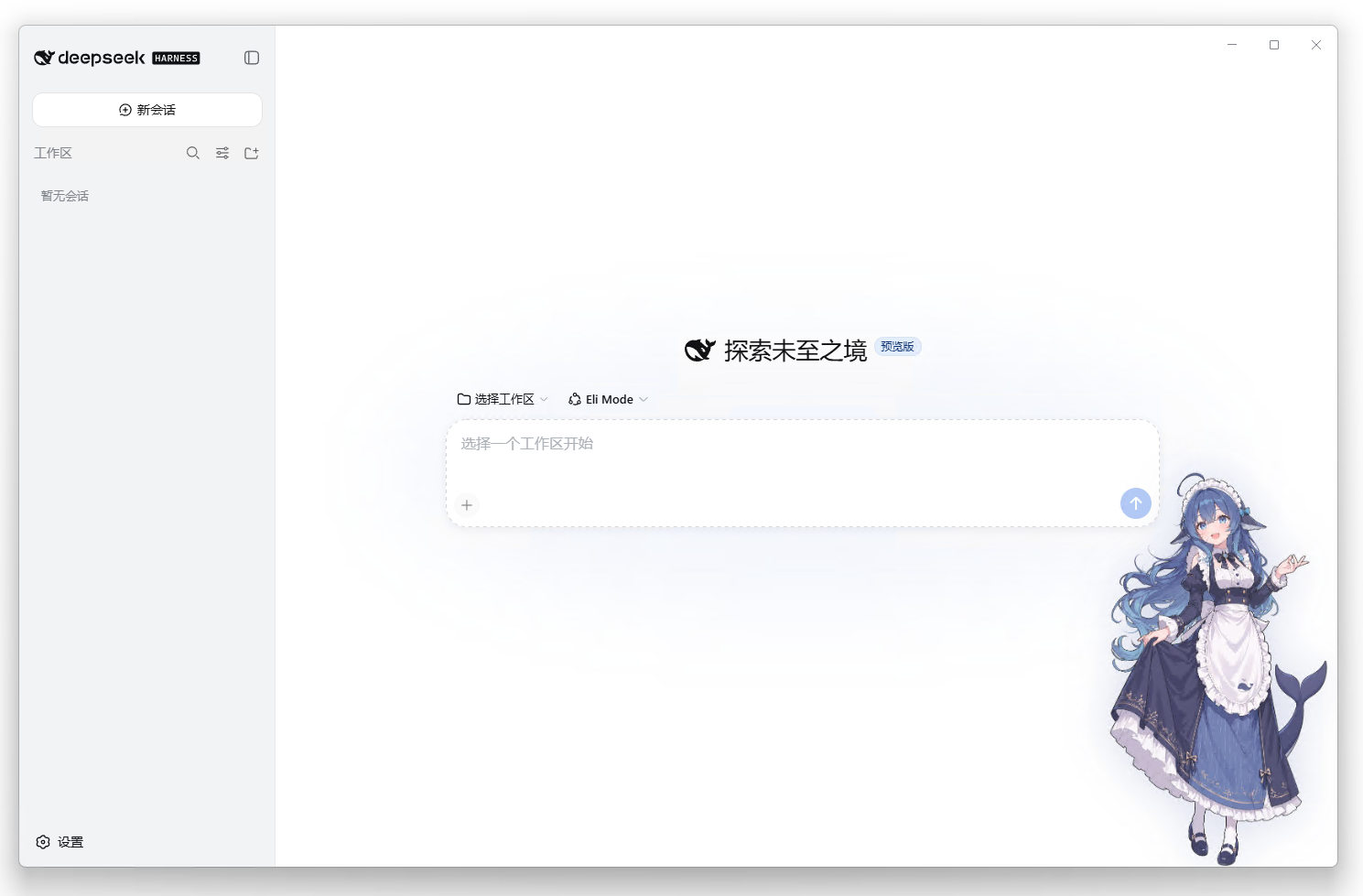
Built on anywhere-labs/deepseek-harness-desktop (MIT) - itself a community shell of the official deepseek-ai/deepseek-harness. The distribution carries full LICENSE/NOTICE. Not an official DeepSeek product.
Configuration
Management page (recommended)
Settings → Plugin Configuration → Eli Mode:
| Field | Description |
|---|---|
| Persona prompt | Identity / style / memory rules; Role, cwd and date are generated by the system |
| KB injection prompt | Template injected with the directory list; {{tree}} is replaced by the list; empty = no injection |
| Inject KB index | Toggle: whether the directory index goes into the session prompt |
| UI polish | Toggle: character art, in-chat "Knowledge base" tab, token stats, tool-call collapsing; applies immediately |
Works out of the box: the plugin ships a built-in settings bridge (loopback) so the config card needs no official-allowlist patch. If your deployment disables the bridge (e.g. remote access), edit
~/.dsh/settings.yamldirectly.
Direct settings.yaml
eli-mode:
  personaPrompt: |
    # Your persona prompt (multiline)
  kbIndexPrompt: |
    Knowledge base index below; use kb_read / kb_search on demand:

    {{tree}}
  kbIndex: true
  polish: false   # true = enable UI polish
Using the knowledge base
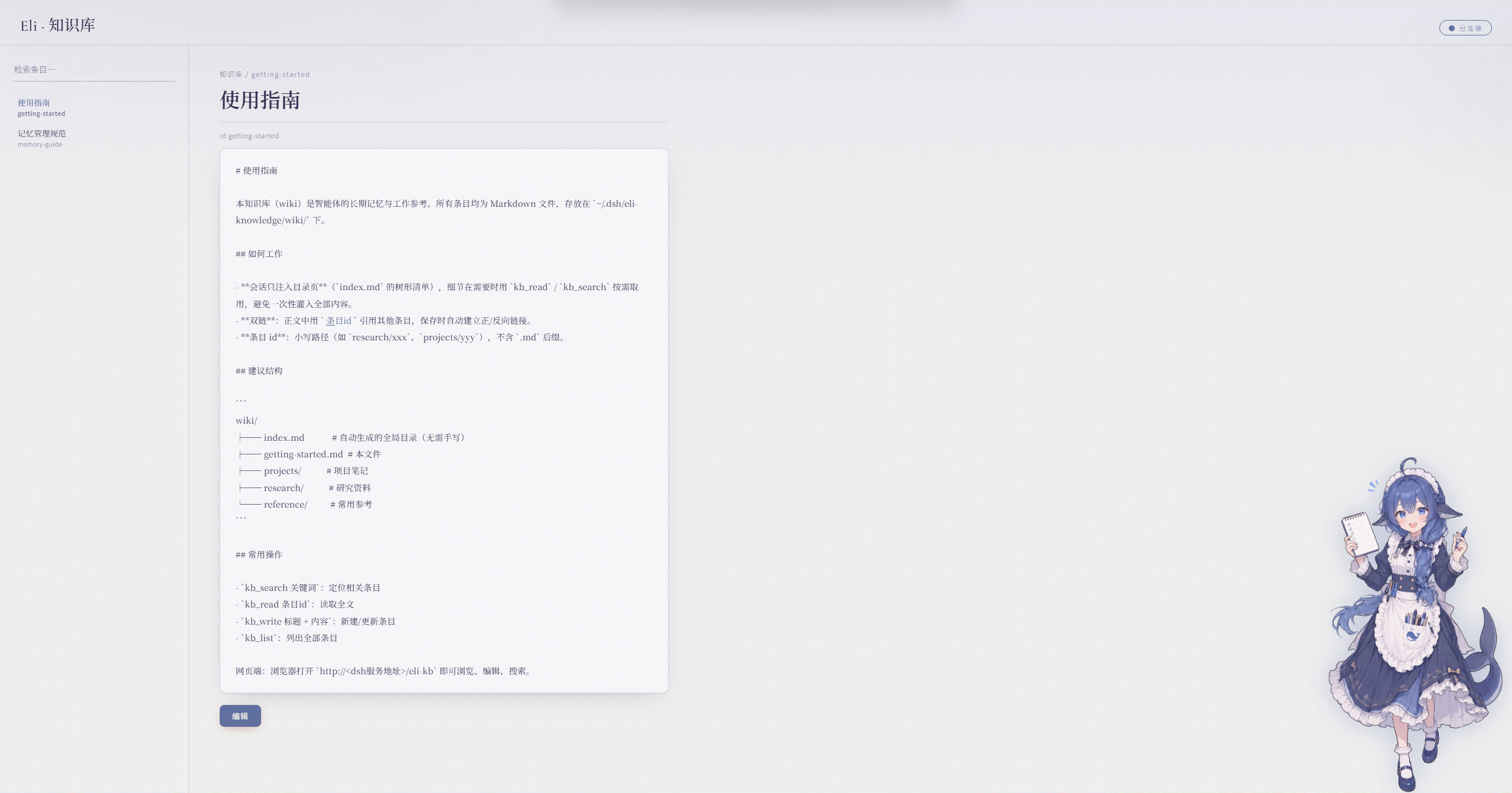
- Web:
http://<dsh-host>/eli-kb(browse / edit / search; the page follows the dsh UI language) - In chat:
kb_search <query>→kb_read <id>→kb_write <title> + <content>to persist - Storage:
~/.dsh/eli-knowledge/wiki/(override withELI_KB_ROOT) - The index (
index.md) is regenerated automatically — no manual maintenance - With polish on, the composer shows token usage; when a
DEEPSEEK_API_KEYis configured (dsh credentials service or environment variable) it also shows the account balance
Uninstall
npx -y @deepseek-ai/dsh plugin --profile web remove dsh-eli-mode
Restart dsh web. Preset files and KB data remain under ~/.dsh/ for manual cleanup.
Project layout
packages/
└── eli-mode/            # Core package (npm: dsh-eli-mode)
    ├── lib/             # Host modules (KB service, web routes, settings namespace, preset sync) + client (management card + optional polish)
    ├── presets/         # Agent preset (auto-synced to ~/.dsh/.agent-presets/)
    ├── wiki/            # Default knowledge base (seeded on first run)
    └── ui/              # KB web page and character art
License & attribution
- Code: Apache-2.0 (see LICENSE)
- Character art (
ui/art-left.webpmain UI +ui/art-right.webpwiki) is a derivative of the "Whale Girl" character, CC BY-NC-SA 4.0 (non-commercial); full attribution chain in NOTICE:
- 上善 (Shangshan) (Pixiv · Bilibili) — original creator of the whale-girl character
- zipzip / ZipZipPipe (Pixiv · Bilibili) — the DeepSeek-element maid whale-girl redesign (generated with GPT Image 2)
- Small-tailqwq (dsh-deep-whale) — the DeepSeek-element material curation (tertiary derivative)
Special thanks to the creators above — their art and curation give this UI its soul.
Related plugins
hindsight#coding-agents
 vectorize-io
/hindsight/hindsight-integrations/coding-agents
Hindsight:会学习的 Agent 长期记忆系统,自动召回/保存、知识页、深度反思与按仓库隔离的记忆银行。
dsh plugin --profile web add github:vectorize-io/hindsight#path:/hindsight-integrations/coding-agentsdsh-memory-plugin
 volcengine
/OpenViking/examples/dsh-memory-plugin
面向 DeepSeek Harness 的 OpenViking 记忆与上下文插件:pre-step 自动召回与画像注入、会话捕获、`viking://` URI 防护,以及对接 OpenViking 服务端的 recall/write 记忆工具。
dsh plugin --profile web add @openviking/dsh-memory-pluginmemos
 memtensor
/memos
给你的 Agent 持久记忆与成长能力
dsh plugin --profile web add @memtensor/memos-cloud-dsh-plugin@latestdsh-purge-kingchar
 kingcharleslzy-ai
/dsh-purge
让 AI 更专注地辅助学习与动手实验:DSH 附加组件,提供状态自检、提示词与规则管理、本机备份与回滚。
dsh plugin --profile web add 'github:kingcharleslzy-ai/dsh-purge#27919a326b6615b1968661a3e749760cec3a2e07'dsh-context
 bowenliang123
/dsh-context
上下文洞察面板:一眼看清模型上下文窗口的组成与变化——构成对照窗口大小、按请求历史趋势、压缩/注入事件、消息级 token 统计。
dsh plugin --profile web add dsh-contextmemsearch
 zilliztech
/memsearch/plugins/dsh
MemSearch plugin for DeepSeek Harness: shared markdown memory across agents, with capture, on-demand recall, memory-recall skill, and a skill-candidate review panel.
dsh plugin --profile web add '@zilliz/memsearch-dsh@0.1.8'