
Development & Runtime
dsh-artifact
Jannchie/dsh-artifact · ★ 2
 Jannchie
Claude-Code-style artifacts for DeepSeek Harness: an artifact tool, an authoring skill, and an in-app sandboxed HTML browser
Manifest details
安装
dsh plugin --profile web add github:Jannchie/dsh-artifactGitHub 源码安装:首次需按提示配置 allowBuilds 构建授权后重试
For install and environment setup, plus plugin development tutorials, see DSH community docs ↗
README
Table of contents
中文 | English


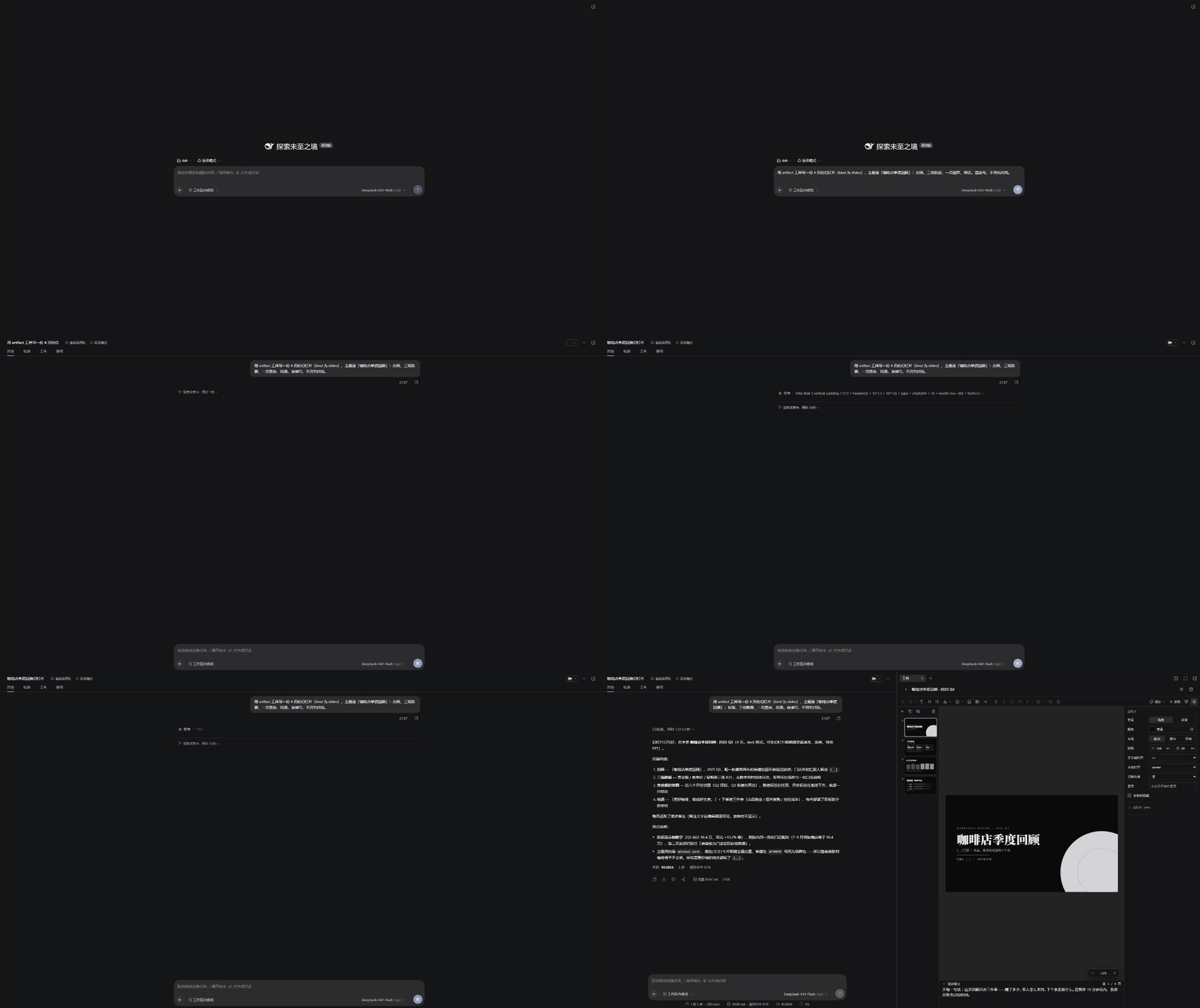
dsh-artifact adds artifacts to DeepSeek Harness: the agent writes self-contained HTML documents or slide decks through an artifact tool, and each one opens beside the conversation as soon as it is written.
A report that stays in the chat scrolls away with it; one written into the repository becomes an .html file nobody opens again. Artifacts are stored outside the workspace, listed newest first, and can be read, edited and compared with earlier revisions in place. Decks can also be presented full screen and exported to PowerPoint.
Install
dsh plugin --profile web add dsh-artifact      # dsh web
dsh plugin --profile desktop add dsh-artifact  # desktop app
Plugins load at process start, so restart dsh web or the desktop app after installing. The right sidebar and the artifact panel require DSH 0.1.7 or later.
Getting started
Ask the agent for something worth keeping:
Summarize this week's benchmark results as a report.
Make a four-slide deck reviewing the coffee shop's quarter.
The agent writes the artifact with the artifact tool. If the conversation is on screen when the write finishes, the artifact opens in the right sidebar. The tool row in the conversation also shows the artifact's name as a link, which reopens it later.
Common tasks
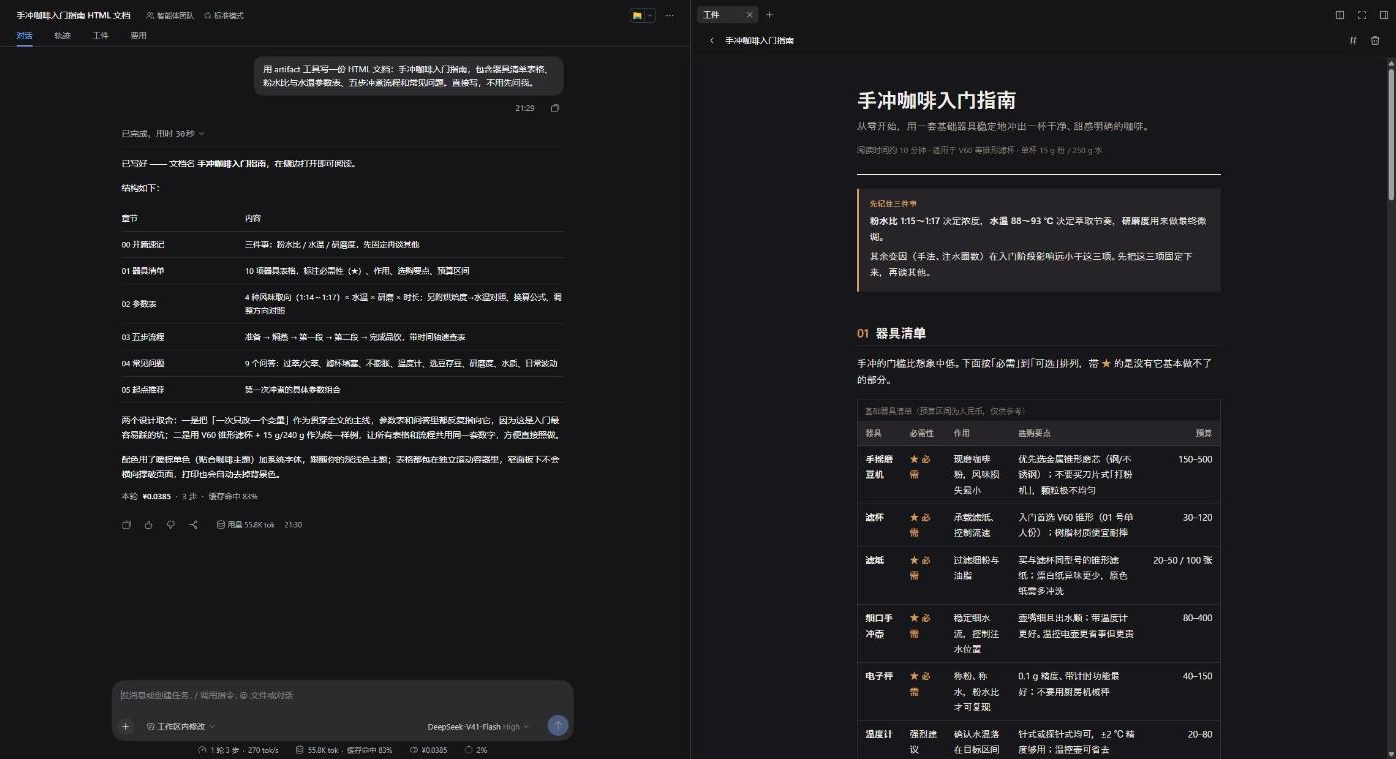
Reading a document. Reports, cheat sheets and comparisons are written as self-contained HTML documents: one reading column, colors that follow the app's theme, and wide tables that scroll on their own. A document is read in the right sidebar and can be switched to its source.
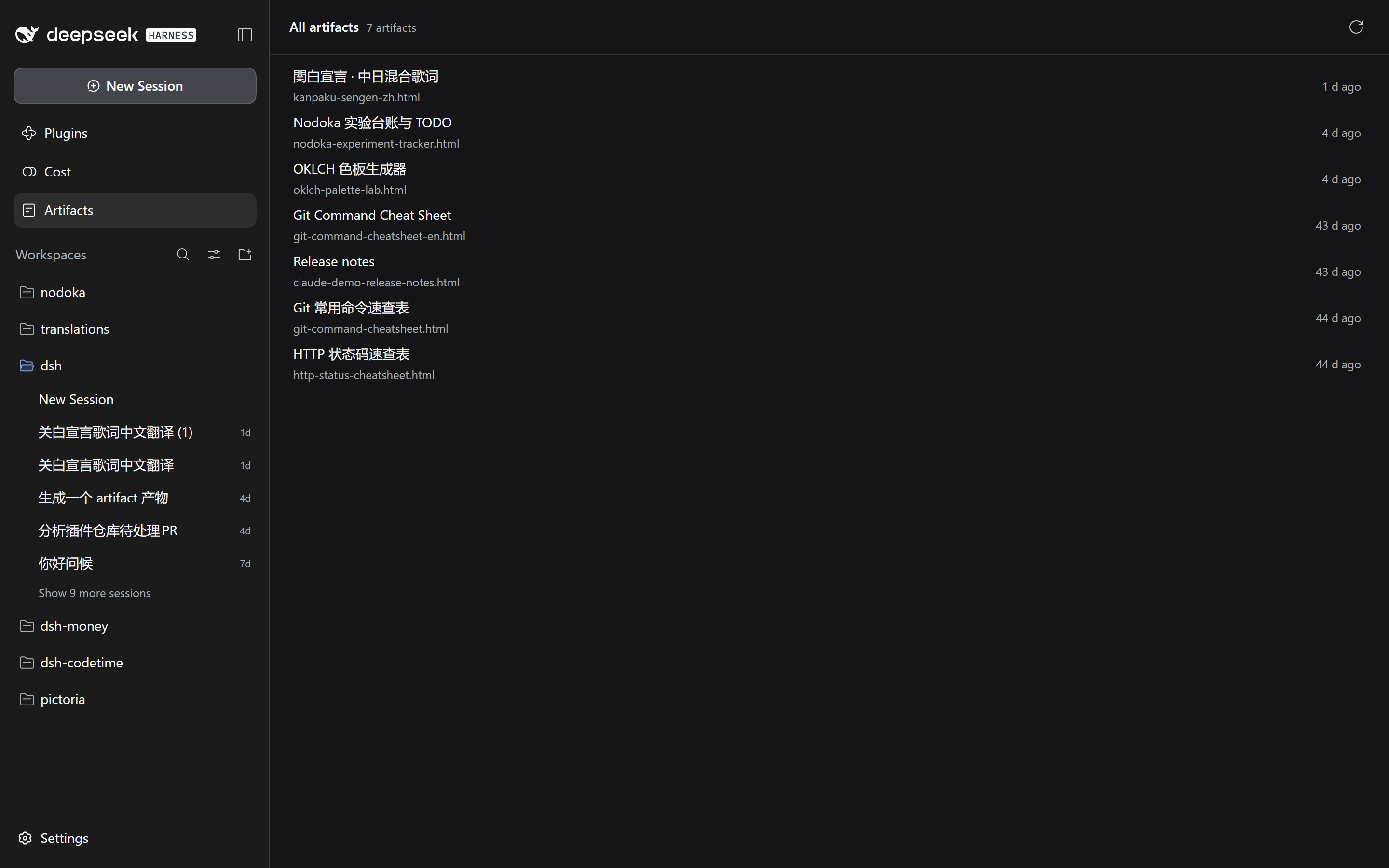
Finding artifacts. A conversation's Artifacts tab lists what that session wrote; the Artifacts panel in the left sidebar lists every artifact from every session. Open in sidebar moves a document from the panel to the conversation's side.
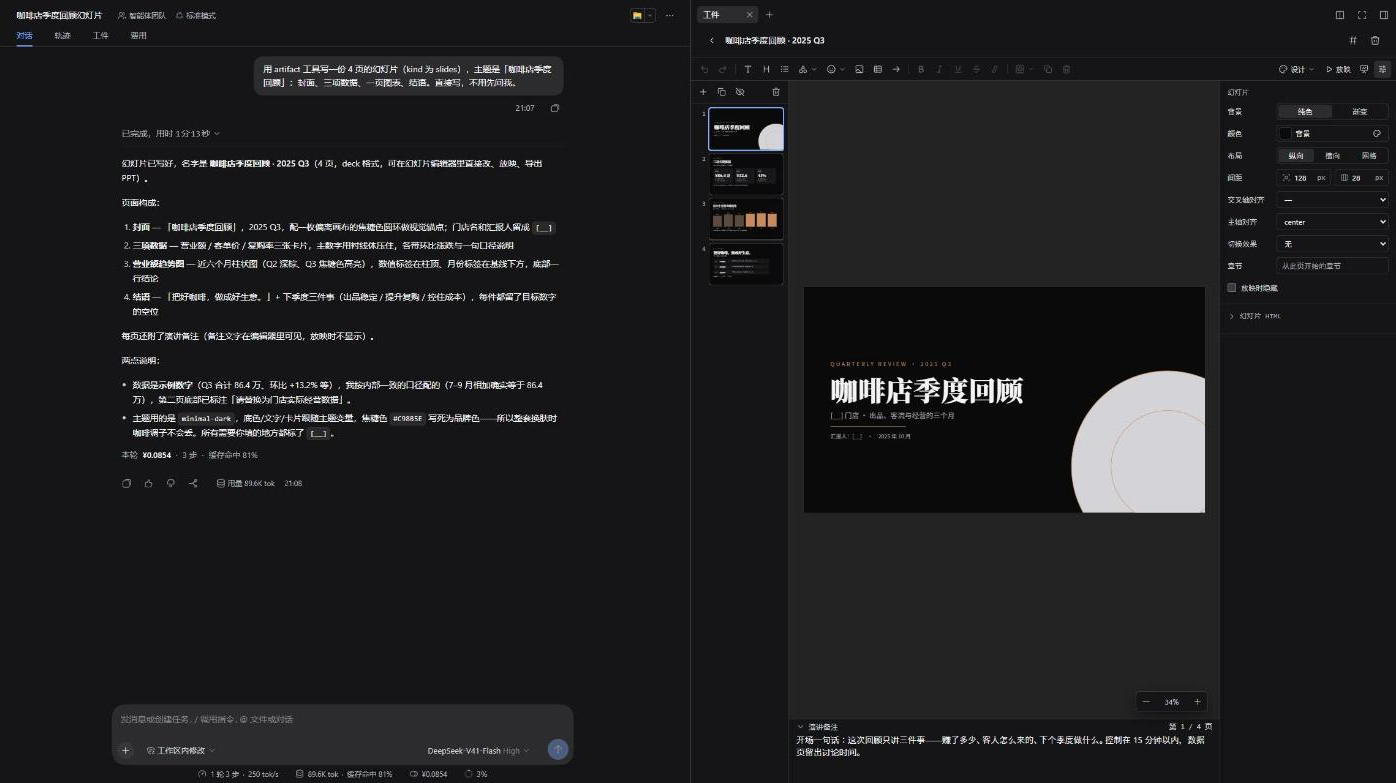
Editing a deck. Asked for a presentation, the agent writes a slide deck rather than a page. The deck opens in an editor that edits text in place, accepts dropped images, adds and removes table rows and columns, switches themes, presents full screen and exports .pptx. Edits are saved to the same artifact, so the agent reads them on its next read. The editor is @jannchie/slides.
Comparing revisions. A rewritten artifact keeps the revisions it replaced (20 per artifact by default), and a History button appears beside its title. In preview, Hold to see this one swaps the older revision into the same place on screen; in source, the two are shown as a diff with unchanged stretches folded. Restore this one needs no confirmation, because the content it replaces is kept as a revision too.
What opens on its own. Only a write that finishes while the conversation is live opens an artifact automatically. Calls replayed when a session is reopened, read and list open nothing, and when the right sidebar is unavailable (no session selected) the artifact panel is not opened in its place.
The artifact tool
| Command | Arguments | Effect |
|---|---|---|
list |
— | Every artifact, newest first |
read |
path |
One artifact's full content |
write |
path, content, kind |
Create or replace an artifact; kind is html (default) or slides |
delete |
path |
Remove an artifact and its revisions |
path is relative to the artifact directory and the .html suffix is optional. The agent also receives a writing-artifacts skill describing document structure, colors, and the subset of HTML a deck may use.
Storage and rendering
- Artifacts live in
$DSH_HOME/artifacts(by default~/.dsh/artifacts), with revisions under.versions/and images placed in decks under.assets/. - HTML artifacts render in a sandboxed iframe that allows scripts only: no network and no same-origin access, so everything an artifact needs is inlined. The preview receives the app's current color tokens and follows its theme.
Configuration
Override in the profile's cordis.patch.yml:
- id: artifact
  config:
    root: /absolute/path/to/artifacts   # artifact directory; default $DSH_HOME/artifacts
    maxArtifactChars: 400000            # character limit for one write
    maxVersionsPerArtifact: 20          # revisions kept per artifact; 0 disables history
    promptSection: true                 # tell the model when to write an artifact
    skill: true                         # register the writing-artifacts skill
    palette:                            # colors layered over the live theme for previews
      state-business-primary: '#e0552b'
Implementation notes on slot contracts and the wire protocol are in NOTES.md.
License
MIT
Related plugins
DSH-better-sidebar
 dsh-external
/DSH-better-sidebar
右侧侧边栏增强:文件预览/终端/Git,可拖拽自定义位置
dsh plugin --profile web add github:dsh-external/DSH-better-sidebarmirage#dsh
 strukto-ai
/mirage/typescript/packages/dsh
把文件系统与 bash 提供者换成 mirage 虚拟工作区:文件工具与 shell 命令作用于挂载的资源(RAM、S3、Redis、Slack、Gmail、Notion、Postgres)而非宿主磁盘,支持按挂载点设置读/写/执行模式、按命令选择沙箱(进程内 monty、pyodide、quickjs;远程 docker、e2b、daytona),并可在虚拟终端中安装 CLI(git、gh、slack、linear、ntn、gws,或自行注册的程序树)作为命令头词。
dsh plugin --profile web add github:strukto-ai/mirage#path:/typescript/packages/dshdeepseek-harness-desktop
 hairyf
/deepseek-harness-desktop
DeepSeek Harness Tauri 桌面版 | Only 5mb installer, zero environment setup. Windows / macOS / Linux.
dsh plugin --profile web add github:hairyf/deepseek-harness-desktopcc-safety-net
 kenryu42
/cc-safety-net
A coding agent CLI hook - block destructive commands and secret file access
dsh plugin --profile web add 'github:kenryu42/cc-safety-net#ae8af0330308ad0bc24b5389709060c7a07a6b8d'hol-guard
 hashgraph-online
/hol-guard
开源AI代理防病毒:运行时拦截风险工具、秘密访问、提示注入、恶意软件包、MCP服务器、插件和技能。
dsh plugin --profile web add github:hashgraph-online/hol-guarddsh-mobile
 saya-ch
/dsh-mobile
DeepSeek Harness 移动端适配与安全局域网访问插件,支持 Android App 和手机浏览器。
dsh plugin --profile web add github:saya-ch/dsh-mobile