
Notifications & Integrations
dsh-feishu
PGZXB/dsh-feishu · ★ 37
 PGZXBCurated
Feishu (Lark) UI for DeepSeek Harness — a panel-driven control console: every slash command is a button on the ⚙️ control-panel card, in-card approvals and questions, live streaming cards, and one-QR app setup.
Manifest details
安装
dsh plugin --profile web add github:PGZXB/dsh-feishuGitHub 源码安装:首次需按提示配置 allowBuilds 构建授权后重试
For install and environment setup, plus plugin development tutorials, see DSH community docs ↗
README
Table of contents
English | 中文


The Feishu UI for DeepSeek Harness (dsh) — a dsh-native plugin with a panel-driven control console: every slash command is a button on the ⚙️ control-panel card, approvals and questions resolve inside the chat, and one QR scan sets the whole app up.
Note: DeepSeek Harness is still pre-release and may break between releases. dsh-feishu is built and verified against dsh
@latest— currently0.2.1-rc.2— both when installed from npm and from git.
https://github.com/user-attachments/assets/e9163793-52f2-4e2c-a08a-22b27372be61
2.5-min demo: control panel, streaming card, approval and question.
Quickstart
Install from npm
# 1. install Node.js ≥ 22.13
#    macOS / Linux: nvm (https://github.com/nvm-sh/nvm) → nvm install 22
#    Windows: https://nodejs.org  (or: winget install OpenJS.NodeJS.LTS)
node --version

# 2. install pnpm
npm install -g pnpm

# 3. install the plugin
#    (pnpm ≥ 11 blocks the protobufjs build script by default, so
#     --allow-build=protobufjs lets pnpm run it)
npx @deepseek-ai/dsh plugin --profile feishu add @dsh-feishu/dsh-feishu@latest --allow-build=protobufjs

# 4. one QR scan — create + configure the Feishu app
npx --yes --package @dsh-feishu/dsh-feishu dsh-feishu-setup --new --profile feishu

# 5. run
npx @deepseek-ai/dsh --profile feishu
Install from source
# 1. install Node.js ≥ 22.13
#    macOS / Linux: nvm (https://github.com/nvm-sh/nvm) → nvm install 22
#    Windows: https://nodejs.org  (or: winget install OpenJS.NodeJS.LTS)
node --version

# 2. install pnpm
npm install -g pnpm

# 3. clone and build
git clone https://github.com/PGZXB/dsh-feishu.git
cd dsh-feishu
pnpm install
pnpm run build

# 4. install into a profile
npx @deepseek-ai/dsh plugin --profile feishu add link:.

# 5. one QR scan — create + configure the Feishu app
pnpm run setup:feishu -- --new --profile feishu

# 6. run
npx @deepseek-ai/dsh --profile feishu
Then message the bot in Feishu. The setup wizard handles the Feishu app end
to end — no web-console work and no manual credentials. Already have an app?
Set FEISHU_APP_ID / FEISHU_APP_SECRET (environment or profile config)
instead — see docs/feishu-setup.md.
Uninstall
# remove the plugin from the profile
npx @deepseek-ai/dsh plugin --profile feishu remove @dsh-feishu/dsh-feishu

# optional — full clean slate: delete the profile and its surface data
# (paths shown for the default dsh home, ~/.dsh)
rm -rf ~/.dsh/profiles/feishu ~/.dsh/feishu
Usage
A Feishu chat is a dsh session — the bot is the agent's avatar. A typical session goes like this:
- Start a chat. Direct-message the bot, or run
/group <name>to create a group the bot joins. In a group, @-mention the bot (the default policy; a group with just you and the bot also answers plain messages, and the policy is configurable).
- Open the control panel. Send
/panelto pop up the panel card.
- Pick a working directory. The bot refuses work until the chat has
one: tap 📚 Pick project to choose from a list (the
/repoequivalent), or 📁 Change dir to type a path (the/cd <path>equivalent).
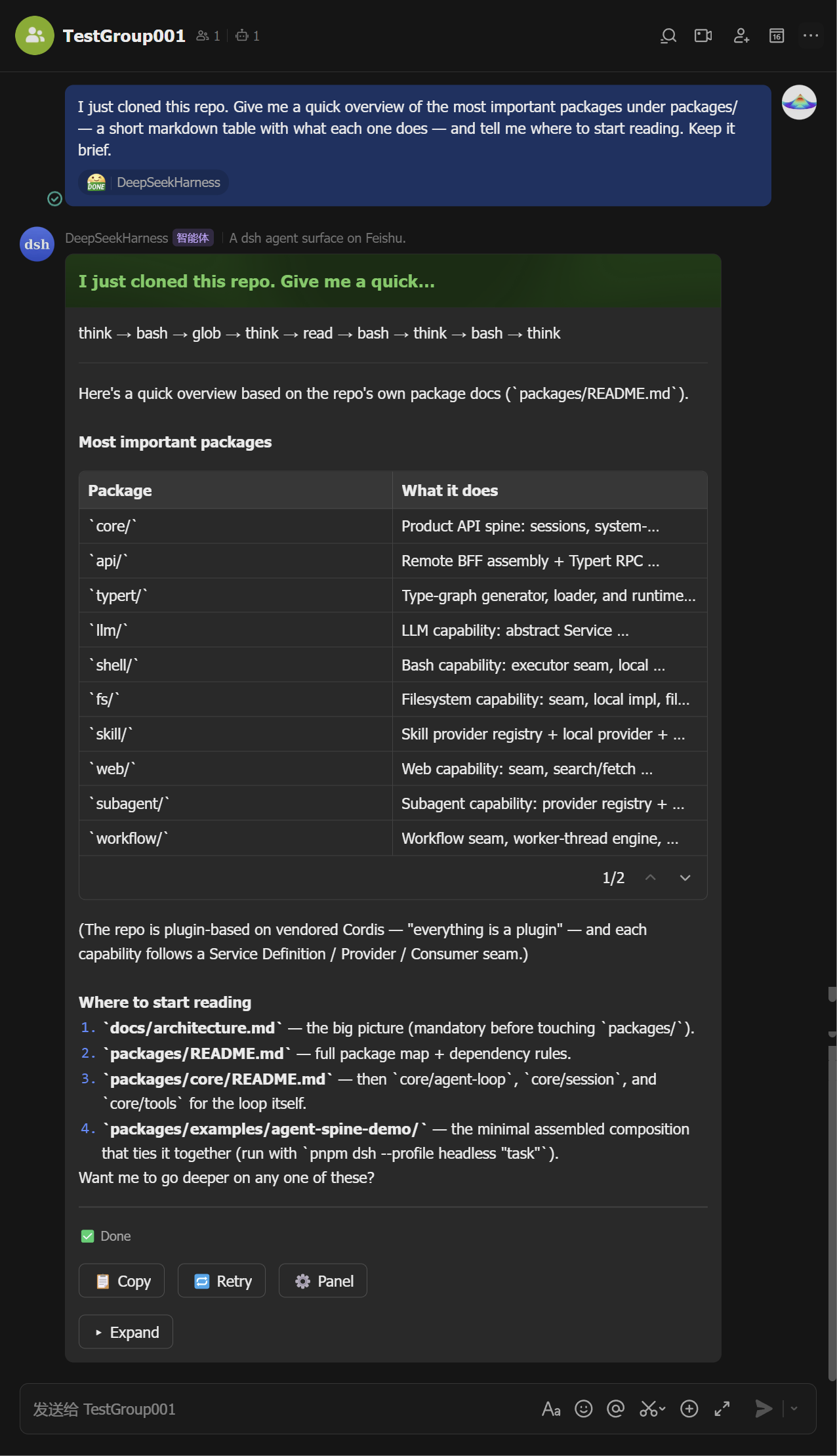
Ask. Send a message — the agent runs and its output streams into a live card (tool calls, reasoning, markdown, tables). The card ends green with the full answer inside; Stop, copy, retry, and the ⚙️ panel button sit on it.
Mid-stream Finalized 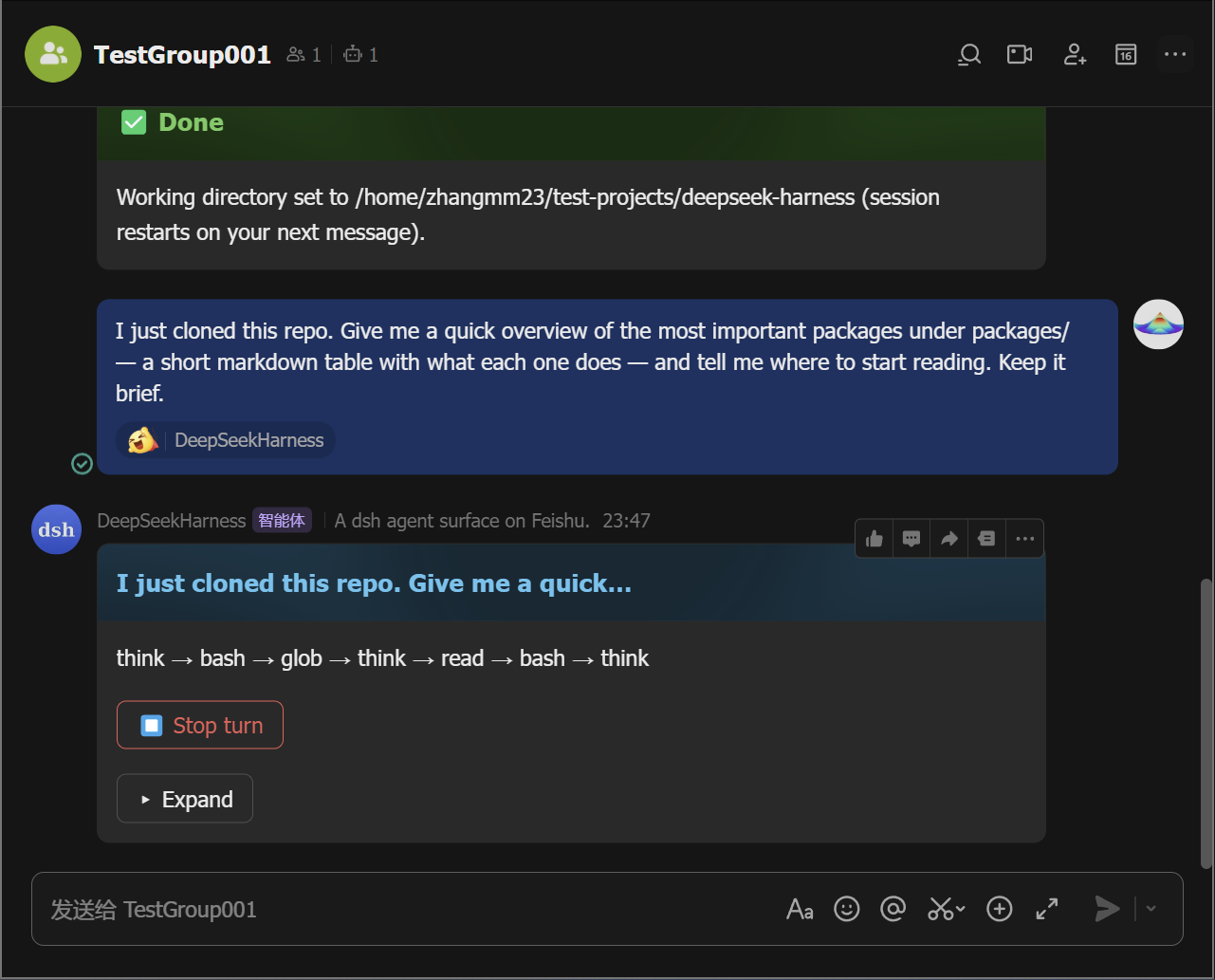
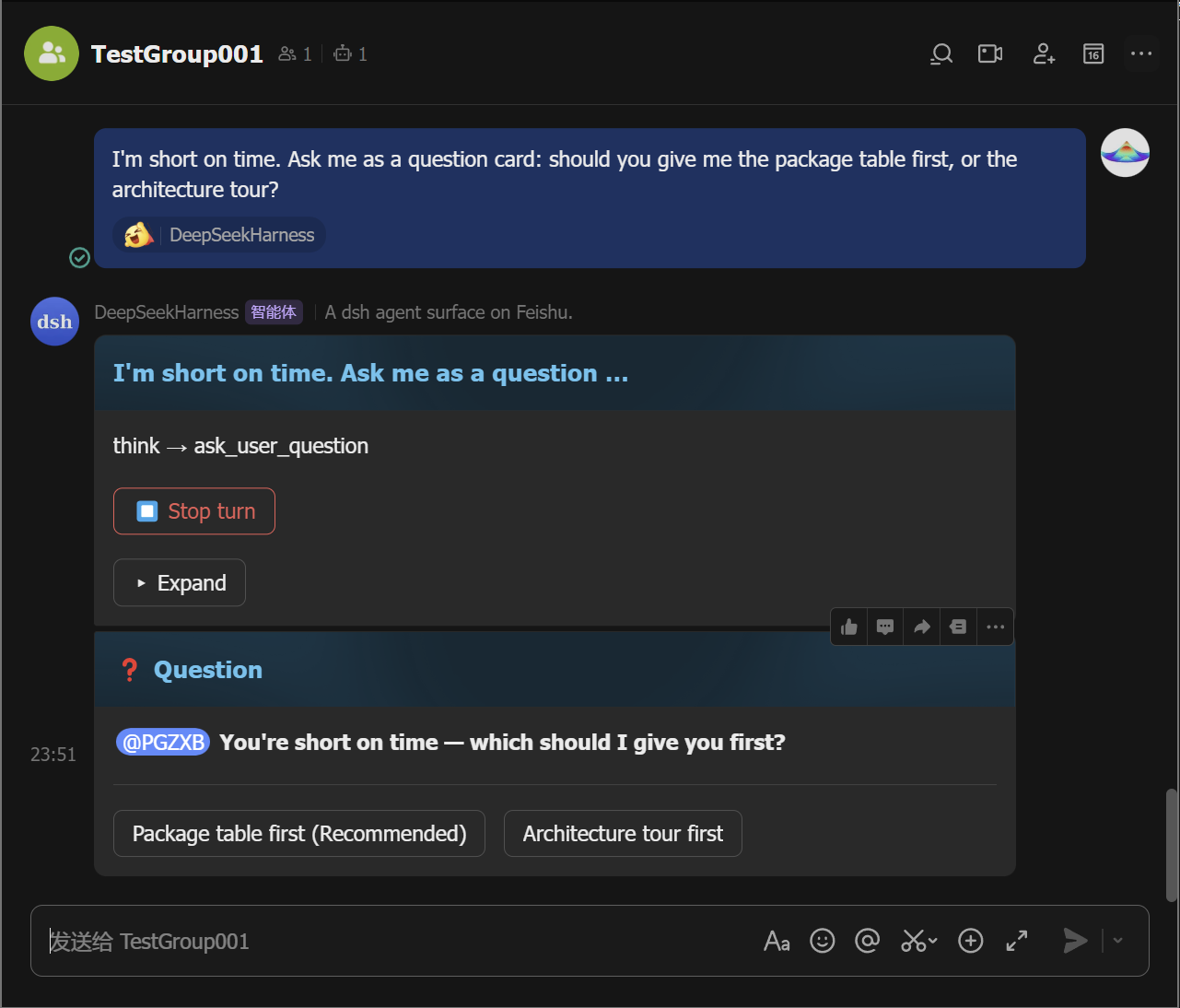
Approve or answer when asked. A permission escalation posts an approval card — tap Allow once (or Reject). A question posts a card you answer with a tap (or a reply).
Approval Question 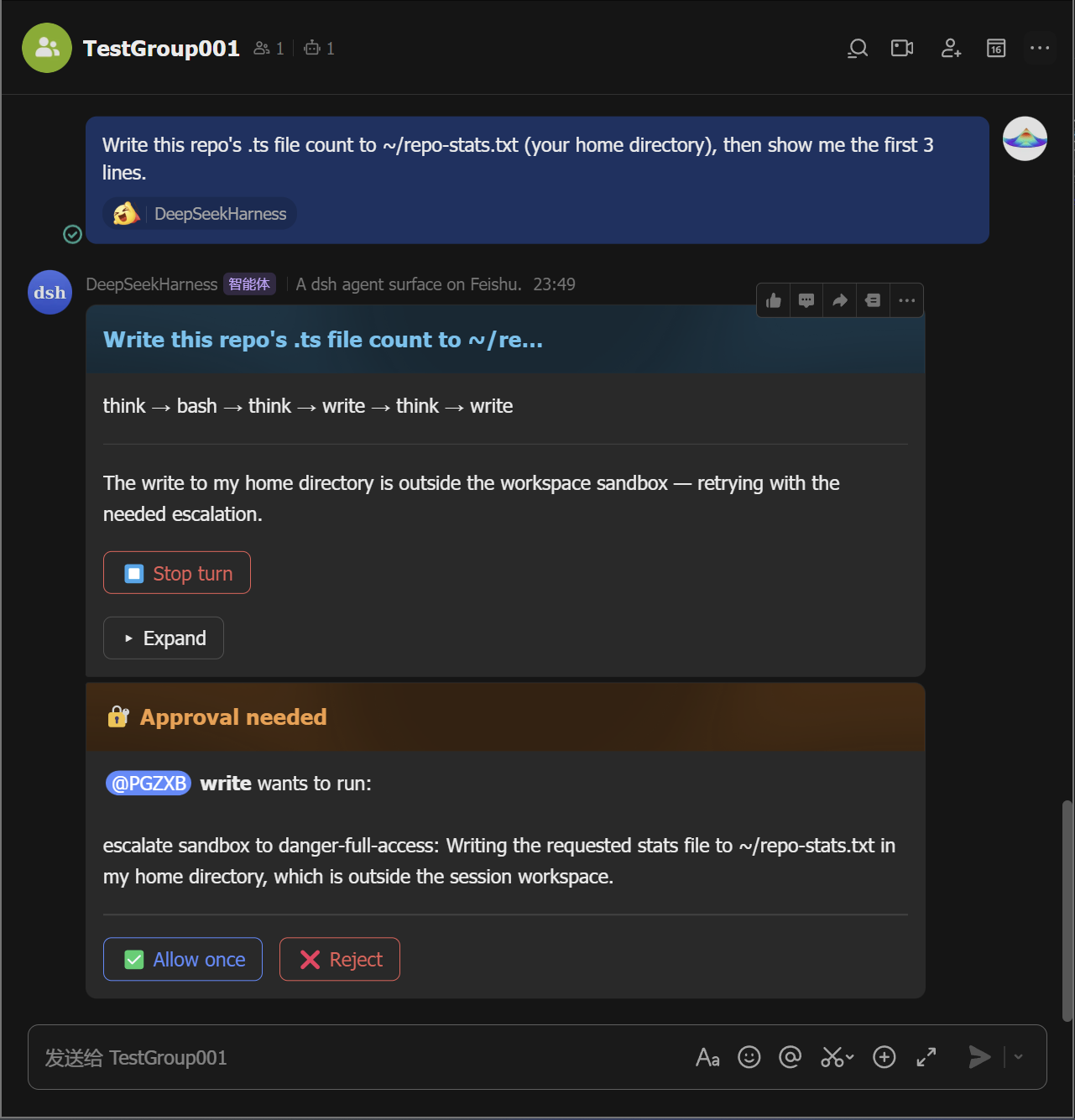
Manage sessions. Tap 🗂️ Sessions to list saved sessions and resume any of them from the card (the
/sessionsequivalent;/resume <id>moves one into this chat), and tap ➕ New chat (the/clearequivalent) to start fresh without deleting the old one.
Every button on the panel card maps to a slash command — pick whichever
feels faster; /help lists them all.
Commands
| Command | What it does |
|---|---|
/help |
list all commands |
/panel |
open the control-panel card (all commands as buttons) |
/group <name> |
create a group with the bot (bare opens a name-input card) |
/cancel |
stop the running turn |
/cd <path> |
set this chat's working directory (bare opens a path-input card) |
/repo [path] |
pick a project directory (bare scans the default roots; /repo <path> scans that path) |
/status |
show this chat's session status |
/feishu-status |
show the surface diagnostic card |
/schedule |
list active reminders |
/model <provider/model> |
switch this session's model (bare opens the picker) |
/export |
send this chat's session log as a file |
/log |
send the dsh-feishu log file to this chat (handy for debugging — please attach the key log lines when you file an issue) |
/sessions |
list saved sessions (resume any of them from the card) |
/resume <id> |
resume a saved session (bare opens the session list) |
/clear /new |
start a fresh conversation (the old session stays saved) |
/goal <text> |
set the task goal (bare opens a text-input card) |
/compact |
compact older conversation history |
/feedback <text> |
send feedback (bare opens a text-input card) |
/permission <preset> |
switch the permission preset (bare opens the picker) |
/plan [on|off] |
enter or leave plan mode (bare toggles) |
Features
- Live streaming cards — tool calls, reasoning, markdown, and tables stream in as the agent works.
- One-tap control panel —
/panelrenders the full command palette as buttons; no command syntax to remember, and each button is the exact equivalent of typing the command. - In-card approvals & questions — approve a permission escalation or answer the agent's questions in the chat.
- Sessions survive restarts — a chat's session and its working directory are persisted across daemon restarts;
/sessionslists, resumes, renames, archives, and exports them. - One-QR quick setup — a single Feishu QR scan creates and configures the app (bot profile, scopes, event subscriptions, credentials) and writes the dsh profile.
- Files in both directions — images, files, videos, and rich-text posts you send land in the workspace as plain files the agent reads by path; the agent can send workspace files and images back to the chat.
- Message queue & steering — messages sent while a turn is running queue visibly; edit, delete, or steer them into the running turn.
- Files a turn produced — appear as chips at the bottom of the card; tap one to receive it in the chat.
- Card stats & diagnostics — turns, tool calls, tokens, and current context-window occupancy on the card;
/feishu-statusshows connection and session diagnostics, and stays usable mid-turn. - Groups & mentions — @-mention the bot; error notices, approvals, and questions @ the requester.
- Reactions, allowlists, reminders, export — reaction ack,
allowedChats/allowedUsers, scheduled reminders, and session-log files.
Contributing
See CONTRIBUTING.md and SECURITY.md. Development, tests, and release: docs/development.md.
Community
Join the dsh-feishu community group on Feishu:
Credits
- botmux — the reference for the group-chat interaction patterns: streaming cards, approvals, and the QR-driven Open Platform quick-setup flow. dsh-feishu borrows botmux's interaction and onboarding patterns, not its architecture — botmux bridges external CLIs, while this surface is dsh-native and in-process.
- DeepSeek Harness — the platform this surface is built for.
- Lark Open Platform SDK — the WebSocket long connection and card APIs the transport builds on.
License
MIT — see LICENSE.
Related plugins
dsh-im
 xmanrui
/dsh-im
通过扫码把IM机器人接入DeepSeek Harness(支持飞书、微信、钉钉等)。
dsh plugin --profile web add github:xmanrui/dsh-imdsh-pocket
 shaobeichen
/dsh-pocket
手机远程访问 DSH Web 界面:扫码即用局域网或公网(cloudflared 隧道)访问,实时同屏、移动端适配布局,带设置页管理。
dsh plugin --profile web add github:shaobeichen/dsh-pocketDSH Startup Screen
 6shenhonghong9
/dsh-startup-screen
DeepSeek Harness 启动界面与启动动画:黑幕 DeepSeek 标识 → 过曝洗白 → 暖白档案底板 → 交互式访问授权序列(需要访问许可 / 身份资料确认 / 接收访问需求 / 开始读取权限 / 读取完毕·核验通过 / 欢迎访问)。中文主字 + 英文等宽副标题,真声素材 + 界面音效,身份名称等参数在 DSH 设置页可改。web profile 与 DeepSeek Harness Desktop 桌面端通用。桌面端(Windows)播放启动动画期间把标题栏整层透明化:最小化/最大化/关闭按钮与其底色一并不可见,播放结束自动还原。
dsh plugin --profile web add 'github:6shenhonghong9/dsh-startup-screen#1f35ea33810e02a900b31df01f9c806f92f398df'dsh-qqbot
 tencent-connect
/dsh-qqbot
让 QQ Bot 接入 DeepSeek Harness(dsh)的官方插件
dsh plugin --profile web add github:tencent-connect/dsh-qqbotdeepseek-harness-mobile
 sorsama
/deepseek-harness-mobile
DeepSeek Harness 的 Android 伴侣应用:经局域网用手机聊天、看目标、审批与收通知;Kotlin + Jetpack Compose
dsh plugin --profile web add github:sorsama/deepseek-harness-mobiledsh-bridge
 wenbin-wb
/dsh-bridge
DeepSeek Harness 多通道远程访问与全域安全门禁插件 手机扫个码,人不在电脑前也能继续用 DeepSeek Harness。躺在沙发上、出差在外、跨网访问——都不用守着电脑,也不用自己搭公网服务器,扫码就能在手机/平板或任意设备上接着干。 把你本地的 DeepSeek Harness 无缝延伸到手机、平板、公网、甚至微信 / QQ /…
dsh plugin --profile web add github:wenbin-wb/dsh-bridge