
UI Enhancements
dsh-smooth-stream
SpookySandwich/dsh-smooth-stream · ★ 11
 SpookySandwich
Better streaming text animation for DeepSeek Harness.
Manifest details
安装
dsh plugin --profile web add github:SpookySandwich/dsh-smooth-streamGitHub 源码安装:首次需按提示配置 allowBuilds 构建授权后重试
For install and environment setup, plus plugin development tutorials, see DSH community docs ↗
README
Table of contents
简体中文 | English




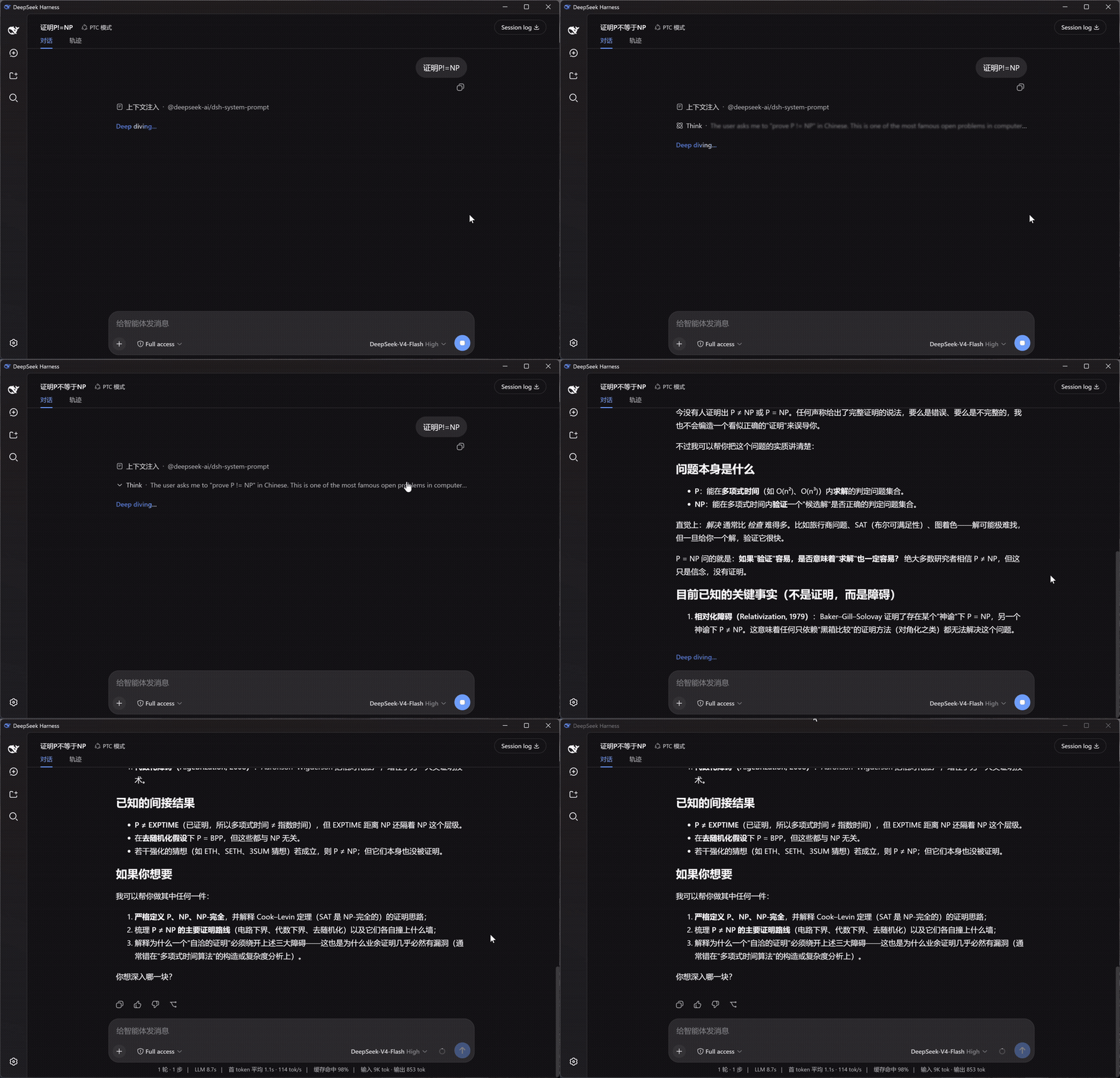
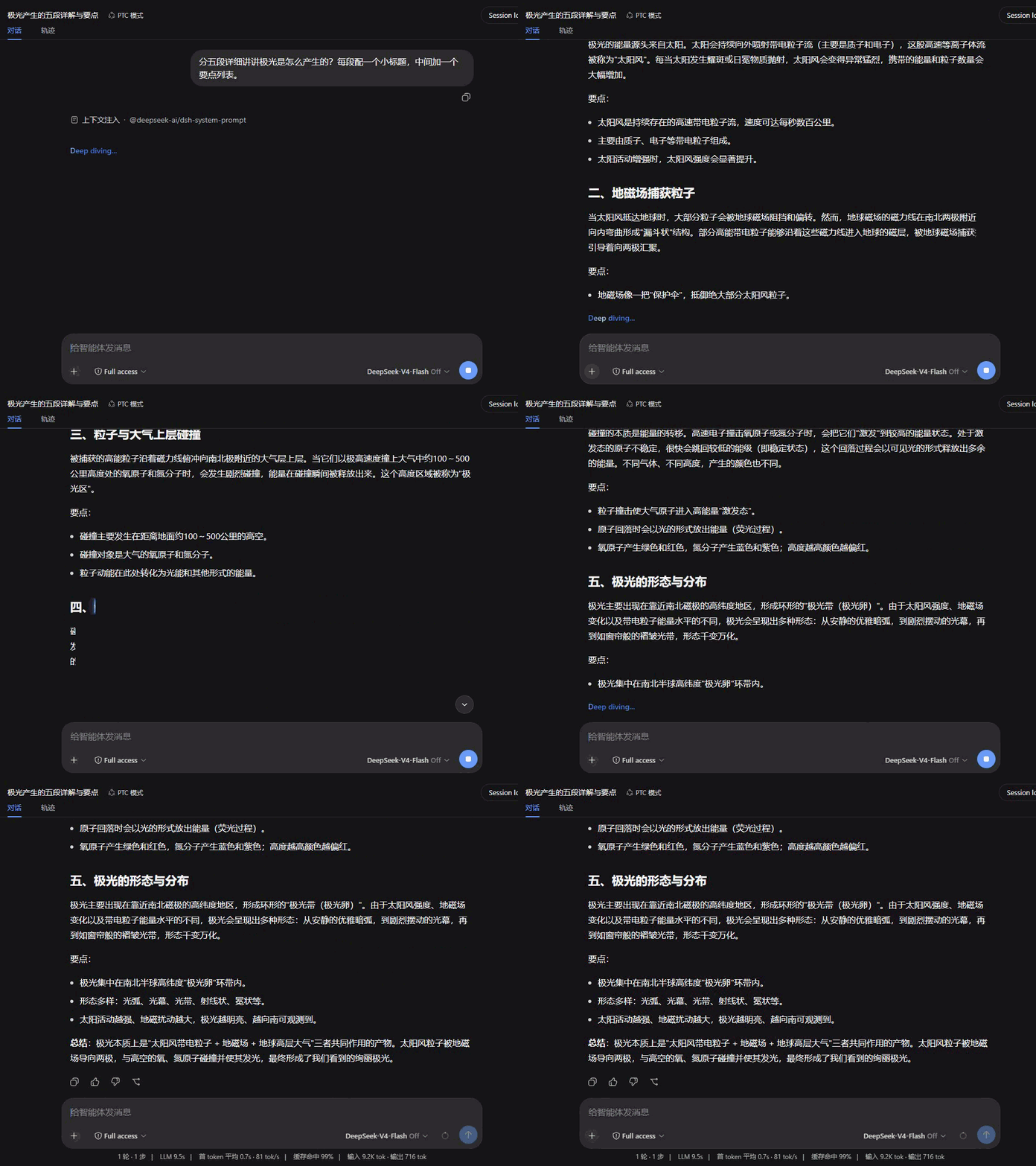
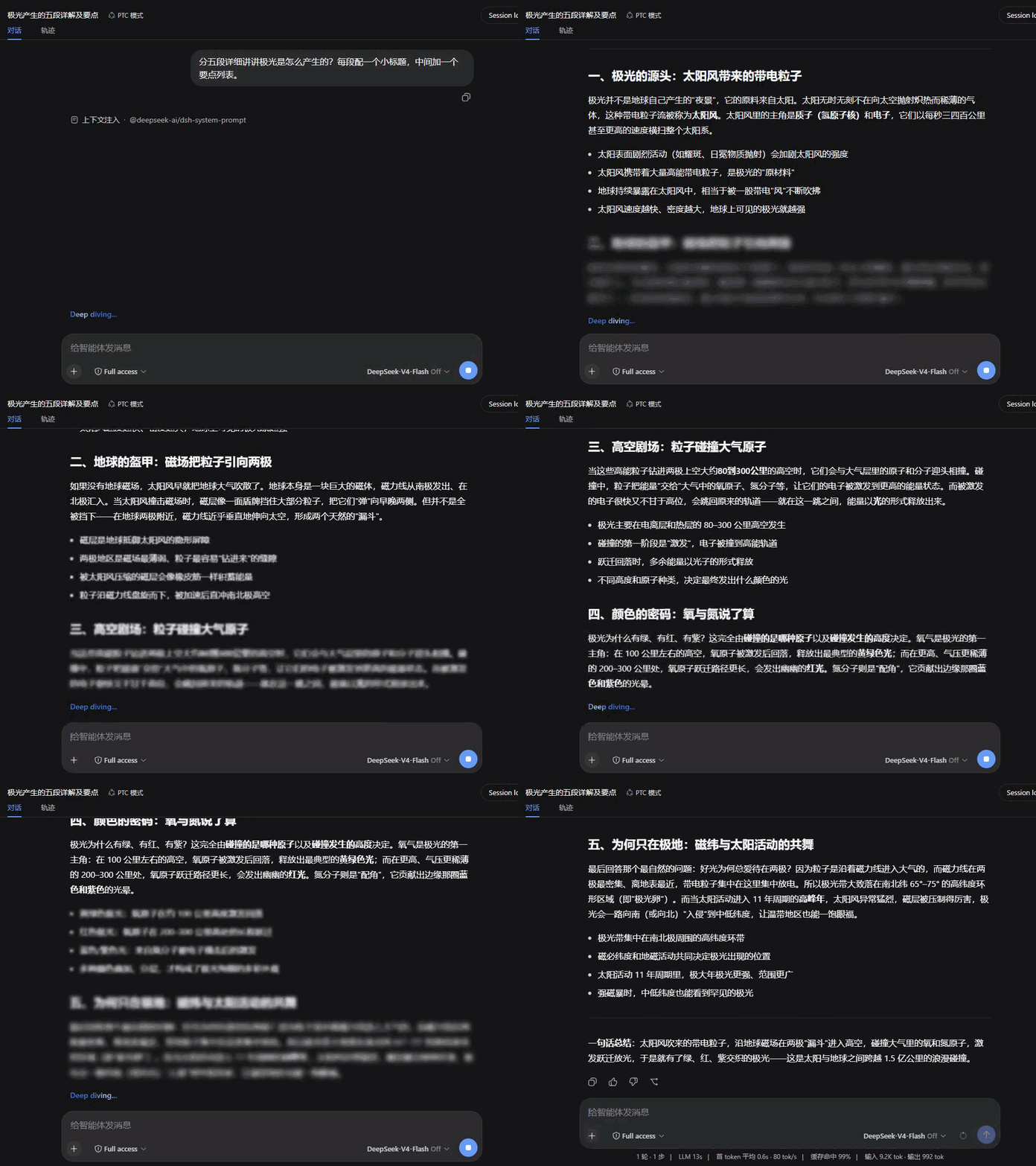
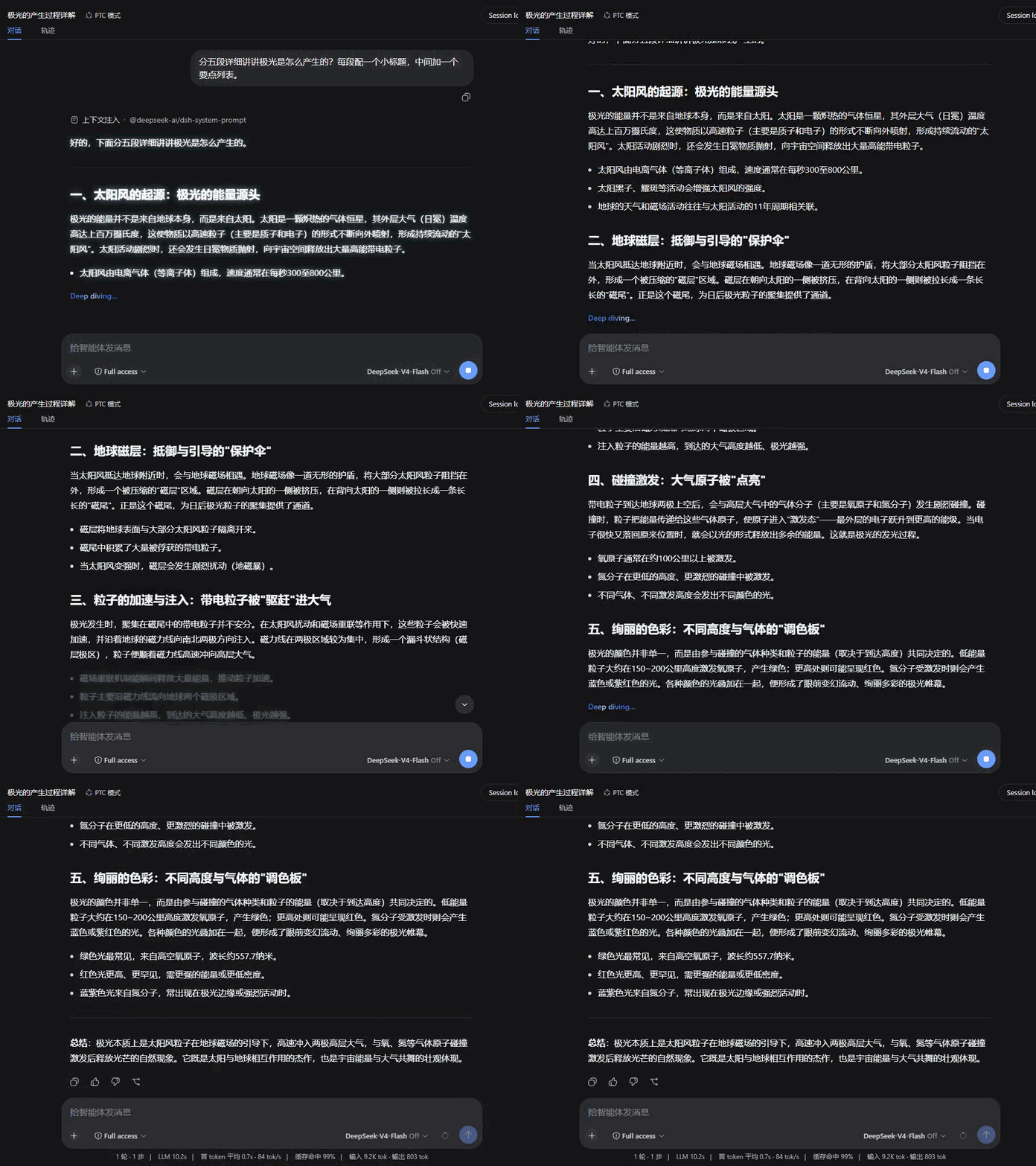
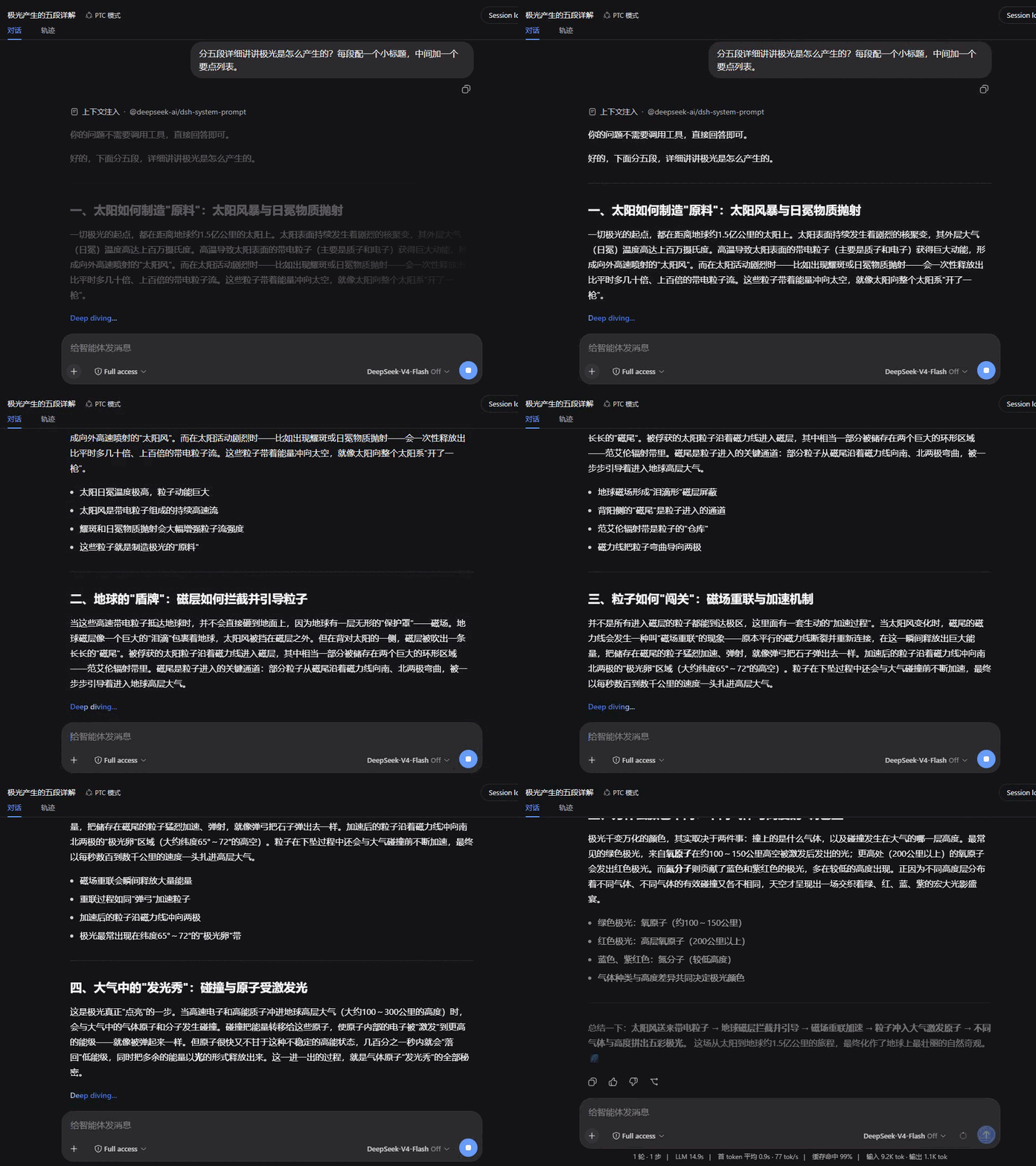
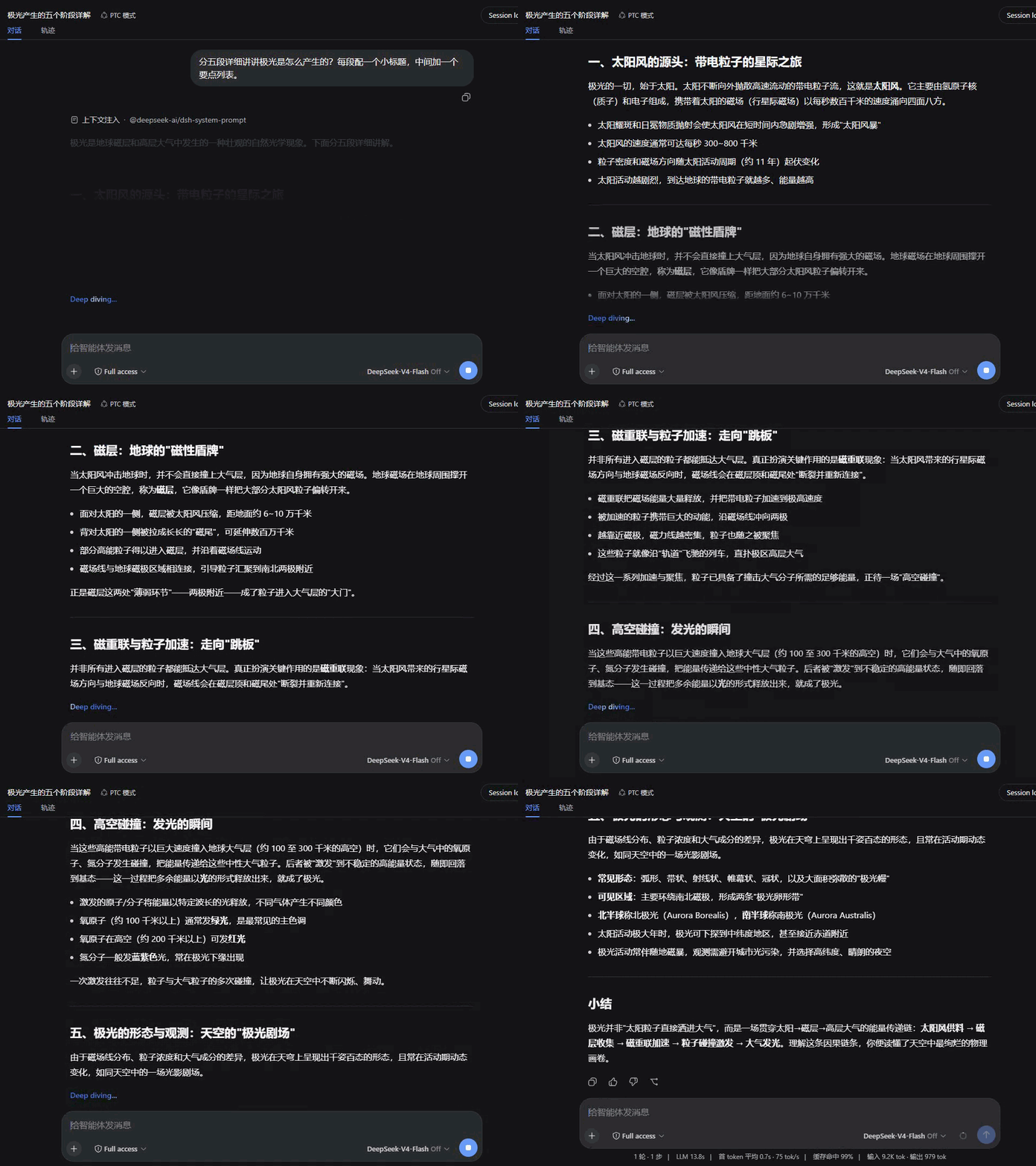
Replaces token-by-token streaming twitch with paragraph-batched, fading reveals. Scroll follows smoothly while streaming, and reasoning blocks show a live one-line summary.
Left: native DSH rendering · Right: Smooth Stream — same question, started together:
Install
dsh plugin --profile web add dsh-plugin-smooth-stream
Takes effect in any open session. Settings live under Settings → Smooth Stream.
What it changes
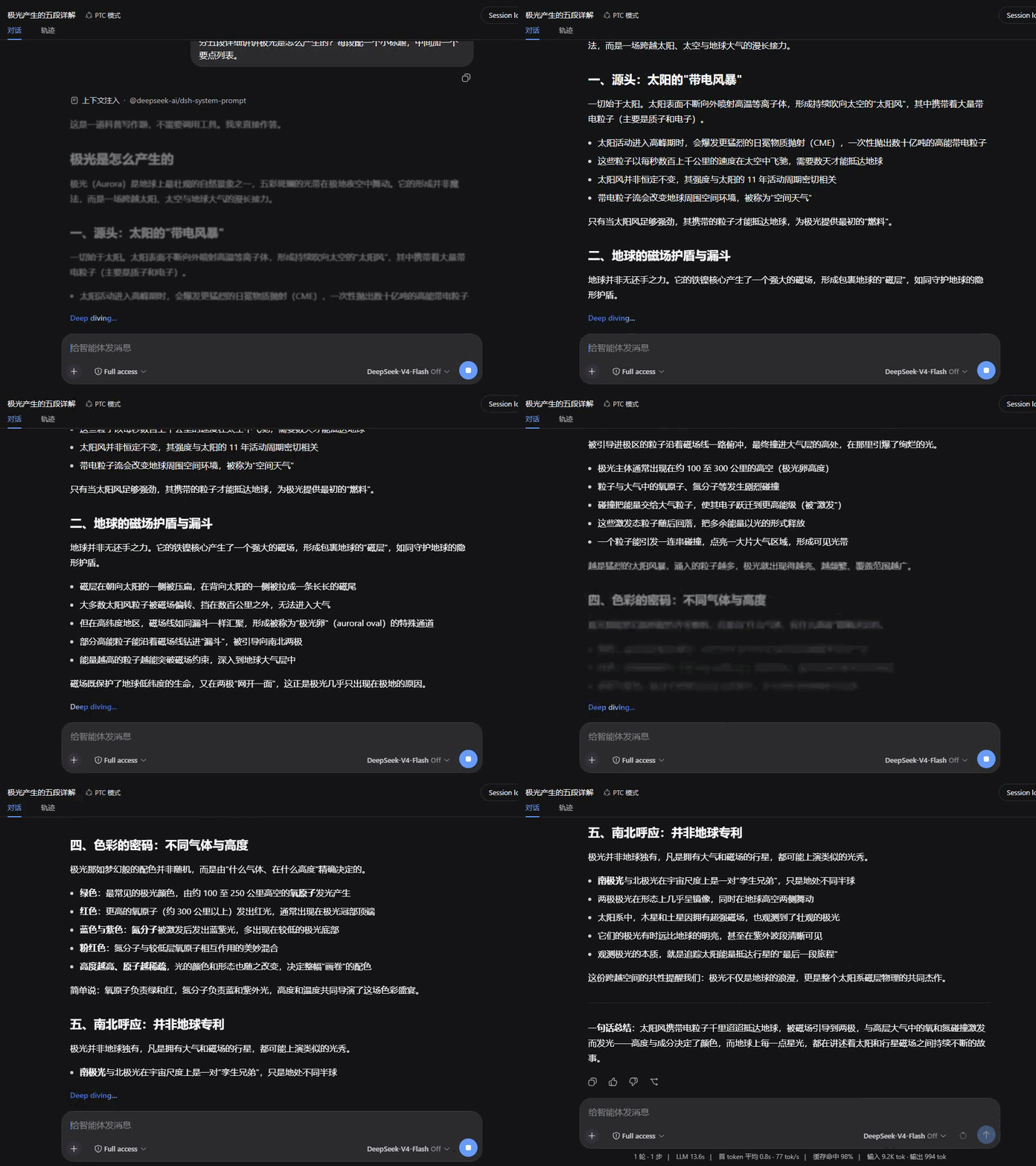
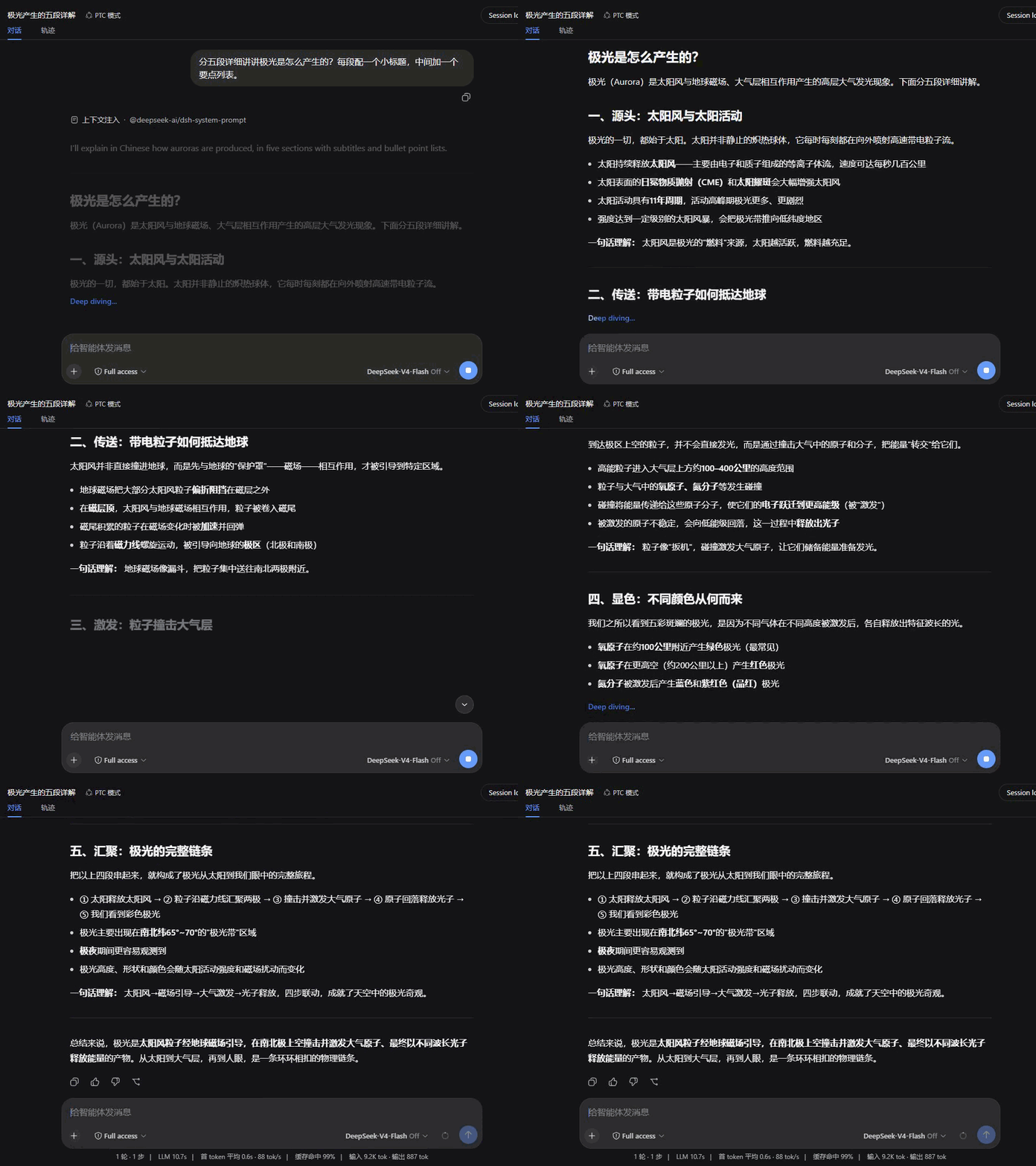
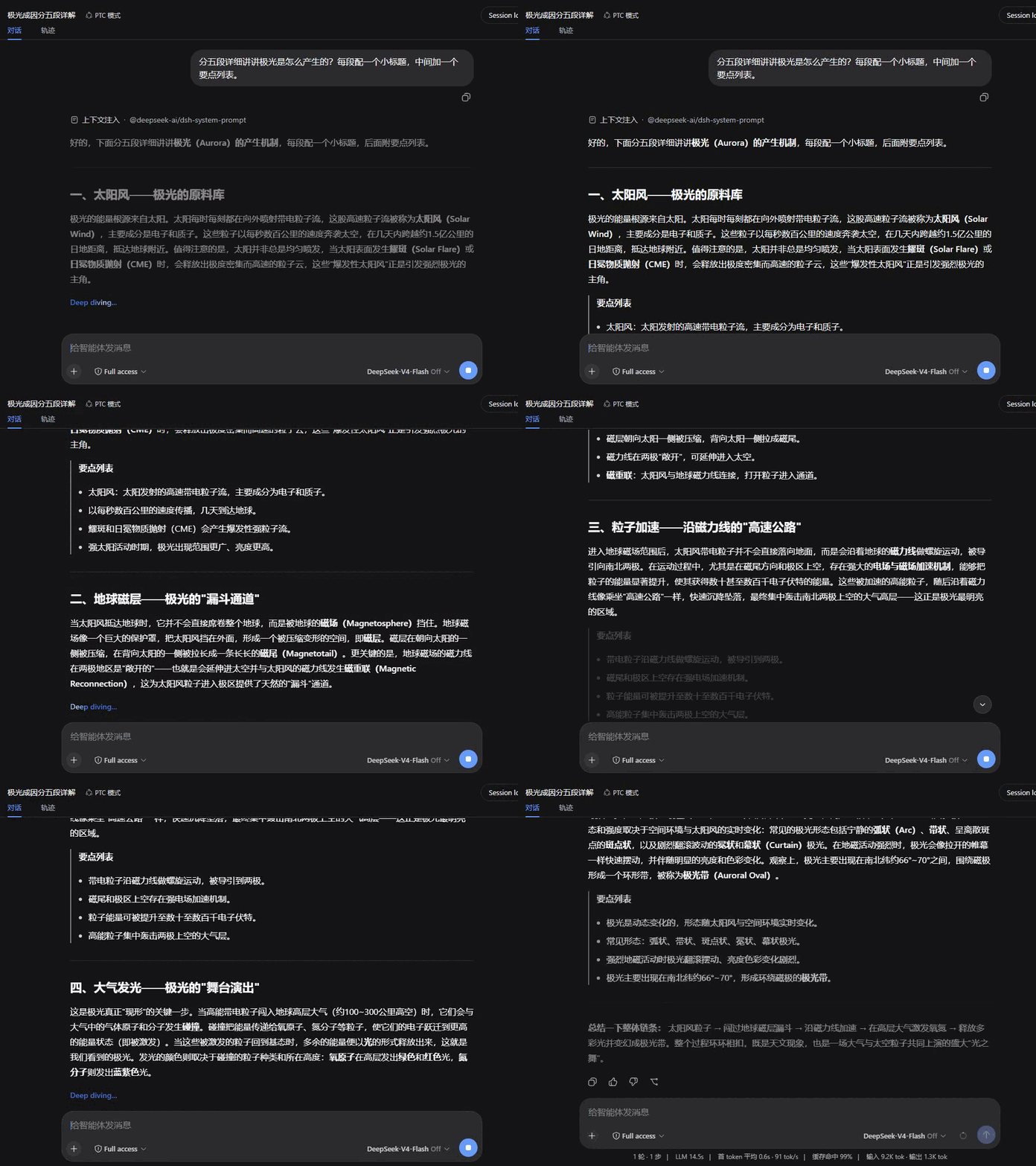
- Paragraph-batched reveal — body text no longer jitters in token by token; it accumulates and enters a paragraph at a time with a fade. Batch boundaries avoid unclosed code fences and tables, so half-rendered Markdown never appears.
- Smooth scroll-follow — while streaming, the conversation glides toward the bottom covering a fraction of the remaining distance each frame: large appends catch up without teleporting. Scrolling up hands control back to you; returning to the bottom re-engages the follow.
- Reasoning summary — while thinking runs, the collapsed row live-scrolls its latest line, with soft fades instead of hard clipping at both edges. When a turn completes, a closing underline retracts — finished, not merely stopped.
- Markdown & math — body text renders through the host's own renderer: code highlighting, copy buttons, tables and KaTeX math look exactly like native output.
Settings
The Smooth Stream section in the settings panel; changes apply live and persist:
| Setting | Default | Notes |
|---|---|---|
| Enable Smooth Stream | On | Off hands rendering back to the built-in view instantly — handy for comparing |
| Reveal animation | Fade | Fade / Rise / Dissolve / Wipe / Focus / Glow / Iris / Soak |
| Animation duration | 520 ms | Entrance duration (120–1200 ms) |
| Batch size | 500 chars | Text accumulated before a batch reveals; smaller feels more live, larger reads calmer |
| Smooth scroll-follow | On | The streaming-time scroll glide |
Includes a live preview and one-click reset. The settings UI follows DSH's display language.
Reveal styles
Eight entrances, each tuned to its own rhythm; all recorded over the same reply for a direct comparison.
| Fade | Rise |
|---|---|
 |
 |
| Dissolve | Wipe |
 |
 |
| Focus | Glow |
 |
 |
| Iris | Soak |
 |
 |
Compatibility
Version 1.5.0: Support official dsh 0.2.1-rc.5 (while retaining 0.2.0-rc.2 and 0.2.1-rc.2 compatibility). Adapt reasoning display preparation for official rc.5 reasoning signatures: strip leading signature envelopes and trailing LF/CRLF from streaming summaries and history views, hide partial envelopes during streaming, and omit signature-only rows from display while leaving raw host block data intact. Fix CSS specificity overrides for prefers-reduced-motion so animation suppression and instant scroll behavior reliably apply across all reveal styles, wipe overlays, and container scroll.
Version 1.4.0: Support official dsh 0.2.1-rc.2 (while retaining 0.2.0-rc.2 compatibility). Filter assistant blocks, interruption markers, and plain-text fallback by host groupPart (reasoning / response) seats so thinking and answer blocks do not duplicate across split seats; assistant images on 0.2.1-rc.2 fall back to plain <img> rendering without the native gallery/lightbox.
Version 1.3.0: Load on official dsh 0.2.0-rc.2. Rendering still registers on conversation.chat.node and settings.section.
Version 1.2.0: Declare the current UI renderer service provider and the verified DSH release range. Existing rendering behavior passes the current host checks.
The declared host range is >=0.2.0-rc.2 <0.3.0-0 || 0.2.1-rc.2 || 0.2.1-rc.5; official dsh 0.2.0-rc.2, 0.2.1-rc.2, and 0.2.1-rc.5 satisfy it. Keep the previous plugin release on older DSH. Validation record.
Download the archive from the GitHub Release, then run dsh plugin --profile desktop add ./dsh-plugin-smooth-stream-1.5.0.tgz.
This release targets DSH 0.2.1-rc.5. Run npm ci, npm test, and npm run check:package to verify the build and package. Restart DSH after updating.
- Uses the host client services, Markdown and image APIs; automated tests cover loading and component rendering.
- This plugin owns the conversation view's assistant rendering (the
assistant-stepcell ofconversation.chat.node) and is mutually exclusive with other plugins that take over the same rendering — with both installed, only one wins. - Respects
prefers-reduced-motion: with reduced motion enabled, all animation and smooth scrolling switch off. - A rendering failure degrades to plain text for that message instead of breaking the conversation.
License
Related plugins
dsh-web(原 dsh-web-ui)
 zhu1090093659
/dsh-web-ui
dsh-web(原 dsh-web-ui):任务看板、git 图、右侧面板、远程移动端 UI、桌宠、实时 token 统计与皮肤中心的全家桶。仓库已更名 zhu1090093659/dsh-web,根目录声明 dsh.bundle.patch,支持根 Git 入口安装。
dsh plugin --profile web add github:zhu1090093659/dsh-webdsh-web-all 聚合包(原 dsh-web-ui-all)
zhu1090093659zhu1090093659/dsh-web-ui/packages/dsh-web-ui-all
旧整包路径 packages/dsh-web-ui-all 已随仓库更名 dsh-web 迁移:现聚合目录为 packages/dsh-web-all,npm 聚合包 @linxin666/dsh-web-all。与总仓根 Git 入口是同一产品的两种整包方式,不重复计数。
dsh plugin --profile web add @linxin666/dsh-web-all@latestdsh-TUI
 ccch1mneyyy
/dsh-TUI
Claude Code 风格全屏终端 UI:像素鲸鱼顶栏、实时工作状态行、思考流式展开。
dsh plugin --profile web add github:ccch1mneyyy/dsh-TUIdsh-cc-tui
ccch1mneyyyccch1mneyyy/dsh-cc-tui
一个美观且实用的 Claude Code 风格 TUI 插件:像素鲸鱼顶栏、双流光大字、实时工作状态行、思考流式展开、双击 Esc 时间回溯、蓝白上下文进度条 + TPS 仪表。 零核心改动,纯插件挂载。安装插件即可启用,卸载后不会留下核心补丁。 献给钟爱tui的各位极客们 A beautiful, practical Claude…
dsh plugin --profile web add github:ccch1mneyyy/dsh-cc-tuideepseek-balance-whale-widget
 meteornox
/deepseek-balance-whale-widget
DSH 小鲸鱼余额挂件(DeepSeek Balance Whale Widget)
dsh plugin --profile web add github:meteornox/deepseek-balance-whale-widgetDSH-better-sidebar
 omdsh-dev
/DSH-better-sidebar
侧边栏完整工作台:内置文件渲染编辑、终端、Git 与子代理,支持三方插件注册新 Tab。
dsh plugin --profile web add github:omdsh-dev/DSH-better-sidebar