
UI Enhancements
dsh-pi-tui
XMoon/dsh-pi-tui · ★ 23
 XMoon
A third-party TUI mode for DeepSeek Harness (dsh), built on a vendored fork of pi-tui
Manifest details
安装
dsh plugin --profile web add github:XMoon/dsh-pi-tuiGitHub 源码安装:首次需按提示配置 allowBuilds 构建授权后重试
For install and environment setup, plus plugin development tutorials, see DSH community docs ↗
README
Table of contents
- Install into a DSH profile
- Stable / latest
- Next / npm line (validation)
- Requirements
- DSH/TUI version pairing (important)
- Profile management
- Features
- Conversation and tools
- Conversation display
- Communication policy
- Sessions
- Input history
- Subagents and the Task Center
- Delivered files and /deliverables
- Shell
- Git commit attribution (optional)
- File references and images
- Models and runtime settings
- Footer customization
- Images
- Image protocol selection
- TSP renderer (experimental)
- Common keys
- Customizing keybindings
- Running from source
- DeepSeek Harness integration
- Extension API
- Development
- DSH compatibility and validation
- npm mode (current next)
- Source Mode (validation only)
- CI validation policy
- Repository layout
- Documentation
- Changelog
- License
简体中文 | English


A Pi-style terminal frontend for DeepSeek Harness.
dsh-pi-tui is installed as an independent dsh bundle inside a profile. It provides terminal interaction for streaming conversations, tool calls, session management, subagents, history search, shell commands, approvals, and settings. Models, tools, Sessions, permissions, Skills, Plan, Goal, and Subagent runtime behavior are still provided by DeepSeek Harness.
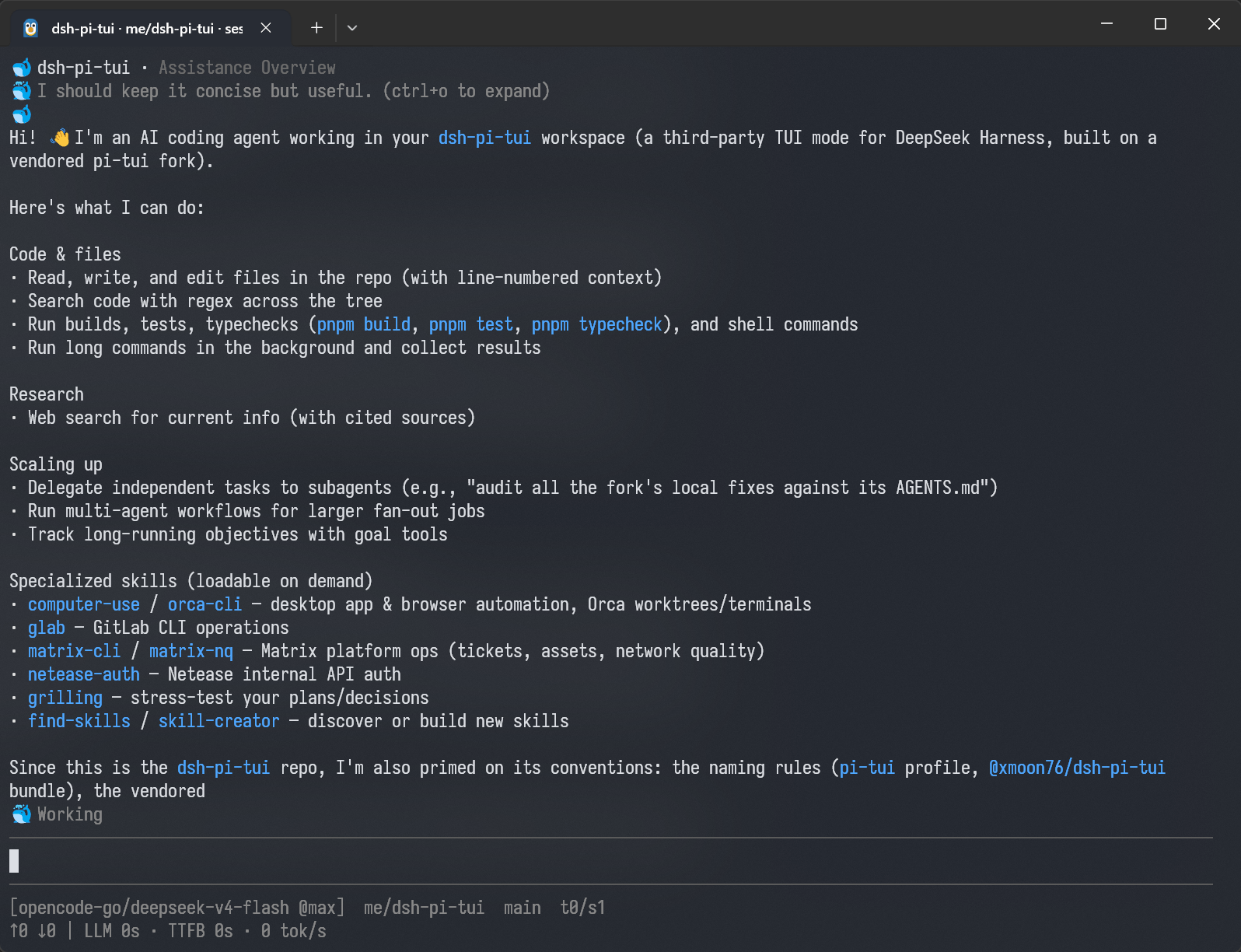
Install into a DSH profile
Stable / latest
Stable releases are recommended for ordinary users. Install DSH first, then add
the TUI to the pi-tui profile:
npm install -g --allow-scripts=@deepseek-ai/dsh-subprocess-local,koffi,node-pty @deepseek-ai/dsh@latest
dsh plugin --profile pi-tui -- add @xmoon76/dsh-pi-tui@latest
dsh --profile pi-tui
Next / npm line (validation)
Preview installation uses the DSH alpha channel and the TUI next channel.
The DSH native install scripts must be explicitly allowed:
npm install -g --allow-scripts=@deepseek-ai/dsh-subprocess-local,koffi,node-pty @deepseek-ai/dsh@alpha
dsh plugin --profile pi-tui -- add @xmoon76/dsh-pi-tui@next
dsh --profile pi-tui
Those two channels are not an installable compatible pair today. They are channel pointers only:
@deepseek-ai/dsh@alphacurrently resolves to0.2.1-alpha.5, while@xmoon76/dsh-pi-tui@nextstill resolves to0.5.2-rc.1(peer floor>=0.2.0-rc.2, and npm semver excludes a different-major.minor.patch prerelease). Use the pairing table below and compatibility guide for the matching rules; the stable0.5.4publishes to@latest, not@next, so no installable compatible combination exists on those two moving channels. Validate this exact checkout withpnpm compat:dsh:npm.
Use the isolated npm driver (it installs the exact DSH version declared by this checkout and exercises the full build/test/package path):
pnpm compat:dsh:npm
See the compatibility guide for the stable minimum, next compatibility range, and fallback paths.
Requirements
- DeepSeek Harness
- Node.js
^22.19.0 || >=24
DSH/TUI version pairing (important)
| TUI package line | Official DSH tags for the pairing | Notes |
|---|---|---|
0.5.4 (stable / @latest) |
dsh-v0.2.1-rc.2, dsh-v0.2.1-rc.3, dsh-v0.2.1-rc.4 |
Current stable line; the minimum DSH version is 0.2.1-rc.2, and this checkout's exact validation target is 0.2.1-rc.4 |
0.5.3 (stable, previous) |
dsh-v0.2.1-rc.2, dsh-v0.2.1-rc.3, dsh-v0.2.1-rc.4 |
Previous stable line; the minimum DSH version is 0.2.1-rc.2, and it passes the official preset assembly on all three DSH versions |
0.5.1 (stable, previous) |
dsh-v0.2.0-rc.2 |
Previous stable line; both the minimum and the exact validation target are the 0.2.0-rc.2 family |
0.5.2-rc.1 (published next-channel preview) |
dsh-v0.2.0-rc.2 |
Previous next preview: published to the npm next dist-tag on 2026-10-17; its whole peer floor stays >=0.2.0-rc.2, so it does not cover 0.2.1-rc.2 |
dsh-v0.2.1-rc.1 (no paired TUI) |
none | No released TUI in this matrix claims that intermediate release; never reuse 0.5.4 for it |
0.5.0 (stable, previous) |
dsh-v0.1.7-rc.2, dsh-v0.2.0-rc.1 |
Previous stable; 0.1.7-rc.2 minimum, exact validation target 0.2.0-rc.1 |
0.4.9 (stable, previous) |
dsh-v0.1.7-rc.2 |
Previous stable; the compatible TUI for a 0.1.7-rc.2 runtime |
0.4.8 (stable, previous) |
dsh-v0.1.7-rc.1 |
Previous stable; the compatible TUI for a 0.1.7-rc.1 runtime |
0.4.6 (stable, previous) |
dsh-v0.1.5-rc.1, dsh-v0.1.5-rc.2 |
Previous stable; the compatible TUI for a 0.1.5 runtime |
0.4.7-alpha.2 (next, previous) |
dsh-v0.1.6-alpha.2 |
Previous next line; the compatible TUI for a 0.1.6-alpha.2 runtime |
Do not mix the stable and @next prerelease lines. 0.5.4 is the current
stable release: its minimum DSH version (peer floor) stays the 0.2.1-rc.2
family, and this checkout's exact validation target is 0.2.1-rc.4. The
published 0.5.3 is the previous stable line and also pairs with 0.2.1-rc.2,
0.2.1-rc.3 and 0.2.1-rc.4. The intermediate
dsh-v0.2.1-rc.1 has no paired TUI, and 0.5.2-rc.1 is the previous preview
published to the npm next channel (its pairing, 0.2.0-rc.2, stays in the table
above; it does not cover 0.2.1-rc.2). The previous stable
0.5.1 keeps pairing with 0.2.0-rc.2: it lifts the whole DSH peer floor to
>=0.2.0-rc.2 (the Question lifecycle consumes contracts published only in
that rc.2 family). The previous stable 0.5.0
line keeps its >=0.1.7-rc.2 floor (exact validation target 0.2.0-rc.1);
older runtimes fail at the normal
incompatible-runtime boundary, so install the paired TUI line from the table
above. The startup notice
is best-effort rather than a Loader startup-order guarantee. The pairing table
above is the published-line summary; see the compatibility
guide for general matching, fallback and
diagnosis, and the latest next
README for the current
integration status.
New agent sessions use the official roster's selected preset id. A custom DSH
preset literally named code is valid and remains code when it exists in the
current roster. DSH V3 migration owns historical session code -> ptc
conversion, while the current projection preserves a legal custom code. An
omitted legacy settings default is never aliased: with no matching declaration
in the current roster it is simply an invalid preference.
Profile management
Update the installed TUI:
dsh plugin --profile pi-tui -- update @xmoon76/dsh-pi-tui
List installed plugins:
dsh plugin --profile pi-tui -- list
Remove the plugin:
dsh plugin --profile pi-tui -- remove @xmoon76/dsh-pi-tui
Resume an existing Session:
dsh --profile pi-tui --session <session-id>
Features
Conversation and tools
- Streaming Markdown output
- Collapsible Thinking blocks
- Tool Call cards with running / success / failure state
- Collapsible Tool / System details
- Full-text Transcript search
- Folding for long Session history
- Context, token, model, and runtime status
- Full-screen Settings workspace: About status, Models / Account, Agent and dynamic Extensions
- Approval and
ask_user_questiondialogs - Images: terminal-capability admission, JPEG/WebP previews, draft images and a read-only viewer
- Chart/SVG tools,
present_visualpublication and inline final-answer rendering - Delivered-files tail and the
/deliverablesbrowser - Experimental TSP renderer: native tool cards, Work Hub, images and published figures
- Plan Review
- Todo / Goal status
- Human-readable terminal window titles
- Bounded long-session windows with stable paging and live-follow position
- Long user prompts collapse to head + marker + tail;
Ctrl+Oexpands and collapses them in regular mode and in fullscreen outside Focus - No duplicate ghost Tool Cards after compaction / pruning
Ctrl+O controls Tool and System details and expands/collapses long user prompts in regular mode and in fullscreen outside Focus — in fullscreen Focus it bulk-expands the recent Thought roots or collapses them all, while long user prompts are expanded by clicking the marker (or by a search hit) and collapsed with Ctrl+O. Alt+T controls Thinking separately.
Tool approvals appear in the editor seat: the full Reason/Arguments body is readable in a scrollable area (no six-line preview), with y to allow once, n to reject, Esc/Ctrl+C to cancel, c to copy the raw arguments and e to expand. Fullscreen can click the actually painted Allow once / Reject / Cancel actions and wheel the body; regular mode stays keyboard-only. Short viewports show the real compact payload or Resize to inspect more, never a cropped decision.
Conversation display
/display switches between three presentation presets: full (default) is the normal Transcript projection; focus groups the current turn's Thinking, Tool Calls, and intermediate replies into a live Thought block; compact folds contiguous process into Activity spans with Header + Think: / Action: previews, keeps the session and assistant intermediate output visible in chronological order, renders injected notice / relay / recall entries separately (adjacent environment injections merge into an expandable Context cluster), and expands with a mouse click or Ctrl+O. The Display row in /settings offers the same values and persists the choice; /focus remains available as a compatibility command.
The full process can still be expanded when needed. In fullscreen Focus, Thought roots can be expanded/collapsed in bulk or opened with an individual card click, and the viewport survives switches and resizes. Display presets only change presentation; they do not modify Session events.
Communication policy
/settings exposes two independent communication controls. Progress updates owns the mid-turn update cadence: milestones (default) posts a brief update only when a substantial phase completes, the direction materially changes, or required user input blocks progress — never for a freshly discovered partial finding; frequent keeps the user actively informed through longer multi-step work; off suppresses progress narration entirely. Response style owns the visible answer's density: default adds no extra guidance, concise is compact and result-first, explanatory adds rationale, architecture, and tradeoffs. Changes apply on the next prompt assembly without restarting the agent and are saved across sessions. Focus is a surface capability, not a third preference: while Focus is active the progress section is simply ineffective (progress-only intermediate messages are not generated) and the saved cadence is untouched; the response style stays active in Focus.
Sessions
Supports persisted DSH Sessions, including:
- Creating and resuming Sessions
- Session switching
- Renaming
- Forking
- Rewind
- Session lineage
/export— full Session archive (descendants + attachments) saved to a Client-local directory/transcript— readable Markdown transcript saved to a Client-local directory
Use:
/sessions
/fork
/rewind
/export
/transcript
When the Agent is idle and the editor is empty, pressing Esc twice quickly also opens Rewind.
Rewind creates a new Child Session from a selected historical User Turn and restores that Prompt into the editor. The original Session is left unchanged.
Input history
Ctrl+R opens input history search.
Three scopes are available:
- Current session
- Current directory
- All directories
History results include the Prompt, working directory, timestamp, and Session information. Selecting an entry restores it to the editor without submitting it.
Regular ↑ / ↓ history recall is still available for recent input.
Subagents and the Task Center
/tasks opens the full Task Center, showing the work the current Session's
Job Registry / Subagent catalog still tracks; the Footer's ↓ opens the
lightweight Quick Tasks view for the current active work. Selecting a Job opens
the fullscreen Job workspace: one status row with the Job identity, the themed
status and the [GAP]/[ERROR]/[SETTLED] facts, followed by the real
progress/detail, the command summary and the Output / Command reading tabs.
Output is the official non-consuming live preview (scrollable, searchable and
explicitly labelled as a retained tail rather than the full history), and the
Command page shows and copies the original shell command. It never consumes the
model's job_output cursor and never becomes session history.
Task Center is a live tracked/control projection, not an execution-history
list. ACTIVE / TRACKED are presentation scopes: ACTIVE shows only the
currently active items, TRACKED shows everything the current authority
still lists. DSH 0.1.7 temporarily registers a Job while an ordinary
foreground bash / pwsh command runs, so it can be observed and stopped
from the Task Center; if the command finishes inside the foreground wait,
DSH removes that temporary record and the final result stays in the
Transcript's tool card. Explicit run_in_background: true jobs (and jobs
promoted to the background after a foreground timeout) remain visible in
TRACKED after completion as long as the Job Registry keeps their record.
/plugins is a deep link into /settings → Plugins: both take the SAME
Settings fullscreen lease and the SAME Plugin Manager page — there is no
separate plugin screen and no Session create/switch. The catalog is grouped as
TUI & Extensions / Official DSH / Third-party / Experimental (the Experimental
group is always last). At >=120 columns, and only while the frame can grant six
real business-body rows, the frame shows
Categories | Plugin List | Details; a shorter frame degrades to the pair or one
column instead of squeezing the body. At 76-119 columns it shows
Categories | List or List | Details depending on the keyboard owner — the pair
again needs six real business-body rows, otherwise it degrades to one column; below
76 columns it is one column. Install, dangerous confirmations and Diagnostics
always take the full width so risk text is never squeezed. Settings paints the
shared header/metadata/rule/pane header and the single last-row action bar; the
plugin page contributes only its business body. Search, status filters,
provenance/status facts, official catalog installs, enablement and removal are
available from the page; the actual Host-reported version, restart requirement
and errors are shown verbatim. The dsh-pi-tui bundle currently providing the
surface is read-only and cannot be disabled or removed from its own screen. The
category preview and /plugins share one page instance and one background
install request: Esc from the List returns to the Settings category and a
second Esc closes the workspace. Press d inside the page
for the read-only Diagnostics view: extension contribution health grouped by
owner (active/failed/shadowed with the full lastError), live registry counts,
the actual advertised capabilities, and contributions with no proven Loader-entry
owner under Unassociated extension contributions. c copies the selected fact,
C copies everything, r rereads and Esc returns. Diagnostics reads only the
extension ledger; Host package state and install logs stay out of it. copy
still proves emission only, never an OS-clipboard receipt.
The 14 official rc.2 Experimental bundles carry a bounded, identity-exact Detail statement of their terminal surface and limits/risks (Web-only, Host-only, the B04 WEB_ONLY/Host-row-pending boundary accepted by the Owner, and the B13/B14 verified one-shot/provider boundaries). That copy never follows enablement and never claims a live Host capability PASS. Upgrade guidance is derived from Host facts only: shipped bundles upgrade with the DSH installation, profile-owned bundles require Remove followed by an explicit later install, missing entries use the official on-demand target, and the Current TUI bundle is managed outside the screen. There is no in-place update, version picker or silent reinstall.
Subagents are shown using their complete lineage, including nested descendants:
main
├─ subagent A
│  └─ subagent B
└─ subagent C
The browser distinguishes:
continuableone-shot- running / inactive
- nested descendants
- Job Registry rows (including running foreground shell work)
The Footer's ↓ opens Quick Tasks as a lightweight browsing view: it only
supports arrow navigation, left/right expand/collapse, Tab type cycling,
Enter open, and Esc close. The bottom “Open Task Center” row opens the full
Task Center.
The full Task Center additionally offers A to toggle Active / Tracked, / search,
Tab / Shift+Tab to cycle types in both directions, S to stop the selected
task after confirmation, and R to refresh/retry. Quick Tasks consumes only the
whitelist above; every other keystroke is a no-op that never enters search, stop
confirmation, or management state, so Esc always closes it in one layer.
Completed one-shot Subagents remain available for persisted Transcript inspection.
A direct continuable Child can be opened in an interactive viewer and sent follow-up messages directly (through DSH's official subagents.prompt() human channel — queued in order as the Child's own next turn, with user provenance). The Child has its own Transcript, Draft, and runtime state, without modifying the main Session input.
Deeper nested Subagents are read-only by default.
The official subagent model selection (the DSH subagent-model-selection
setting) can be toggled and its allowlist maintained in /settings: once
enabled, a NEW session's official subagent tool may pick the child
provider/model per call (bounded by the allowlist). The setting is sampled at
session composition and never rewrites the tools of an already-running
session.
Delivered files and /deliverables
A final answer's present files render as a compact tail: at most four files,
two rows each (path relative to the current display subject's workspace plus
description), with +N more · /deliverables beyond four. On a fullscreen
AltScreen, Full, Compact and Focus can click Browse all and per-file
Details; a regular split keeps only the command entry.
/deliverables opens the delivery panel for the currently displayed session
(including a viewed child) with Files / Turns / Details: ↑↓ selects, Enter
opens details, / filters by filename, full Host path and description, T
switches among Turns with deliveries, C copies the raw Host path and Esc
goes back or closes. Enter Preview on Details reads one 120-line page of UTF-8
Host text; binary/document suffixes show that preview is unavailable without
reading bytes; a file that changes between pages restarts from the beginning.
Panel text is mouse-selectable, the panel is centered, and a terminal resize
keeps the current page, filter, cursor and scroll position.
Shell
The editor supports two Shell modes:
! git status
Runs the command in the Host environment and submits its output into the current Session.
!! git status
Runs the command in the Host environment as well; its output stays out of model context (card display only).
! / !! are editor modes rather than plain text prefixes. The prompt and completion behavior switch together with the active mode.
Shell cards show a bounded output preview by default. Ctrl+O expands the retained output — except in fullscreen Focus, where Ctrl+O owns the Thought roots and the shell cards keep their folded state.
Git commit attribution (optional)
When enabled, dsh-pi-tui instructs the Agent to add the official attribution trailers when it creates Git commits:
Co-Authored-By: @xmoon76/dsh-pi-tui <dsh-pi-tui@xmoon.org>
It is off by default. Three modes are supported:
off            no attribution guidance (default)
product        the official Co-Authored-By trailer
product-model  official trailer + Assisted-By: <provider>/<model>
This is Agent guidance (a prompt policy), not repository-level enforcement:
dsh-pi-tui installs no Git hooks, rewrites no git commit command, and probes
no repository. The provider/model in product-model come straight from
DSH's official model selection (a model switch takes effect on the next
request).
Boundaries:
!/!!user shell commands and commits from your own terminal are completely untouched;- no
prepare-commit-msghook is installed and existing hooks are never modified; - not effective under the
minimalpreset: its persona is a complete system prompt (complete: true) that replaces every other section — the same existing behavior for the other TUI guidance (progress updates, response style, focus); - no GitHub credentials or API are required; the Author/Committer identity is never modified;
- a model may in theory ignore or mis-transcribe the instruction — this is the accepted tradeoff: low-intrusion guidance instead of a full Git lifecycle subsystem.
File references and images
Typing @ opens workspace file search and completion:
@src/index.ts
@"path with spaces/file.ts"
/attach <path> is the unified Client-local image/file intake; /image <path> keeps its image-only compatibility semantics. Both complete files and directories; paths with spaces, quotes, or Windows separators preserve the input dialect, and directories can be expanded further.
Resolvable relative paths are canonicalized before submission.
Clipboard images can be added with Ctrl+V and persisted through the DSH Attachment service.
Models and runtime settings
The TUI uses DSH model and settings services.
Common entry points:
/model
/settings
/status
/deliverables
/view-image
/login
/permission
/plan
/goal
/compact
/footer
/statusline
Model selection, Reasoning Effort, permission presets, Plan, and Goal all keep the corresponding DSH runtime semantics. /model candidates come only from the Host catalog: deepseek-flash is identified by the exact (provider, model) pair (the display name DeepSeek-V4.1-Flash is never the ID), and a selection writes the official Session/global default. A deployment catalog that no longer offers the ID shows no invented row.
/settings and /status open the same full-screen settings workspace on the
About home. Wide and medium terminals show a category rail plus the content
column; narrow terminals (under 76 columns) show About directly. The fixed
categories are About / Models / Account / Agent / Appearance / Conversation /
Input & Terminal / Tools / Plugins, with Extensions appended only while the
extension settings registry has rows. Tab/Shift+Tab move focus between
regions, Right/Enter go one level deeper, Left/Esc/Backspace step
back, and the outermost back closes the workspace; the Action Bar stays on the
last row.
About shows the TUI/DSH versions, backend, captured session identity,
whole-session statistics, TTFB/throughput and Context occupancy; c copies the
selected fact's raw value, C copies the full report and r refreshes. The old
/status page is gone; extension diagnostics moved to
Settings → Plugins → Diagnostics (d).
Models lists the Host provider catalog, API-key presence (not a connectivity
test), provider details, masked input and clear confirmations, the Add Provider
wizard and provider-native sign-in; the home lists only configured providers,
with unconfigured ones in the Add Provider catalog. Account shows sign-in state,
the browser authorization URL, SSH tunnel guidance, independent wallets, exact
attempt cancellation, refresh and a confirmed sign-out. /login and /logout
open the matching page deep link. DeepSeek Account sign-in uses the official Host
host-webserver loopback /oauth/callback on 127.0.0.1:0; the TUI never
receives a token or grant, and --help opens no port.
Settings edits in place: Appearance (Icon style, Status line mode), Conversation
(Transcript detail, Thinking detail, Progress updates, Response style, Submit
while busy, Git attribution), Input & Terminal (Home/End keys, Fullscreen, wheel
lines, notifications, Terminal progress, Footer layout, Keyboard shortcuts),
Agent (approval policy, default permission, subagent model allowlist/selection,
user shell sandbox), Tools (Web Search / Fetch, Visual tools) and Extensions
(dynamic settings grouped by plugin). Every write needs explicit confirmation
and reports Verified / Not saved / Outcome unknown from the authoritative
read-back; Fullscreen applies after Settings closes normally. /footer,
/statusline, bare /keybindings and /plugins are deep links into the same
workspace; the legacy main settings editor and standalone plugin screen are
gone.
The Visual tools switch under Settings → Tools (default On) is the
profile-wide pi-tui-visual-tools.enabled and controls dsh_pi_tui_chart,
dsh_pi_tui_svg and present_visual together. After it is turned off, new
model requests no longer see the three tools, while historical results remain
displayable, copyable, searchable and exportable. Direct verifies the Host
registry state before showing Verified; Remote only reports that the preference
was saved.
Settings → Tools → Web Search / Fetch is a page in the same workspace: search
and fetch providers, result count, Share Original Question, HTTPS endpoint and
a read-only API-key reference. Each value is written only by an explicit Enter
confirmation and shows the Host's authoritative read-back. The two APIs are
separately billed providers; the default Messages/HTTP pair calls no billed API.
Extensions groups the live registration rows by owner with Tab/Shift+Tab
cycling groups and arrows/Home/End/paging/wheel staying inside the group.
Entries open native Detail/Choice; only an explicit Confirm writes to the
running plugin, Verified requires a live read-back, and a same-id HMR
re-registration inherits no old state. Extension settings never write the TUI
settings document or a Host profile.
Footer customization
/footer opens the Footer editor inside the same full-screen Settings workspace
(Appearance → Configure footer layout). You can combine builtin status items,
change their side and order, choose a Style and Tone, edit Prefix/Suffix and
Importance, and create your own Footer items.
Four item sources are supported:
- Builtin Item — Model, Context, Token, Tasks, Git branch, and other built-in status facts;
- Custom Text — a user-created static text item;
- Custom Command Item — a user-created dynamic command output that can be composed with other items;
- Extension Item — a Footer item contributed by a plugin through the Stable Extension API.
On narrow terminals, builtins with compact forms shorten before lower-importance content is dropped. Runtime compaction never rewrites the Style you saved.
A /footer Custom Command Item is different from footer: command: the former is one dynamic item that can sit next to Model, Context, and other items; the latter hands the whole Footer status surface to one user command.
For the full /footer workflow, Custom Text / Command items, YAML reference, security model, and troubleshooting, see:
/statusline is an alias of /footer.
Images
Ctrl+V reads the system clipboard: an image becomes the canonical placeholder [image #N (WxH)] with draft thumbnails in one row above the composer (a short window lets the client hide that row, while typing and sending still work and the status line keeps reporting the real draft count); text is inserted at the live caret. /image and /attach can also add an image or a regular file to the current draft. A placeholder that appears several times shows several positions while the bytes are read and uploaded once.
Images in user messages, assistant messages and tool results are shown inside their own card, in their original order: one identity line (name, pixel size, byte count) plus one image. The PiTUI viewer is described below; in the experimental TSP renderer, viewing and zooming are the Tern client's own affordances (moving between neighbouring images depends on the client's version and capabilities). When an image cannot be read, its format is unsupported, or it exceeds the 16 MiB single-image limit, the card states the identity and the real reason instead of drawing a fabricated image. On a native Kitty terminal, transcript thumbnails, the composer draft card and the fullscreen image viewer all first convert JPEG/WebP to a bounded PNG in the background before painting pixels (WebP uses only its first frame, EXIF orientation is applied, and the longest edge is capped at 768 pixels; the identity row and the viewer keep the original name, dimensions, media type and byte count; the draft card only derives the one last local image it is allowed to show). A collapsed occurrence never starts a conversion; while converting or after a failure only text is shown (a failure reads Preview unavailable), and only a body that really painted pixels is clickable. The fullscreen viewer shows that same bounded derivative rather than a full-resolution original; PNG, iTerm2, GIF, narrow and graphics-unsupported terminals keep their existing behavior.
The rightmost three cells of a fullscreen image info row are [-]/[+], folding only that image; clicking its body opens the read-only viewer. /view-image lists the images of the currently mounted transcript window; Enter views one and Esc back returns to the same list.
Image protocol selection
The default is auto (Direct/Zellij use Kitty > SIXEL > text; tmux keeps its live U1/Sxl relative priority). Choose a protocol explicitly at startup with the same PI_IMAGE_PROTOCOL variable:
PI_IMAGE_PROTOCOL=auto    # default; strict local Zellij + Windows Terminal avoids the known startup Kitty false positive
PI_IMAGE_PROTOCOL=kitty   # only an admitted Kitty transport, otherwise text
PI_IMAGE_PROTOCOL=sixel   # only an admitted SIXEL transport (Direct needs real DA1; Zellij/tmux keep their own gates), otherwise text
PI_IMAGE_PROTOCOL=iterm2  # Direct legacy iTerm2 only; multiplexers never pretend to forward it
PI_IMAGE_PROTOCOL=none    # disable image pixels for every renderer; 0 is equivalent
An explicit value is a protocol selection, not a promise for an unsupported terminal: tmux live-client/Sxl/U1 checks, Zellij DA1/version/Screen readiness and DCS ownership still apply. Invalid values fail startup. none only disables terminal pixel previews; image attachments, model input and sending are unchanged. The experimental TSP renderer's native images follow the same switch.
TSP renderer (experimental)
Set DSH_PI_TUI_RENDERER=tsp to enable the experimental Tern TSP renderer:
native tool cards, Preparing rows, PTC child calls, the Work Hub
(/tasks, /subagents), image paste and historical images, and native display
with Copy for published charts/SVGs. The default renderer remains PiTui;
Settings and Plugins pages that TSP cannot host are refused explicitly.
Common keys
| Key | Action |
|---|---|
Enter |
Submit input |
Ctrl+Enter |
Submit with the OPPOSITE busy behavior (steers by default; queues when busyEnter=steer) |
Shift+Enter |
Insert newline |
Esc |
Cancel current interaction / interrupt running work |
Esc Esc |
Open Rewind while idle |
Ctrl+C |
Keyboard exit confirmation; clears the draft first |
Ctrl+D |
Keyboard exit confirmation when empty; forward-delete with draft text |
Ctrl+S |
Steer queued messages and the draft into the running turn |
Ctrl+T |
Toggle the todo panel |
Ctrl+R |
Search input history |
Ctrl+F |
Search Transcript |
Ctrl+End |
Jump to the latest Transcript output in fullscreen; a clickable ↓ Latest appears after leaving the live tail |
Ctrl+O |
Expand / collapse Tool and System details and long user prompts in regular/fullscreen-non-Focus; in fullscreen Focus, bulk-toggle the Thought roots (expand long user prompts by clicking the marker) |
Alt+T |
Expand / collapse Thinking |
Alt+V |
Select / cycle the current window's published charts or SVGs |
Alt+C |
Copy the selected chart / SVG |
Alt+O |
Open the selected SVG |
Ctrl+G |
Edit current input in $VISUAL/$EDITOR |
Ctrl+V |
Paste image |
Tab |
Autocomplete slash commands and file paths |
@ |
File completion |
! |
Enter Shell mode |
!! |
Enter Session-excluded Shell mode |
Use /help inside the TUI for the current command and keybinding list. The table above shows the defaults; after customization, /help and /keybindings show the effective keys.
Customizing keybindings
Host shortcuts are semantic actions (app.*) resolved through a
context-aware keymap — the UI (footer hints, /help, /keybindings)
always shows the EFFECTIVE keys, so a remap updates every hint. Configure
them through the in-TUI /keybindings panel (it writes the keybindings
field of the tui-app plugin's profile-owned configuration — since DSH
0.1.7 TUI preferences live on the profile Config, not the retired
dsh-pi-tui settings namespace); apply with /keybindings reload
(explicit — a configuration edit takes effect after the reload, no
restart). Field shape:
keybindings:
  app.input.steer: ctrl+s          # one key
  app.permission.cycle: [shift+tab, ctrl+shift+p]   # several keys
  app.history.search: ctrl+r
  app.transcript.toggleThinking: false   # disable the action's keys
  leader: ctrl+x                    # M6: leader sequences
  bindings:
    app.tasks.open: <leader>t
- A plain printable key can never be bound to a Host action (it would swallow typing); a bad entry is a warning, never a startup failure (fail-soft).
- Any user declaration REPLACES the action's builtin default keys:
app.input.steer: ctrl+xmakes Ctrl+X steer and Ctrl+S stop steering; a leader-onlyapp.todo.toggle: <leader>tmakes Leader T the only toggle trigger (Ctrl+T stops);['ctrl+z', '<leader>s']keeps both USER triggers;falseremoves every trigger of the action. Leader completions that the effective editor-owned submit key would consume (for example,<leader>enter) are rejected instead of being advertised as dead sequences. DSH_PI_TUI_SAFE_KEYBINDINGS=1ignores all user overrides (builtin defaults only). The whole/keybindingseditor is read-only while safe mode is active, so it cannot save a configuration that is only checked after safe mode is disabled.- In the editor, untouched default bindings that are still effective are
selectable.
Add shortcutmaterializes those surviving defaults plus the new key; shadowed definition defaults remain reference-only, and replacing or removing one surviving default preserves its siblings. Once an action has a user declaration, that declaration still replaces the builtin set as described above. /helpremains the key-first, read-only help surface;/keybindingsis the action-first, editable Keyboard Shortcuts Editor: it groups actions by category, searches action IDs/descriptions/current keys/default keys, and marks customized, conflict, Unbound, Disabled, and fixed states. A standalone Leader key row also configures the global leader key./settingshas oneKeyboard shortcuts…entry that opens the same-lease full-screen page and the same persistence controller as bare/keybindings(no 88-column overlay).- The recorder reads a real terminal key, parses it with
parseKey, and stores the canonicalKeyId; known dead, typing-swallowing, terminal-ambiguous, and conflicting shortcuts are rejected before saving. Ordinary recording cancels onEsc; the direct Host interrupt recorder uses a short double-press window: oneEsccancels and twoEscpress events assign physical Escape. Key repeats/releases do not count, and there is no single-letter shortcut; physical Escape remains reserved for Host lifecycle paths. - Conditional affordances are labeled separately in the editor (for example,
Down (conditional)for the empty-editor task browser) instead of appearing as ordinary configured shortcuts. /keybindings conflictslists conflicts (same key + overlapping scope + same priority — never silent last-write-wins);/keybindings reloadre-reads the settings (fail-soft: a bad entry is diagnosed and skipped, a throwing read is an error notice — never a crash; the keymap keeps the last-known-good configuration);/keybindings resetclears the overrides through the settings service and rebuilds the running keymap immediately.- The subagent viewer blocks PARENT actions by action id, so a remapped parent shortcut stays blocked inside the viewer.
- Conditional affordances are ADDITIVE: binding
app.tasks.open: ctrl+xADDS a trigger — the empty-editor↓task-browser affordance still works; onlyfalseremoves every trigger of an action.
Running from source
git clone https://github.com/XMoon/dsh-pi-tui
cd dsh-pi-tui

pnpm install
pnpm build
Install using file::
dsh plugin --profile pi-tui -- add @xmoon76/dsh-pi-tui@file:$PWD
file: copies the current build output at install time. After changing source, rebuild and add the package again.
For continuous development, use link::
dsh plugin --profile pi-tui-dev -- add @xmoon76/dsh-pi-tui@link:$PWD
dsh --profile pi-tui-dev
After that, rebuilding is enough:
pnpm build
The development profile continues to point at the working tree.
DeepSeek Harness integration
dsh-pi-tui implements the terminal interaction layer only.
The following capabilities are provided by DeepSeek Harness:
- Agent Loop
- LLM / Provider
- Session Persistence
- Tools
- Skills
- Approval
- Permission Presets
- Plan Mode
- Goal
- Jobs
- Subagents
- Credentials
- Settings
The TUI therefore does not maintain a separate model configuration, Session format, or Agent Runtime.
It can coexist with other DSH surfaces using the same runtime data:
dsh --profile web
dsh --profile headless
dsh --profile pi-tui
Extension API
In addition to being used as a TUI, dsh-pi-tui exposes versioned Extension APIs for other Cordis / DSH plugins that need to extend terminal interaction.
Three public entries are currently available:
| Entry | Use | Stability |
|---|---|---|
@xmoon76/dsh-pi-tui/extensions |
General extensions | Stable |
@xmoon76/dsh-pi-tui/extensions/advanced |
Deeper interaction capabilities | Advanced |
@xmoon76/dsh-pi-tui/extensions/unstable |
Low-level capabilities | Unstable |
Extension points include:
- Header / Footer
- Input Widget
- Slash Command
- Theme
- Setting
- Autocomplete
- Keybinding
- Message Renderer
- Tool Renderer
- Overlay
- Interactive UI
- Editor Control
- Replacement Editor
Plugins depend only on public entries and do not need to import internal types such as TuiApp or TuiMainScreen.
Minimal example:
import {
  PI_TUI_EXTENSIONS_SERVICE,
  type PiTuiExtensionService,
} from '@xmoon76/dsh-pi-tui/extensions'

export const name = 'my-plugin'
export const inject = ['tuiStartup', PI_TUI_EXTENSIONS_SERVICE]

export function apply(ctx: Context): void {
  const service = ctx.get(
    PI_TUI_EXTENSIONS_SERVICE,
  ) as PiTuiExtensionService

  if (!service.api().capabilities.has('slot.chrome.header.badge')) {
    return
  }

  service.register(
    'chrome.header.badge',
    {
      id: 'my-badge',
      order: 100,
    },
    {
      text: 'my-plugin',
      tone: 'info',
    },
  )
}
Documentation:
Development
pnpm install
pnpm build
pnpm typecheck
pnpm test
The test suite covers the Pi TUI fork, host / surface behavior, and Extension API fixtures and smoke tests.
Terminal rendering and input routing are tested extensively with @xterm/headless, so most UI tests do not require a real TTY or a live model connection.
Performance baseline:
node --expose-gc scripts/bench.mts
The project is also developed against a dedicated pi-tui-dev profile:
dsh plugin --profile pi-tui-dev -- add @xmoon76/dsh-pi-tui@link:$PWD
dsh --profile pi-tui-dev
DSH compatibility and validation
This section contains DSH compatibility and CI validation details only; ordinary users do not need them to install the TUI.
npm mode (current next)
The current compatibility-train line is npm mode: it targets the published
dsh-v0.2.0-rc.2 family declared by this checkout's package.json and
resolved by its lockfile (the runtime peer floor is also >=0.2.0-rc.2). The
isolated npm driver installs that exact
family from the public registry and exercises the TUI build/test/package path:
pnpm compat:dsh:npm
Source Mode (validation only)
Source Mode is the validation-only distribution for an unpublished DSH
checkout, available for local compatibility checks and explicit
source-boundary work. It reads the full commit pin in
test/compat/dsh-source.json, builds the official DSH tarball family, installs
it through temporary pnpm overrides, and removes the temporary state afterward.
Do not write DSH source paths, file: dependencies, or workspace symlinks into
a published package.
The published package already contains the Pi TUI fork required at runtime. No separate internal TUI package needs to be installed.
CI validation policy
CI follows the tracked test/compat/dsh-mode.json policy for pushes to next and pull requests targeting next; main and every tag use npm Mode. Source Mode reads the source target from test/compat/dsh-source.json and validates the complete official DSH tarball family, TUI presets, and the old-runtime boundary; npm Mode uses the DSH version declared by the checkout's package.json and frozen lockfile to run the registry lane. The published pi2dsh ecosystem check runs in both modes and always targets the published ecosystem (it installs the published DSH and pi2dsh from the registry), so a source pack is explicitly skipped rather than passed. See docs/guides/dsh-compatibility.md for the compatibility method.
Repository layout
The repository root is the npm package published as @xmoon76/dsh-pi-tui.
The Pi TUI fork lives under:
packages/pi-tui/
It is an internal build dependency bundled with the root package and does not need to be installed separately by users.
Upstream provenance, version information, and local divergence are tracked in:
packages/pi-tui/package.json
packages/pi-tui/AGENTS.md
Contributor-oriented repository structure and development rules are documented in AGENTS.md.
Documentation
| Document | Content |
|---|---|
| docs/README.md | Documentation policy and index |
| docs/architecture/overview.md | Architecture, layers and dependency direction |
| docs/architecture/host-client.md | Host/Client boundary and currentness contracts |
| docs/architecture/surface-behavior.md | Workspace/task/plugin surface behavior |
| docs/guides/development.md | Local development, worktrees and benchmark reruns |
| docs/extensions/stable.md | Extension API |
| docs/guides/code-review.md | Repository review checkpoints |
| AGENTS.md | Contributor operating manual |
Changelog
简体中文:
English:
License
Related plugins
dsh-web(原 dsh-web-ui)
 zhu1090093659
/dsh-web-ui
dsh-web(原 dsh-web-ui):任务看板、git 图、右侧面板、远程移动端 UI、桌宠、实时 token 统计与皮肤中心的全家桶。仓库已更名 zhu1090093659/dsh-web,根目录声明 dsh.bundle.patch,支持根 Git 入口安装。
dsh plugin --profile web add github:zhu1090093659/dsh-webdsh-web-all 聚合包(原 dsh-web-ui-all)
zhu1090093659zhu1090093659/dsh-web-ui/packages/dsh-web-ui-all
旧整包路径 packages/dsh-web-ui-all 已随仓库更名 dsh-web 迁移:现聚合目录为 packages/dsh-web-all,npm 聚合包 @linxin666/dsh-web-all。与总仓根 Git 入口是同一产品的两种整包方式,不重复计数。
dsh plugin --profile web add @linxin666/dsh-web-all@latestdsh-TUI
 ccch1mneyyy
/dsh-TUI
Claude Code 风格全屏终端 UI:像素鲸鱼顶栏、实时工作状态行、思考流式展开。
dsh plugin --profile web add github:ccch1mneyyy/dsh-TUIdsh-cc-tui
ccch1mneyyyccch1mneyyy/dsh-cc-tui
一个美观且实用的 Claude Code 风格 TUI 插件:像素鲸鱼顶栏、双流光大字、实时工作状态行、思考流式展开、双击 Esc 时间回溯、蓝白上下文进度条 + TPS 仪表。 零核心改动,纯插件挂载。安装插件即可启用,卸载后不会留下核心补丁。 献给钟爱tui的各位极客们 A beautiful, practical Claude…
dsh plugin --profile web add github:ccch1mneyyy/dsh-cc-tuideepseek-balance-whale-widget
 meteornox
/deepseek-balance-whale-widget
DSH 小鲸鱼余额挂件(DeepSeek Balance Whale Widget)
dsh plugin --profile web add github:meteornox/deepseek-balance-whale-widgetDSH-better-sidebar
 omdsh-dev
/DSH-better-sidebar
侧边栏完整工作台:内置文件渲染编辑、终端、Git 与子代理,支持三方插件注册新 Tab。
dsh plugin --profile web add github:omdsh-dev/DSH-better-sidebar