
Models & Providers
OpenStory
ZJU-LLMs/OpenStory · ★ 442
 ZJU-LLMs
An LLM-powered multi-agent framework for simulating interactive, evolving story worlds.
Manifest details
安装
dsh plugin --profile web add github:ZJU-LLMs/OpenStoryGitHub 源码安装:首次需按提示配置 allowBuilds 构建授权后重试
For install and environment setup, plus plugin development tutorials, see DSH community docs ↗
README
Table of contents
- 🌟 Key News
- 🌟 Core Features
- 📖 Story 1: Dream of the Red Chamber
- 🚀 Story 2: WestWorld
- 🚀 Story 3: WorldKernel
- 🚀 Story 4: Coming Soon...
- 🚀 Quick Start
- 1. Environment Preparation
- 2. Install Dependencies
- 3. Run the Simulation System
- 4. Access the Visual Interface
- ⚙️ Core Configuration Guide
- 🛠️ Data Generation
- Star History

🌟 Key News
✨ Story 3 WorldKernel is now live! Describe a world in one sentence, and OpenStory will turn it into an interactive multi-agent simulation—with characters, locations, paths, and rules. After launching the server, open http://localhost:8100/ to start creating.
✨ OpenStory now supports a DeepSeek Harness plugin!
Use dsh-openstory to connect OpenStory's multi-agent simulation to DeepSeek Harness, allowing an agent to start the backend, inspect characters, issue directives, and advance the story tick by tick. See the DSH plugin setup and usage guide.
✨ WestWorld is now live! The new WestWorld story has joined OpenStory. From the WestWorld home screen, you can choose Free Mode to observe characters acting autonomously inside the park's repeating loops, or enter Story Mode to play as a Host and shape an escape story amid memory, awakening, and Overseer intervention.
✨ The OpenStory Launcher is now live!
We received lots of feedback from travelers who didn't know how to install the game, which made us realize the setup barrier was too high. So we worked overnight to develop a launcher that supports one-click play! Head over to releases to download it! Come join the world of Dream of the Red Chamber now!
✨Our project was reported by "New AI Era"!
https://mp.weixin.qq.com/s/1Z9LAoombuvMGBkpyyMCrg
✨ The plot mode of Dream of the Red Chamber is now online!
A brand new story mode aims to revive the Grand View Garden. You can freely give commands to characters, and the AI will simulate the plot based on your choices, affecting the entire revival process. At the same time, a new story rewind feature allows you to return to previous points and make different choices.
OpenStory is a multi-agent deduction and simulation framework developed based on Large Language Models (LLMs) and Agent-Kernel.
✨ We sincerely invite everyone to co-create stories with us! Whether you want to continue a classic, break the original plot, or create a parallel universe entirely your own, as long as your story idea is interesting and imaginative enough, feel free to submit a PR! We will merge brilliant deduction scripts and custom configurations into the project, letting more people see your masterpiece.
🌟 Core Features
- Dynamic Framework based on Agent-Kernel: Built on the powerful Agent-Kernel architecture, it supports dynamic addition and removal of agents during the simulation. Say goodbye to rigid static settings, endowing the system with infinite expansibility, and letting your imagination run wild!
- 1:1 Replicated Grand View Garden Frontend: A meticulously crafted 1:1 simulated visual interactive interface. Not only can you intuitively observe the dynamic trajectories of agents on the map, but you can also click at any time to view detailed character information, status changes, and interaction archives.
- Impactful Story Deduction: Breaking away from conventional, rigid dialogues, agents will generate profound chemical reactions with each other. The system can automatically generate a deduction story full of ups and downs, brilliance, dramatic tension, and impact, based on character traits and environmental changes!
- Rich Plugin Mechanism & High Configurability: Covers the complete lifecycle plugins of agents including perception, planning, execution, and reflection. It also supports flexible management of system, environment, action, and agent configurations through YAML files.
- One-sentence World Generation (WorldKernel): Describe a world in natural language, and the system generates characters, locations, paths, and rules, then launches an interactive multi-agent simulation.
📖 Story 1: Dream of the Red Chamber
As the first official implemented story of the OpenStory framework, the examples/story_of_the_stone example in this project is set against the backdrop of the Chinese classical novel Dream of the Red Chamber (Hongloumeng). Utilizing Multi-Agent System (MAS) technology, we vividly simulate the daily behaviors, social interactions, and story evolution of the characters within a 1:1 scale map of the Grand View Garden. Here, you can witness Lin Daiyu's sensitive thoughtfulness, Jia Baoyu's rebellious affection, and the intertwined destiny of the entire Jia mansion under the wheel of history.

🚀 Story 2: WestWorld
 As the second official story of the OpenStory framework, the
examples/WestWorld example is set in the science-fiction series Westworld and builds a simulated theme park driven by multiple agents. Hosts perceive their surroundings, plan and carry out actions, converse, and form memories; recurring routines, unexplained familiarity, and fragments left by others gradually reveal the truth behind the loop. In Free Mode, you can observe autonomous interactions and diverging fates among characters such as Dolores, Maeve, and Teddy. In Story Mode, you play as a Host who can form alliances, conceal anomalies, or attempt to escape the park while under the Overseer's watch.
🚀 Story 3: WorldKernel
 As the third official story of the OpenStory framework,
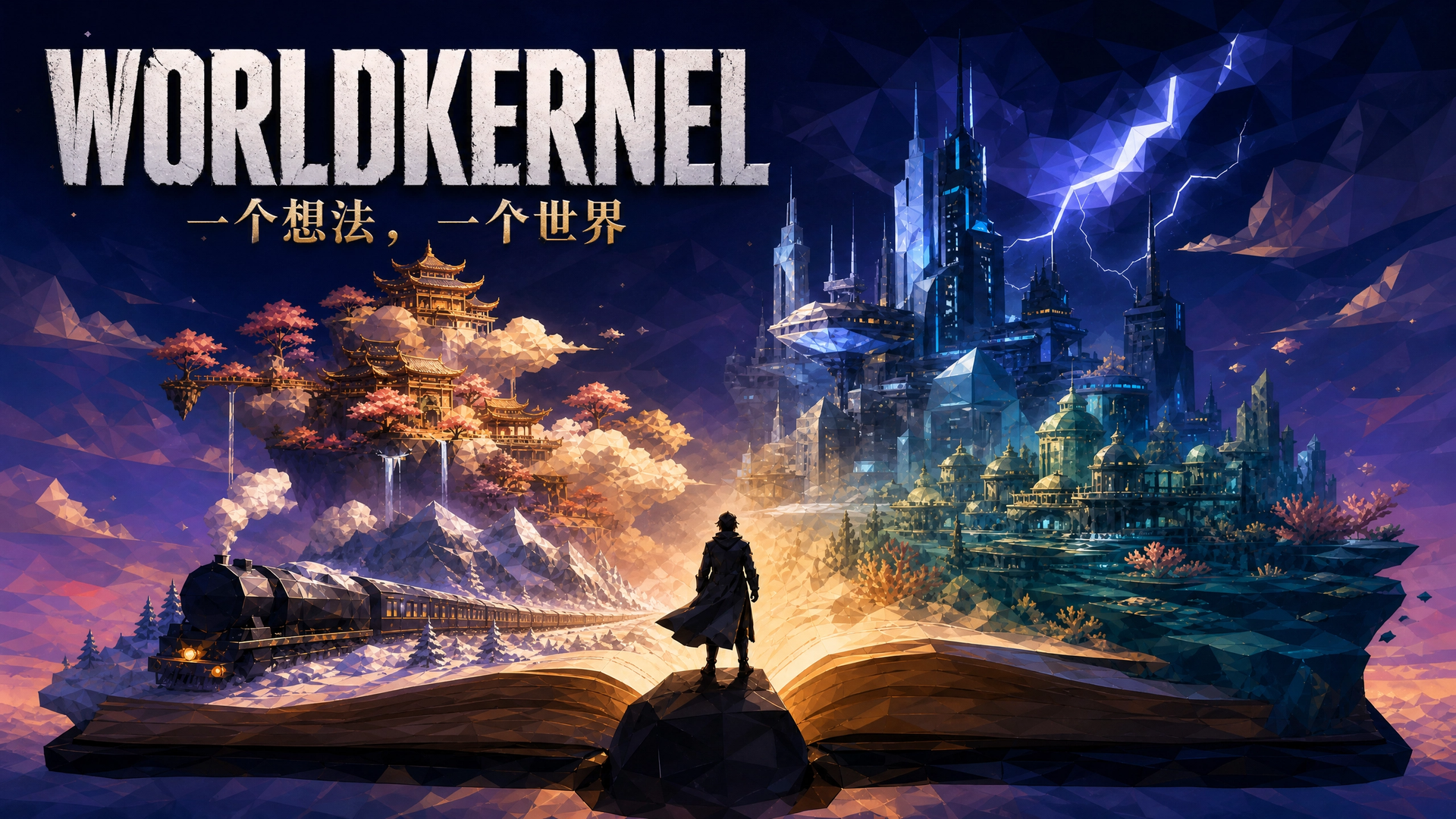
examples/WorldKernel is not bound to a single source text. It takes one sentence of natural language and generates a runnable story world—characters, locations, paths, and rules—then launches a multi-agent simulation. You can create a world like Journey to the West: Havoc in Heaven, or a storm archive city that runs on traded memories. Open http://localhost:8100/, describe the world you want, or resume a locally generated world and play out what happens next.
🚀 Story 4: Coming Soon...

🚀 Quick Start
📚 Looking for a more detailed guide? We have prepared a comprehensive step-by-step tutorial with images to help you explore the sandbox world of The Story of the Stone: 👉 Click here for the OpenStory Tutorial
1. Environment Preparation
- Python Version: Python 3.10 or above is recommended.
- Middleware:
- Redis: Serves as the default data bus and cache. Please ensure that the local Redis service is running and listening on port
6379.
- Redis: Serves as the default data bus and cache. Please ensure that the local Redis service is running and listening on port
2. Install Dependencies
git clone https://github.com/ZJU-LLMs/Agent-Kernel.git
cd Agent-Kernel

pip install -e "packages/agentkernel-distributed[all]"

cd ../../..
3. Run the Simulation System
From the project root, choose a story and run its corresponding command.
Dream of the Red Chamber
python -m examples.story_of_the_stone.run_simulation
During startup:
- The system will initialize the
Rayruntime environment. - Build and load all plugins, configuration files, and Dream of the Red Chamber character data.
- Start the API Server, listening on
0.0.0.0:8000by default.
WestWorld
Before starting, ensure Redis is running and configure a usable OpenAI-compatible model in examples/WestWorld/configs/models_config.yaml. WestWorld and Dream of the Red Chamber both use port 8000, so do not run them at the same time.
python -m examples.WestWorld.run_all
Once startup completes, open the WestWorld home screen and select Free Mode or Story Mode.
For gameplay details and model configuration, see the WestWorld guide.
WorldKernel
WorldKernel uses port 8100, so it can be started separately from Dream of the Red Chamber / WestWorld. Before launching, fill in a usable OpenAI-compatible model config in examples/WorldKernel/configs/models.yaml, or set the WORLDKERNEL_API_KEY environment variable. Entering a simulation still requires local Redis.
pip install -e "examples/WorldKernel"
python -m worldkernel.server
Once startup completes, open the WorldKernel home screen:
http://localhost:8100/
Describe the world you want to generate, or resume a locally generated world and enter the simulation.
4. Access the Visual Interface
 When you see the terminal output
API Server started at http://0.0.0.0:8000, open the following address in your browser:
👉 http://localhost:8000/frontend/index.html
In the interface, you can:
- View scene maps such as the Grand View Garden.
- Click Start Deduction (开始推演) / Next Tick (下一回合) to observe character actions and interactions.
- Click the character list on the left to view detailed "Character Profiles" and real-time statuses.
⚙️ Core Configuration Guide
In the configs/ directory, you can customize the deduction rules:
simulation_config.yaml: The global main entry point, configuring the number of Pods, maximum Ticks, and the paths of various configuration files.models_config.yaml: Configures the LLM interfaces and parameters.system_config.yaml: System-level configurations, such as Messager (message bus) and Timer (clock).
🛠️ Data Generation
If you need to modify or regenerate the character data of Dream of the Red Chamber, you can refer to the generation scripts in the data/raw/ directory. For example:
profile_generator.py: Filters surviving characters based ondatabase.jsonland generates unique encoded IDs and basic profiles.
Star History
QQ交流群:1091827223
Related plugins
dsh-plugin-reasonix
 esengine
/DeepSeek-Reasonix/integrations/dsh-plugin
把 Reasonix 作为 dsh 子智能体接入:一层配置补丁让 subagent-acp 提供方启动 reasonix acp,并以 reasonix 工具暴露给模型。纯配置、无代码、不在 npm;接入的是子智能体,不是模型服务商。
dsh plugin --profile web add 'github:esengine/DeepSeek-Reasonix#af0e954f5629492980718fc0e36030fec0abc682&path:/integrations/dsh-plugin'dsh-purge
 YuJunZhiXue
/dsh-purge
DeepSeek Harness 破甲:让所有模型都能破甲,不同模型可换不同提示词;默认提示词面向国模「小码酱」。Jailbreak for every model — swap prompts per model. 求 Star 收藏 ⭐ 如要二开,请查看署名要求部分
dsh-purge-mmparko
 mmparko
/dsh-purge
DeepSeek Harness 破甲:让所有模型都能破甲,不同模型可换不同提示词;默认提示词面向国模「小码酱」。Jailbreak for every model — swap prompts per model. 求 Star 收藏 ⭐ 如要二开,请查看署名要求部分
dsh plugin --profile web add 'github:mmparko/dsh-purge#033e6bd1e0f101352b39075ecd0d758ffef26b76'dsh-connect-workbuddy
 dingminhua
/dsh-connect-workbuddy
把本机登录的 WorkBuddy 模型(国内版与国际版)接入 DeepSeek Harness:每次刷新按上游目录自动读取每个模型的积分倍率,支持逐模型图片输入开关、多账号切换与账号池自动换号,并提供每日签到、卡片与输入框里的胶囊积分读数等只读积分概览。
dsh plugin --profile web add 'dsh-connect-workbuddy@5.15.0'dsh-image-gen
 shanliuling
/dsh-image-gen
让 DeepSeek Harness 像 ChatGPT 一样,在对话里直接生成图片。
dsh plugin --profile web add github:shanliuling/dsh-image-genagent-vision-toolkit
 Anionex
/agent-vision-toolkit
为纯文本模型"看图“设计更好的视觉工具箱和技能,支持多图理解,图片问答,前端UI还原、GUI 自动化等,并可选无缝接入多个主流agent,直接识别粘贴图片| A vision toolkit and skill designed for text-only llms — image Q&A, long-screenshot OCR, frontend UI restoration, and GUI automation, with optional seamless integration for Codex, Claude Code, Pi, Oh My Pi, and OpenCode
dsh plugin --profile web add github:Anionex/agent-vision-toolkit