
UI Enhancements
dsh-plugin-working-status
abyss-seeker/dsh-plugin-working-status · ★ 7
 abyss-seeker
Replaces the DeepSeek Harness working-status text with a custom phrase that persists across restarts.
安装
dsh plugin --profile web add github:abyss-seeker/dsh-plugin-working-statusGitHub 源码安装:首次需按提示配置 allowBuilds 构建授权后重试
For install and environment setup, plus plugin development tutorials, see DSH community docs ↗
README
Table of contents

dsh-plugin-working-status
One line: click the "Deep diving..." status text, type whatever you actually want it to say, and it stays that way everywhere, forever.
Quick install
dsh plugin --profile web add github:Abyss-Seeker/dsh-plugin-working-status
Then enable the row in $DSH_HOME/profiles/web/cordis.patch.yml (see "Installation" below) and reload the GUI page.
What it does
- Click to edit. Click the status label (or the clock next to it), edit in place, press
Enteror click away to save,Escto chicken out. - One edit, everywhere. The new text applies to every current and future turn, in every session — across reloads and restarts.
- Empty commit restores the default. Clear the field and save to go back to the built-in text. The default is captured from the live render, so it follows whatever the UI actually shows, in any language.
- Nothing else is touched. Only the label's text node changes: the shimmer animation, the elapsed-time clock, the ARIA live region, and the loading-time render all stay exactly as they are.
How to edit
Click "Deep diving..." and edit it directly:
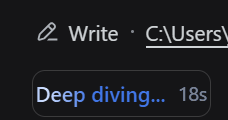
What it looks like
| Effect one | Effect two |
|---|---|
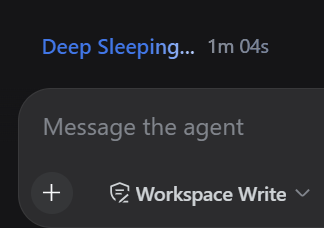 |
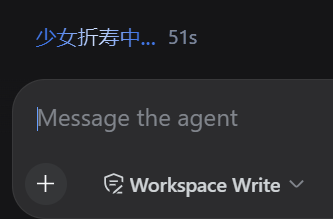 |
Installation
One command:
dsh plugin --profile web add github:Abyss-Seeker/dsh-plugin-working-status
Then enable the row in the profile's patch layer, $DSH_HOME/profiles/web/cordis.patch.yml:
- insert:
    - id: working-status-editor
      name: dsh-plugin-working-status
Reload the GUI page. No build step is involved — the checked-in lib/ is the artifact. file: paths and registry package names work the same way; a pnpm-free fallback lives in scripts/install.mjs.
Plugin configuration card
After installation, Settings → Plugins → Plugin configuration gains a "Working status" card: the same field, with Save, Discard, and Reset to default, writing the exact same value as the click-to-edit flow.
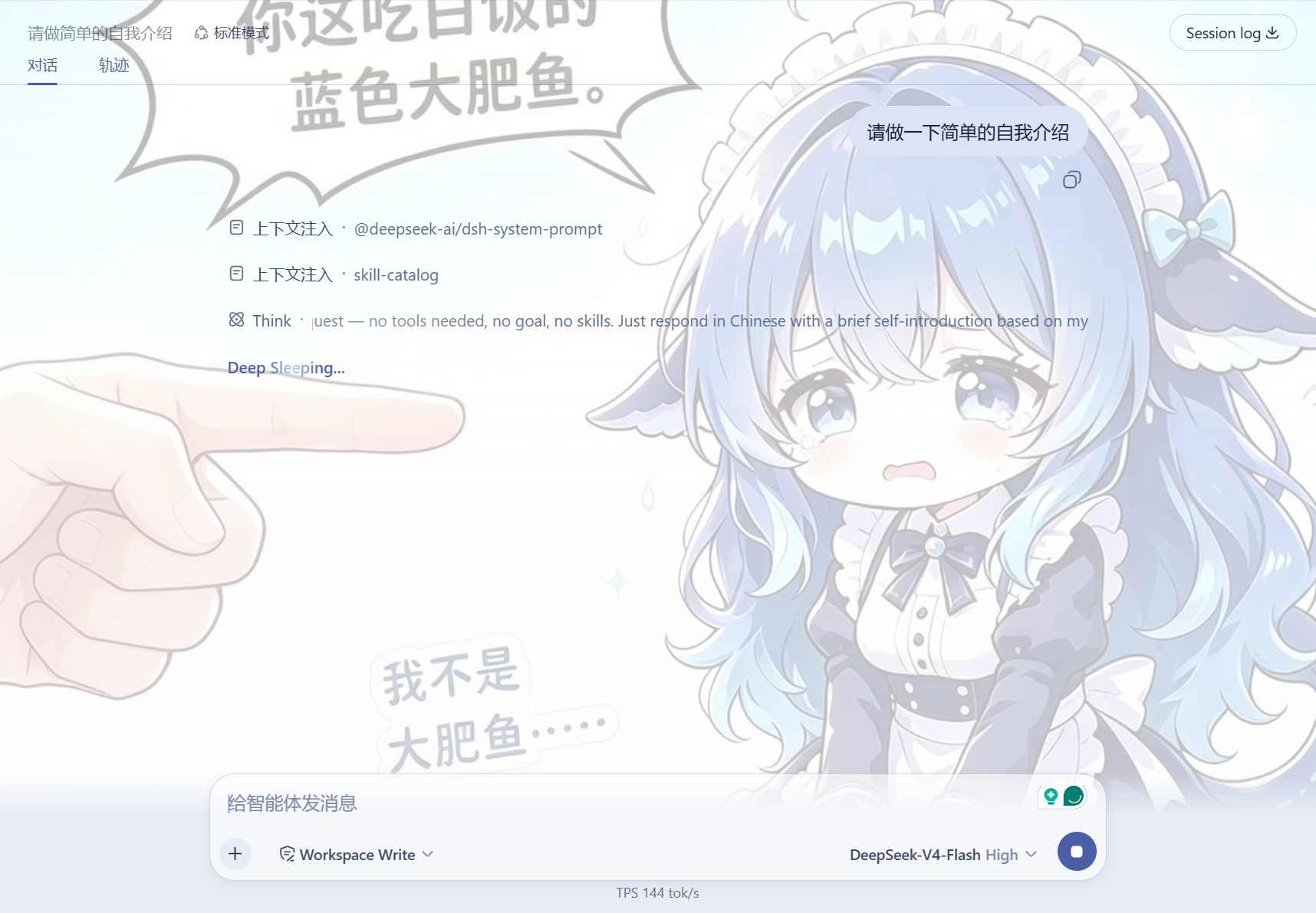
Plays well with dsh-web-ui
If you also run dsh-web-ui (SSH, task board, that family), both coexist fine — one card each, nobody steps on anybody:
Persistence, honestly
- Today the text lives in a localStorage mirror (
dsh.turn-status.label): shared across every tab of the origin, kept across reloads and restarts. - The Host half also registers the
turn-statussettings namespace, but the current DSH API gateway only serves its fixed allowlist to browsers (WEB_SETTINGS_NAMESPACESindsh-host-apiproxy); anything else getssettings-not-exposedeven when registered. Letting plugins expose configuration fromsettings.register()itself is marked deferred work in that package. When it lands, this plugin switches to Host storage automatically with localStorage as the fallback — your text is safe either way.
Diagnostics and compatibility
window.__dshWorkingStatusEditorexposeselements()(currently matched status fields) andlabel()(the effective label).- The status field is found via
role="status"+aria-live="polite"+ the stableturnStatusCSS-module local name. If a future DSH renames that class, the plugin warns and stops rewriting instead of breaking the page. - The configuration card registers into the
settings.plugin.itemslot declared byui-settings-plugins; without that surface, click-to-edit still works.
Development
test/smoke.mjsexercises replacement, commit/cancel/reset, the card form, and persistence sync against a fake DOM. Run it after changes.- To sync edited sources into a profile: re-run the install command above, or
node scripts/install.mjs "$DSH_HOME/profiles/web".
Related plugins
dsh-web(原 dsh-web-ui)
 zhu1090093659
/dsh-web-ui
dsh-web(原 dsh-web-ui):任务看板、git 图、右侧面板、远程移动端 UI、桌宠、实时 token 统计与皮肤中心的全家桶。仓库已更名 zhu1090093659/dsh-web,根目录声明 dsh.bundle.patch,支持根 Git 入口安装。
dsh plugin --profile web add github:zhu1090093659/dsh-webdsh-web-all 聚合包(原 dsh-web-ui-all)
zhu1090093659zhu1090093659/dsh-web-ui/packages/dsh-web-ui-all
旧整包路径 packages/dsh-web-ui-all 已随仓库更名 dsh-web 迁移:现聚合目录为 packages/dsh-web-all,npm 聚合包 @linxin666/dsh-web-all。与总仓根 Git 入口是同一产品的两种整包方式,不重复计数。
dsh plugin --profile web add @linxin666/dsh-web-all@latestdsh-TUI
 ccch1mneyyy
/dsh-TUI
Claude Code 风格全屏终端 UI:像素鲸鱼顶栏、实时工作状态行、思考流式展开。
dsh plugin --profile web add github:ccch1mneyyy/dsh-TUIdsh-cc-tui
ccch1mneyyyccch1mneyyy/dsh-cc-tui
一个美观且实用的 Claude Code 风格 TUI 插件:像素鲸鱼顶栏、双流光大字、实时工作状态行、思考流式展开、双击 Esc 时间回溯、蓝白上下文进度条 + TPS 仪表。 零核心改动,纯插件挂载。安装插件即可启用,卸载后不会留下核心补丁。 献给钟爱tui的各位极客们 A beautiful, practical Claude…
dsh plugin --profile web add github:ccch1mneyyy/dsh-cc-tuideepseek-balance-whale-widget
 meteornox
/deepseek-balance-whale-widget
DSH 小鲸鱼余额挂件(DeepSeek Balance Whale Widget)
dsh plugin --profile web add github:meteornox/deepseek-balance-whale-widgetDSH-better-sidebar
 omdsh-dev
/DSH-better-sidebar
侧边栏完整工作台:内置文件渲染编辑、终端、Git 与子代理,支持三方插件注册新 Tab。
dsh plugin --profile web add github:omdsh-dev/DSH-better-sidebar