
Sessions & Messages
dsh-codex-oauth-callqh
callqh/dsh-codex-oauth · ★ 2
 callqh
Sign in to OpenAI Codex from DeepSeek Harness with a ChatGPT Plus/Pro subscription, by driving the authorization flow llm-pi-ai already registers.
Manifest details
安装
dsh plugin --profile web add 'github:callqh/dsh-codex-oauth#3f4fdec20ab4d1e93fa60954f6687c3d01bb4241'GitHub 源码安装:首次需按提示配置 allowBuilds 构建授权后重试
For install and environment setup, plus plugin development tutorials, see DSH community docs ↗
README
Table of contents
Sign in to OpenAI Codex from DeepSeek Harness with your ChatGPT Plus/Pro subscription.


English | 中文
Harness already ships the Codex OAuth flow, the token refresh, the credential
store and the transport to chatgpt.com/backend-api. What it does not ship is
anything that starts the sign-in — the openai-codex flow is registered, and
nothing calls it.
This plugin is that call, and nothing else. It implements no OAuth, stores no token, and owns no refresh loop.
Set it up with an AI agent
Paste this into your Harness agent:
Install the DeepSeek Harness plugin at https://github.com/callqh/dsh-codex-oauth
for the profile I am running, then verify it. INSTALL.md in that repository has
the exact steps.

Rules:
- Touch only my profile under ~/.dsh/profiles/, and back up any file before you
  edit it.
- The openai-codex route must stay KEYLESS: providers: { "openai-codex": {} }.
  Never add apiKeyEnv — it swaps the ChatGPT subscription auth for an API key.
- If my profile is `desktop`, the dsh CLI refuses to manage it; use the in-app
  plugin manager.
- Do not restart Harness yourself. Tell me when to.

Then report: the profile and version you found, what you changed, how you
installed, what I should see in Settings -> Codex sign-in, and anything that
failed, quoted verbatim.
Prefer to do it yourself, or want to check its work? INSTALL.en.md is the same procedure written out.
Install
1. Declare a keyless route. Add to
~/.dsh/profiles/<profile>/cordis.patch.yml:
- id: llm-pi-ai
  name: "@deepseek-ai/dsh-llm-pi-ai"
  config:
    providers:
      openai-codex: {}
The empty value is the point: it keeps the provider's own authentication, which
for openai-codex is pi-ai's ChatGPT OAuth. An apiKeyEnv here would replace
that with an API key and the sign-in would stop working.
2. Install the plugin. On Desktop use the in-app plugin manager — the CLI refuses to manage that profile. Elsewhere:
dsh plugin --profile web add github:callqh/dsh-codex-oauth
3. Restart. A profile's bundle list is composed at process start.
Use
Open Settings → Codex sign-in.
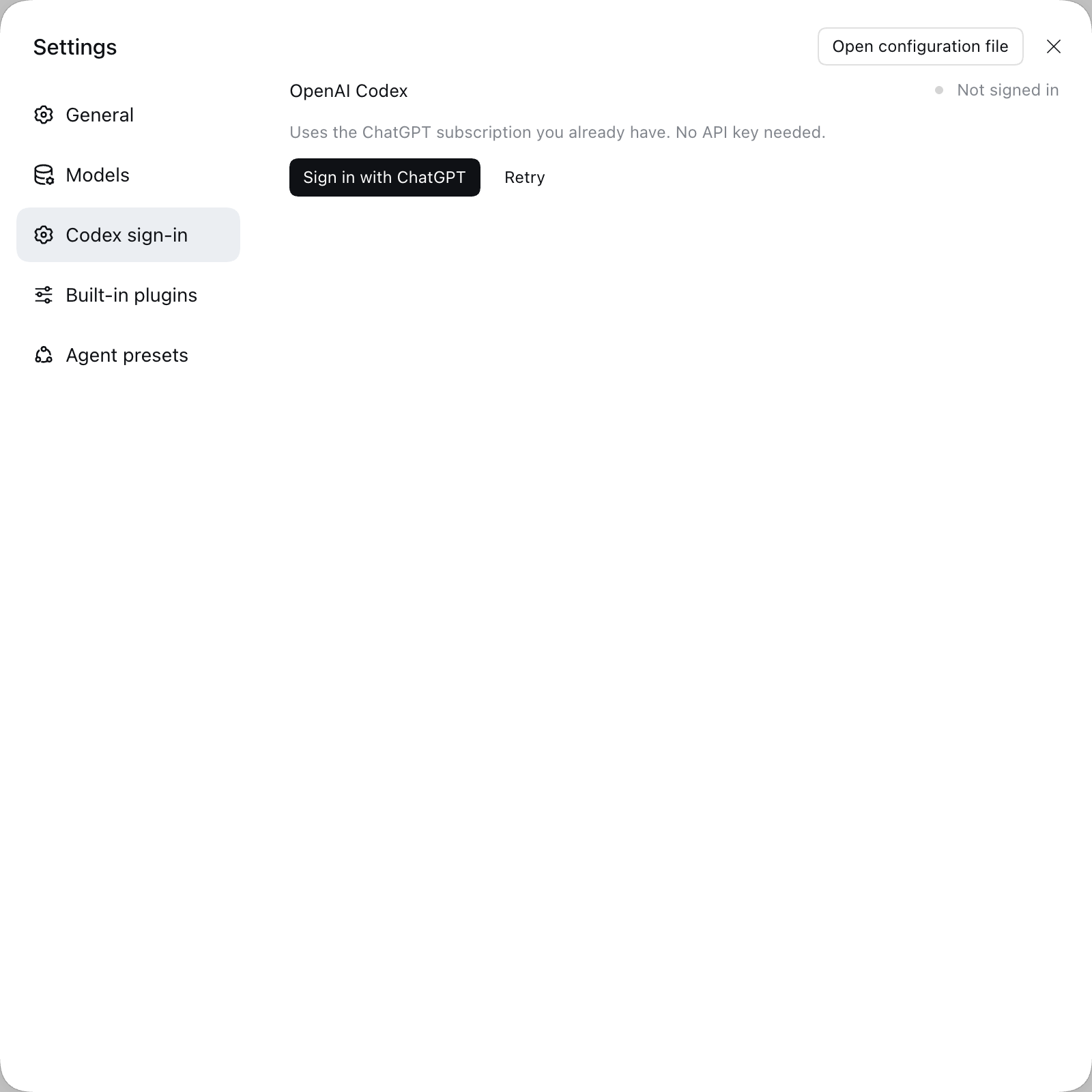
Press the button and pick a login method: Browser login (default — the page
opens in a new tab, the callback lands on 127.0.0.1:1455) or Device code
for when the browser is on another machine.
Signed in, the card shows a masked account, your plan and the token's expiry, and it flips there without a page refresh. Sign out deletes the credential.
Verified
npm test— 45 cases across five lanes.npm run stage-verify -- --browser— 26 checks in a throwaway profile built from a real profile's patch layer, including both sign-in branches driven against the real flow and the card rendered in a real browser.- A real ChatGPT sign-in has been completed on this machine; the credential it leaves is read back by the card.
Not yet exercised: a request to a Codex model. If that is where it breaks for you, please open an issue. Details: VERIFICATION.md.
Not working?
The card never goes blank. What it says, and what to do:
| Card | Meaning |
|---|---|
| "Connecting to Harness…" | The host interface has not been published yet; it gives up after ~2s |
| "Cannot reach the Harness sign-in service" | The bundle loaded but the host refused its Remote contribution |
| "The Codex route is not declared yet" | Step 1 is missing — the card prints the YAML to add |
| "ui-primitives module is missing …" | A host build that renamed a UI primitive |
The browser console carries the reason, under a [dsh-codex-oauth] prefix. The
last line it prints says how far it got.
If Harness will not start after installing, remove "dsh-codex-oauth" from
dsh.profile.bundles in the profile's package.json and restart — that is the
only place this plugin can break a boot, and INSTALL.en.md has the
rest.
Development
pnpm install
npm run check     # typecheck (host + client) → build → preflight assertions
npm test
src/ is TypeScript; lib/ and client/client.js are build outputs and both
are committed, because a bundle that fails to import in a profile's
dsh.profile.bundles fails the whole application boot. Run npm run check
after changing anything under src/.
Host dependencies and upgrades
The distribution has no runtime or peer dependencies and runs no install-time build.
@deepseek-ai/* packages are development dependencies only. At runtime, DSH's
module loader supplies the host's services, preventing old packages from shadowing
built-in authorization and account services (Issue #3).
Both hoisted and isolated layouts are supported; changing the profile layout is unnecessary.
This removes dependency shadowing, not the need to check compatibility when host APIs change. After upgrading an old installation, reinstall the profile dependencies to prune unused old packages from its lockfile. Preserve dependencies explicitly required by other plugins. On Desktop, update through the in-app Plugin Manager, then restart manually.
Security
Tokens stay on the host. The credential lives in one place — the harness
credential store, under llm-pi-ai/openai-codex, written by pi-ai in pi-ai's
format — and the browser receives only a masked account, a plan tier and an
expiry. SECURITY.md has the full boundary.
License
Related plugins
archify
 tt-a1i
/archify
架构图生成 Skill 总仓(多宿主):可校验的自包含架构图、工作流图、时序图、数据流图与生命周期图。DSH 安装不走本仓根——根目录不是 DSH bundle,请用适配包 @tt-a1i/archify-dsh(见 DSH 集成条目)。
dsh plugin --profile web add @tt-a1i/archify-dsh@1.0.0DeepSeek-Bot
 Fei2411
/DS-Bot/ds-bot
DS Bot: a team of long-lived Bots for DeepSeek Harness, with Main Bots, Bot-to-Bot messages and group chats
dsh plugin --profile web add 'ds-bot@0.2.4'Study-Mate
 Miaotofu01
/Study-Mate
StudyMate learning skills and lesson engine for DeepSeek Harness, Google Antigravity, Codex and ChatGPT Work.
dsh plugin --profile web add 'github:Miaotofu01/Study-Mate#d8114f38363272852b339d6788b2f8f007243b43'dsh-plugin-subscriptions
 V1ki
V1ki/dsh-plugin-subscriptions
把 ChatGPT(Codex)、Claude 与 Grok(X Premium)订阅用作 DeepSeek Harness 的 LLM provider——Web UI OAuth 登录,无需 API key
dsh plugin --profile web add github:V1ki/dsh-plugin-subscriptionsRabiRoute
 vb2250158
/RabiRoute/plugins/rabi-dsh-context
Connect DSH lifecycle events and conversation context to Rabi Manager.
dsh plugin --profile web add 'github:vb2250158/RabiRoute#e483f87e68cef2c8f5112b101e333b1a9577a9f7&path:/plugins/rabi-dsh-context'dsh-deepseek-web-login
 cv-superding
/dsh-deepseek-web-login
Unofficial DSH plugin: use chat.deepseek.com web models as a DSH LLM provider (browser login capture + PoW solving + SSE streaming + prompting-based tool calls), provider route deepseek-web
dsh plugin --profile web add 'dsh-deepseek-web-login@1.0.3'