
UI Enhancements
dsh-plugin-colorscheme
civitasv/dsh-plugin-colorscheme · ★ 1
 civitasv
Colorscheme Plugin For DeepSeek Harness
安装
dsh plugin --profile web add github:civitasv/dsh-plugin-colorschemeGitHub 源码安装:首次需按提示配置 allowBuilds 构建授权后重试
For install and environment setup, plus plugin development tutorials, see DSH community docs ↗
README
Table of contents
Colorschemes for DeepSeek Harness: apply popular MIT-licensed open-source theme palettes to the DSH interface. Once loaded, switch themes from Settings → Plugins → Plugin configuration → Colorscheme card, with one click; the selection persists and is restored after a refresh.
- 8 built-in preset themes (Dracula, Nord, One Dark/Light, Tokyo Night,
Catppuccin Mocha, VS Code Dark/Light); licenses and attribution in
THIRD_PARTY_NOTICES.md - Three ways to extend (below) — or add a theme with the "Add theme" form, delete custom themes in-app, and edit the themes directory live — all inside the Colorscheme card under Settings → Plugins → Plugin configuration
Installation
This repository ships the built artifacts (client.js and dist/), so a clone
works out of the box. You only need npm install && npm run build if you
changed the source.
One-command install (recommended)
# macOS / Linux
bash install.sh

# Windows (PowerShell)
powershell -ExecutionPolicy Bypass -File install.ps1
The script: installs dependencies (including devDependencies, so you can build
locally) → links the plugin into ~/.dsh/profiles/node_modules → registers it
in cordis.patch.yml → prompts you to restart and verify.
Manual install
Link, don't copy: a
Copy-Itemsnapshot won't pick up source changes and collides on re-install. Use a link (symlink / Junction) to this repository so edits take effect immediately.
# 1. Clone and enter the directory
git clone https://github.com/Civitasv/dsh-plugin-colorscheme.git
cd dsh-plugin-colorscheme

# 2. Link into the profile's dependency directory
#    macOS / Linux:
ln -sfn "$PWD" ~/.dsh/profiles/node_modules/dsh-plugin-colorscheme
#    Windows (PowerShell — Junction needs no admin rights):
#    New-Item -ItemType Junction -Path "$HOME\.dsh\profiles\node_modules\dsh-plugin-colorscheme" -Target "$PWD"

# 3. Register it in the config: edit ~/.dsh/profiles/web/cordis.patch.yml
#    - insert:
#        - id: colorscheme
#          name: dsh-plugin-colorscheme

# 4. Restart dsh web
If you have pnpm installed, you can replace step 2 with
dsh plugin --profile web add <absolute path to this plugin>(equivalent to the link). If pnpm is missing, install it first:npm install -g pnpm(orcorepack enable).
Verify
dsh --profile web --dump-config | grep dsh-plugin-colorscheme
# should print: - id: colorscheme / name: dsh-plugin-colorscheme
After restarting, switch themes from Settings → Plugins → Plugin configuration → Colorscheme.
Development
The plugin is linked into the profile, so after editing the source:
npm run build # regenerate dist/ and client.js
Server-side changes need a dsh web restart; pure client-side changes just
need a page refresh.
Preview
The Colorscheme card under Settings → Plugins → Plugin configuration (click to switch, persisted automatically):
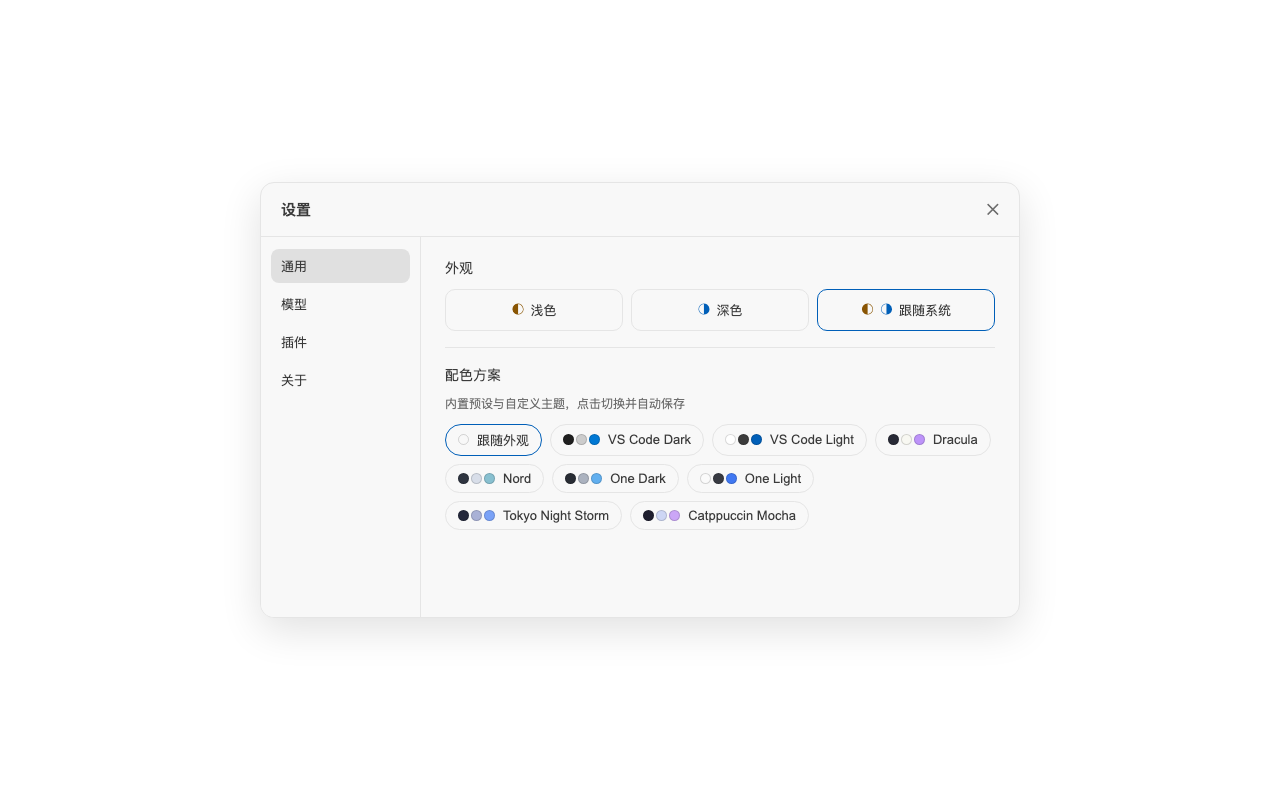
Preset themes:
| Theme | Preview |
|---|---|
| VS Code Dark | 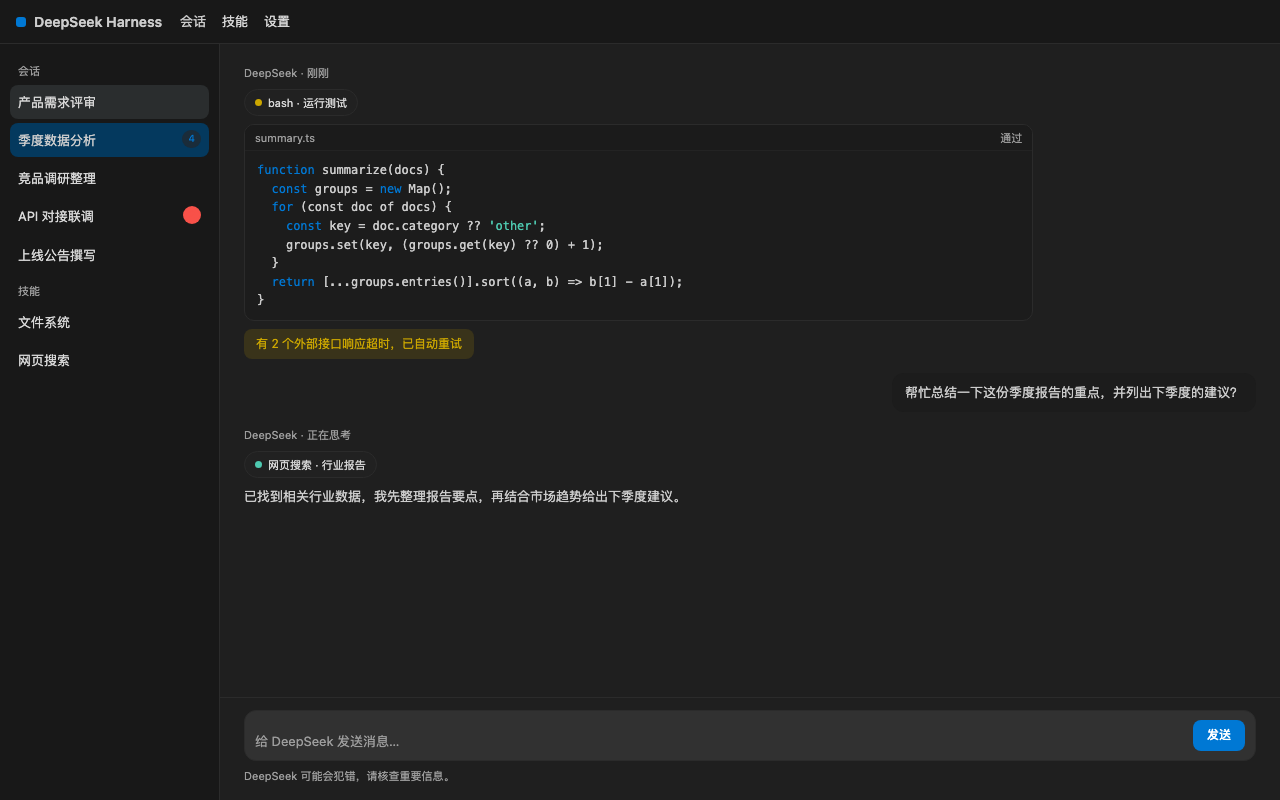 |
| VS Code Light | 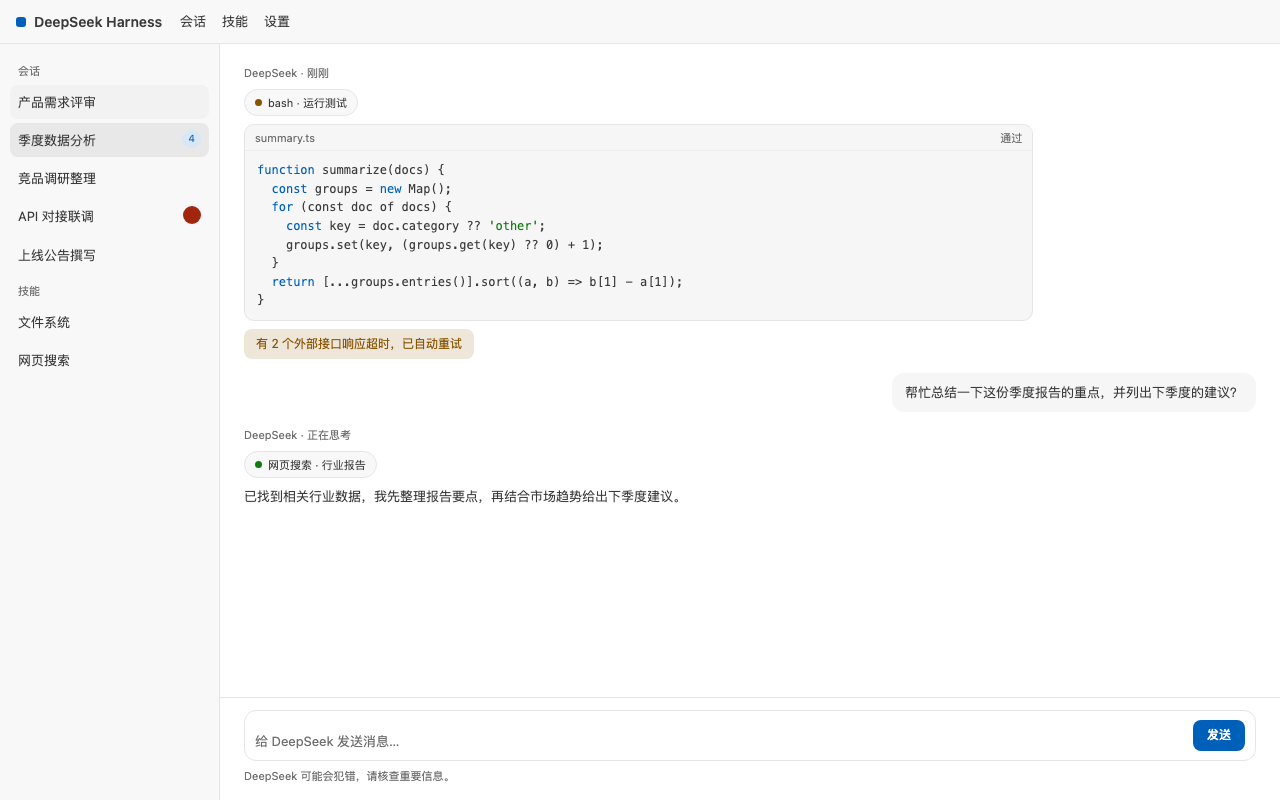 |
| Dracula | 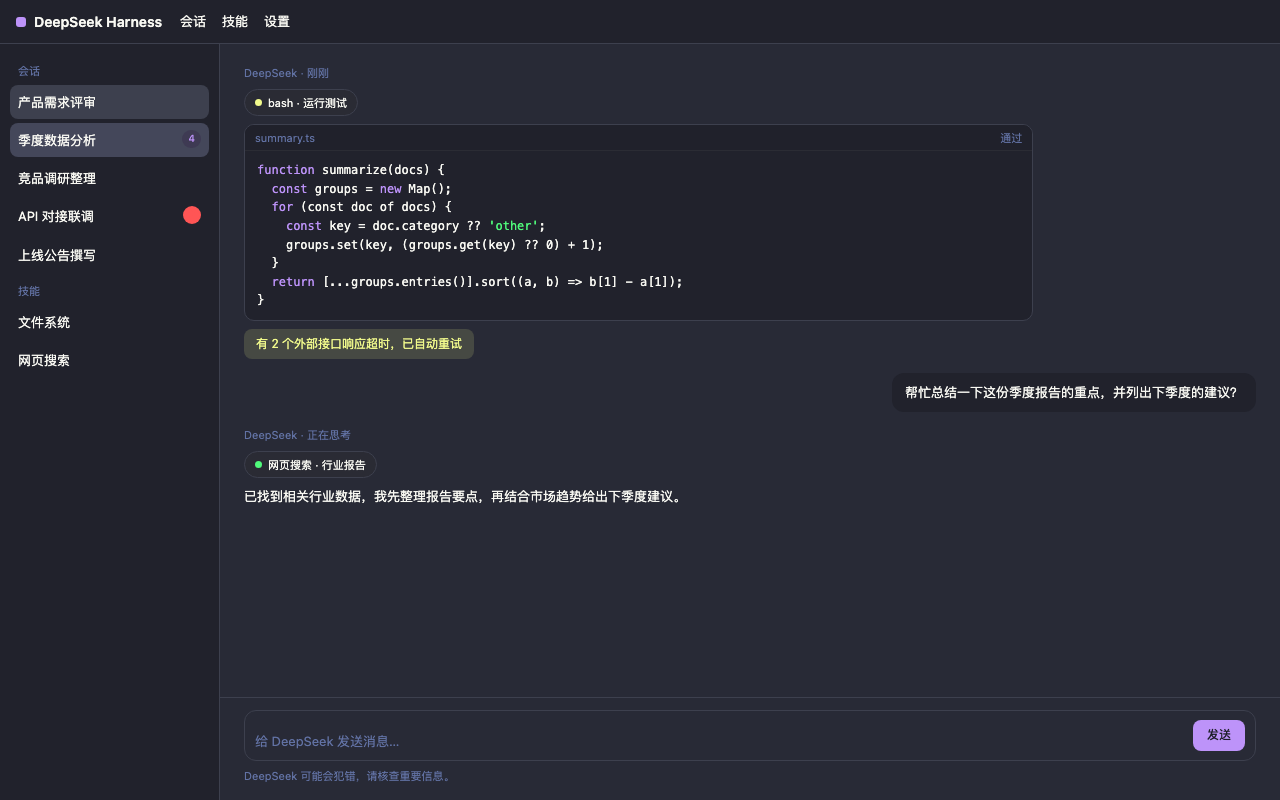 |
| Nord | 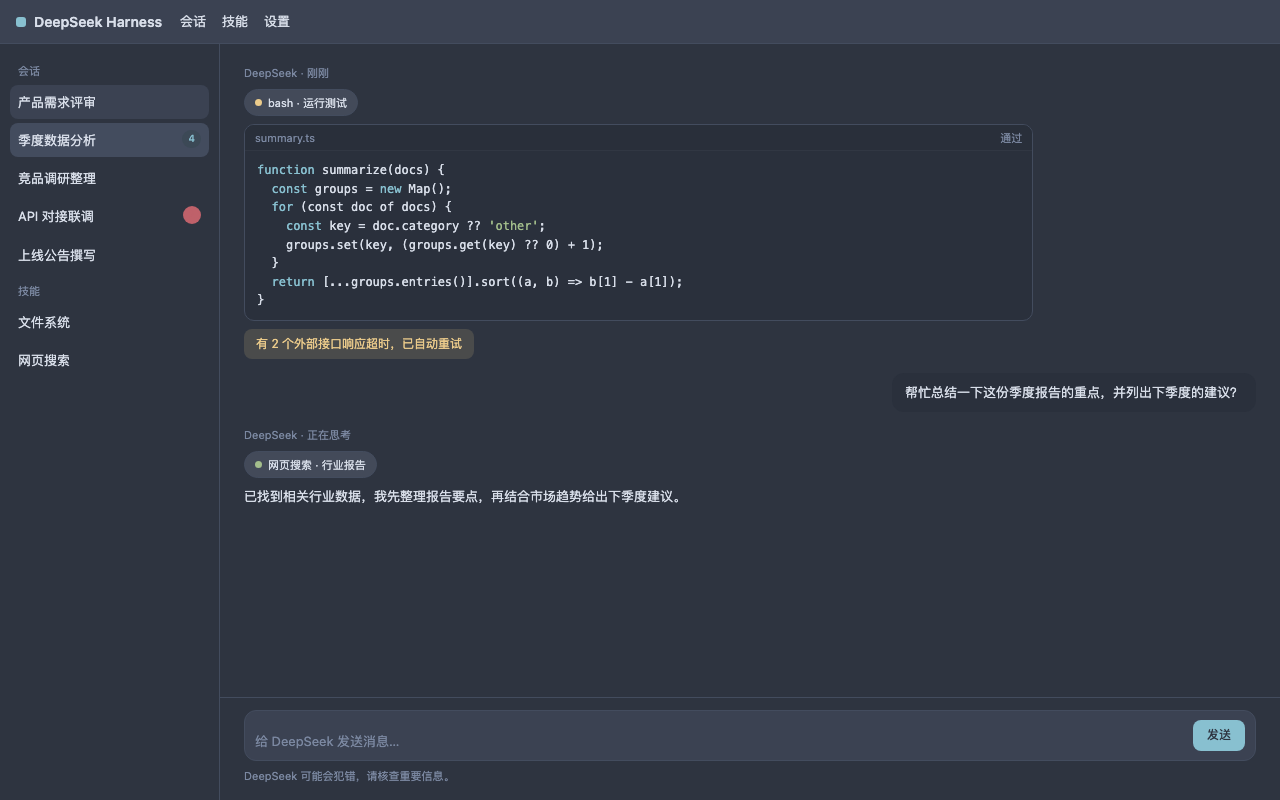 |
| One Dark | 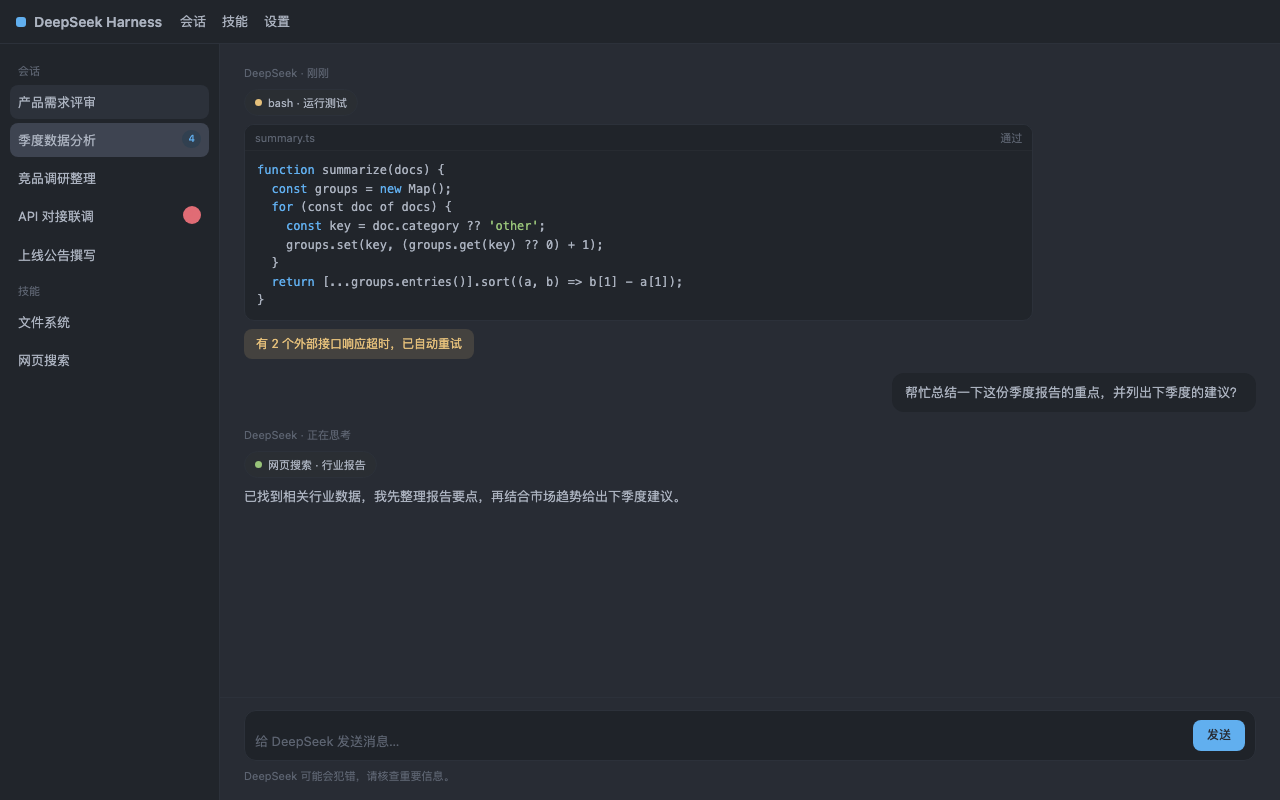 |
| One Light | 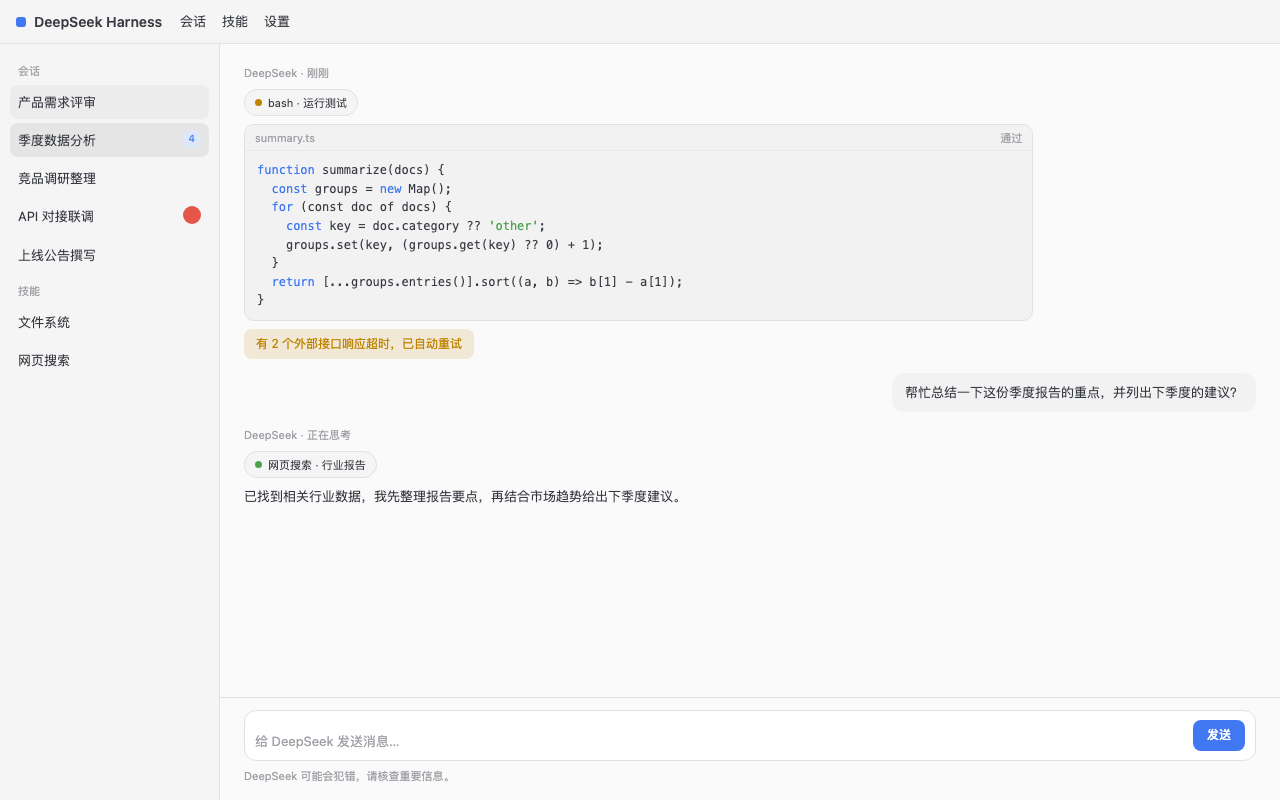 |
| Tokyo Night Storm | 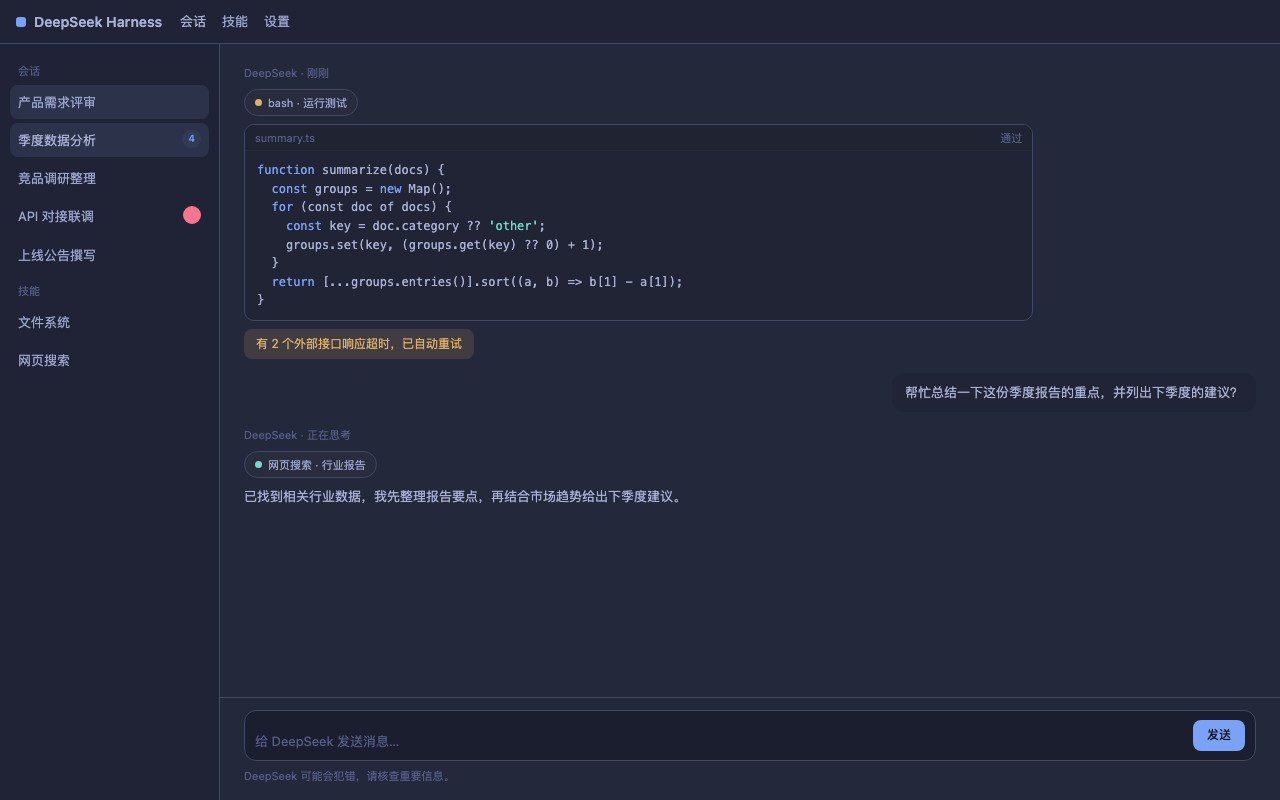 |
| Catppuccin Mocha | 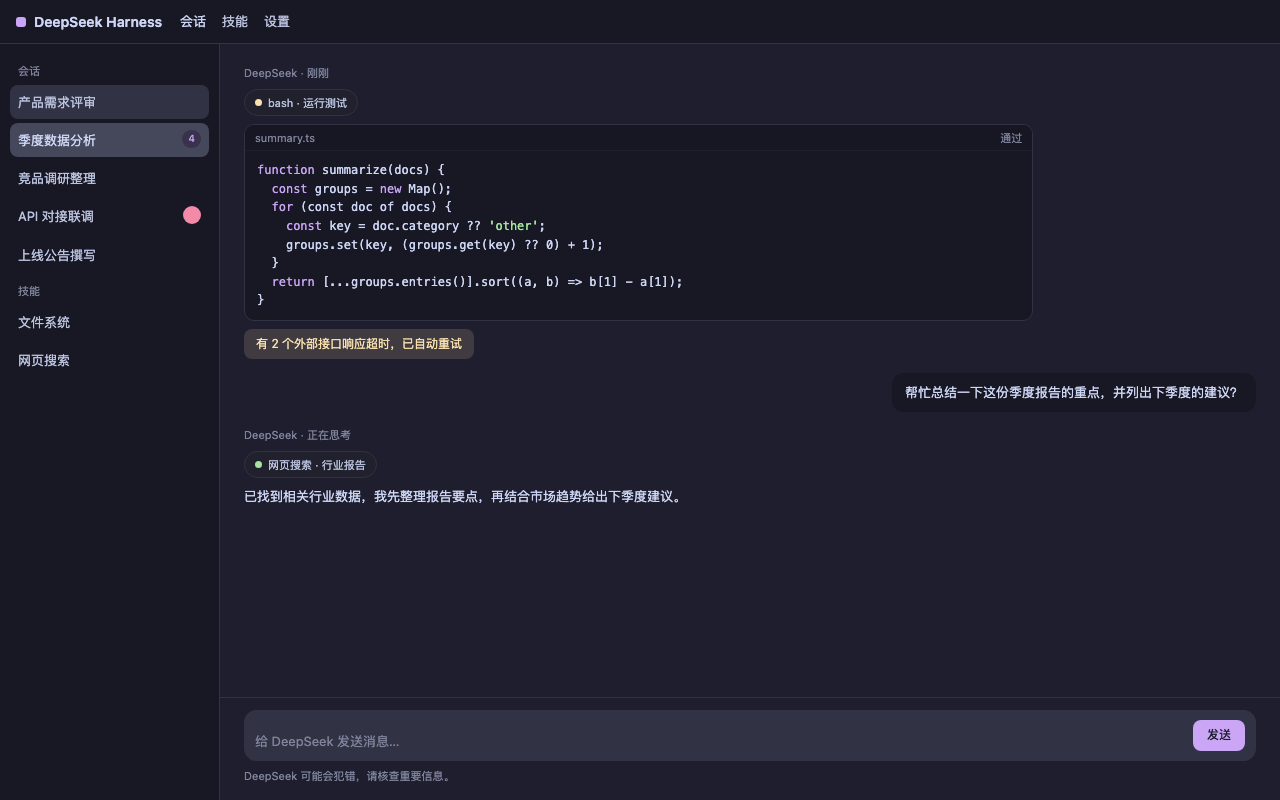 |
Extending
1. Themes directory (recommended)
Drop theme JSON files into ~/.dsh/themes/ (or point themesDir at another
directory) — one theme per file:
{
  "id": "my-solarized-dark",
  "name": "My Solarized Dark",
  "colorScheme": "dark",
  "roles": {
    "bg": "#002b36",
    "fg": "#839496",
    "accent": "#268bd2"
  }
}
The example above uses roles to describe the palette (background, text,
accent, …) — usually all you need. For finer control you can also provide
expanded tokens directly (keys start with --dsw-). id must not collide
with a built-in theme.
2. Plugin config
Edit ~/.dsh/profiles/web/cordis.patch.yml:
- insert:
    - id: colorscheme
      name: dsh-plugin-colorscheme
      config:
        themesDir: /abs/path/to/my/themes   # default ~/.dsh/themes
        defaultTheme: dracula               # theme applied when none is chosen
3. Settings user layer
Edit ~/.dsh/settings.yaml directly:
colorscheme:
  selection: dracula
  customThemes:
    - id: my-inline-theme
      name: My Inline Theme
      colorScheme: light
      tokens:
        --dsw-alias-bg-base: "#ffffff"
        --dsw-alias-label-primary: "#333333"
Restart dsh web (or wait for HMR) after saving. customThemes is equivalent
to themes-directory files.
Contributing a theme
- To ship a theme built-in (available to every user out of the box),
submit it as a preset: add an entry in
src/themes/presets.tsand record the attribution inTHIRD_PARTY_NOTICES.mdandpresets-licenses/. - To share a custom theme file as a sample, drop it into
example-themes/(note: samples are not auto-loaded — users copy them to~/.dsh/themes/to use them).
License
Plugin code is MIT (LICENSE). The built-in preset palettes and their
licenses are attributed in THIRD_PARTY_NOTICES.md
and presets-licenses/.
Related plugins
dsh-web(原 dsh-web-ui)
 zhu1090093659
/dsh-web-ui
dsh-web(原 dsh-web-ui):任务看板、git 图、右侧面板、远程移动端 UI、桌宠、实时 token 统计与皮肤中心的全家桶。仓库已更名 zhu1090093659/dsh-web,根目录声明 dsh.bundle.patch,支持根 Git 入口安装。
dsh plugin --profile web add github:zhu1090093659/dsh-webdsh-web-all 聚合包(原 dsh-web-ui-all)
zhu1090093659zhu1090093659/dsh-web-ui/packages/dsh-web-ui-all
旧整包路径 packages/dsh-web-ui-all 已随仓库更名 dsh-web 迁移:现聚合目录为 packages/dsh-web-all,npm 聚合包 @linxin666/dsh-web-all。与总仓根 Git 入口是同一产品的两种整包方式,不重复计数。
dsh plugin --profile web add @linxin666/dsh-web-all@latestdsh-TUI
 ccch1mneyyy
/dsh-TUI
Claude Code 风格全屏终端 UI:像素鲸鱼顶栏、实时工作状态行、思考流式展开。
dsh plugin --profile web add github:ccch1mneyyy/dsh-TUIdsh-cc-tui
ccch1mneyyyccch1mneyyy/dsh-cc-tui
一个美观且实用的 Claude Code 风格 TUI 插件:像素鲸鱼顶栏、双流光大字、实时工作状态行、思考流式展开、双击 Esc 时间回溯、蓝白上下文进度条 + TPS 仪表。 零核心改动,纯插件挂载。安装插件即可启用,卸载后不会留下核心补丁。 献给钟爱tui的各位极客们 A beautiful, practical Claude…
dsh plugin --profile web add github:ccch1mneyyy/dsh-cc-tuideepseek-balance-whale-widget
 meteornox
/deepseek-balance-whale-widget
DSH 小鲸鱼余额挂件(DeepSeek Balance Whale Widget)
dsh plugin --profile web add github:meteornox/deepseek-balance-whale-widgetDSH-better-sidebar
 omdsh-dev
/DSH-better-sidebar
侧边栏完整工作台:内置文件渲染编辑、终端、Git 与子代理,支持三方插件注册新 Tab。
dsh plugin --profile web add github:omdsh-dev/DSH-better-sidebar