Vision & Multimodal
dsh-chat-imagine
corrinehu/dsh-chat-imagine · ★ 9
 corrinehuCurated
Generates images in DeepSeek Harness through configured OpenAI-compatible image models or a local MiniMax CLI, and displays the result in chat.
安装
dsh plugin --profile web add github:corrinehu/dsh-chat-imagineGitHub 源码安装:首次需按提示配置 allowBuilds 构建授权后重试
For install and environment setup, plus plugin development tutorials, see DSH community docs ↗
Screenshots

README
English | 中文
Automatically call image-generation tools from the DeepSeek Harness (DSH) chat window (via API channels, or the local CLIs: mmx / codex / agy), display the generated image inline, and also recognize images using the corresponding CLI.
Overview
Two image-generation methods are supported:
API
Uses OpenAI-compatible providers already configured in DSH and finds their available image models.
For built-in providers (e.g. OpenRouter) whose base URL is left blank in DSH settings, the plugin falls back to DSH's built-in default endpoint, matching how chat routing resolves them.
CLI
The plugin scans the local machine for the MiniMax CLI (mmx), the OpenAI Codex CLI (codex), and the Google Antigravity CLI (agy); each one found becomes an available image-generation and image-recognition backend.
Image Generation
- Calling
codexspends your ChatGPT account (Plus/Pro) quota rather than an API key. Requires the codex CLI installed and signed in to an account with image quota left (check withcodex login status). - Calling
agyspends your Google account quota. Requires the agy CLI installed and signed in via the Antigravity app. - When codex / agy is detected, the plugin also registers the skill
cli-image-gen, which teaches the model to drive the CLIs for image generation when thegenerate_imagetool fails (quota / region restrictions / parsing), and to finish with inline display viashow_image_file.
Image Recognition
- Recognition uses the same CLI channels' vision capabilities (mmx's
vision describe, codex'sexec -iwith image input + server-enforced JSON schema, agy's--json-schema). So installing any one of mmx / codex / agy enables image recognition — no need to install all three; if none is installed the plugin still works, onlyanalyze_imagereturns a "CLI not found" notice. - Reads an image (local path or http(s) URL) into structured JSON evidence: OCR full text and per-line text, reading-order layout regions, semantic entities and relations, visual notes, and an uncertainty list — any model (including text-only) can call it directly, with no vision-model switching.
- Channel auto-picks by speed (
mmx→codex→agy); you can also pin a default with thevisionBackendparameter ofset_image_default.
Install
# npm (recommended; ships prebuilt artifacts)
dsh plugin --profile web add dsh-chat-imagine

# or install from the GitHub source
dsh plugin --profile web add github:corrinehu/dsh-chat-imagine
Usage
After installing the plugin, start a new conversation and ask for an image:
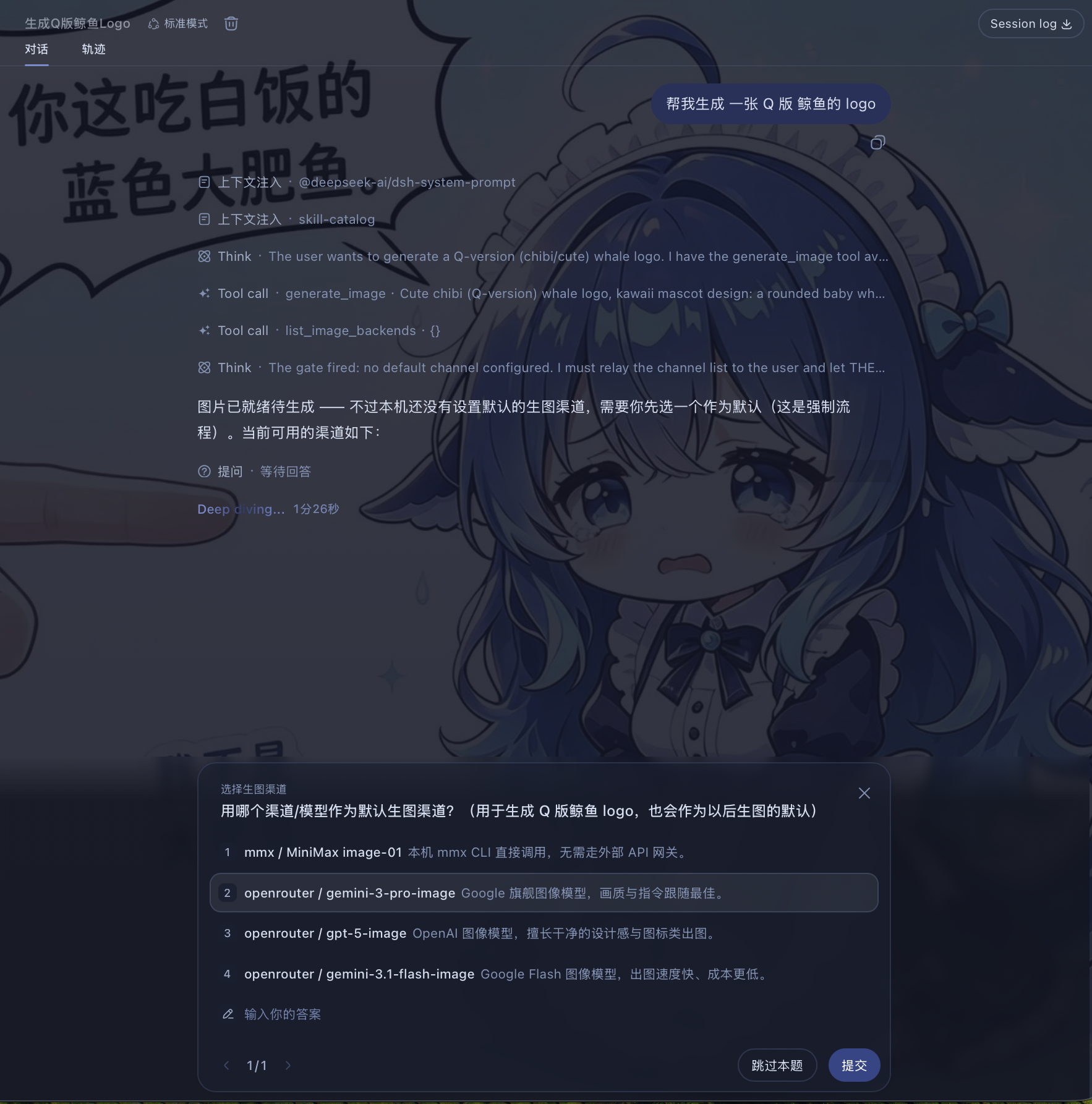
Create a cute blue whale logo.
The plugin checks available channels and models, then asks which one to use as the default:
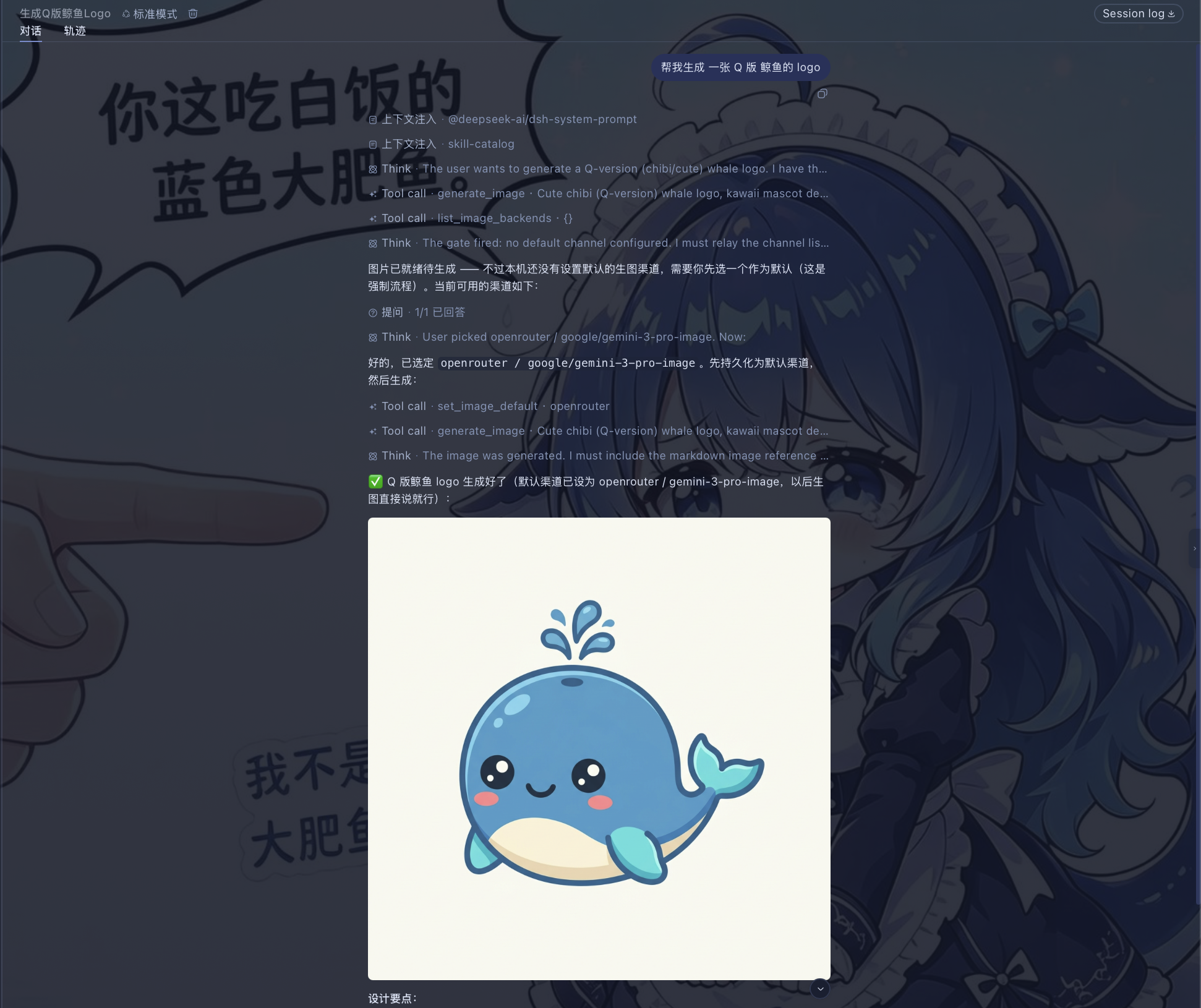
Once set, you don't need to choose again. Just describe the image you want in the chat:
Generate a 16:9 sunrise over snowy mountains.
The result appears directly in the chat.
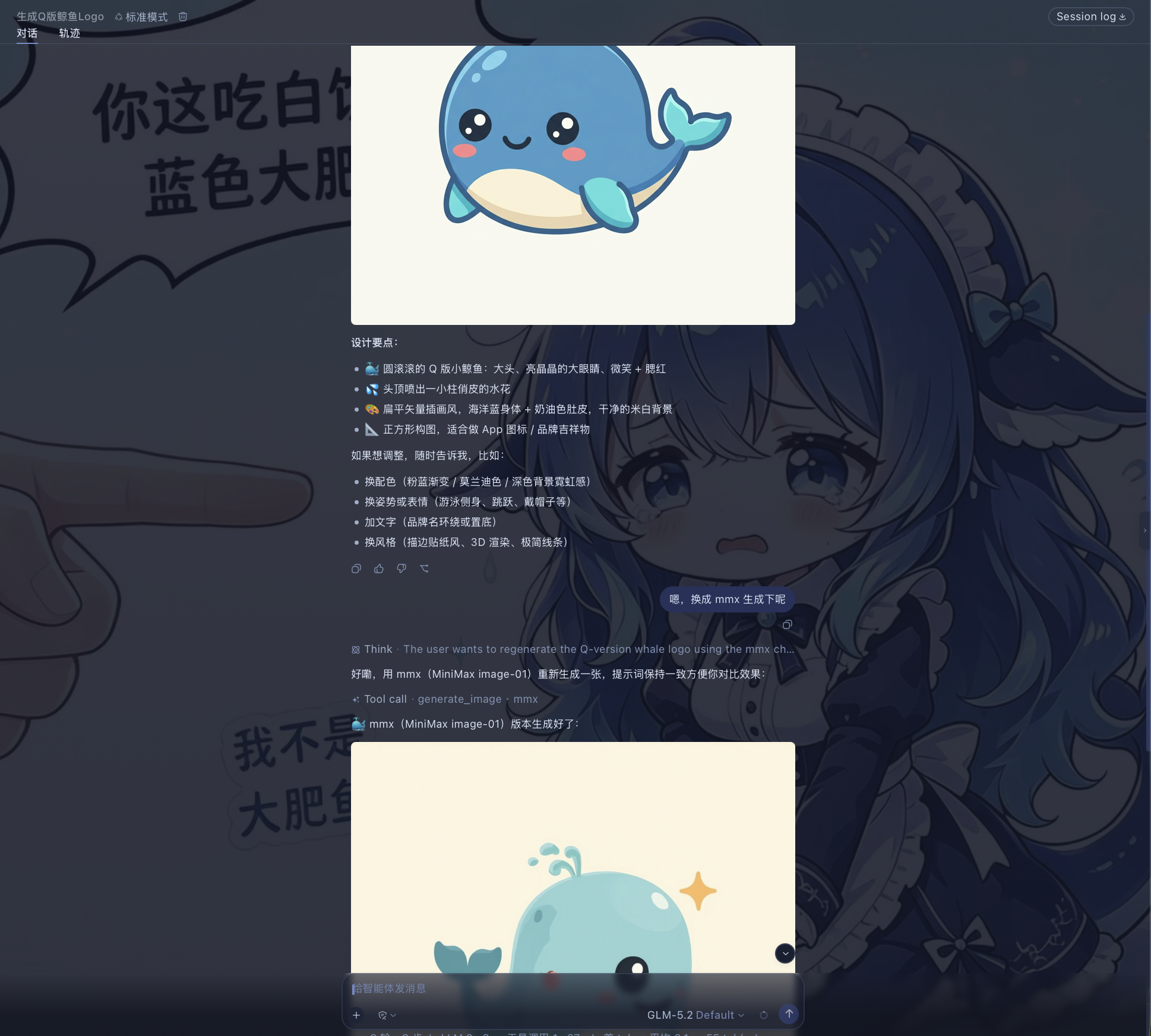
You can also use another image backend:
Just say so in the conversation, for example:
Use agy to generate a widescreen hand-drawn colored-pencil diagram explaining LLM post-training.
Image Recognition
Image recognition requires a local CLI: with any one of mmx / codex / agy installed, the analyze_image tool is available (any one suffices — no need to install all three); if none is installed the plugin still works, only image recognition is unavailable — calls return a "CLI not found" notice. Once a CLI is present, the tool reads an image (local path or http(s) URL) into structured JSON evidence — OCR full text and per-line text, layout regions in reading order, semantic entities and relations, visual notes, and an uncertainty list.
Read this image /tmp/screenshots/error.png and copy out the error text verbatim.
- Any model can use it: the tool drives the vision models on the CLI channels (MiniMax VLM / ChatGPT / Gemini); the current session does not need to switch to a vision model — the key difference from route-taking-over solutions like modlens.
- Contract ported from modlens: the same five-part evidence structure, deliberately without bounding boxes and confidence (the two fields vision models most easily fabricate).
- Channel selection:
mmx(fastest, direct VLM, ~3-8s) →codex(server-enforced JSON schema, most reliable) →agy(Gemini, weekly quota shared). Pin a default with thevisionBackendparameter ofset_image_default; otherwise it auto-picks by speed. - Graceful degradation: when a channel runs out of quota, say in the conversation to switch (the
backendparameter, or just "use codex").
Notes
- Currently tested only in the DSH Web profile.
- Images are kept in DSH process memory. Historical image links stop working after restart; save images you want to keep from the chat UI.
License
Related plugins
dsh-plugin-browserskill
 Tencent
/BrowserSkill/packages/dsh-plugin-browserskill
BrowserSkill 的 DeepSeek Harness 浏览器自动化桥接插件,通过原生浏览器工具控制可见的 Chrome 和 Edge Agent Window,支持可访问性与 VOM 页面观察、截图、隔离的多会话控制和 Web UI 实时观察浮层。
Added:
dsh plugin --profile web add github:Tencent/BrowserSkill#path:/packages/dsh-plugin-browserskillmodlens
 liustack
/modlens
为纯文本模型架起视觉桥梁:粘贴图片,输出结构化 JSON 证据(OCR、版面、语义)。
Added:
dsh plugin --profile web add @liustack/modlensdsh-vision-router
 ysr666
/dsh-vision-router
为纯文本 Agent 提供视觉能力:内置免 Key 视觉链 + 像素级视觉工具(看图问答、定位、裁剪、像素对比、取色、OCR、矢量化、抠图、截图);粘贴图片即可用。
Added:
dsh plugin --profile web add github:ysr666/dsh-vision-routerdsh-vision-toolkit
 Anionex
/dsh-vision-toolkit
让纯文本模型更好地做视觉任务:带意图的图片问答、长截图 OCR、UI 还原等。
Added:
dsh plugin --profile web add @dsh-external/dsh-vision-toolkitdsh-ads
 dsh-external
/dsh-ads
DSH Web UI 广告层:2005 中文站风格侧栏广告/信息流/角落弹窗 + 关闭叉热区远小于视觉(素材全虚构整活插件)
Added:
dsh plugin --profile web add github:dsh-external/dsh-adsdsh-invoice-downloader
 EthanYoQ
/Invoice-Downloader/plugins/dsh-invoice-downloader
Local IMAP invoice download, OCR, archive, and Excel summary bundle for DeepSeek Harness
Added:
dsh plugin --profile web add '@ethanyoq/dsh-invoice-downloader@0.1.1'