
Models & Providers
dsh-workbuddy-connect
corrinehu/dsh-workbuddy-connect · ★ 25
 corrinehu
Brings the models in the WorkBuddy desktop app straight into DeepSeek Harness — zero configuration in the DSH chat.
Repository is no longer available (checked 2026-11-15). This entry is retained for tracking and cannot be installed.
Screenshots
README
Table of contents
English | 中文
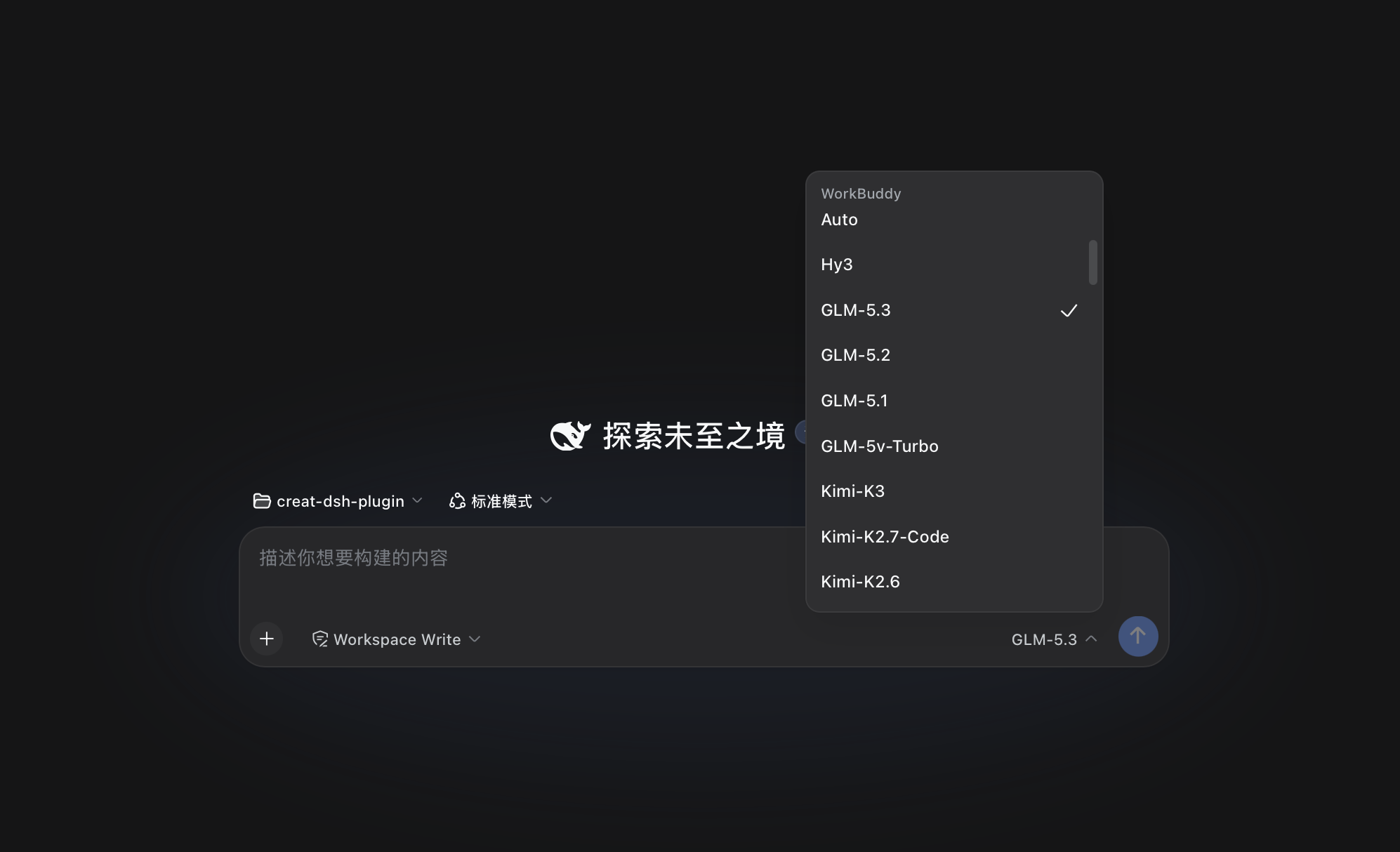
Brings every model in the WorkBuddy desktop app (GLM-5.3, GLM-5.2, DeepSeek-V4-Pro, DeepSeek-V4-Flash, Kimi-K3, MiniMax-M3, Hy3, and more) straight into DeepSeek Harness — zero configuration in the DSH chat.
Features
- Works out of the box: install and enable the plugin, then use it directly in DSH — no extra configuration.
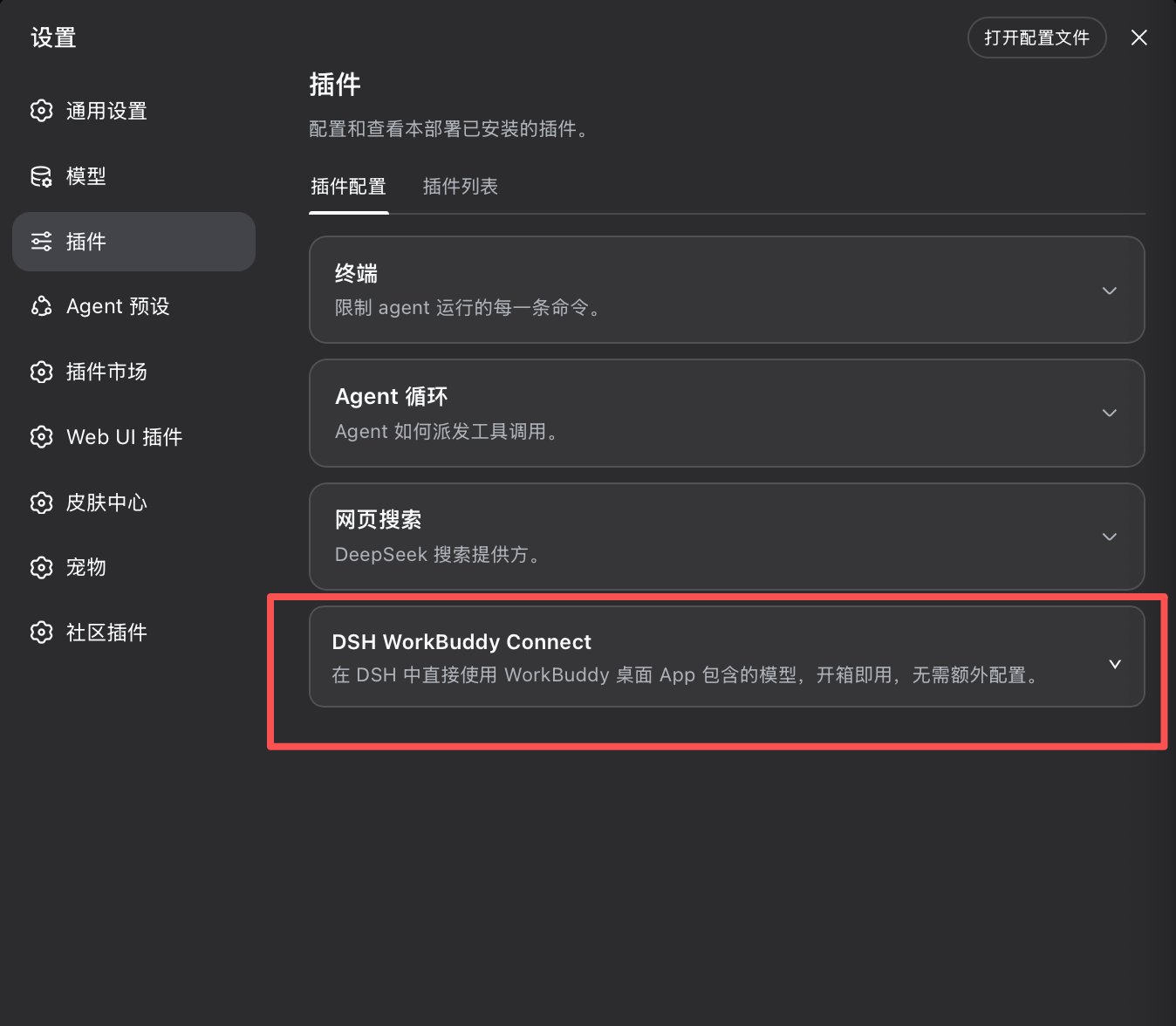
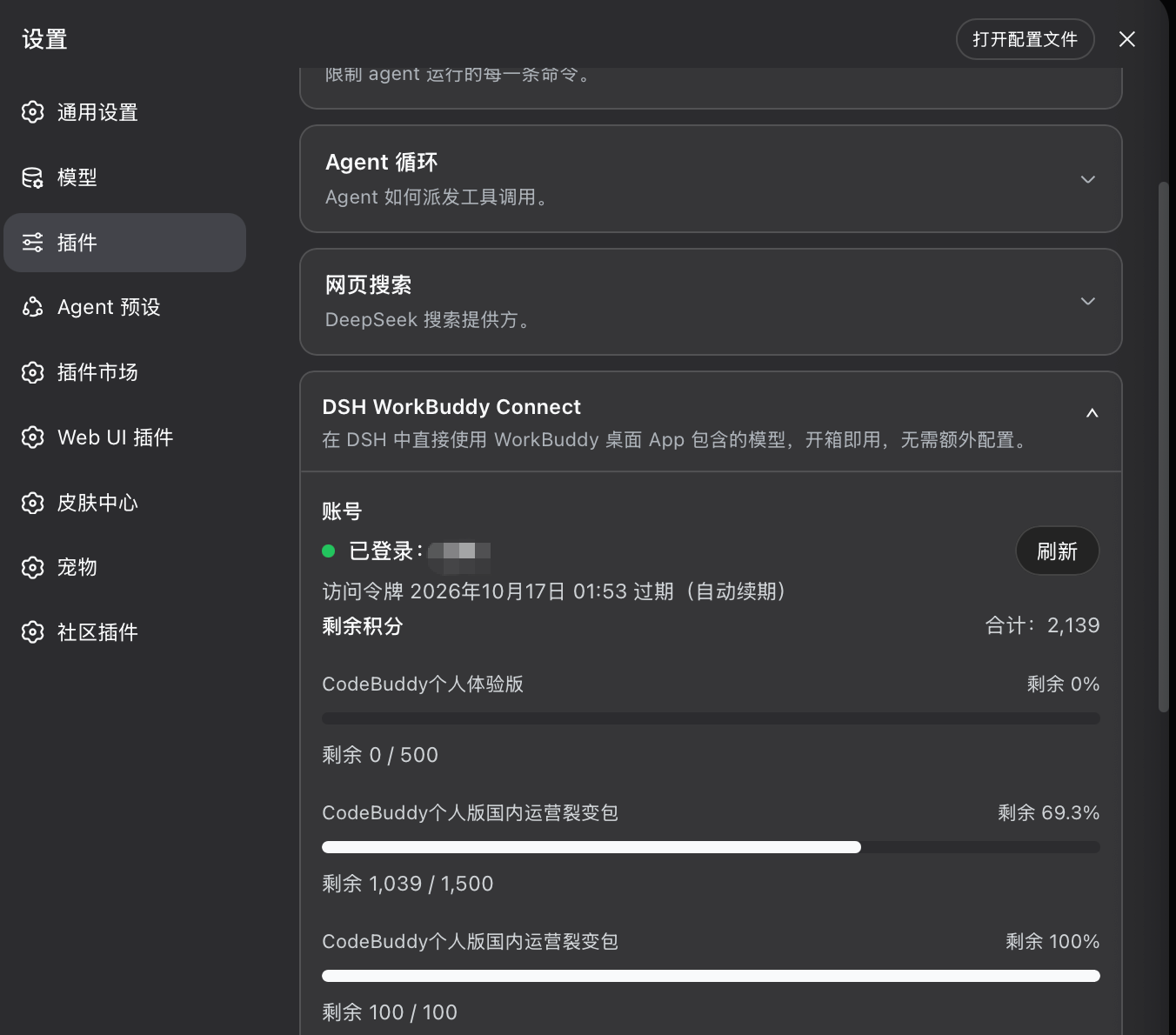
- Info at a glance: Settings → Plugins → DSH WorkBuddy Connect card
Expand the card to see the account, token validity, and remaining credit.
Install
Prerequisite: the WorkBuddy desktop app is installed and signed in (the plugin reuses the app's sign-in state and follows account switches automatically).
# npm (recommended; ships prebuilt artifacts)
dsh plugin --profile web add dsh-workbuddy-connect

# or install from the GitHub source
dsh plugin --profile web add github:corrinehu/dsh-workbuddy-connect

dsh web
CLI
dsh plugin --profile web exec dsh-workbuddy-connect status: sign-in state and remaining credit (--json for machine-readable output; doctor for diagnostics and logout for credential cleanup are also available).
Known limitations
- Verified on macOS with the DSH Web profile (
0.1.1-rc.2+, Node 22+). The default credential paths on Windows / Linux are unverified — point theWORKBUDDY_AUTH_FILEenvironment variable at the actual location if needed. - Relies on WorkBuddy client interfaces (not a public API); the plugin may need updates as WorkBuddy changes.
Disclaimer
- This project is for personal learning and research only, driving your own WorkBuddy account on your own machine. Do not use it commercially or beyond reasonable personal use.
- Users must comply with the WorkBuddy terms of service. Any consequence of using this project (including but not limited to account restrictions, depleted credit, or service interruption) is borne by the user.
- The author is not liable for any direct or indirect loss arising from the use or misuse of this project.
- This project is not affiliated with, endorsed by, or sponsored by Tencent, WorkBuddy, or DeepSeek. Product names are used for compatibility description only; trademarks belong to their respective owners.
Acknowledgements
- Sliverkiss/workbuddy2api (MIT) — reference implementation of the WorkBuddy upstream protocol.
- franksong2702/dsh-codex-connect (Apache-2.0) — reference for the DSH plugin structure and provider registration.
License
Related plugins
dsh-plugin-reasonix
 esengine
/DeepSeek-Reasonix/integrations/dsh-plugin
把 Reasonix 作为 dsh 子智能体接入:一层配置补丁让 subagent-acp 提供方启动 reasonix acp,并以 reasonix 工具暴露给模型。纯配置、无代码、不在 npm;接入的是子智能体,不是模型服务商。
dsh plugin --profile web add 'github:esengine/DeepSeek-Reasonix#af0e954f5629492980718fc0e36030fec0abc682&path:/integrations/dsh-plugin'dsh-purge
 YuJunZhiXue
/dsh-purge
DeepSeek Harness 破甲:让所有模型都能破甲,不同模型可换不同提示词;默认提示词面向国模「小码酱」。Jailbreak for every model — swap prompts per model. 求 Star 收藏 ⭐ 如要二开,请查看署名要求部分
dsh-purge-mmparko
 mmparko
/dsh-purge
DeepSeek Harness 破甲:让所有模型都能破甲,不同模型可换不同提示词;默认提示词面向国模「小码酱」。Jailbreak for every model — swap prompts per model. 求 Star 收藏 ⭐ 如要二开,请查看署名要求部分
dsh plugin --profile web add 'github:mmparko/dsh-purge#033e6bd1e0f101352b39075ecd0d758ffef26b76'dsh-connect-workbuddy
 dingminhua
/dsh-connect-workbuddy
把本机登录的 WorkBuddy 模型(国内版与国际版)接入 DeepSeek Harness:每次刷新按上游目录自动读取每个模型的积分倍率,支持逐模型图片输入开关、多账号切换与账号池自动换号,并提供每日签到、卡片与输入框里的胶囊积分读数等只读积分概览。
dsh plugin --profile web add 'dsh-connect-workbuddy@5.15.0'dsh-image-gen
 shanliuling
/dsh-image-gen
让 DeepSeek Harness 像 ChatGPT 一样,在对话里直接生成图片。
dsh plugin --profile web add github:shanliuling/dsh-image-genagent-vision-toolkit
 Anionex
/agent-vision-toolkit
为纯文本模型"看图“设计更好的视觉工具箱和技能,支持多图理解,图片问答,前端UI还原、GUI 自动化等,并可选无缝接入多个主流agent,直接识别粘贴图片| A vision toolkit and skill designed for text-only llms — image Q&A, long-screenshot OCR, frontend UI restoration, and GUI automation, with optional seamless integration for Codex, Claude Code, Pi, Oh My Pi, and OpenCode
dsh plugin --profile web add github:Anionex/agent-vision-toolkit