UI Enhancements
dsh-tianshu-tui
huiliyi37/dsh-tianshu-tui · ★ 296
 huiliyi37Curated
A terminal UI (TUI) for DeepSeek Harness.
安装
dsh plugin --profile web add github:huiliyi37/dsh-tianshu-tuiGitHub 源码安装:首次需按提示配置 allowBuilds 构建授权后重试
For install and environment setup, plus plugin development tutorials, see DSH community docs ↗
README
Table of contents
Turn DeepSeek Harness into a complete, fluid coding workspace in your terminal.





中文 · English
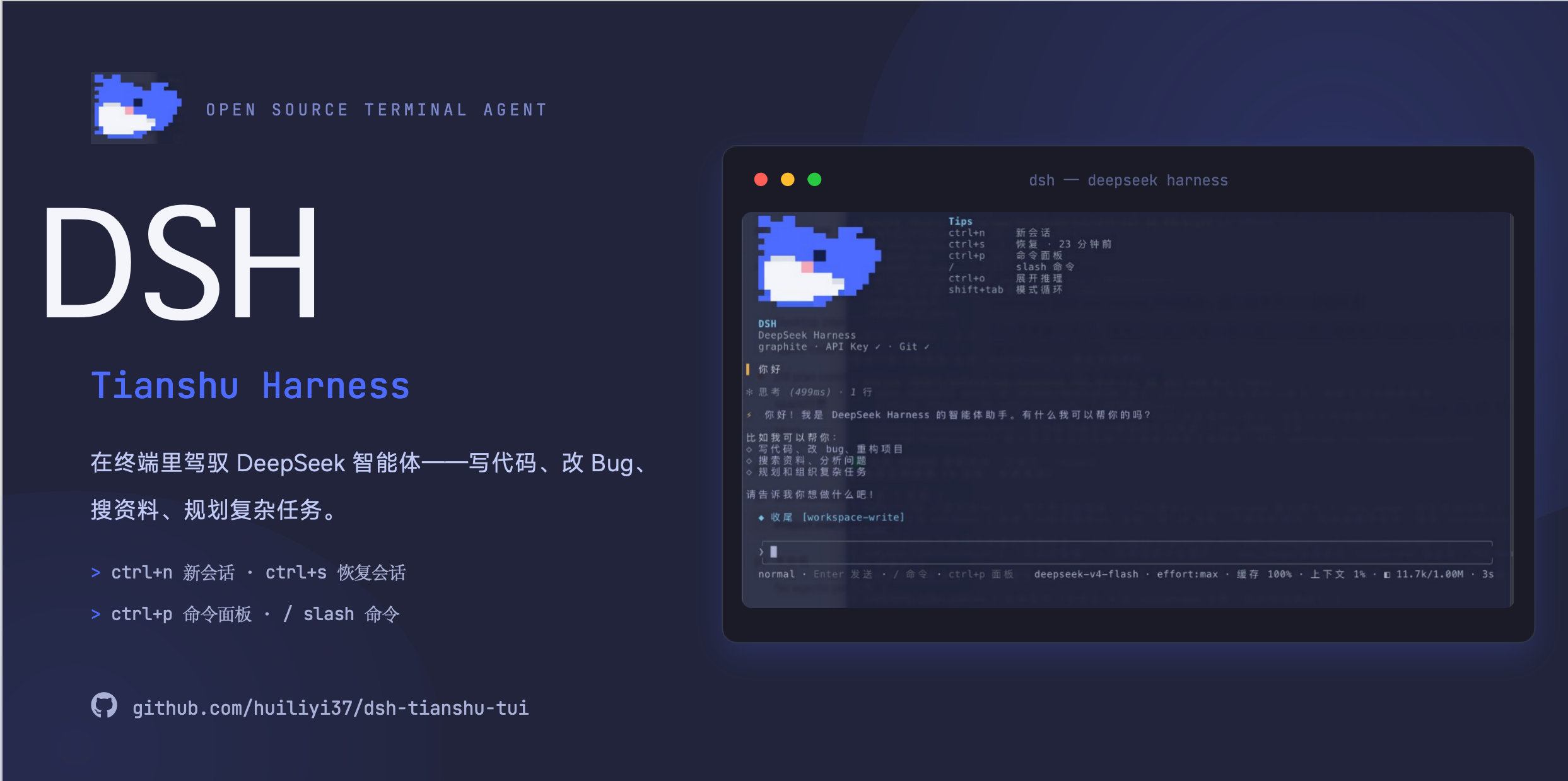
dsh-tianshu-tui is an interactive terminal UI plugin for the official DeepSeek Harness. Its lightweight, purpose-built ANSI renderer delivers streaming Markdown, tool cards, session restore and rewind, image and vision bridging, LSP diagnostics, 16 themes, and a complete slash-command and keyboard interface.
It is a presentation-only plugin: agent state comes from the session event stream. It does not run a second agent loop or silently inject its own prompts or tools.
What you get
| Capability | What it enables |
|---|---|
| Fluid conversations and tool views | Streaming Markdown, collapsible reasoning, grouped parallel tools, structured diffs, turn timing, and token metrics |
| A complete session workspace | Restore, switch, fork, rewind, and export sessions; queue messages while running or steer the active turn |
| Efficient input | Slash menu, @ path completion, history search, multi-line paste, external editor, and optional Vim keybindings |
| Images and vision | Paste and preview images inline; vision models receive them directly, while text-only models can use a vision bridge |
| Agent control panels | Approval diffs, plan mode, goals, tasks, skills, subagents, and workflow state in one place |
| A customizable development environment | 16 themes, LSP diagnostics, project memory, MCP browsing, and live model/reasoning-effort switching |
Quickstart
Requirements
| Component | Currently validated version |
|---|---|
| Node.js | `^22.19 |
| Package manager | pnpm, available through corepack enable |
| DeepSeek Harness | @deepseek-ai/dsh@0.2.1-rc.4, published on the npm next channel |
| This plugin | @huiliyi37/dsh-tianshu-tui@1.0.0-rc.4 |
Use the host
@nexttag explicitly. Do not substitute the host@latesttag (currently0.2.1-rc.2, below the required version). The@alpharelease0.2.2-alpha.2has known API incompatibilities and is not supported yet. This package is not a standalone CLI.
One-click install (recommended)
The installer checks Node/pnpm, installs the official CLI, wires the plugin, and launches it:
# macOS / Linux
bash <(curl -fsSL https://raw.githubusercontent.com/huiliyi37/dsh-tianshu-tui/main/scripts/install-tui.sh)
# Windows PowerShell
powershell -ExecutionPolicy Bypass -Command "irm https://raw.githubusercontent.com/huiliyi37/dsh-tianshu-tui/main/scripts/install-tui.ps1 | iex"
To install without launching, append --no-launch on macOS/Linux. On Windows, clone the repository and run powershell -ExecutionPolicy Bypass -File scripts\install-tui.ps1 -NoLaunch.
Manual install
# 1. Add the plugin to an isolated tui profile
pnpm dlx @deepseek-ai/dsh@next plugin --profile tui add @huiliyi37/dsh-tianshu-tui

# 2. Launch
pnpm dlx @deepseek-ai/dsh@next --profile tui
Follow the first-run guide to configure an API key, or enter /key. The dsh-tianshu-tui welcome screen confirms a successful install. Quit with Ctrl+Q or /exit.
If an old global
dshcausesERR_FS_EISDIR, or npm 11 runs out of heap while installing the large host dependency tree, use thepnpm dlxcommands above. See Getting started for alternative setups and troubleshooting.
Everyday commands
Common commands
| Command | Action |
|---|---|
/session |
Create, list, switch, or restore sessions |
/fork · /rewind |
Explore a branch or roll back to a previous message boundary |
/model · /effort |
Switch the current session's model and reasoning effort |
/preset |
Inspect or switch standard / PTC / minimal / creative presets |
/status · /tasks · /subagents |
Inspect goals, tasks, and subagent state |
/theme · /density |
Change the theme or compact rendering |
/scroll · /export |
Browse the full transcript or export Markdown |
Keyboard shortcuts
| Key | Action |
|---|---|
Enter |
Send |
Shift+Enter |
Newline (or \+Enter to continue) |
Ctrl+N |
New session |
Ctrl+S |
Restore the most recent session |
Ctrl+Q |
Quit (same as /exit) |
Ctrl+P |
Command palette |
Ctrl+. |
Full keymap |
Ctrl+F / Ctrl+R |
History search; n/N next, p/P previous |
Ctrl+O |
Expand/collapse the latest reasoning block |
Ctrl+E |
Edit the input line in $EDITOR |
Ctrl+T |
Steer the active turn |
Ctrl+Enter |
Interrupt the active turn and send the draft (requires kitty keyboard protocol) |
Ctrl+C |
Interrupt the active turn; double-press on idle empty input to exit |
Ctrl+V |
Paste a clipboard image, falling back to text |
Alt+W |
Copy the selection to the system clipboard via OSC52 |
Shift+Tab |
Cycle normal → plan → always-approve |
Tab |
@ path completion; accept the slash-menu selection |
Ctrl+U |
Delete to line start |
↑/↓ |
Input history; menu selection; empty-input ↑ takes back a queued message |
PageUp/PageDown |
Slash-menu paging |
Esc |
Close a panel or cancel a question; double-press when idle to rewind |
t |
Approval card: remember this tool for the session |
a |
Approval card: allow for this session |
See the interaction guide for every command, approval action, Vim binding, and terminal-protocol detail.
Updating
npm installs check for updates at startup. You can also run /update inside the TUI. Set DSH_TUI_SKIP_UPDATE=1 to disable the startup check.
pnpm dlx @deepseek-ai/dsh@next plugin --profile tui add @huiliyi37/dsh-tianshu-tui
Current release: 1.0.0-rc.4, adapted to host 0.2.1-rc.4. This release fixes #61: WSL/native API-key paste, provider directory and account entry behavior, plus custom pi-ai endpoints, model discovery, and existing-route editing. See CHANGELOG.md for release history, or run /changelog inside the TUI.
Documentation
| Document | What it covers |
|---|---|
| Getting started | Installation, launch, clean environments, and troubleshooting |
| Interaction | Commands, keybindings, panels, and input methods |
| Configuration | Assembly options, environment variables, presets, and runtime settings |
| Themes | Built-in palettes, custom colors, and terminal fallbacks |
| Plugin ecosystem | Companion plugins and extension points |
| Architecture · Adapter contract | Layers, event flow, service dependencies, and presentation boundaries |
| VS Code | Running in the VS Code terminal |
| Contributing · Developing | Local development, build, test, and release workflows |
Design principles
- Event-driven: all rendered state derives from session events; live rendering and restored transcripts share the same bridge.
- Presentation boundaries: no private prompt, tool, or context surfaces, and no direct mutation of agent request bodies.
- Explicit degradation: missing optional host services produce an actionable message instead of a blank panel or a startup failure.
- Terminal-friendly: supports narrow screens, 16-color terminals, and
NO_COLOR, with handling for wide CJK text, long output, and streaming refreshes.
See the architecture guide and ADAPTER.md for implementation details and boundary constraints.
Known limitations
- Re-interrogating images with
ask_imagerequires the companionvision-askplugin; basic image submission and vision bridging do not. - LSP servers start lazily but may remain resident in large repositories;
rootUrifollows the first session's working directory after a session switch. - Upstream schedule depends on the Web
sessionController, so this TUI does not mount that tool surface yet. - Host
0.2.2-alpha.2changes model-selection and preset APIs. Stay on host0.2.1-rc.4until dedicated adaptation work is complete.
Contributing
Issues and pull requests are welcome. Read the contribution guide first, then run:
npm run typecheck
npm test
npm run build
Official site and community
| Destination | About |
|---|---|
| Tianshu Harness website | Official website and project overview |
| Tianshu-harness upstream | Upstream source code, issues, and releases |
| Tianshu forum | User discussions, experience sharing, and support |
Community ecosystem
| Project | About |
|---|---|
| dshfind | Chinese DeepSeek Harness learning and plugin community |
| dsh-web-ui | DSH Web UI plugins and skins |
| dsh-TUI | Claude Code-style fullscreen terminal plugin |
| deepseek-harness-ux | Focused progress and automatic history folding for long tasks |
| DSH-better-sidebar | Sidebar workbench for files, terminals, Git, and subagents |
| DSH Desktop | Community desktop client with remote task control |
| dsh-whale-report | Session, cost, tool-call, and risk reports |
License and provenance
Open source under Apache-2.0. The terminal renderer evolved from the author's Tianshu-harness. See SOURCE-MAP.md and NOTICE for file-level provenance and modification notices.
Related plugins
dsh-web(原 dsh-web-ui)
 zhu1090093659
/dsh-web-ui
dsh-web(原 dsh-web-ui):任务看板、git 图、右侧面板、远程移动端 UI、桌宠、实时 token 统计与皮肤中心的全家桶。仓库已更名 zhu1090093659/dsh-web,根目录声明 dsh.bundle.patch,支持根 Git 入口安装。
Added:
dsh plugin --profile web add github:zhu1090093659/dsh-webdsh-web-all 聚合包(原 dsh-web-ui-all)
zhu1090093659zhu1090093659/dsh-web-ui/packages/dsh-web-ui-all
旧整包路径 packages/dsh-web-ui-all 已随仓库更名 dsh-web 迁移:现聚合目录为 packages/dsh-web-all,npm 聚合包 @linxin666/dsh-web-all。与总仓根 Git 入口是同一产品的两种整包方式,不重复计数。
Added:
dsh plugin --profile web add @linxin666/dsh-web-all@latestdeepseek-balance-whale-widget
 meteornox
/deepseek-balance-whale-widget
DSH 小鲸鱼余额挂件(DeepSeek Balance Whale Widget)
Added:
dsh plugin --profile web add github:meteornox/deepseek-balance-whale-widgetdsh-cc-tui
 ccch1mneyyy
/dsh-cc-tui
一个美观且实用的 Claude Code 风格 TUI 插件:像素鲸鱼顶栏、双流光大字、实时工作状态行、思考流式展开、双击 Esc 时间回溯、蓝白上下文进度条 + TPS 仪表。 零核心改动,纯插件挂载。安装插件即可启用,卸载后不会留下核心补丁。 献给钟爱tui的各位极客们 A beautiful, practical Claude…
Added:
dsh plugin --profile web add github:ccch1mneyyy/dsh-cc-tuidsh-TUI
ccch1mneyyyccch1mneyyy/dsh-TUI
Claude Code 风格全屏终端 UI:像素鲸鱼顶栏、实时工作状态行、思考流式展开。
Added:
dsh plugin --profile web add github:ccch1mneyyy/dsh-TUIDSH-better-sidebar
 omdsh-dev
/DSH-better-sidebar
侧边栏完整工作台:内置文件渲染编辑、终端、Git 与子代理,支持三方插件注册新 Tab。
Added:
dsh plugin --profile web add github:omdsh-dev/DSH-better-sidebar