
UI Enhancements
dsh-composer-layout
lavapapa/dsh-composer-layout · ★ 3
 lavapapa
Web Composer placement for long prompts: keep it at the bottom or dock it in a resizable right column beside a long answer.
安装
dsh plugin --profile web add github:lavapapa/dsh-composer-layoutGitHub 源码安装:首次需按提示配置 allowBuilds 构建授权后重试
For install and environment setup, plus plugin development tutorials, see DSH community docs ↗
Screenshots
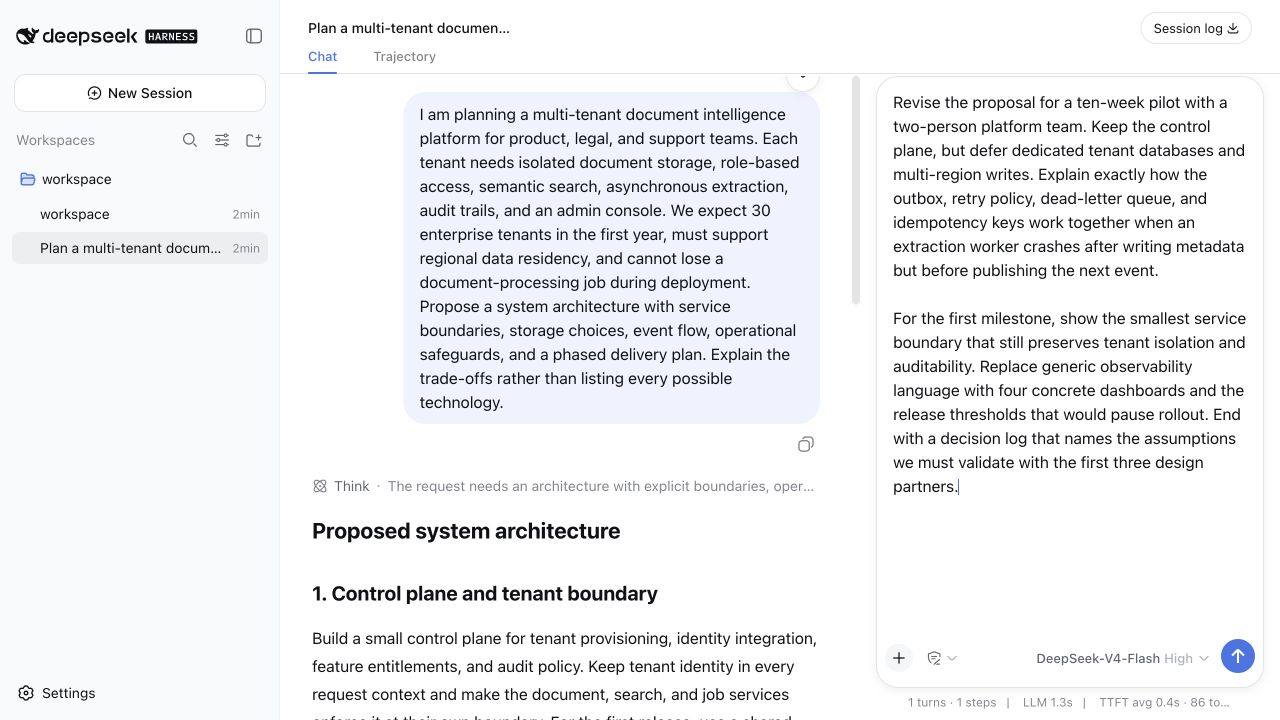

README
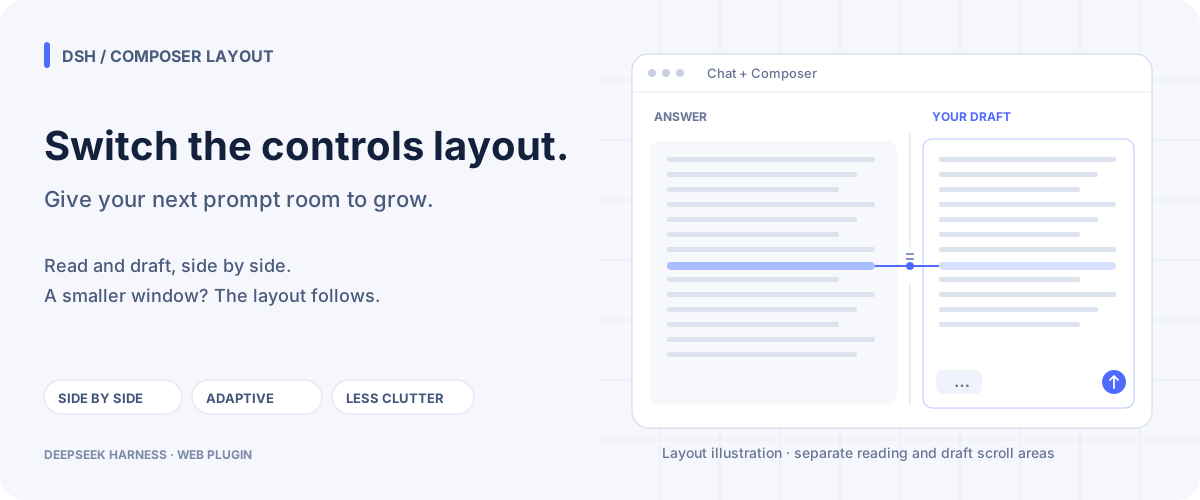
Long answers and detailed prompts deserve their own space. Dock Composer to the right to reference an answer while shaping your next message; keep it at the bottom for compact conversations, or let Automatic choose as the window changes. Models, permissions, sessions, tools, and token accounting continue to use DSH's native behavior.
Features
Three small layout changes make the reading-and-writing workflow easier to manage:
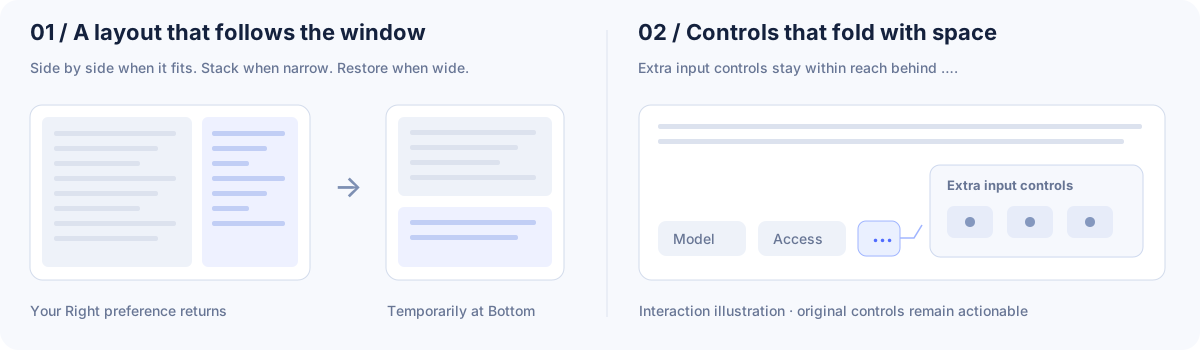
More everyday details:
- Per-session memory. With “Remember this session layout” enabled, each session keeps its placement and manually resized right-pane width in this browser.
- Native editing. The right-side editor fills the available input surface, including the blank area below a short draft, and retains native text selection.
- Reachable pickers. Slash and file-reference candidates stay inside the side pane. Opening another Composer popup closes those candidates first.
- Your preferred width. Choose a narrow, medium, or wide default right pane; fine-tune it with the divider.
See the changelog for version differences. Entries marked Unpublished describe development previews.
Install
Use your intended Web profile in place of web. The npm package includes the prebuilt plugin bundle.
dsh plugin --profile web add dsh-composer-layout@latest
Follow the plugin manager's loading instructions. If it reports that a restart is needed, restart the target Web service using its usual launch method and refresh the page. Then open Settings → Built-in plugins → Composer Layout and choose Right or Automatic. If you launch DSH manually:
dsh web --profile web
Check the published version with npm view dsh-composer-layout version. Confirm the bundle is in the intended profile with dsh --profile web --dump-config. For dependency declarations, see package.json.
Install directly from GitHub
Choose a published release tag that matches your DSH version; supported ranges are declared in peerDependencies in package.json. Replace <release-tag> below with that tag:
dsh plugin --profile web add "github:lavapapa/dsh-composer-layout#<release-tag>"
The repository includes the host and browser artifacts needed for GitHub installs. Follow the plugin manager's loading instructions; if a restart is needed, use the target service's usual launch method and refresh its page.
Stop the Web service using that profile with its usual service controls, then check the npm version and replace the plugin in the same profile:
npm view dsh-composer-layout version
dsh plugin --profile web remove dsh-composer-layout
dsh plugin --profile web add dsh-composer-layout@latest
Start the target Web service again with its usual launch method and refresh the page.
Use it in DSH
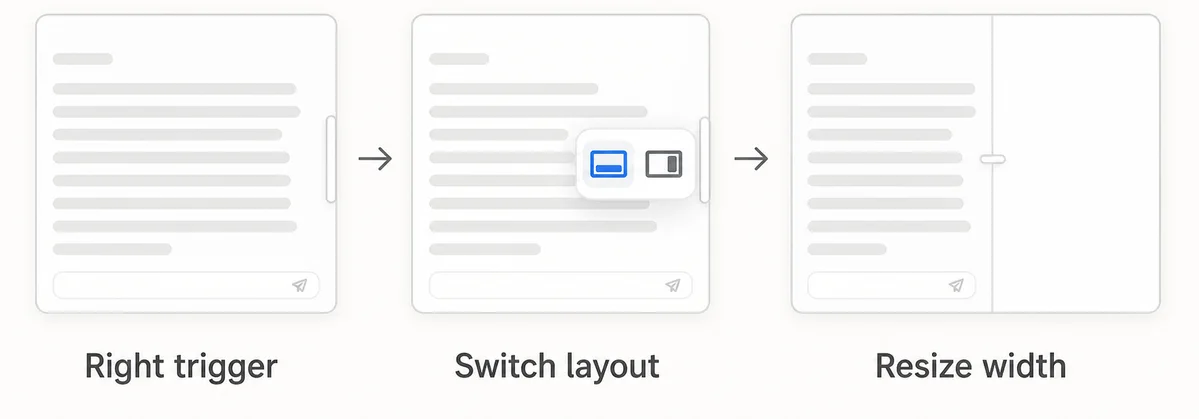
Set your default in Settings → Built-in plugins → Composer Layout, or use the rail at the conversation's right edge to switch between Bottom and Right. In Right layout, drag the divider to resize the Composer pane.
| Mode | When to use it | Behavior |
|---|---|---|
| Bottom | Short messages or a narrow window | DSH's compact bottom editor. |
| Right | Read a long answer while drafting a detailed prompt | Two columns when they fit; temporary Bottom layout when space runs out. |
| Automatic | Change window size often | Uses the conversation main area's width-to-height ratio and the minimum width needed by both columns. |
The Automatic threshold is editable in the plugin settings. Enable session memory to keep each conversation's layout and width. The Home/new-session screen retains DSH's native layout.
Chat uses the available left-column width; the plugin divider adjusts its reading space. DSH's two native transcript-width handles are hidden in Right layout. Returning to Bottom restores those handles and preserves DSH's saved width preference.
Development
The changelog separates published work from development previews. Its scroll/overflow entries cover native reading-position restoration, extra-control folding in Bottom, native menu surfaces and positioning, original control sizing, and unclipped inline tooltips. Check the corresponding release entry before expecting those refinements in an npm installation.
The plugin owns its implementation under src/ and commits the generated lib/ artifacts used by GitHub installs. Before publishing:
pnpm typecheck
pnpm build
pnpm test
pnpm test:dsh-matrix
For contributions, see CONTRIBUTING.md.
Community
Find the plugin in , Awesome DeepSeek Harness Plugins, , and Oh My DSH.
Report a bug or suggest a feature · DSH plugin topic · DSH Market
Related plugins
dsh-web(原 dsh-web-ui)
 zhu1090093659
/dsh-web-ui
dsh-web(原 dsh-web-ui):任务看板、git 图、右侧面板、远程移动端 UI、桌宠、实时 token 统计与皮肤中心的全家桶。仓库已更名 zhu1090093659/dsh-web,根目录声明 dsh.bundle.patch,支持根 Git 入口安装。
dsh plugin --profile web add github:zhu1090093659/dsh-webdsh-web-all 聚合包(原 dsh-web-ui-all)
zhu1090093659zhu1090093659/dsh-web-ui/packages/dsh-web-ui-all
旧整包路径 packages/dsh-web-ui-all 已随仓库更名 dsh-web 迁移:现聚合目录为 packages/dsh-web-all,npm 聚合包 @linxin666/dsh-web-all。与总仓根 Git 入口是同一产品的两种整包方式,不重复计数。
dsh plugin --profile web add @linxin666/dsh-web-all@latestdsh-TUI
 ccch1mneyyy
/dsh-TUI
Claude Code 风格全屏终端 UI:像素鲸鱼顶栏、实时工作状态行、思考流式展开。
dsh plugin --profile web add github:ccch1mneyyy/dsh-TUIdsh-cc-tui
ccch1mneyyyccch1mneyyy/dsh-cc-tui
一个美观且实用的 Claude Code 风格 TUI 插件:像素鲸鱼顶栏、双流光大字、实时工作状态行、思考流式展开、双击 Esc 时间回溯、蓝白上下文进度条 + TPS 仪表。 零核心改动,纯插件挂载。安装插件即可启用,卸载后不会留下核心补丁。 献给钟爱tui的各位极客们 A beautiful, practical Claude…
dsh plugin --profile web add github:ccch1mneyyy/dsh-cc-tuideepseek-balance-whale-widget
 meteornox
/deepseek-balance-whale-widget
DSH 小鲸鱼余额挂件(DeepSeek Balance Whale Widget)
dsh plugin --profile web add github:meteornox/deepseek-balance-whale-widgetDSH-better-sidebar
 omdsh-dev
/DSH-better-sidebar
侧边栏完整工作台:内置文件渲染编辑、终端、Git 与子代理,支持三方插件注册新 Tab。
dsh plugin --profile web add github:omdsh-dev/DSH-better-sidebar