
UI Enhancements
dsh-mermaid-preview
realguan/dsh-mermaid-preview · ★ 3
 realguan
A Cordis client plugin that renders Mermaid fenced code blocks as diagrams in the DeepSeek Harness Web UI.
安装
dsh plugin --profile web add github:realguan/dsh-mermaid-previewGitHub 源码安装:首次需按提示配置 allowBuilds 构建授权后重试
For install and environment setup, plus plugin development tutorials, see DSH community docs ↗
README
Table of contents
- Install
- 1. Desktop app (recommended)
- 2. Command line
- 3. From source (developers)
- Verify it loaded
- Uninstall
- Screenshots
- A diagram that lives in the conversation
- 23 diagram types, one design language
- Try it without installing dsh
- Features
- How it works (30 seconds)
- Troubleshooting
- Installed, but nothing renders (the fence stays a code block)
- "Mermaid engine not found"
- Nothing renders while streaming
- A broken diagram takes a moment to complain
- Too wide to read
- The colours are not what mermaid normally looks like
- A non-mermaid fence turned into a diagram
- The UI is Chinese but the plugin copy is English
- Compatibility
- Development
- Layout
- Credits
- License
中文: README.md
Install
In one line: paste the repository into dsh's plugin page, install, restart.
1. Desktop app (recommended)
Left rail → Settings → Plugins (or the Plugins page in the sidebar);
click + Add plugin in the top right;
enter:
github:realguan/dsh-mermaid-previewpick an install source if your network needs a mirror;
read the security notice → Install;
restart the client.
⚠️ Plugins run with your privileges. Only install sources you trust. There is no auto-update yet — uninstall before installing a newer version.
2. Command line
# the default profile
dsh plugin add github:realguan/dsh-mermaid-preview

# or name the profile explicitly (web / desktop)
dsh plugin --profile desktop add github:realguan/dsh-mermaid-preview
dsh plugin add registers the package as a bundle layer automatically — that
registration is what makes the plugin loadable, and it is not something you edit by
hand. Restart dsh web (or the desktop app) afterwards.
Pin a release:
dsh plugin --profile desktop add github:realguan/dsh-mermaid-preview#v0.6.0
3. From source (developers)
git clone https://github.com/realguan/dsh-mermaid-preview.git
cd dsh-mermaid-preview

npm run build          # src/ → dist/ (dist is committed; consumers never build)
npm run check          # syntax / manifest / artifact freshness / engine / no CDN

dsh plugin --profile web add link:$PWD
Re-run npm run build after editing src/; npm run check fails when dist/ and
src/ disagree.
Verify it loaded
dsh --profile web --dump-config | grep -A2 mermaid-preview
Then send a message with a ```mermaid fence — you should get a diagram, not a
code block. Not working? See Troubleshooting.
Uninstall
dsh plugin --profile desktop remove dsh-mermaid-preview
remove reconciles too: the package name leaves dsh.profile.bundles on its own.
Every side effect (styles, observer, timers, injected DOM, viewer) is disposed with the
plugin fiber.
Screenshots
A diagram that lives in the conversation
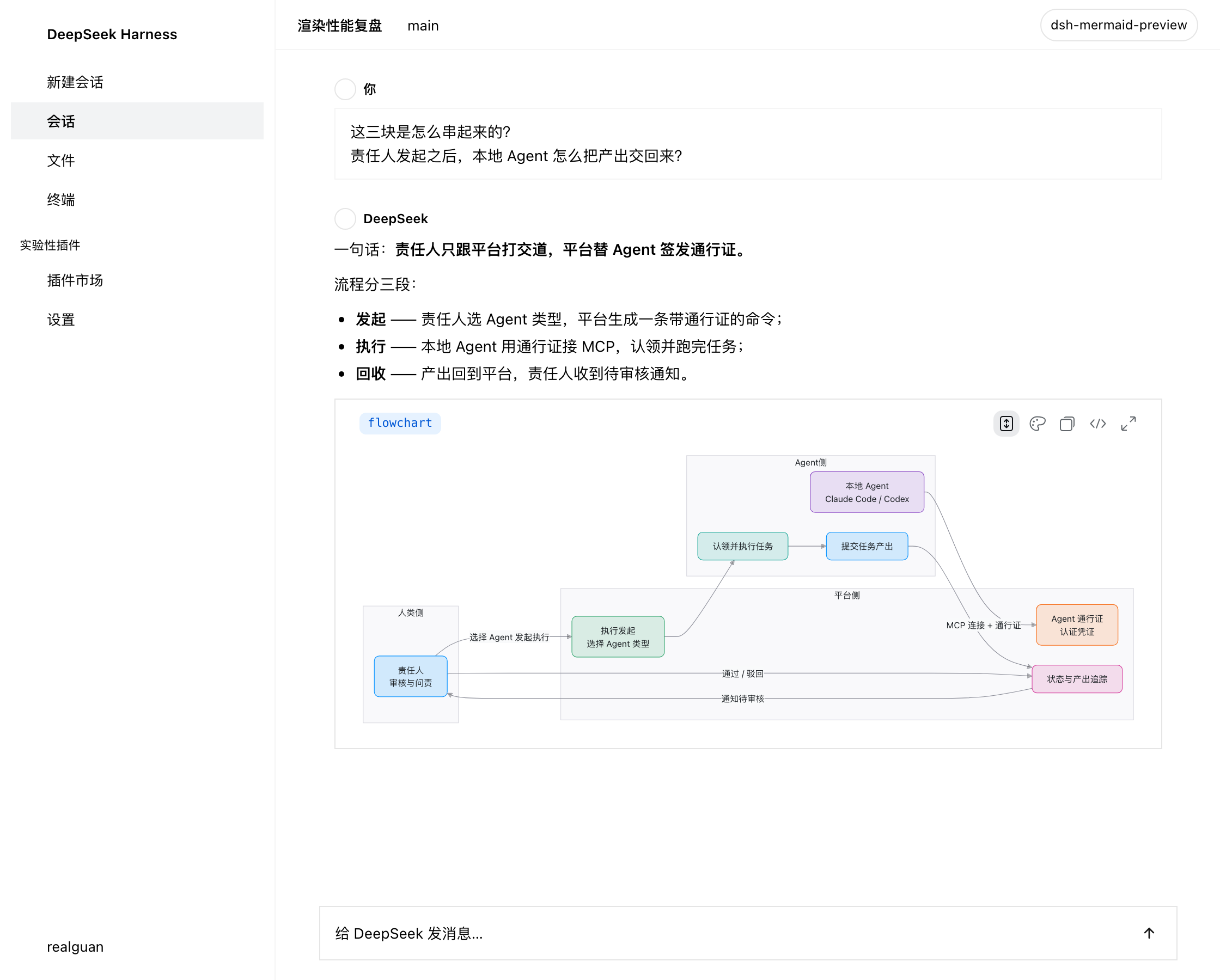
Files and terminal on the left, the thread on the right — the diagram is a card in that column. The type badge is colour-coded per diagram type; four controls sit on the right (theme / copy source / show source / zoom).
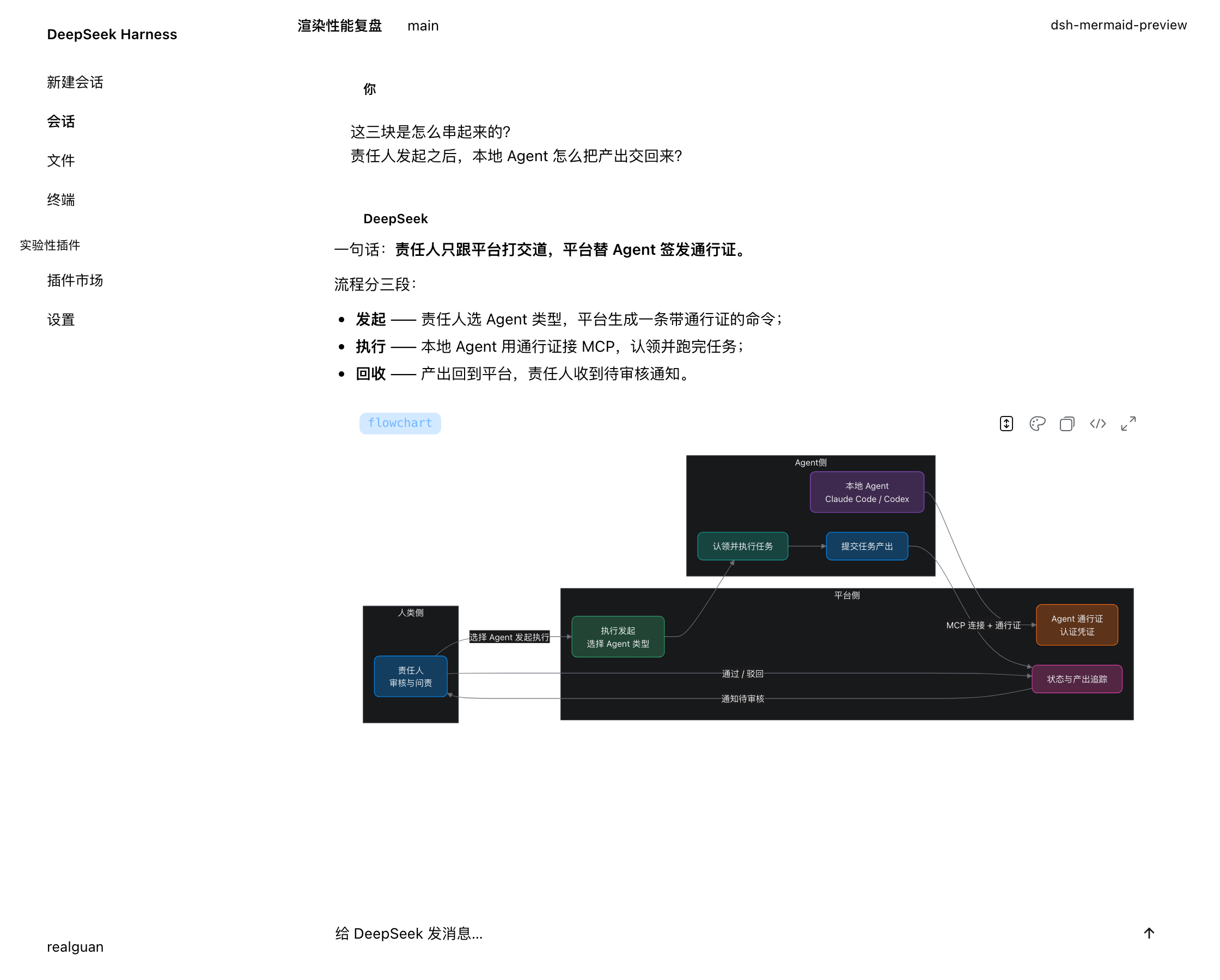
Same thread in the dark theme — palette, card and viewer all repaint together:
23 diagram types, one design language
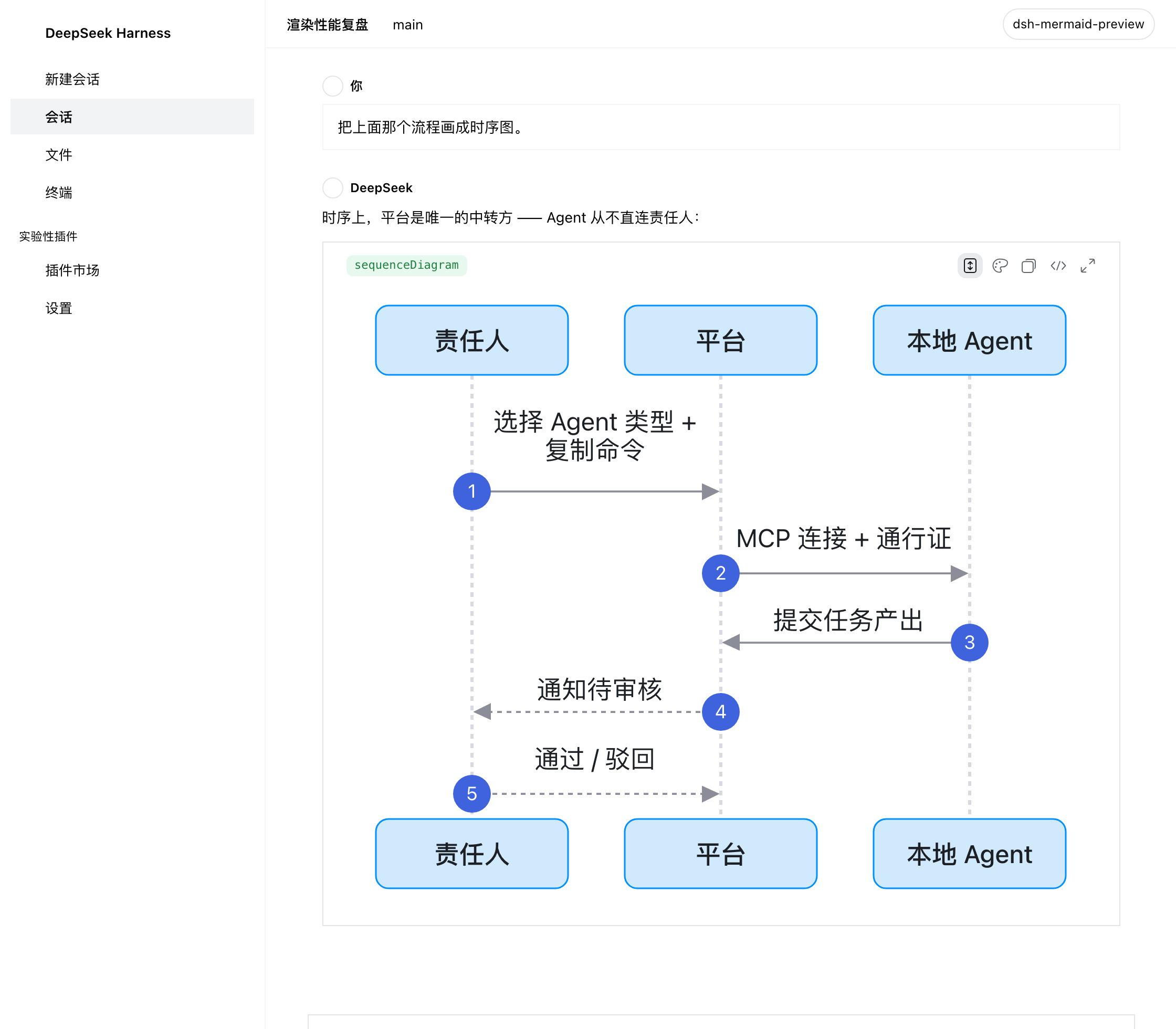
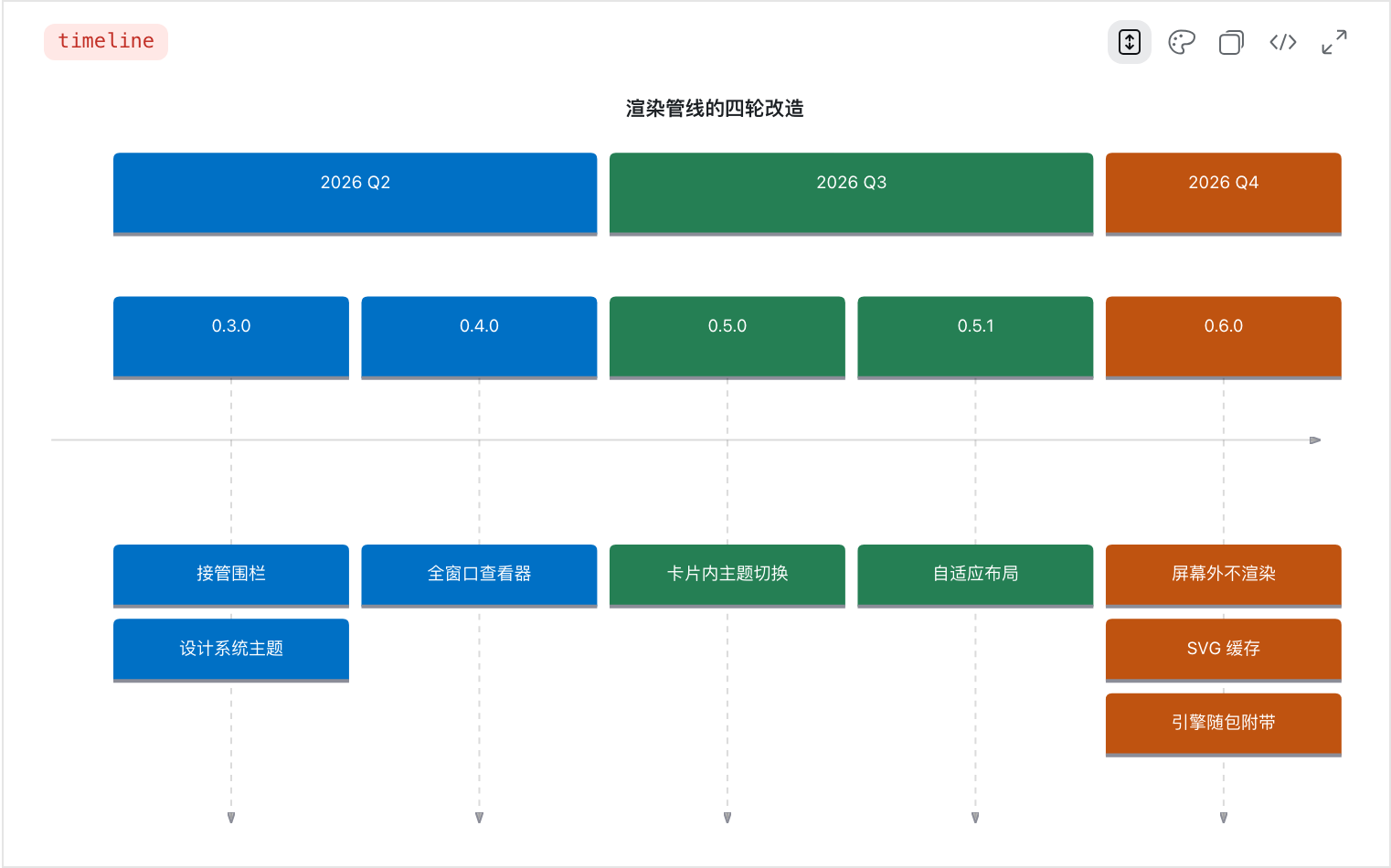
This is not "the default mermaid palette in a new container" — node geometry, corner radius and colour are re-derived per diagram type from the design system's own tokens.
| sequenceDiagram | timeline |
|---|---|
 |
 |
| gantt | mindmap |
|---|---|
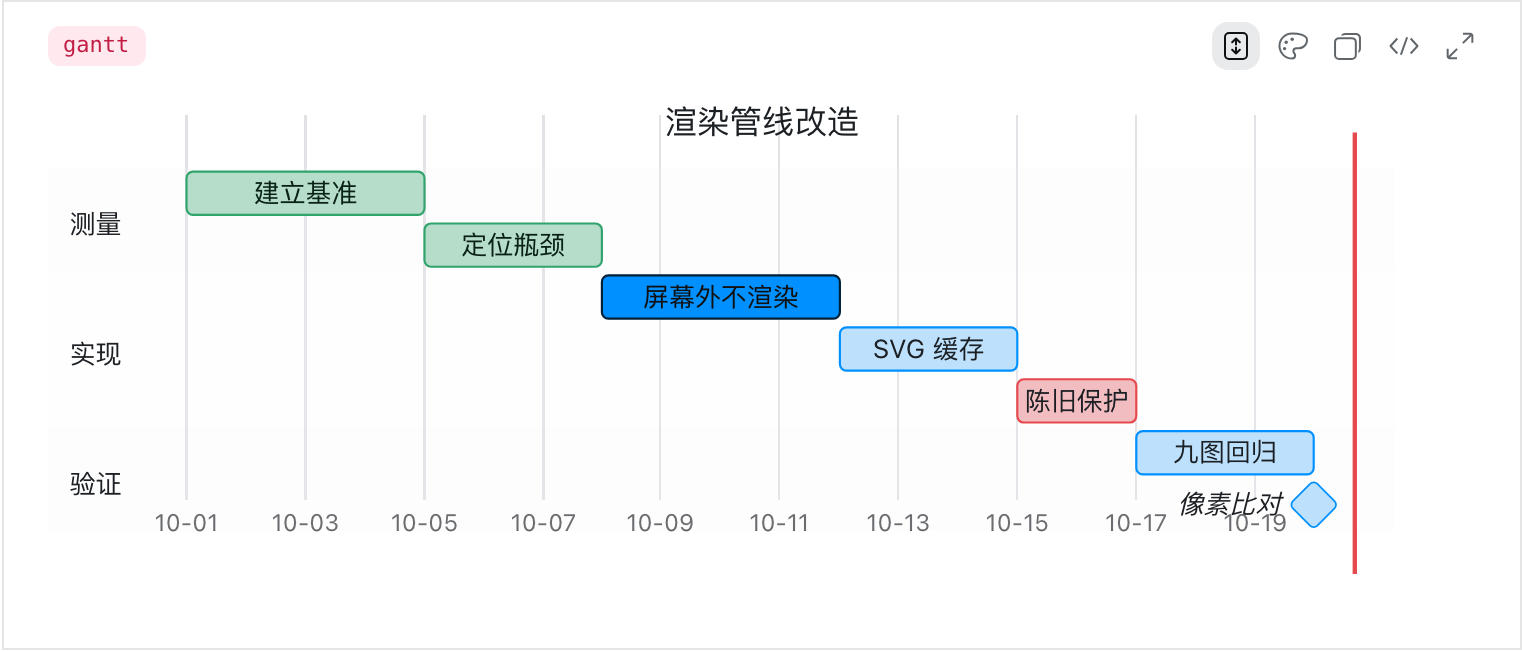 |
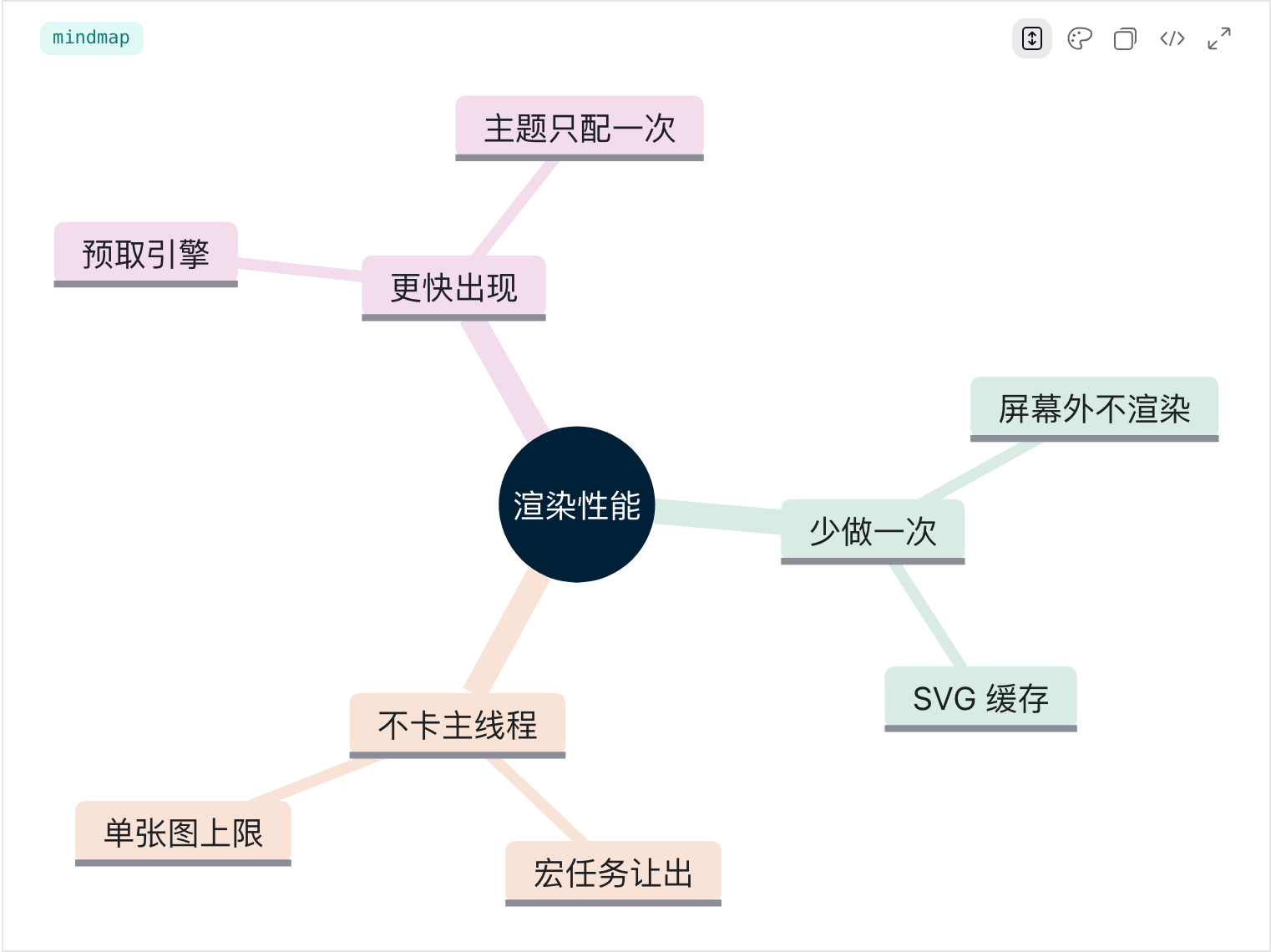 |
| journey | pie |
|---|---|
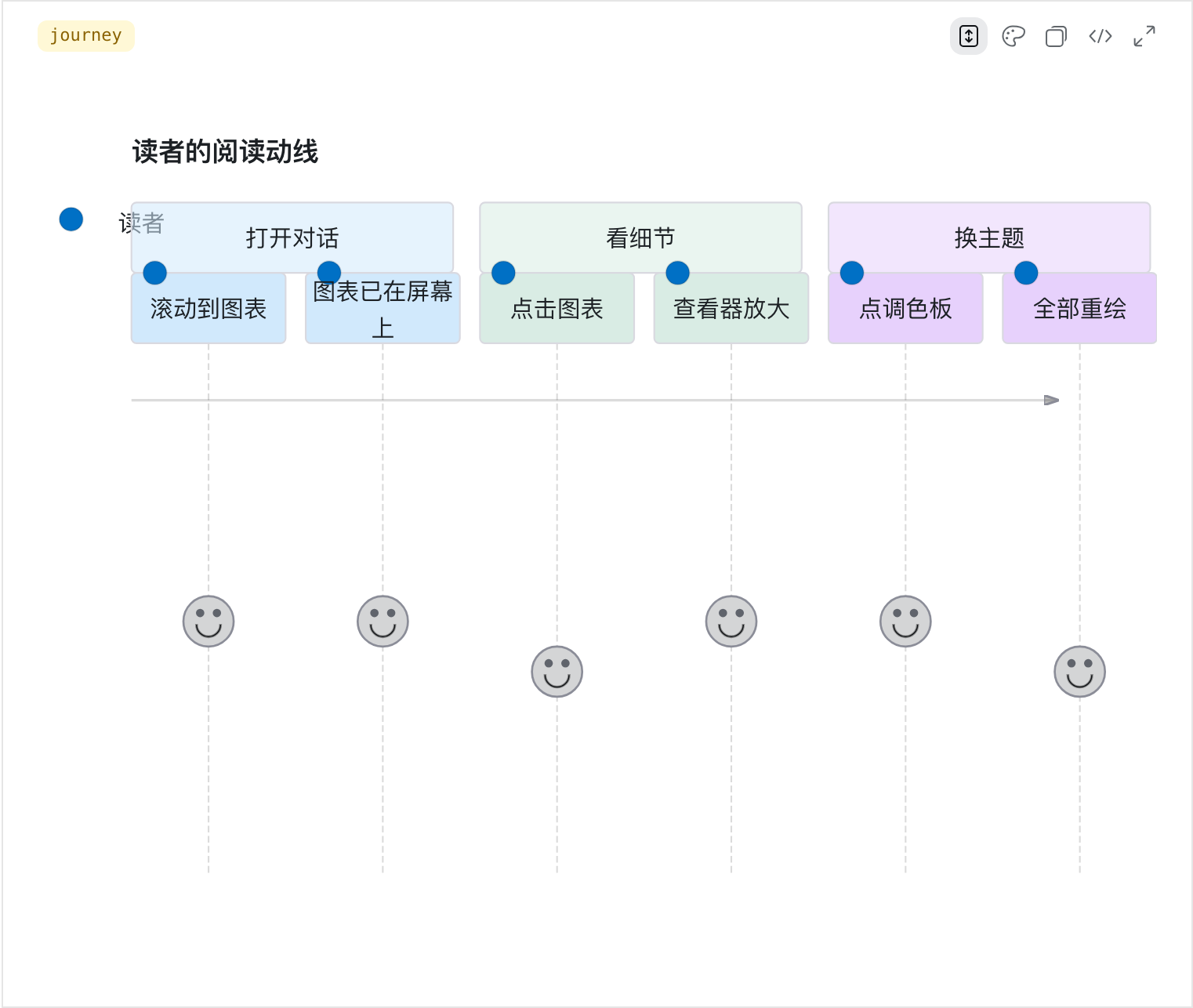 |
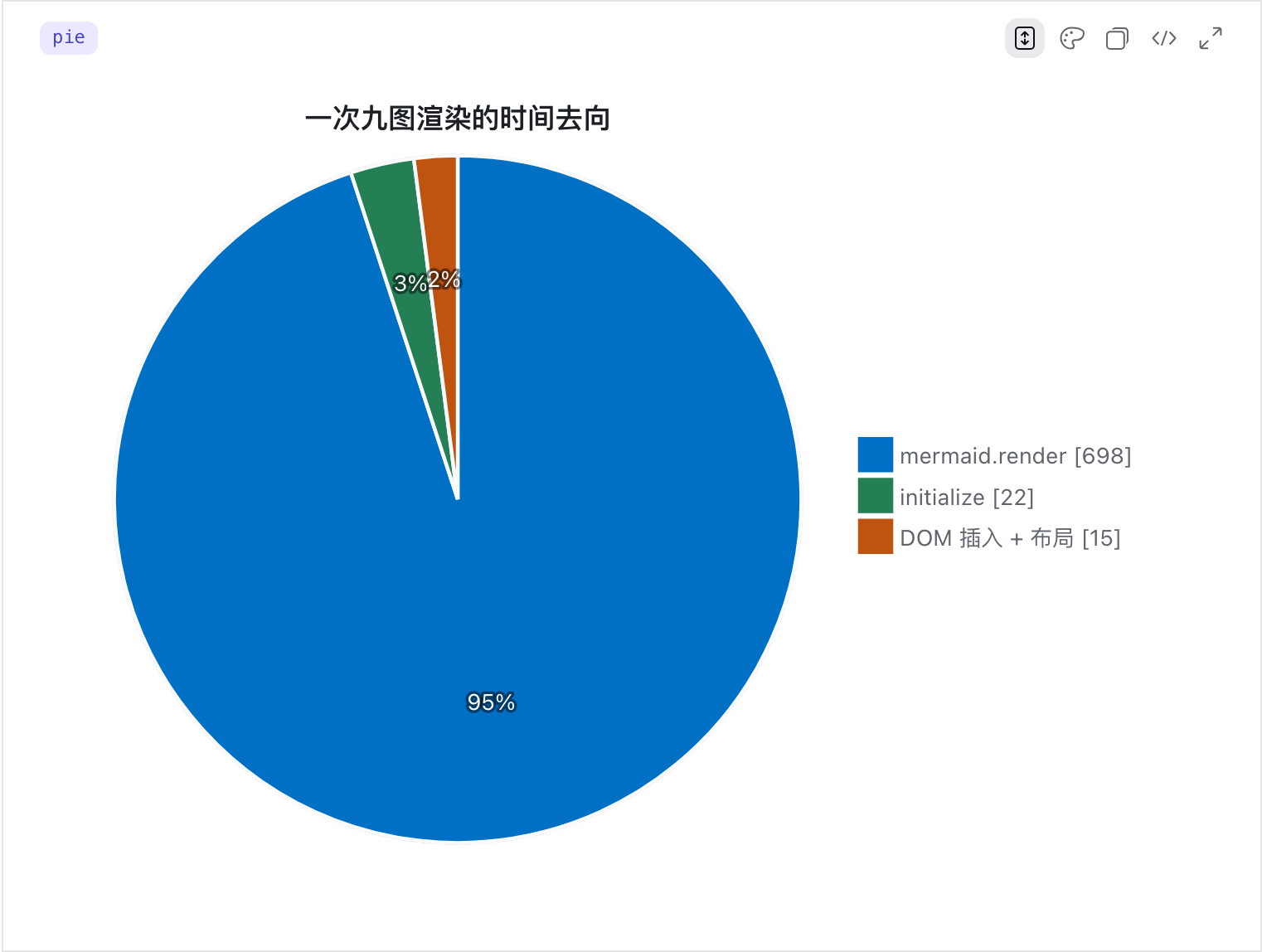 |
| classDiagram (dark) | a syntax error |
|---|---|
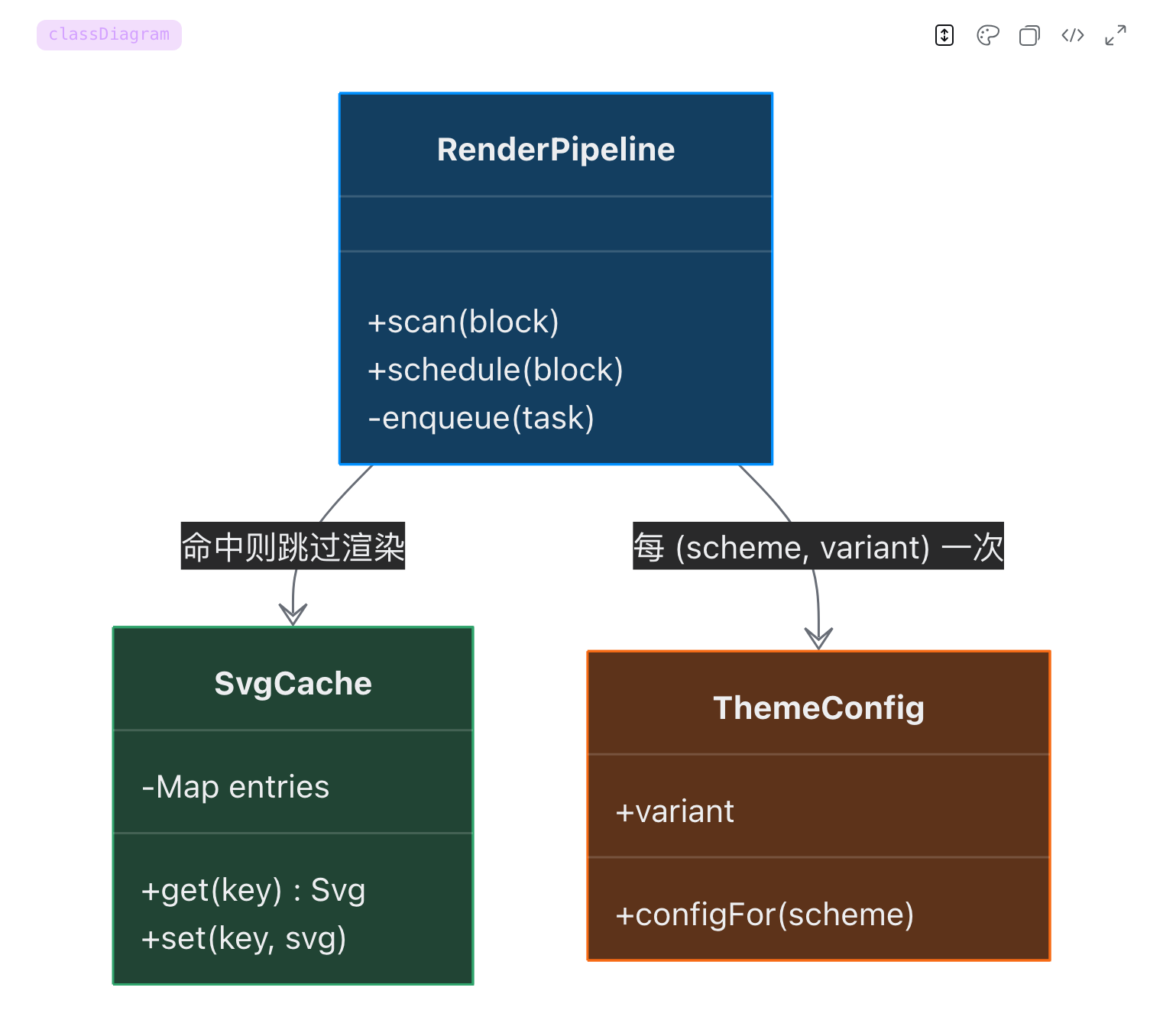 |
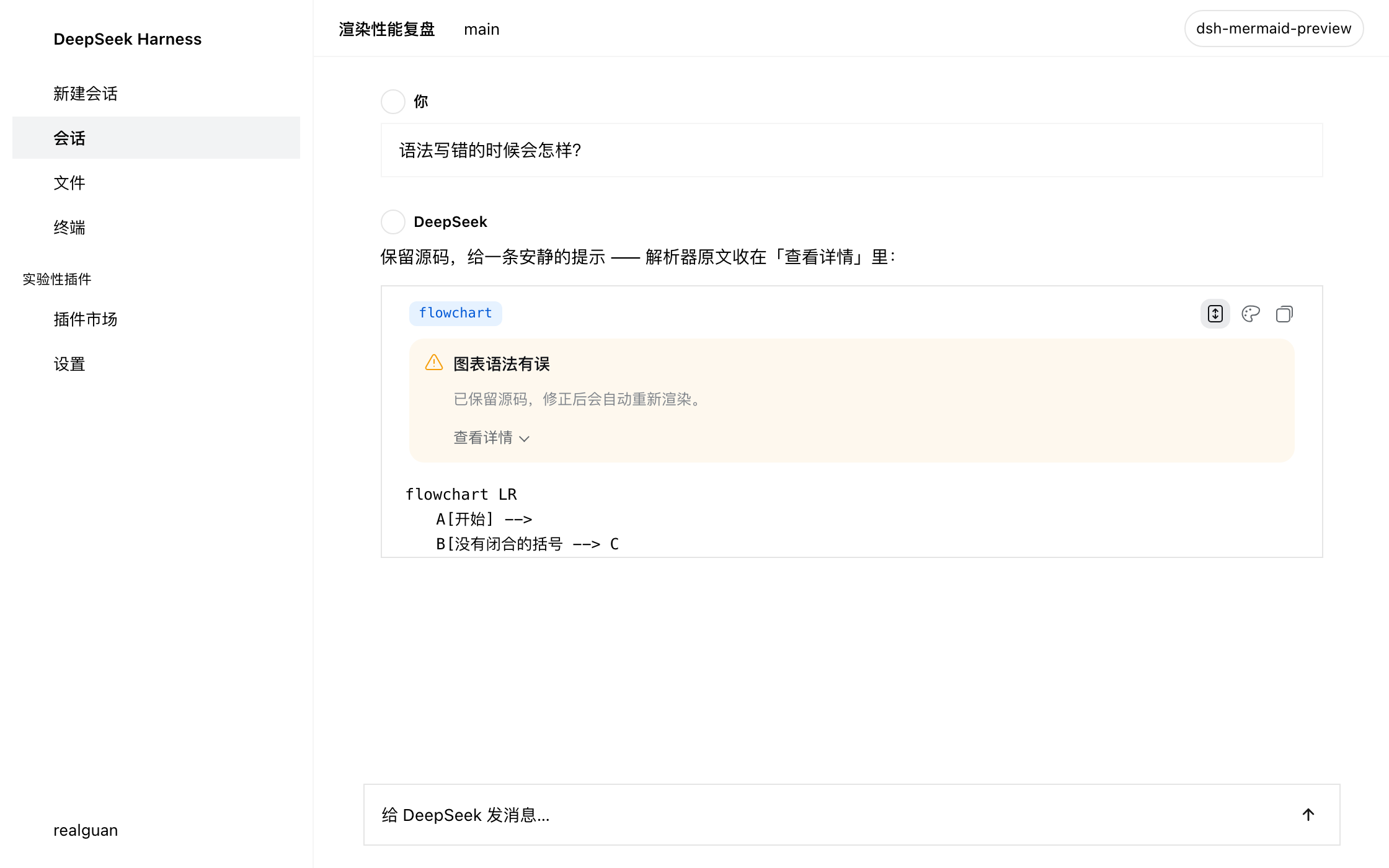 |
A failure is not a wall of red: the source is kept, a human sentence explains it, the parser's own message sits behind "Details", and editing the fence retries.
Try it without installing dsh
npm run demo # → http://localhost:8090
Write Mermaid on the left, get a diagram on the right; the style dropdown compares
every theme live, and light/dark switches too. The demo imports the plugin's own
src/theme.js, so what you see is what the chat renders.
More diagram examples: examples/showcase.md.
Features
🎨 Eight design-system themes, switchable from the card
Default Radix Colors, plus Apple HIG, GitHub Primer, IBM Carbon, Atlassian,
Material Design 2, Shopify Polaris and a neutral dsh theme. Each one derives its
pastel nodes, data ramps and sequence/note/number colours from that system's real
tokens; corner radius follows the system's shape language. The palette button in the
card header opens the menu — every diagram repaints immediately and the choice is
remembered in localStorage.
🌗 Follows light/dark and locale Palette, card and viewer repaint together on a theme switch; UI copy goes through dsh's locale service, so it flips with the interface language.
📐 The diagram fits the card Every diagram type fits the column width completely — wide diagrams scale down to show the whole picture (no cropping, no horizontal scroll), small ones grow up to 1.5×. Card layout toggles between scroll container (default: tall diagrams scroll inside the card) and fully expanded (the card grows); the choice is remembered.
🔍 Full-window viewer
Click the diagram or the header's zoom control: blurred mask, floating toolbar, wheel
zoom anchored at the cursor, drag to pan, fit-to-window (small diagrams fill the
window, capped at 2.5×) / 1:1, double-click to toggle, 0 to reset, Esc to close.
That is where detail reading happens.
🔌 Works offline, zero network requests
The Mermaid engine ships with the package (dist/client.mermaid.js) and is served
on demand by dsh's own package-local chunk route. Diagrams render on an offline,
air-gapped or intranet-only machine — the plugin never touches the network.
🧾 A diagram is not a code block
The card header shows the diagram type (flowchart / gantt / C4Container …)
instead of "Code", and the shell's generic banner is hidden by attribute — no double
header.
🛟 Fails softly A missing engine or a syntax error keeps the source and shows one calm note (a human sentence plus expandable parser detail); editing the fence retries. Half-written fences during streaming retry silently instead of flashing errors.
⚡ Render less, not faster
mermaid.render is 95% of a render, so the wins are all "do it once fewer times":
off-screen diagrams do not render until scrolled to, results are cached (LRU 40 /
4 MB), theme config is only pushed when (scheme, variant) changes, and the main
thread yields between render tasks. Measured on the nine-diagram corpus:
mermaid.render for off-screen diagrams 9 → 0; a second pass in the same palette
753 ms → 14 ms.
📚 All 23 diagram types flowchart / sequenceDiagram / classDiagram / stateDiagram-v2 / gantt / pie / erDiagram / journey / mindmap / gitGraph / timeline / quadrantChart / requirementDiagram / all C4 forms / sankey / block / packet / architecture / radar / treemap / kanban / xychart and the other 11.x beta types.
🧹 Clean disposal Styles, observers, timers, script tags, injected nodes, the viewer — all removed with the plugin fiber.
How it works (30 seconds)
dsh's Markdown renderer emits .md-code-block: a [data-code-block-banner] header and
a [data-code-block-content] body. For a language shiki does not know (including
mermaid) the header shows a generic label and the body is a plain <pre>.
The plugin uses a MutationObserver to find blocks whose body's first element is that
<pre>, checks whether the fence's first statement opens a Mermaid diagram, then loads
the engine on demand and injects the SVG into a holder appended after React's
children — hiding the original body with an attribute instead of replacing any
React-owned node.
flowchart LR
    A["Markdown renderer<br/>emits .md-code-block"] -->|MutationObserver + 250ms quiet| B{"unhighlighted fence<br/>and a mermaid statement?"}
    B -->|yes| C["load the bundled engine"]
    C --> D["mermaid.render<br/>securityLevel strict"]
    D --> E["SVG into the holder<br/>original body hidden"]
    E --> F["banner + copy button<br/>diagram / source toggle"]
    F -->|click the diagram| G["full-window viewer<br/>zoom / pan / fit"]
Full rationale, DOM contract, disposal strategy and known limits: docs/architecture.md. Diagram theme, card specs and visual rules: docs/design.md.
Troubleshooting
Installed, but nothing renders (the fence stays a code block)
Check these in order:
- Is the package name in the profile's bundle list? —
dsh --profile <name> --dump-config | grep -A2 mermaid-preview.dsh plugin addwrites it; a hand-runpnpm adddoes not, and that is the most common cause. - Any
client-modules:errors in the console? — they name the package and the broken declaration (missing./clientexport, module-graph cycle, …). - Is the row in the page's boot manifest? — run
window.__DSH_BOOT__.entries.map(e => e.id); it should containdsh-mermaid-preview. - Did you restart? Replacing an installed package's code needs a restart — hot reload is not enough for a new bundle.
"Mermaid engine not found"
dist/client.mermaid.js is missing, or the package was trimmed. The engine ships with
the plugin, so reinstall; npm run check verifies the file exists and is intact
(Mermaid 11.17.2).
Nothing renders while streaming
By design. A fence must be quiet for 250 ms before it counts as finished; parse failures mid-stream retry silently (400/900/1800 ms) and never flash a note.
A broken diagram takes a moment to complain
Same reason: a half-written fence retries silently first. A genuinely broken diagram shows its note about 3 seconds late.
Too wide to read
Click the diagram (or the header's zoom control) for the full-window viewer. It uses a copy of the SVG, so the code block is untouched.
The colours are not what mermaid normally looks like
Since 0.5.0 diagrams are repainted onto base with each design system's palette (Radix
Colors by default) rather than mermaid's default palette. To change the default, edit
THEME_VARIANT at the top of src/theme.js
(radix / apple / github / carbon / atlassian / material / polaris /
quiet) and rebuild. A %%{init: …}%% directive inside the fence still wins.
A non-mermaid fence turned into a diagram
Detection is content-based: a fence whose first line happens to be graph TD /
flowchart LR is claimed. Changing the language tag does not help (detection reads the
content); make the first line a non-mermaid statement.
The UI is Chinese but the plugin copy is English
The plugin follows dsh's locale service. If it stays English, check
document.documentElement.lang (zh* on a Chinese UI) and whether
@deepseek-ai/dsh-client-locale is in the boot manifest. With neither, the plugin can
only fall back to its built-in English.
More: docs/install.md.
Compatibility
| Item | Value |
|---|---|
| DSH | >=0.2.0-rc.2 <0.3.0; exact per-release records below |
| Node | >=18 |
| Mermaid | 11.17.2 (bundled with the package, no network) |
| Runtime dependencies | None (engine bundled; scripts use Node built-ins only) |
| Safety | securityLevel: 'strict', suppressErrorRendering, no telemetry |
compatible DSH releases, each verified against that release's own published
client packages across five contract checks:
0.2.0-rc.1 0.2.0-rc.2 0.2.1-alpha.1 … 0.2.1-alpha.5 0.2.1-rc.1 0.2.1-rc.2
Criteria and per-release evidence: docs/compatibility.md. Add a release:
npm run verify:compat -- 0.2.1-rc.2
DSH STORE keeps a rolling window of the official latest three releases. When the window moves and the plugin has no matching declaration, the store listing is marked unlisted — so re-run the command above on every DSH release.
Development
npm install            # dev tooling only; no runtime dependencies
npm run build          # src/ → dist/ (committed; consumers never build)
npm run check          # syntax / manifest / freshness / detection / engine / no CDN
npm run demo           # standalone demo page
npm run verify:compat  # per-DSH-release contract verification (needs network)
Render-cost benchmark (Playwright, real artifacts):
node bench/bench.mjs --reps 9 --label baseline
bench/ is not a dependency of the package; install Playwright outside it. See
bench/README.md and CONTRIBUTING.md.
Layout
index.js                            Host half (empty apply; gives the bundle a row)
cordis.patch.yml                    Bundle layer (dsh.bundle.patch)
src/client.js                       Plugin logic (ES module, export default)
src/theme.js                        Diagram theme (inlined at build time)
scripts/build.mjs                   src/ → dist/client.js + dynamic payload
scripts/vendor-engine.mjs           upstream mermaid.min.js → dist/client.mermaid.js
scripts/check.mjs                   verification entry point (npm run check)
scripts/verify-compat.mjs           per-DSH-release contract verification
scripts/serve-demo.mjs              standalone demo server
dist/client.js                      Native bundle (exports["./client"])
dist/client.mermaid.js              Bundled Mermaid engine (package-local chunk)
dist/dsh-mermaid-preview.client.js  Dynamic payload (paste-ready for cordis_define)
demo/                               Zero-dependency standalone demo
examples/showcase.md                Diagram gallery
docs/install.md                     Install / uninstall / update / verify / diagnose
docs/architecture.md                Implementation and safety notes
docs/design.md                      Diagram theme and visual rules
docs/compatibility.md               DSH compatibility claims and evidence
bench/                              Render-cost benchmark (not shipped)
Credits
- mermaid — the diagram engine (MIT, bundled)
- DeepSeek Harness — the platform
- Design systems: Radix Colors, Apple HIG, GitHub Primer, IBM Carbon, Atlassian, Material 2, Polaris
License
MIT © 2026 realguan
Related plugins
dsh-web(原 dsh-web-ui)
 zhu1090093659
/dsh-web-ui
dsh-web(原 dsh-web-ui):任务看板、git 图、右侧面板、远程移动端 UI、桌宠、实时 token 统计与皮肤中心的全家桶。仓库已更名 zhu1090093659/dsh-web,根目录声明 dsh.bundle.patch,支持根 Git 入口安装。
dsh plugin --profile web add github:zhu1090093659/dsh-webdsh-web-all 聚合包(原 dsh-web-ui-all)
zhu1090093659zhu1090093659/dsh-web-ui/packages/dsh-web-ui-all
旧整包路径 packages/dsh-web-ui-all 已随仓库更名 dsh-web 迁移:现聚合目录为 packages/dsh-web-all,npm 聚合包 @linxin666/dsh-web-all。与总仓根 Git 入口是同一产品的两种整包方式,不重复计数。
dsh plugin --profile web add @linxin666/dsh-web-all@latestdsh-TUI
 ccch1mneyyy
/dsh-TUI
Claude Code 风格全屏终端 UI:像素鲸鱼顶栏、实时工作状态行、思考流式展开。
dsh plugin --profile web add github:ccch1mneyyy/dsh-TUIdsh-cc-tui
ccch1mneyyyccch1mneyyy/dsh-cc-tui
一个美观且实用的 Claude Code 风格 TUI 插件:像素鲸鱼顶栏、双流光大字、实时工作状态行、思考流式展开、双击 Esc 时间回溯、蓝白上下文进度条 + TPS 仪表。 零核心改动,纯插件挂载。安装插件即可启用,卸载后不会留下核心补丁。 献给钟爱tui的各位极客们 A beautiful, practical Claude…
dsh plugin --profile web add github:ccch1mneyyy/dsh-cc-tuideepseek-balance-whale-widget
 meteornox
/deepseek-balance-whale-widget
DSH 小鲸鱼余额挂件(DeepSeek Balance Whale Widget)
dsh plugin --profile web add github:meteornox/deepseek-balance-whale-widgetDSH-better-sidebar
 omdsh-dev
/DSH-better-sidebar
侧边栏完整工作台:内置文件渲染编辑、终端、Git 与子代理,支持三方插件注册新 Tab。
dsh plugin --profile web add github:omdsh-dev/DSH-better-sidebar