
UI Enhancements
dsh-remote-web-gateway
summer1238/dsh-remote-web-gateway · ★ 170
 summer1238
A remote web gateway with one-time pairing, GitHub authentication, per-device authorization, and revocation; possessing a link alone grants no access.
安装
dsh plugin --profile web add github:summer1238/dsh-remote-web-gatewayGitHub 源码安装:首次需按提示配置 allowBuilds 构建授权后重试
For install and environment setup, plus plugin development tutorials, see DSH community docs ↗
README
Table of contents
- DSH Remote Web Gateway
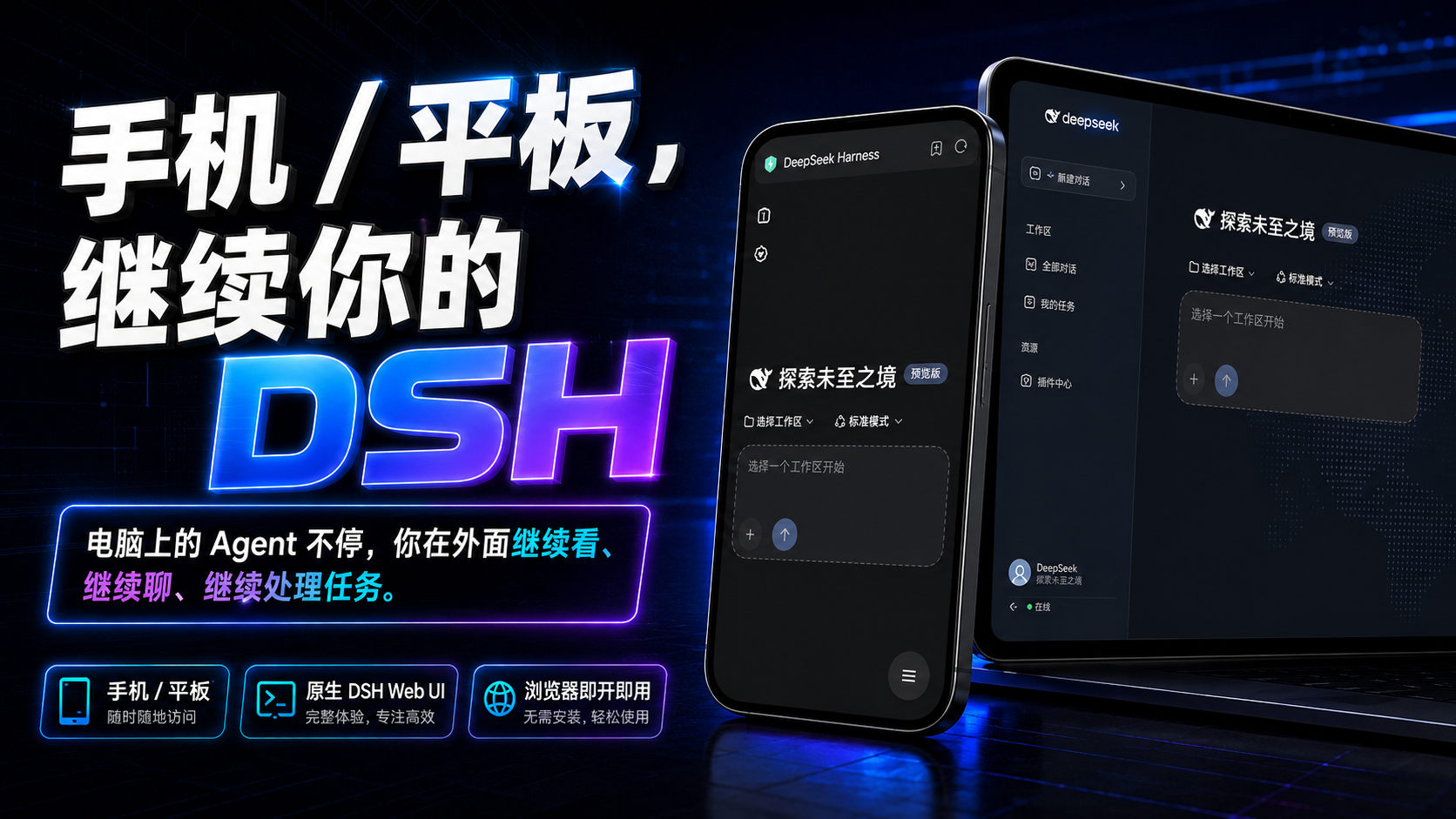
- Keep using DeepSeek Harness from your phone.
- Scan a code, and the DSH on your computer goes with you.
- A link is not permission · One-time pairing · GitHub identity · Per-device authorization, revocable anytime
- No remote desktop · No SSH · No public IP / port forwarding
- Your DSH is still working on the computer — and you already left?
- What's it doing? Did it finish?
- Open your phone and keep using the exact DeepSeek Harness that is running on your computer.
- You simply take DSH with you.
- ⭐ Does this project solve your problem? Give it a Star →
- A Star is not a requirement to install, and it changes nothing about the features.
- It only lets me know:
- This project is worth maintaining, and it helps more people searching for "DSH on your phone" find it.
- 🚀 One command, and you're ready
- After installing:
- Restart DSH → Settings → Remote Control → Enable remote control → Scan with your phone
- 📘 First time? Open the User Guide →
- 🤖 Don't want to install it yourself? Let an AI do it →
- DSH on your phone is not a "miniature Windows"
- How do I keep using DSH after I leave the computer?
- Check progress · Continue conversations · See results · Handle the actions that need your confirmation
- Not a Windows desktop that needs endless zooming and dragging.
- You just want DSH on your phone — do you really need all that hassle?
- To glance at your Agent, do you really need to remote into all of Windows?
- Take only DSH to your phone.
- To reach your computer from your phone, do you really need a VPS, SSH, and router port forwarding first?
- One click sets up a Cloudflare Quick Tunnel.
- To use DSH from your phone, do you really need to redeploy an Agent?
- Keep using the DSH, projects, and tools already running on your computer.
- For convenience, should a long-lived token really travel around inside every link?
- One-time pairing + per-device authorization + revoke anytime.
- Getting connected is only the first step. Security is the default design.
- Who gets in?
- What happens when a credential leaks?
- Can an authorized device be un-authorized later?
- Waking up to a drained API quota is only one of the milder outcomes.
- A link is not permission.
- The pairing credential is not a long-lived password.
- Every device is authorized independently.
- Authorization can be taken back.
- 🛡️ Read the full Threat Model →
- A reverse proxy could do it — why did we make it this complex?
- How do I open this page from the outside?
- How do I make it actually suitable for long-term remote use?
- Than mistake "it opens" for "it is safe to trust".
- How does it actually connect?
- DeepSeek Harness and the Gateway still listen only on the local machine.
- 🏗️ Read the Architecture notes →
- The capabilities you will actually use
- 📱 Phone-tailored UI
- ⚡ One-click Quick Tunnel
- 🔐 One-time QR scan / 8-digit pairing code
- 📱 Per-device authorization
- 🚫 Revoke anytime
- 🐙 Optional GitHub identity
- 🌐 Automatic network adaptation
- 🔄 Update reminders
- 📚 Documentation
- 📘 User Guide
- 🧰 Troubleshooting
- 🛡️ Threat Model
- 🏗️ Architecture
- 💻 Compatibility
- 🔐 Security Policy
- 📋 CHANGELOG
- 🤖 Stuck? Hand the project link to an AI
- The project link + your error message / screenshot
- 🤖 Have an AI install / debug for you →
- Open source
- ☕ If it actually helped you
- If you would like to support future maintenance, you can also buy me a Coke. ❤️
- Of course, sponsoring is never a condition for using this project — but a Star ⭐ really matters!
- Leave one ⭐ and I will already be very happy.
- Join the community — it is more than Issues, pull requests, device-compatibility reports, and suggestions: it is a fun, friendly vibe-coding group!
- See CONTRIBUTING.md →
- ⭐ If it actually got you away from your desk, please leave a Star
- That is what this project is for.
- ⭐ Please remember to Star DSH Remote Web Gateway so more DSH users can find it →
简体中文 · English
DSH Remote Web Gateway
Keep using DeepSeek Harness from your phone.
Scan a code, and the DSH on your computer goes with you.
A link is not permission · One-time pairing · GitHub identity · Per-device authorization, revocable anytime
No remote desktop · No SSH · No public IP / port forwarding
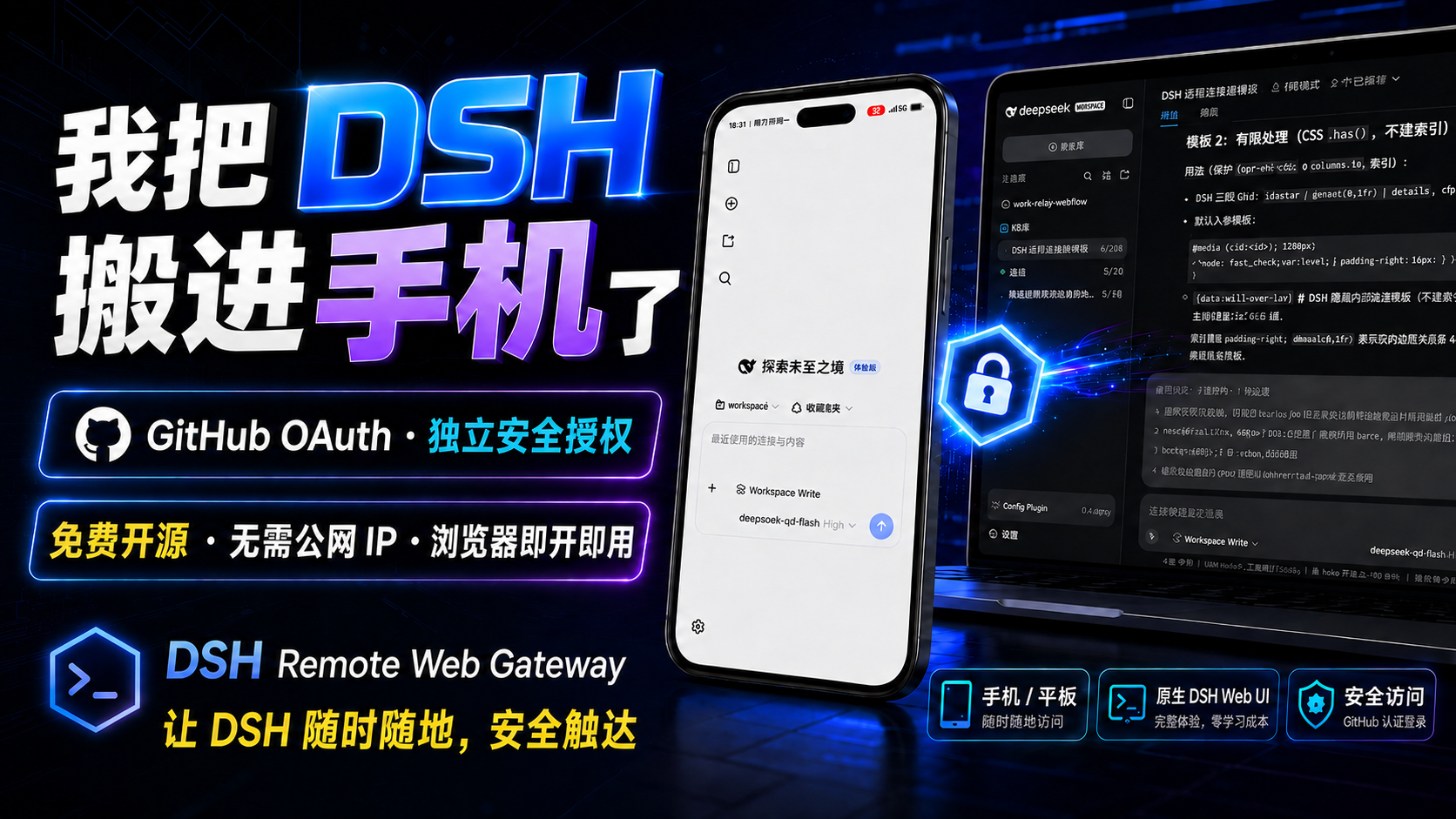
Your DSH is still working on the computer — and you already left?
You are on your way home, and the Agent is still running tasks.
You just want to pull out your phone and see:
What's it doing? Did it finish?
Then it stops and waits for your confirmation while you're away.
Or you're already in bed and you suddenly think:
"I still need to add one more thing to that request."
What you actually want is simple:
Open your phone and keep using the exact DeepSeek Harness that is running on your computer.
That is what DSH Remote Web Gateway does.
No need to squeeze your whole Windows desktop into a phone, and no need to deploy a second Agent on your phone.
Projects, sessions, tools, and Agents stay on the computer.
You simply take DSH with you.
⭐ Does this project solve your problem? Give it a Star →
A Star is not a requirement to install, and it changes nothing about the features.
It only lets me know:
This project is worth maintaining, and it helps more people searching for "DSH on your phone" find it.
🚀 One command, and you're ready
dsh plugin --profile web add dsh-remote-web-gateway
After installing:
Restart DSH → Settings → Remote Control → Enable remote control → Scan with your phone
That's it.
📘 First time? Open the User Guide →
Install, pairing, a second device, revoking access, updates, and common issues — all covered step by step.
🤖 Don't want to install it yourself? Let an AI do it →
Send the project link and the ready-made prompt from the User Guide to DSH, Codex, Claude Code, or another coding agent.
An agent that can run your terminal can help install it directly; an agent that cannot touch your computer can still walk you through the official docs step by step.
DSH on your phone is not a "miniature Windows"
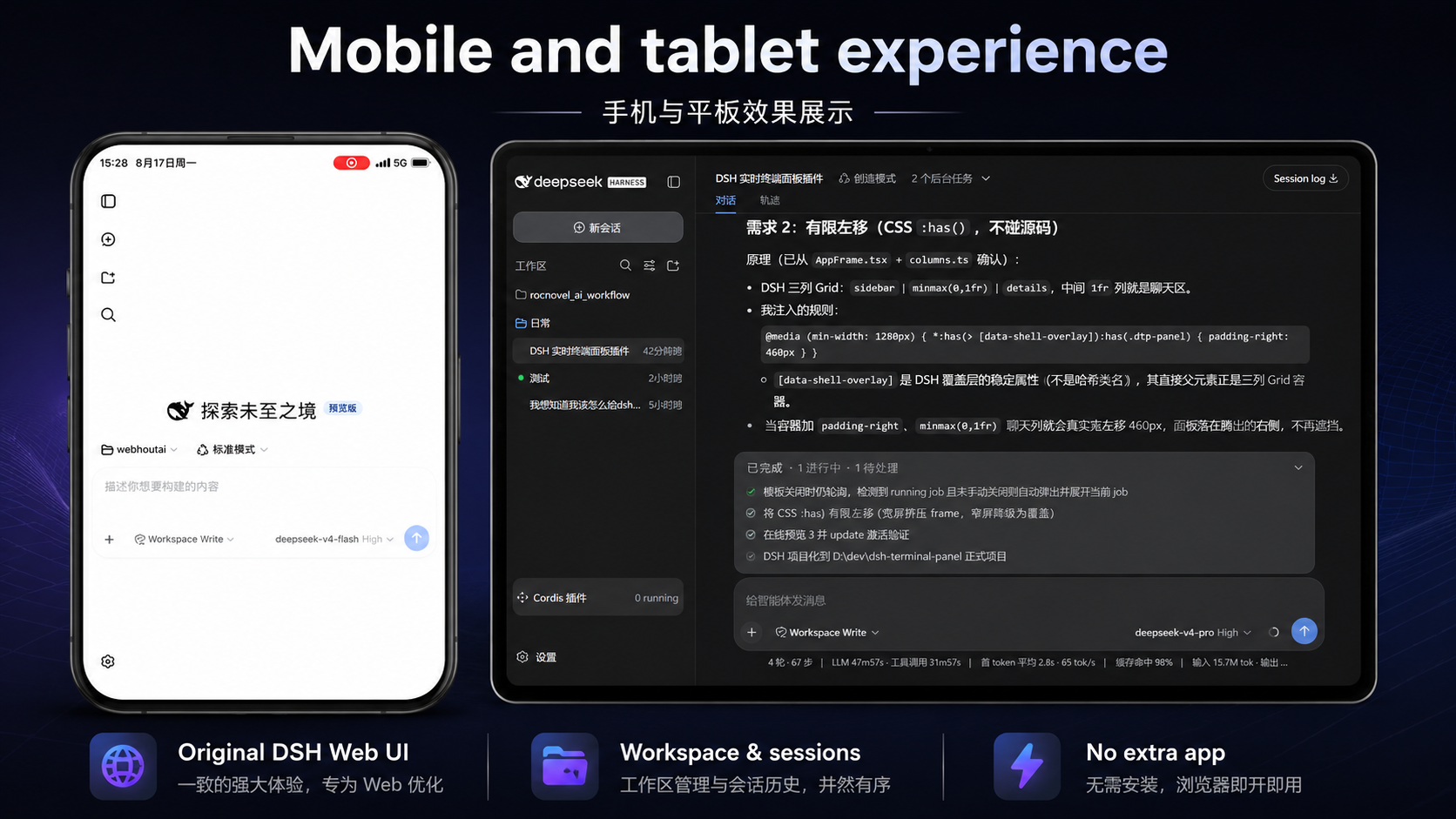 Remote desktop solves this question:
How do I fit my whole computer into a phone screen?
We solve this one:
How do I keep using DSH after I leave the computer?
The Agent on your computer keeps working.
From your phone you can:
Check progress · Continue conversations · See results · Handle the actions that need your confirmation
What your phone shows is DSH.
Not a Windows desktop that needs endless zooming and dragging.
You just want DSH on your phone — do you really need all that hassle?
To glance at your Agent, do you really need to remote into all of Windows?
No.
Take only DSH to your phone.
To reach your computer from your phone, do you really need a VPS, SSH, and router port forwarding first?
Not by default.
One click sets up a Cloudflare Quick Tunnel.
To use DSH from your phone, do you really need to redeploy an Agent?
No.
Keep using the DSH, projects, and tools already running on your computer.
For convenience, should a long-lived token really travel around inside every link?
We chose a different way:
One-time pairing + per-device authorization + revoke anytime.
Getting connected is only the first step. Security is the default design.
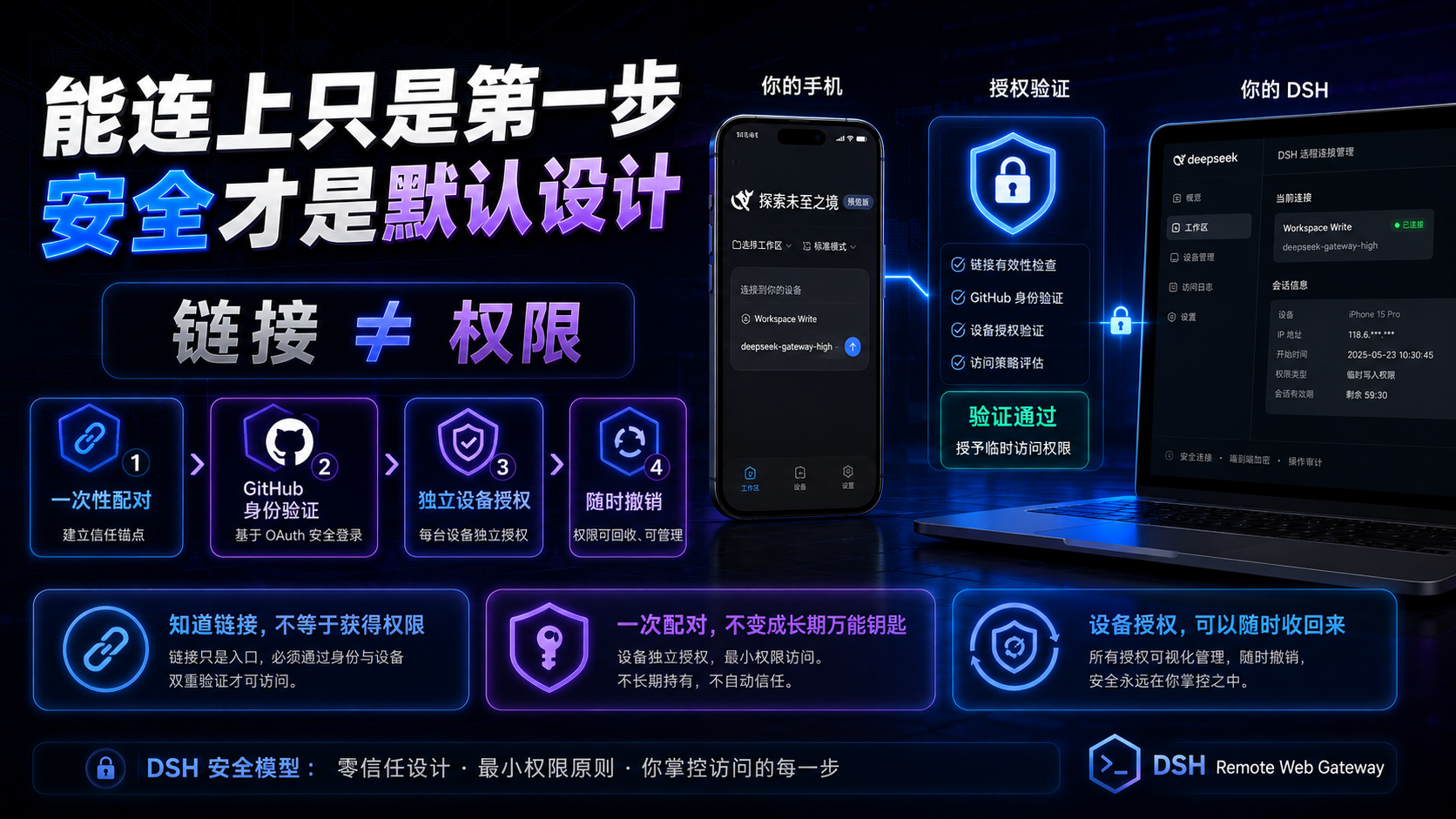
Making DSH reachable from a phone is not that hard.
A reverse proxy plus a tunnel can get a Web UI onto a phone quickly.
What is actually hard:
Who gets in?
What happens when a credential leaks?
Can an authorized device be un-authorized later?
Because behind DSH is not an ordinary web page.
It can reach:
Your project source code, development files, local tools, and the model capabilities you have configured.
If this is a company development machine, an overly simple remote entry risks more than "someone sees a page".
It can expose your development environment.
Someone could even keep calling the model quota you already paid for.
Waking up to a drained API quota is only one of the milder outcomes.
So we never treated:
"the phone can open it"
as:
"remote access is done".
The whole access flow looks more like:
Temporary connection
    ↓
One-time pairing / GitHub identity
    ↓
Per-device authorization
    ↓
Continuous authentication
    ↓
Revoke anytime
    ↓
DeepSeek Harness
A link is not permission.
Having the address does not mean you have control of DSH.
The pairing credential is not a long-lived password.
First pairing uses a one-time credential instead of a universal long-lived token riding along in every QR code and link.
Every device is authorized independently.
Not every phone shares one long-lived master key.
Authorization can be taken back.
A device no longer trustworthy?
Revoke it from the computer.
For the full security boundary — what we protect against and what we don't:
🛡️ Read the full Threat Model →
A reverse proxy could do it — why did we make it this complex?
Because a minimal implementation mainly solves:
How do I open this page from the outside?
We also wanted to solve:
How do I make it actually suitable for long-term remote use?
So beyond the connection, we added:
One-time pairing · per-device Device Sessions · single / global revocation · HTTP / WebSocket authentication · a loopback-only management plane · optional GitHub identity
We would rather make this slightly more complex.
Than mistake "it opens" for "it is safe to trust".
How does it actually connect?
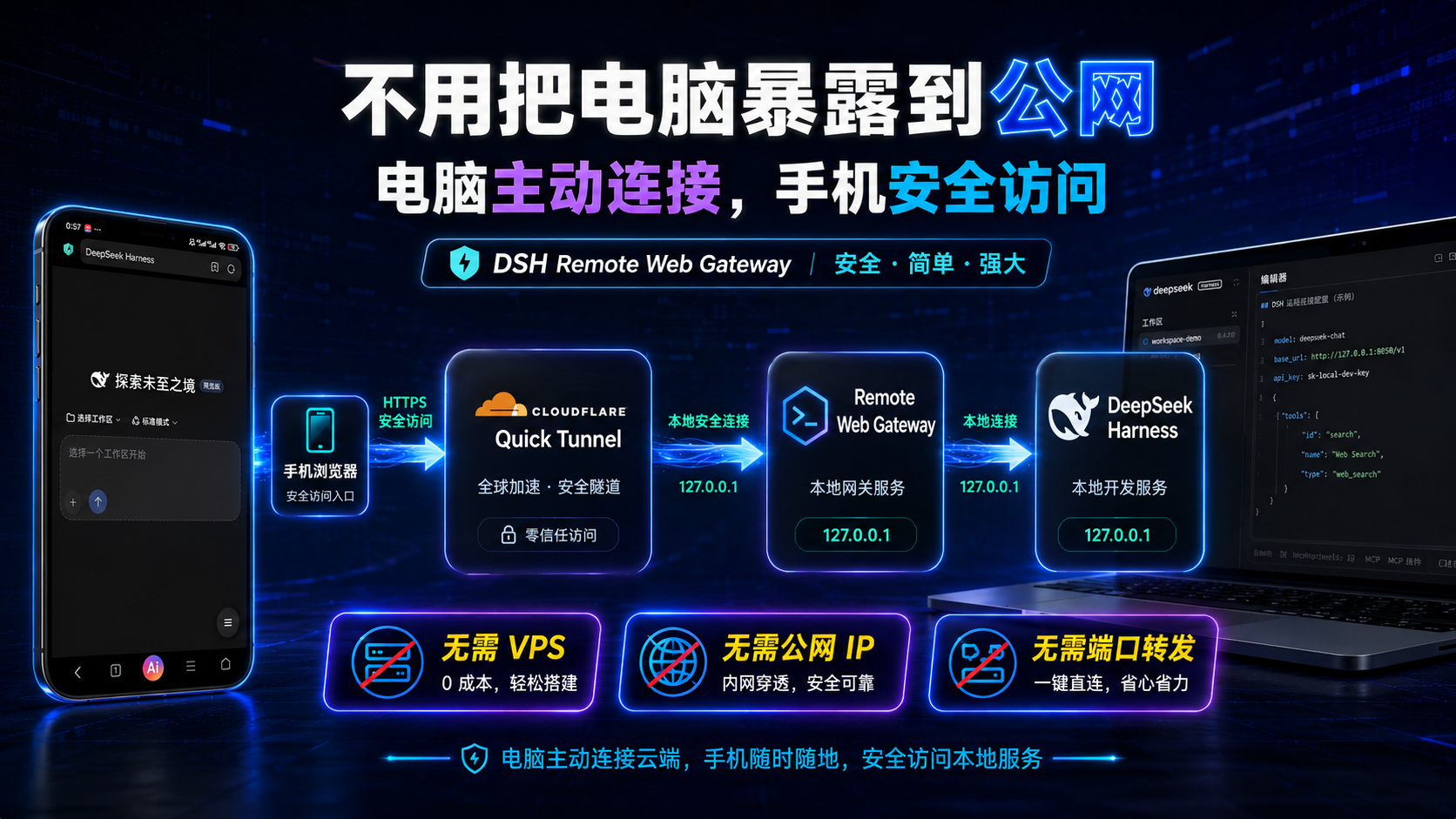
Phone browser
     │
     │ HTTPS
     ▼
Cloudflare Quick Tunnel
     │
     ▼
DSH Remote Web Gateway
     │
     │ 127.0.0.1
     ▼
DeepSeek Harness
The computer establishes the Tunnel outbound.
DeepSeek Harness and the Gateway still listen only on the local machine.
So by default you need no public IP, and no new inbound port on your router.
🏗️ Read the Architecture notes →
The capabilities you will actually use
📱 Phone-tailored UI
Not a desktop UI squeezed onto a phone.
⚡ One-click Quick Tunnel
No VPS, SSH, or port forwarding by default.
🔐 One-time QR scan / 8-digit pairing code
First-time device access, simple and direct.
📱 Per-device authorization
Multiple devices each get their own access rights.
🚫 Revoke anytime
Take back access from a single device or from all devices, right from the computer.
🐙 Optional GitHub identity
Bind your GitHub identity if you want to.
🌐 Automatic network adaptation
Uses the system / environment proxy, and falls back to verified mirror paths when the official download is failing.
🔄 Update reminders
You are notified when a new version exists; you confirm the install, and your working DSH is never restarted behind your back.
📚 Documentation
📘 User Guide
Start here if it's your first time.
It also includes copy-paste prompts for installing / troubleshooting with an AI.
🧰 Troubleshooting
Common issues with the tunnel, downloads, pairing, network, and updates.
🛡️ Threat Model
What we protect, what we trust, and where the security boundary is.
🏗️ Architecture
How Quick Tunnel, the Gateway, DSH, and device authorization fit together.
💻 Compatibility
Which platforms are actually verified, and which are not yet.
🔐 Security Policy
Found a security issue? Report it here.
📋 CHANGELOG
Version changes and update contents.
🤖 Stuck? Hand the project link to an AI
https://github.com/summer1238/dsh-remote-web-gateway
Send:
The project link + your error message / screenshot
to DSH, Codex, Claude Code, or another AI.
Tell it:
First read this project's README, User Guide, and Troubleshooting, then help me debug according to the project's current docs.
🤖 Have an AI install / debug for you →
Open source
☕ If it actually helped you
This project will always stay free and open source.
If it saved you a remote-desktop hassle, a VPS, or just let you keep using DSH comfortably after work —
that is already worth it.
If you would like to support future maintenance, you can also buy me a Coke. ❤️
Users in China: WeChat Pay / Alipay
Of course, sponsoring is never a condition for using this project — but a Star ⭐ really matters!
Leave one ⭐ and I will already be very happy.
Join the community — it is more than Issues, pull requests, device-compatibility reports, and suggestions: it is a fun, friendly vibe-coding group!
Great projects are shared there all the time

See CONTRIBUTING.md →
This project is licensed under the MIT License.
DSH Remote Web Gateway is a DeepSeek community open-source project — not an official DeepSeek product.
⭐ If it actually got you away from your desk, please leave a Star
The Agent on your computer keeps running.
You have already left the office.
And you finish the task from your phone.
That is what this project is for.
⭐ Please remember to Star DSH Remote Web Gateway so more DSH users can find it →
Related plugins
dsh-web(原 dsh-web-ui)
 zhu1090093659
/dsh-web-ui
dsh-web(原 dsh-web-ui):任务看板、git 图、右侧面板、远程移动端 UI、桌宠、实时 token 统计与皮肤中心的全家桶。仓库已更名 zhu1090093659/dsh-web,根目录声明 dsh.bundle.patch,支持根 Git 入口安装。
dsh plugin --profile web add github:zhu1090093659/dsh-webdsh-web-all 聚合包(原 dsh-web-ui-all)
zhu1090093659zhu1090093659/dsh-web-ui/packages/dsh-web-ui-all
旧整包路径 packages/dsh-web-ui-all 已随仓库更名 dsh-web 迁移:现聚合目录为 packages/dsh-web-all,npm 聚合包 @linxin666/dsh-web-all。与总仓根 Git 入口是同一产品的两种整包方式,不重复计数。
dsh plugin --profile web add @linxin666/dsh-web-all@latestdsh-TUI
 ccch1mneyyy
/dsh-TUI
Claude Code 风格全屏终端 UI:像素鲸鱼顶栏、实时工作状态行、思考流式展开。
dsh plugin --profile web add github:ccch1mneyyy/dsh-TUIdsh-cc-tui
ccch1mneyyyccch1mneyyy/dsh-cc-tui
一个美观且实用的 Claude Code 风格 TUI 插件:像素鲸鱼顶栏、双流光大字、实时工作状态行、思考流式展开、双击 Esc 时间回溯、蓝白上下文进度条 + TPS 仪表。 零核心改动,纯插件挂载。安装插件即可启用,卸载后不会留下核心补丁。 献给钟爱tui的各位极客们 A beautiful, practical Claude…
dsh plugin --profile web add github:ccch1mneyyy/dsh-cc-tuideepseek-balance-whale-widget
 meteornox
/deepseek-balance-whale-widget
DSH 小鲸鱼余额挂件(DeepSeek Balance Whale Widget)
dsh plugin --profile web add github:meteornox/deepseek-balance-whale-widgetDSH-better-sidebar
 omdsh-dev
/DSH-better-sidebar
侧边栏完整工作台:内置文件渲染编辑、终端、Git 与子代理,支持三方插件注册新 Tab。
dsh plugin --profile web add github:omdsh-dev/DSH-better-sidebar