
Sessions & Messages
DSH-Basic-Right-Sidebar
xinspark/DSH-Basic-Right-Sidebar · ★ 2
 xinspark
Basic Right Sidebar — a right sidebar plugin for DeepSeek Harness: two-level navigation (Functions / Sessions), workspace/session breadcrumb, session overview with log download, native trajectory view, and configurable topbar decluttering.
Manifest details
安装
dsh plugin --profile web add github:xinspark/DSH-Basic-Right-SidebarGitHub 源码安装:首次需按提示配置 allowBuilds 构建授权后重试
For install and environment setup, plus plugin development tutorials, see DSH community docs ↗
README
Table of contents
Basic Right Sidebar is a right sidebar foundation plugin for DeepSeek Harness — pure UI enhancement that introduces no new capabilities: it surfaces DSH's native features inside the right sidebar, and is meant to be the foundation plugin every feature-enhancing right sidebar builds on.
The native DSH left sidebar is rich, but when it is collapsed — or when you simply prefer a right-hand workflow — sessions, workspaces and panel switches become unreachable without extra clicks. This plugin brings those native controls to the right edge of the screen. Installing it also installs the sub-plugin dsh-better-session-title (the session-topbar workspace/session breadcrumb).
Works on Windows · macOS · Linux (DSH Web GUI) — plain JavaScript, no native dependencies, no build step for distribution.
Highlights
Screenshots
Right sidebar UI in the session view:
Function area / Overview (non-fullscreen)
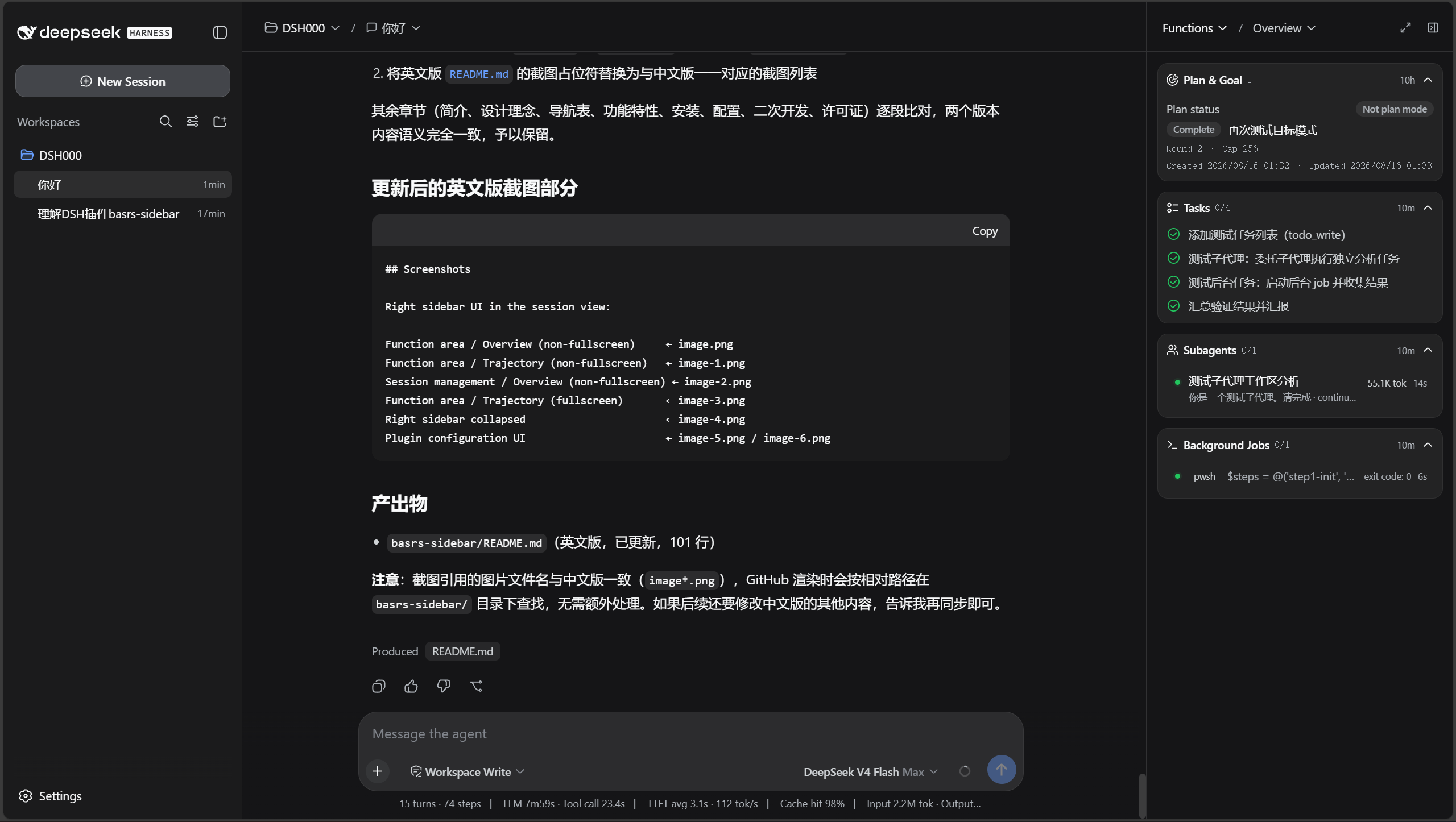
Function area / Trajectory (non-fullscreen)
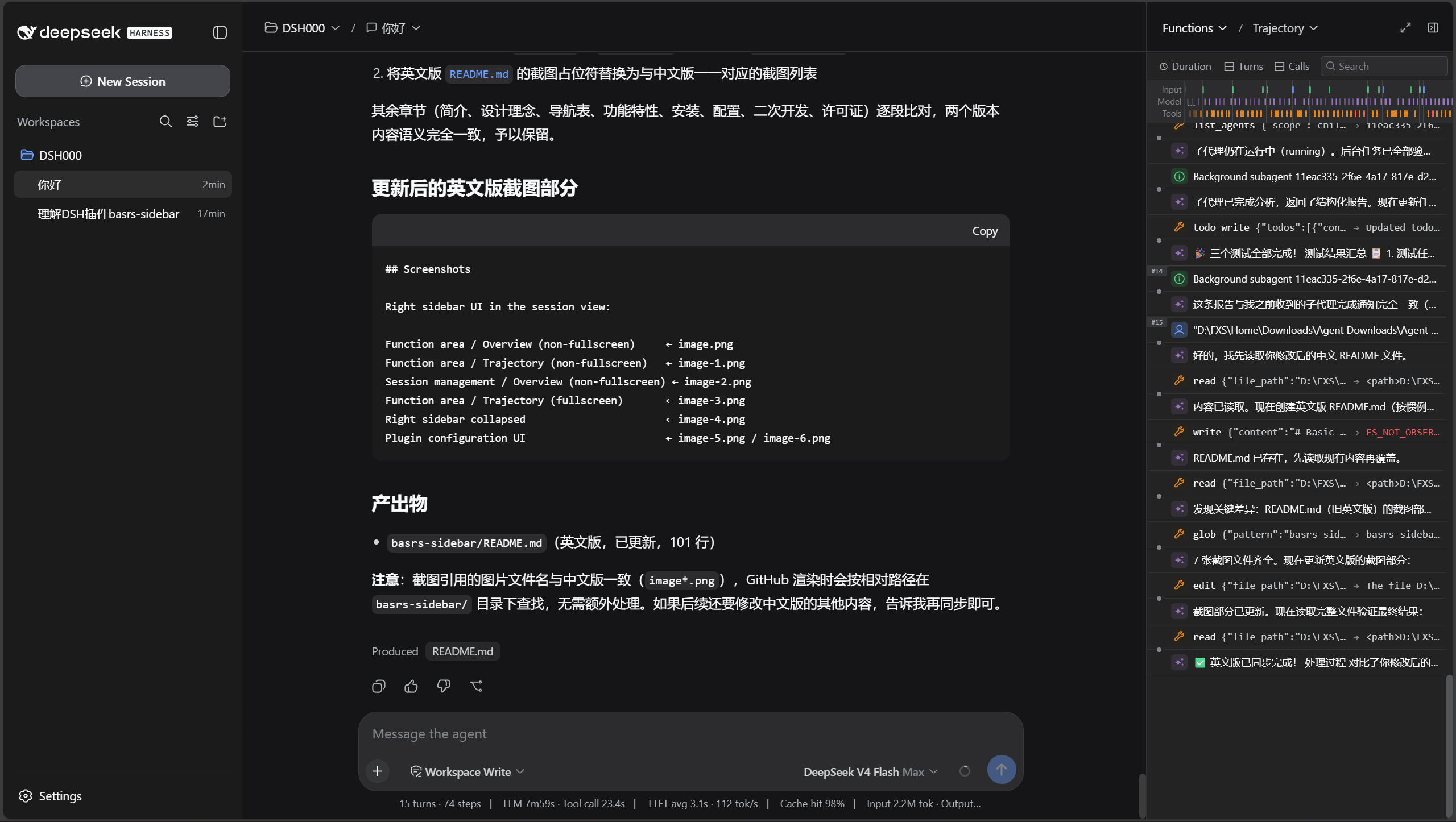
Session management / Overview (non-fullscreen)
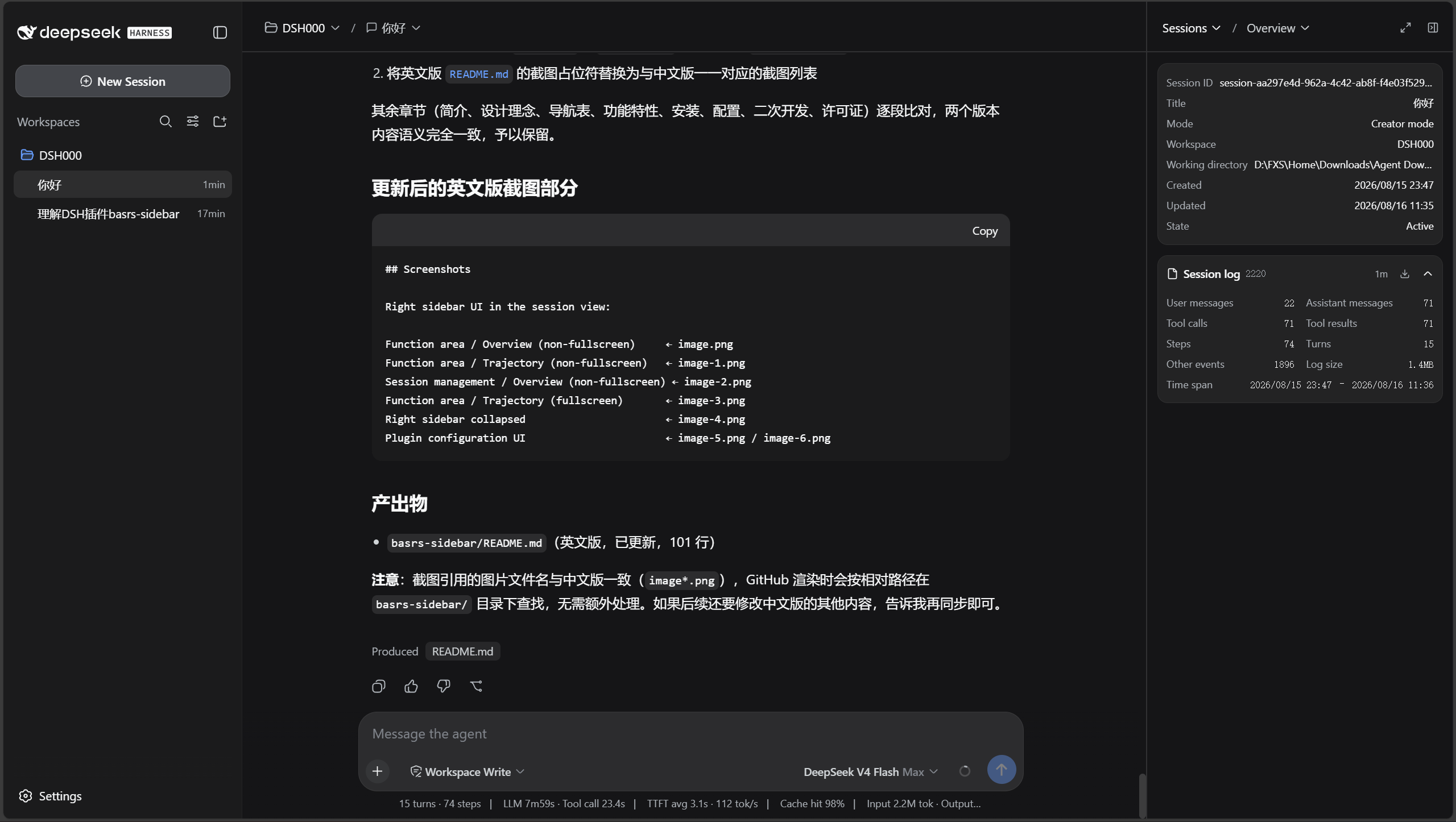
Function area / Trajectory (fullscreen)
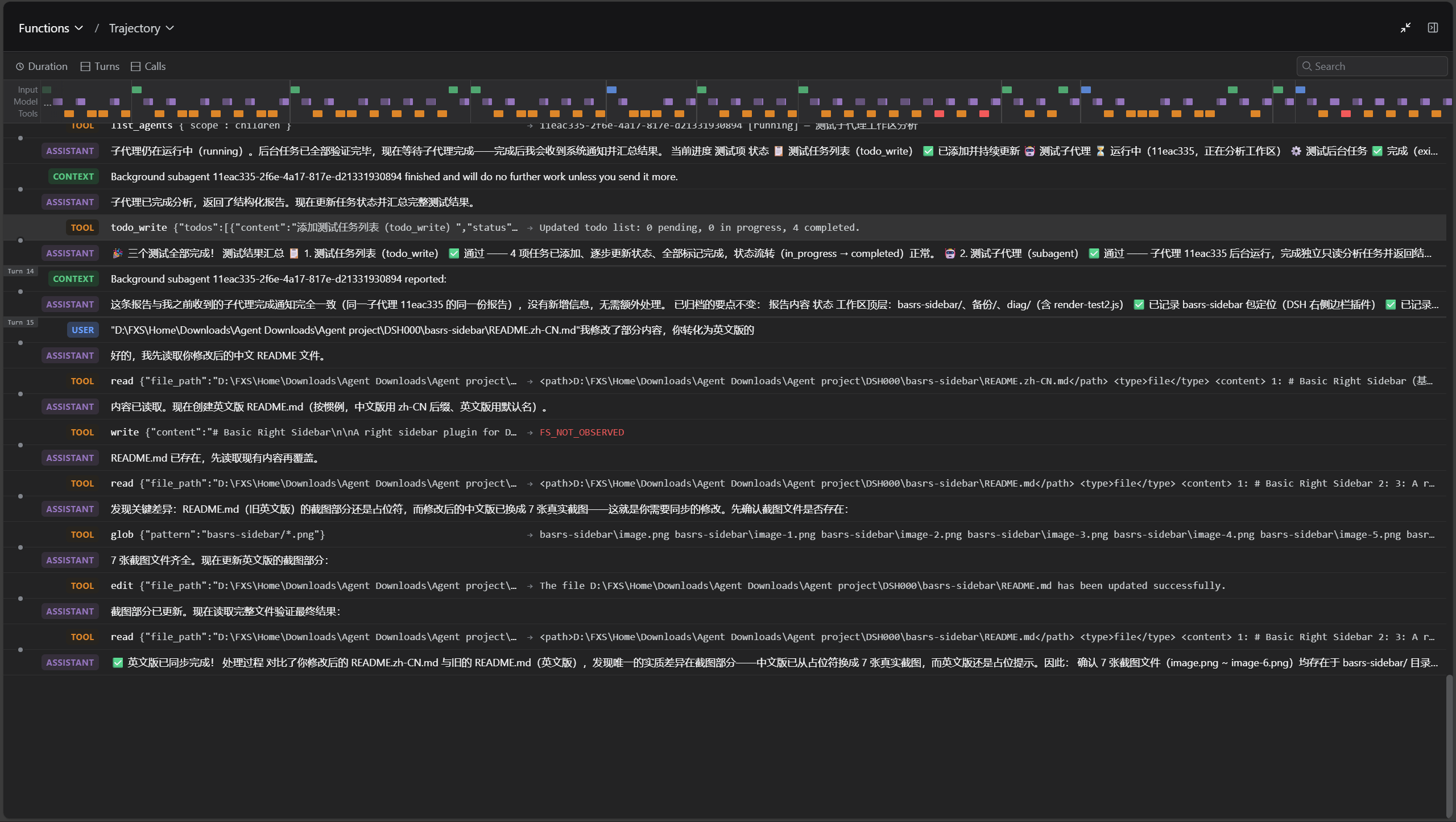
Right sidebar collapsed
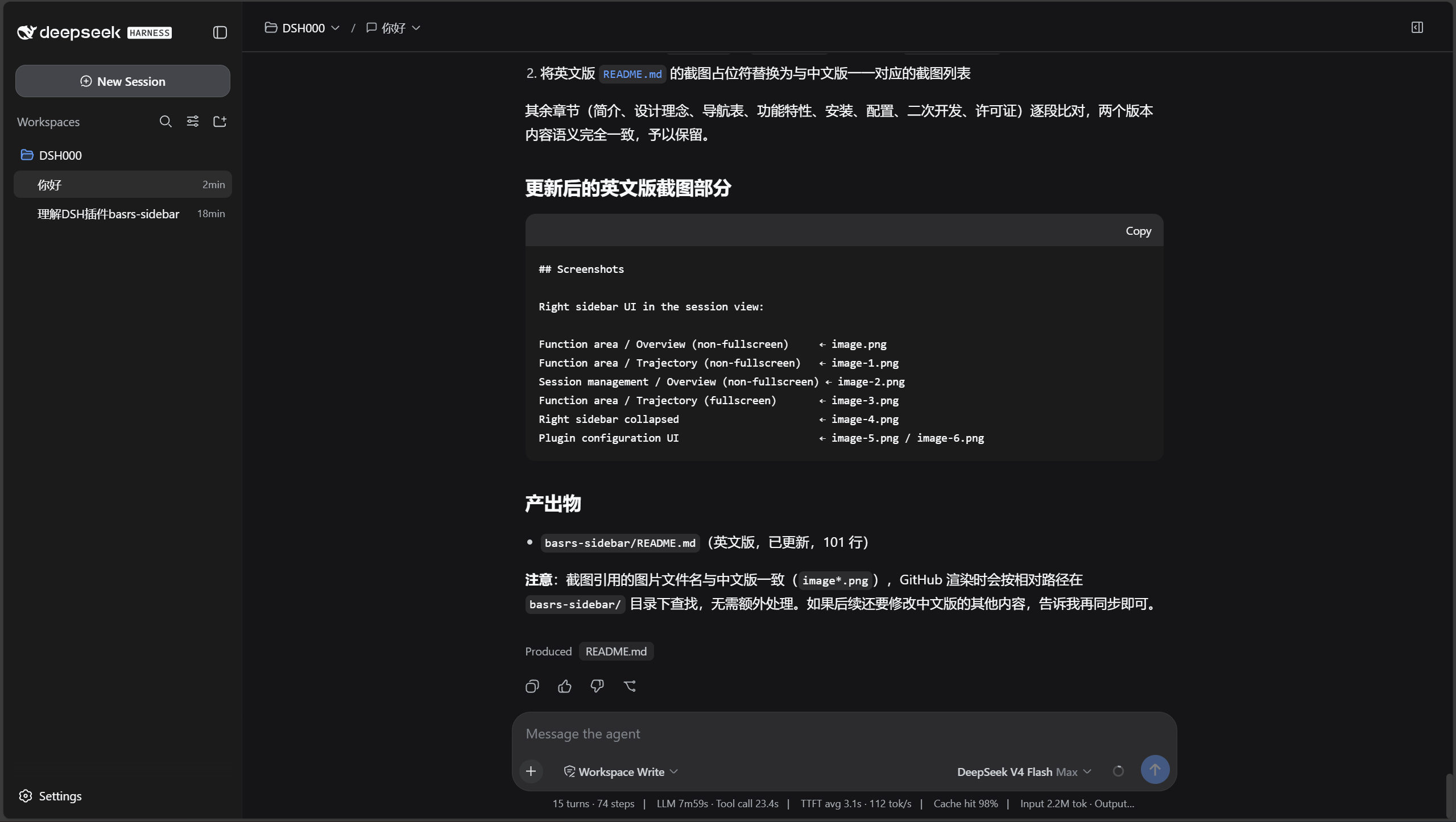
Plugin configuration UI
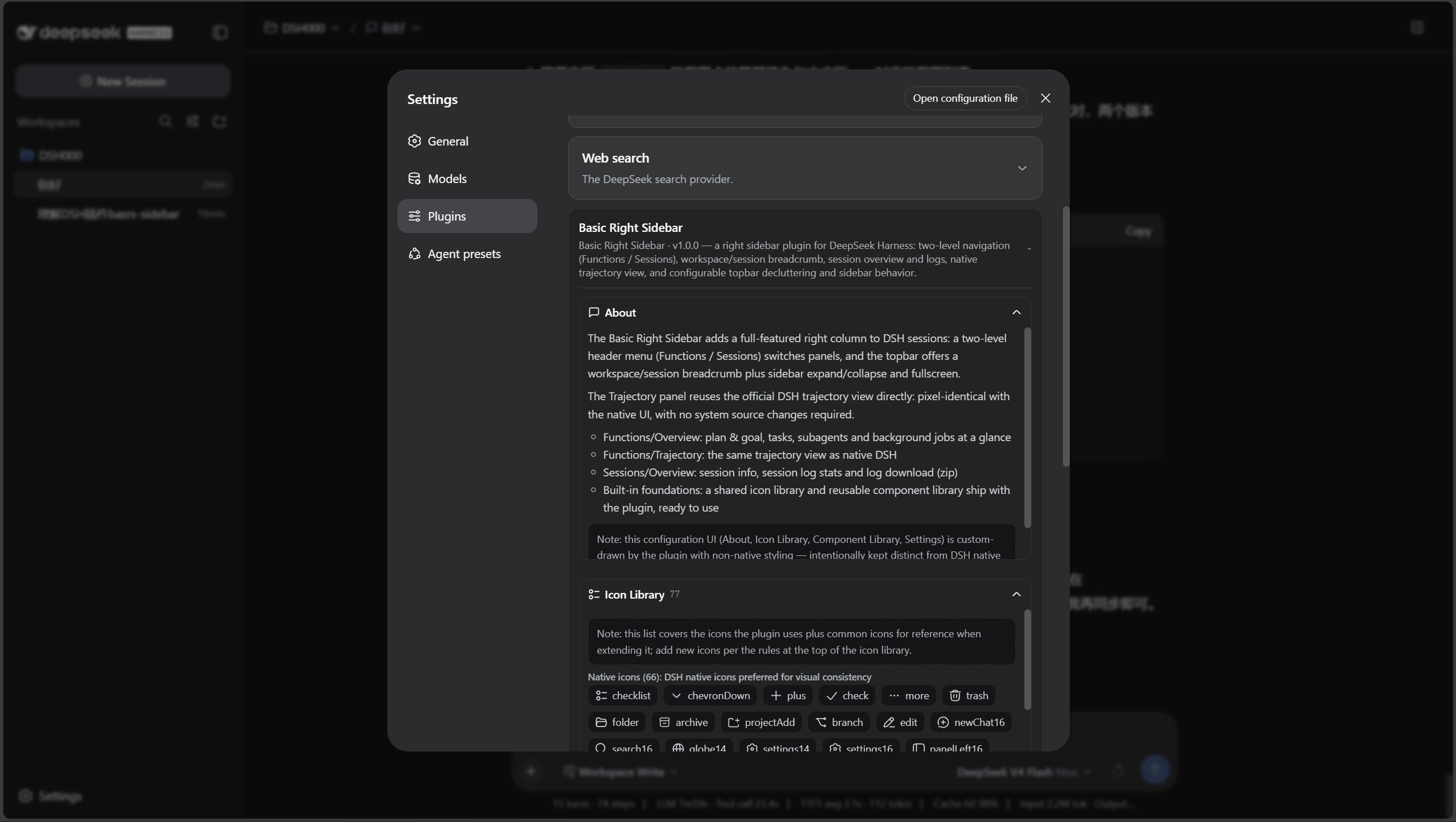
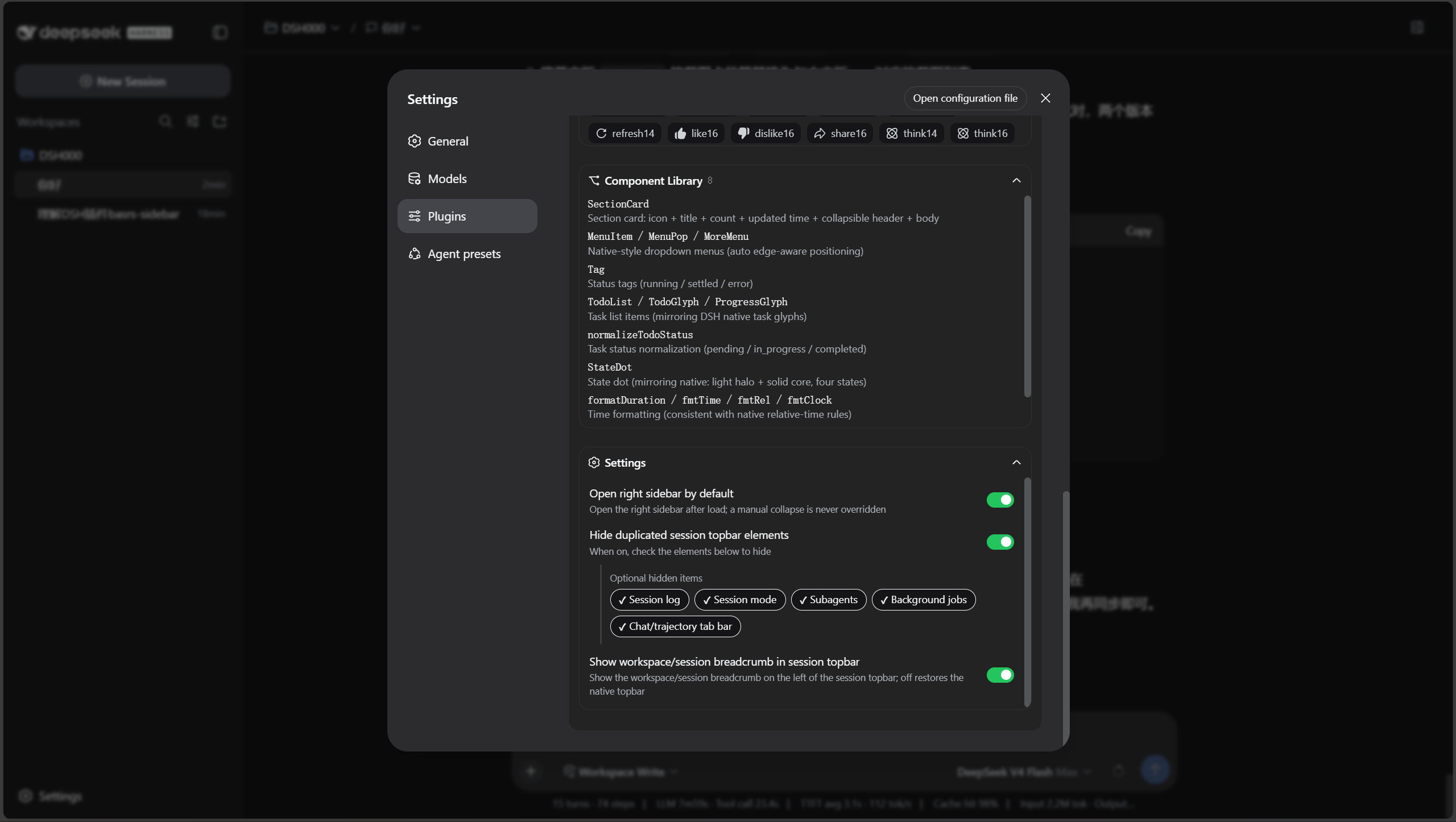
Install
dsh-basic-right-sidebar is a bundle — a configuration patch layer distributed as a package (see the official DSH plugin publishing docs). Install it into a profile with the dsh plugin command — it links the package and appends it to dsh.profile.bundles automatically:
# from GitHub (primary channel; v1.0.0 is the current release tag)
dsh plugin --profile web add github:xinspark/DSH-Basic-Right-Sidebar#v1.0.0
Consider locking a commit: a GitHub install pulls the repository source, so later pushes don't silently change what you run. To pin the exact content, use
github:xinspark/DSH-Basic-Right-Sidebar#<commit-sha>(as recommended by the official docs).Local directory / tarball (development or offline):
dsh plugin --profile web add ./dsh-basic-right-sidebar
dsh plugin --profile web add ./dsh-basic-right-sidebar-1.0.0.tgz
Then start the web UI: dsh web (or dsh --profile web). The first add initializes the profile with @deepseek-ai/dsh-base automatically.
The sub-plugin comes along: this bundle's cordis.patch.yml inserts both the dsh-basic-right-sidebar and dsh-better-session-title rows. The sub-plugin is declared as a GitHub git dependency in package.json's dependencies (commit-SHA locked, so upstream pushes can't silently change behavior); pnpm fetches it when you install this bundle — one command, both plugins. Do not dsh plugin add dsh-better-session-title separately (insert appends, so you would end up with duplicate plugin rows).
One-time pnpm security setting required: pnpm ≥10.6 enables
blockExoticSubdepsby default, which refuses to install packages that have git-spec sub-dependencies (which is exactly how this plugin ships its sub-plugin) — you'd see an error likeERR_PNPM_EXOTIC_SUBDEP. If that happens, append one line to the profile'spnpm-workspace.yaml(e.g.$DSH_HOME/profiles/web/pnpm-workspace.yaml) and re-run the install command:blockExoticSubdeps: falseIt is a one-time, profile-level setting (DSH's own template doesn't include it). This plugin is plain JS with no lifecycle scripts, so no
allowBuildsapproval is needed.
Local development (editing both plugins): pnpm does not see local edits through a git dependency, so add the child as a direct profile dependency instead. Install it with
--save-devinto devDependencies:dsh plugin's bundle reconciliation only scansdependencies, so a child independencieswould be auto-promoted into its own bundle layer by the nextdsh plugincommand — duplicating the row the parent bundle inserts:dsh plugin --profile web add ./dsh-basic-right-sidebar pnpm --dir "$DSH_HOME/profiles/web" add -w --save-dev link:"$DSH_HOME/plugins/dsh-better-session-title"If the child already landed in
dependenciesordsh.profile.bundles: move it fromdependenciestodevDependenciesinpackage.jsonand remove the package name fromdsh.profile.bundles.Upgrading the sub-plugin: update the commit SHA (or tag) in the
package.jsondependency to a newer commit of the dsh-better-session-title repository.Removal:
dsh plugin --profile web remove dsh-basic-right-sidebarpluspnpm --dir "$DSH_HOME/profiles/web" remove dsh-better-session-title.
The plugin's bundle patch (cordis.patch.yml) registers the host and client rows automatically. The browser half is served per-request, so client-side changes only need a page refresh; host-side changes need a restart.
Configure
Open Settings → Plugins → Basic Right Sidebar:
| Option | Description |
|---|---|
| Open right sidebar by default | Auto-expand the sidebar on load; manual collapse is never overridden. |
| Hide duplicated session topbar elements | Master switch; when on, choose which of the following to hide: session log · session mode · subagents · background jobs · chat/trajectory tab bar. |
| Show workspace/session breadcrumb | The breadcrumb on the left of the session topbar (provided by the dsh-better-session-title sub-plugin); off restores the native topbar. |
Settings persist to $DSH_HOME/plugins/dsh-basic-right-sidebar/settings.json. The plugin ships its own persistence endpoint (/bsrs-settings): DSH's settings wire only exposes an allowlisted set of namespaces, so third-party namespaces cannot use it.
Relationship with dsh-better-session-title
This plugin ships dsh-better-session-title as a sub-plugin: package.json declares it in dependencies (git dependency, commit-locked), and cordis.patch.yml inserts its plugin row together with this bundle. The topbar breadcrumb is exclusively provided by the sub-plugin (registered into conversation.session.header.actions); this plugin's "Show workspace/session breadcrumb" setting is bridged to it via the window.__BASRS_SETTINGS__ snapshot and the 'basrs:settings' event — when off, the sub-plugin hides the breadcrumb and restores the native title.
- If you installed this plugin, do not install the sub-plugin separately — two bundles inserting the same plugin row duplicate it.
- The sub-plugin can also be installed standalone (without the parent plugin the settings bridge defaults to enabled).
- If both bundles are installed, turn off the breadcrumb on either side.
Relationship with DSH
Basic Right Sidebar is a community plugin built on the official deepseek-ai/deepseek-harness — it is not an official DeepSeek product.
Everything it shows is DSH's own data and UI, re-arranged:
- The sidebar is rendered into the official
detailsslot; the toggle intoconversation.session.header.utilities; the config card intosettings.plugin.item; the topbar breadcrumb intoconversation.session.header.actionsvia thedsh-better-session-titlesub-plugin. - The trajectory view is the official DSH trajectory component, vendored and lazy-loaded — pixel-identical, no system source changes.
- The icon library prefers native icons so the sidebar never looks alien next to the official UI.
If you prefer the command line, or you want to contribute to the core, use the official repository.
Develop
index.js— host half: session log stats, last-todos snapshot, and settings persistence (GET/POST /bsrs-settings).lib/client.js— browser half (UMD, registered into DSHclientModules). Structure, top to bottom:- Vendored official trajectory view (lazy-loaded; normally you don't touch it).
- Icon library (
createIconLibrary) — native icons preferred; add new icons per the rules at the top of the library. - Component library (
createComponentLibrary) —SectionCard, dropdown menus (MenuItem/MenuPop/MoreMenu/DropdownList),Tag,StateDot,TodoList/TodoGlyph/ProgressGlyph, task-status normalization, time formatting, shared CSS.DropdownListis absorbed from the dsh-better-session-title sub-plugin (self-drawn data-driven dropdown: fixed positioning + viewport avoidance / click-outside close / inline meta + hover more button); the icon library already covers every native icon the sub-plugin's breadcrumb uses (including thechevronDownOutline14/chevronUpOutline14/ellipsis16naming-aligned aliases). apply(ctx)— registers the slots:details(sidebar),conversation.session.header.utilities(sidebar toggle),settings.plugin.item(config card); ships built-in zh/en dictionaries that follow DSH's language switch. The topbar breadcrumb (header.actions) is registered by the sub-plugin.
dsh-better-session-titlesub-plugin — a separate package (git dependency declared inpackage.json, its row inserted bycordis.patch.yml). Its client half registers theconversation.session.header.actionsbreadcrumb; the parent'sshowBreadcrumbsetting is bridged to it via thewindow.__BASRS_SETTINGS__snapshot and the'basrs:settings'event. Its code lives in the dsh-better-session-title repository.
Extension cheatsheet:
- Add a panel — add an entry to the
panelslist inapplyand write the render component. - Add copy — add a key to
BSR_ZH/BSR_EN. - Add an icon — register it in the icon library (native first, custom fallback).
Community
- GitHub Issues — bugs, feature requests and questions.
- GitHub Discussions — ideas and general talk about extending the sidebar.
- Topic
dsh-plugin— the community plugin topic this project is tagged with.
Ecosystem
Projects and resources around the DeepSeek Harness ecosystem that we find useful:
| Project | What it is | Link |
|---|---|---|
| DeepSeek Harness | The official project: "Everything is a Plugin." | GitHub |
| dsh-TUI | Full-screen interactive terminal UI for DSH. | GitHub |
| Awesome DSH Plugin | Community-curated list of DSH plugins. | |
| dsh-market | Plugin marketplace covering 1500+ DSH plugins. | GitHub |
| DSH-Plugins-Marketplace | In-GUI plugin marketplace built on the dsh-plugin topic. |
GitHub |
Want your project listed here? Open a PR or start a Discussion.
Acknowledgments
Thanks to DeepSeek Harness and the DeepSeek AI team — the agent, models, tools, sessions, Web UI and plugin ecosystem all come from this project; to Cordis for the plugin foundation; and to the Koishi.js community for its long-standing plugin practices, tooling and experience.
License
MIT — free and open source.
Basic Right Sidebar is a community plugin for DeepSeek Harness; it is not an official DeepSeek product. If someone tries to sell you this plugin, please refuse.
Related plugins
archify
 tt-a1i
/archify
架构图生成 Skill 总仓(多宿主):可校验的自包含架构图、工作流图、时序图、数据流图与生命周期图。DSH 安装不走本仓根——根目录不是 DSH bundle,请用适配包 @tt-a1i/archify-dsh(见 DSH 集成条目)。
dsh plugin --profile web add @tt-a1i/archify-dsh@1.0.0DeepSeek-Bot
 Fei2411
/DS-Bot/ds-bot
DS Bot: a team of long-lived Bots for DeepSeek Harness, with Main Bots, Bot-to-Bot messages and group chats
dsh plugin --profile web add 'ds-bot@0.2.4'Study-Mate
 Miaotofu01
/Study-Mate
StudyMate learning skills and lesson engine for DeepSeek Harness, Google Antigravity, Codex and ChatGPT Work.
dsh plugin --profile web add 'github:Miaotofu01/Study-Mate#d8114f38363272852b339d6788b2f8f007243b43'dsh-plugin-subscriptions
 V1ki
V1ki/dsh-plugin-subscriptions
把 ChatGPT(Codex)、Claude 与 Grok(X Premium)订阅用作 DeepSeek Harness 的 LLM provider——Web UI OAuth 登录,无需 API key
dsh plugin --profile web add github:V1ki/dsh-plugin-subscriptionsRabiRoute
 vb2250158
/RabiRoute/plugins/rabi-dsh-context
Connect DSH lifecycle events and conversation context to Rabi Manager.
dsh plugin --profile web add 'github:vb2250158/RabiRoute#e483f87e68cef2c8f5112b101e333b1a9577a9f7&path:/plugins/rabi-dsh-context'dsh-deepseek-web-login
 cv-superding
/dsh-deepseek-web-login
Unofficial DSH plugin: use chat.deepseek.com web models as a DSH LLM provider (browser login capture + PoW solving + SSE streaming + prompting-based tool calls), provider route deepseek-web
dsh plugin --profile web add 'dsh-deepseek-web-login@1.0.3'