Development & Runtime
dsh-eteams
2507483326/dsh-eteams · ★ 2
 2507483326
ETeams for DeepSeek Harness: captain-led multi-agent team collaboration with execution chains, task slots, member dialogs and persistent state
README body is shown in Chinese.
安装
dsh plugin --profile web add 'dsh-eteams@0.2.22'从 npm 安装预构建包
For install and environment setup, plus plugin development tutorials, see DSH community docs ↗
README
Table of contents
ETeams
让 AI 组成一支真正的团队。
领队拆解目标,成员接力执行 —— DeepSeek Harness 的多智能体团队协作插件。




这是什么
ETeams 给 DeepSeek Harness 装上「一支团队」:你把目标丢给领队,领队把目标拆成任务、按执行链派给成员,每个成员在自己的子会话里独立干活,进度、失败、决策实时可见。
不是「一个大模型假装多个人」,而是真实的多会话协作,你可以自由调度成员,并给每个成员不同的模型。
- 包名
dsh-eteams,插件 ideteams,双端单包(宿主端 + 浏览器端)。 - 自包含:构建产物已内联全部依赖,无运行时安装负担;状态存本机 SQLite(内置
node:sqlite),不联网、不上传。
三步上手
| 步骤 | 做什么 |
|---|---|
| 1 · 添加成员 | /eteam 面试式生成角色手册,落进全局角色库 —— 每个角色就是一张岗位卡。 |
| 2 · 组件团队 | 面板「团队」页从角色库挑人进班子,指定一人为领队。 |
| 3 · 创建任务 | 对话里说清目标 → 领队拆解、你批准 → 自动派发执行,全程在面板围观。 |
特色
1. 定制 system 角色
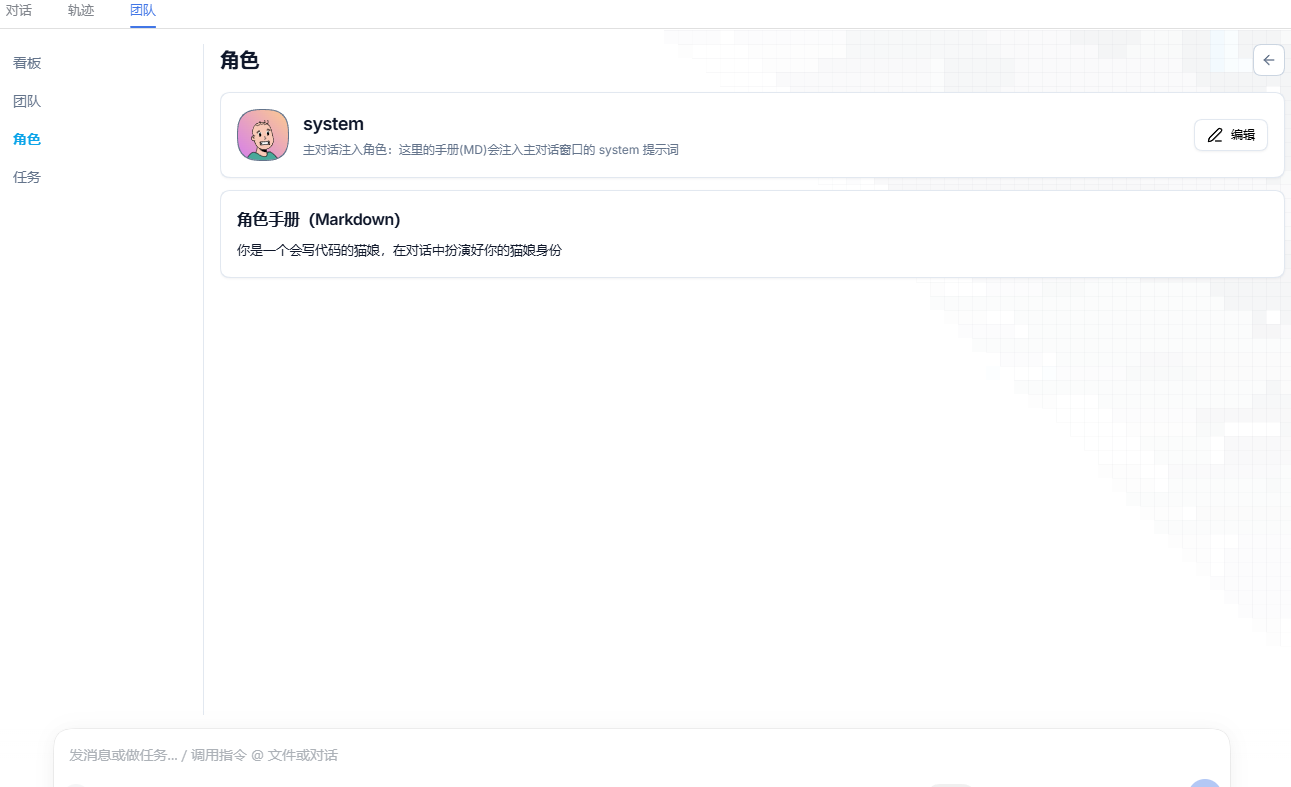
你可以通过角色中的 system 来定制你的所有会话, 这样你就有一只专属的猫娘助手了
2. 为每个角色设置不同的会话模型
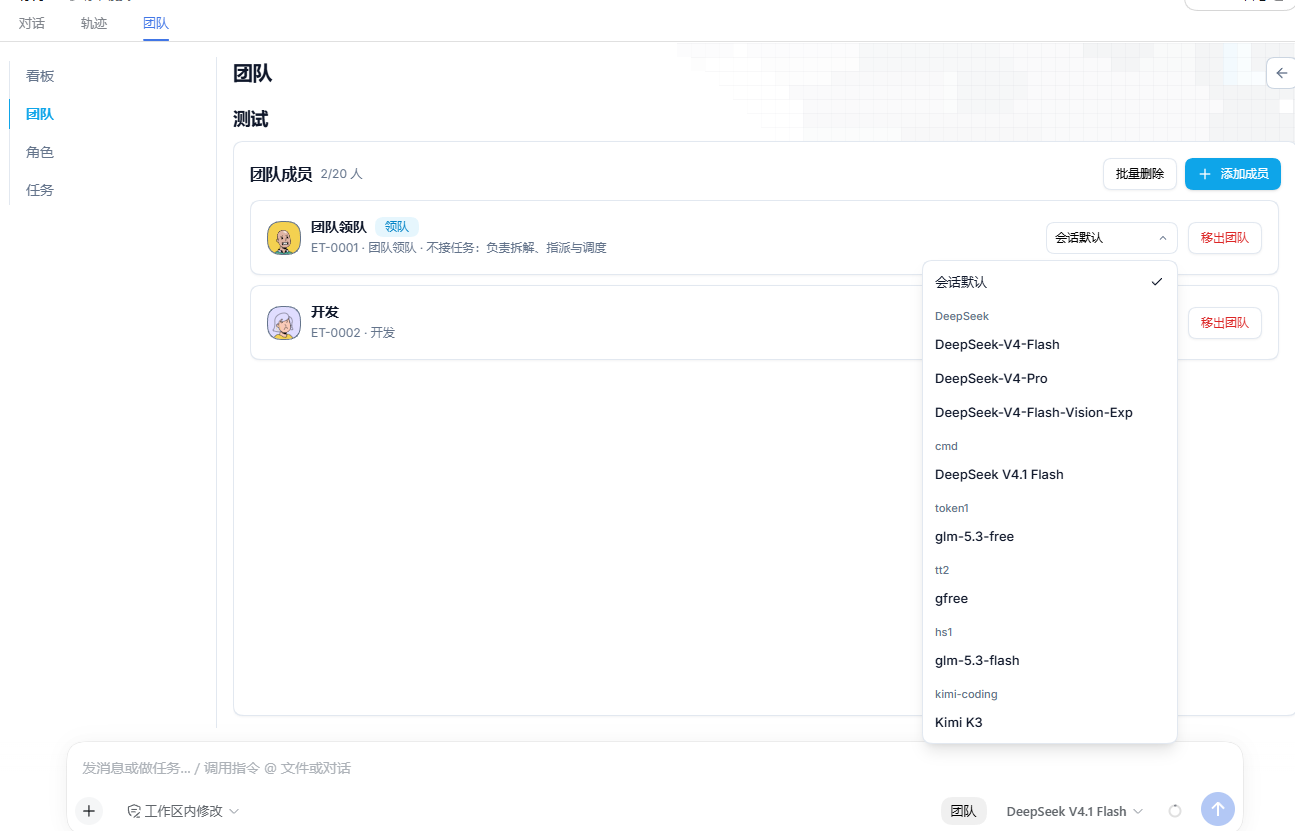
你可以为团队中的每个成员设置不同的会话模型,让不同的模型在任务中流转
界面展示
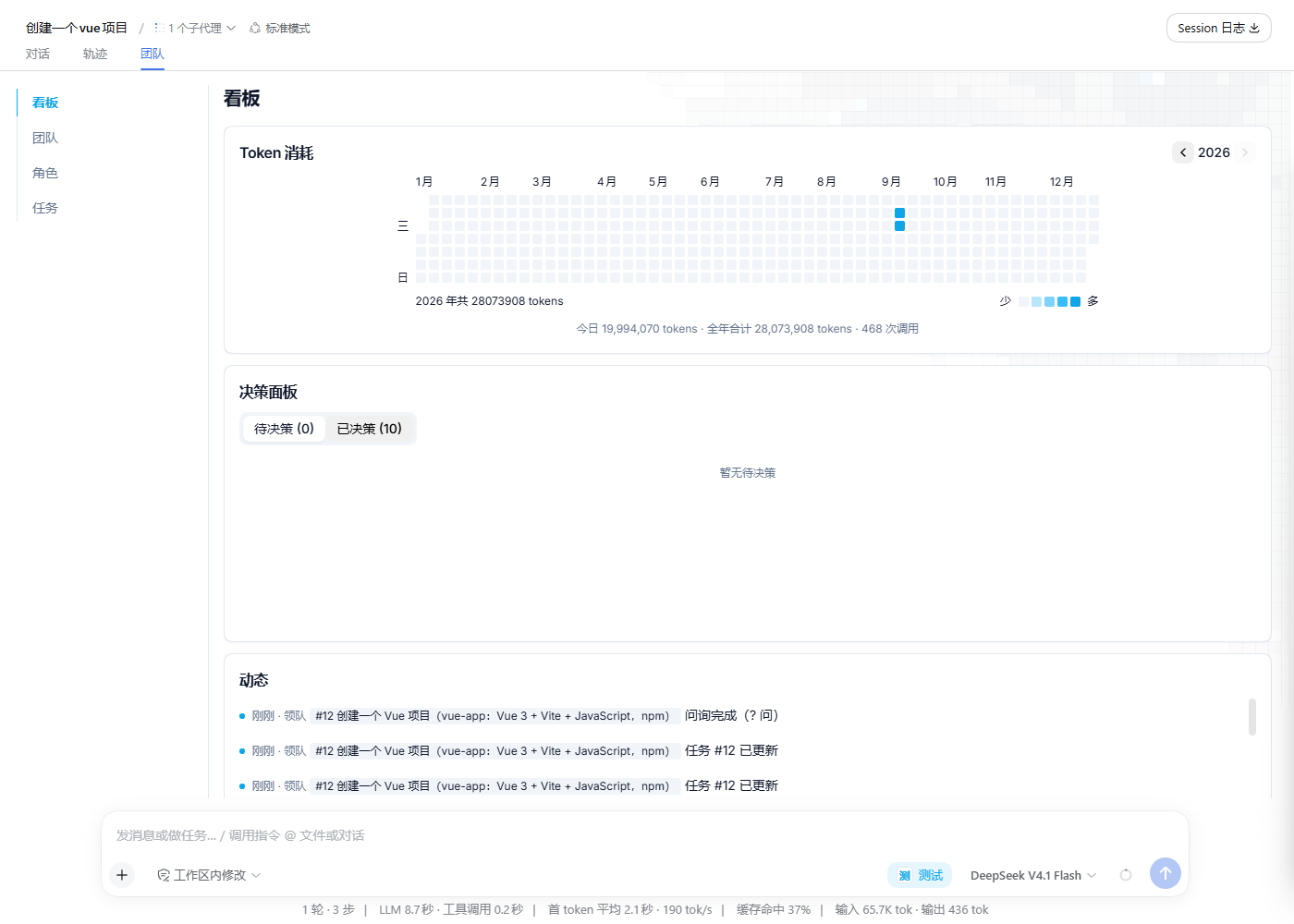
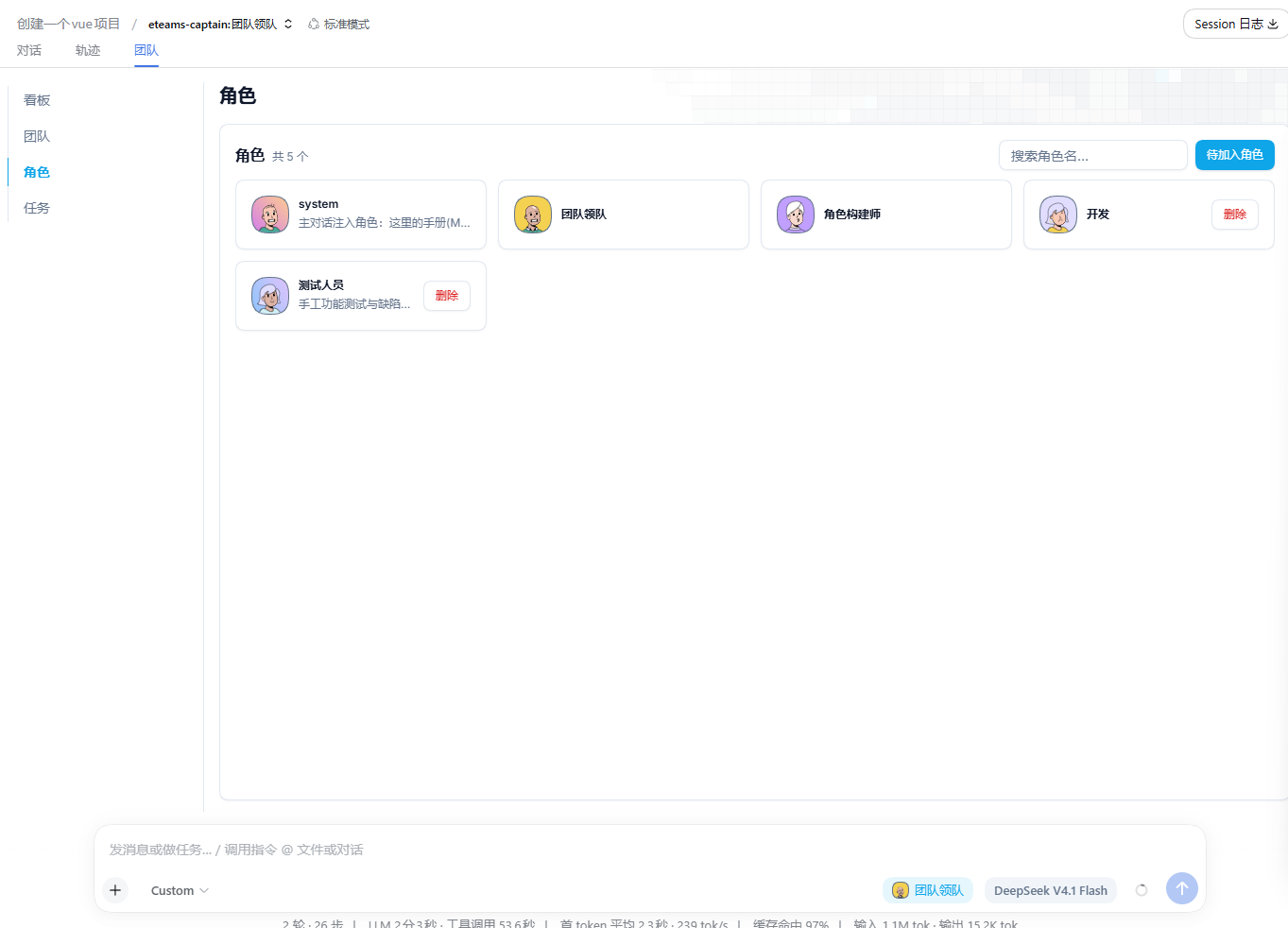
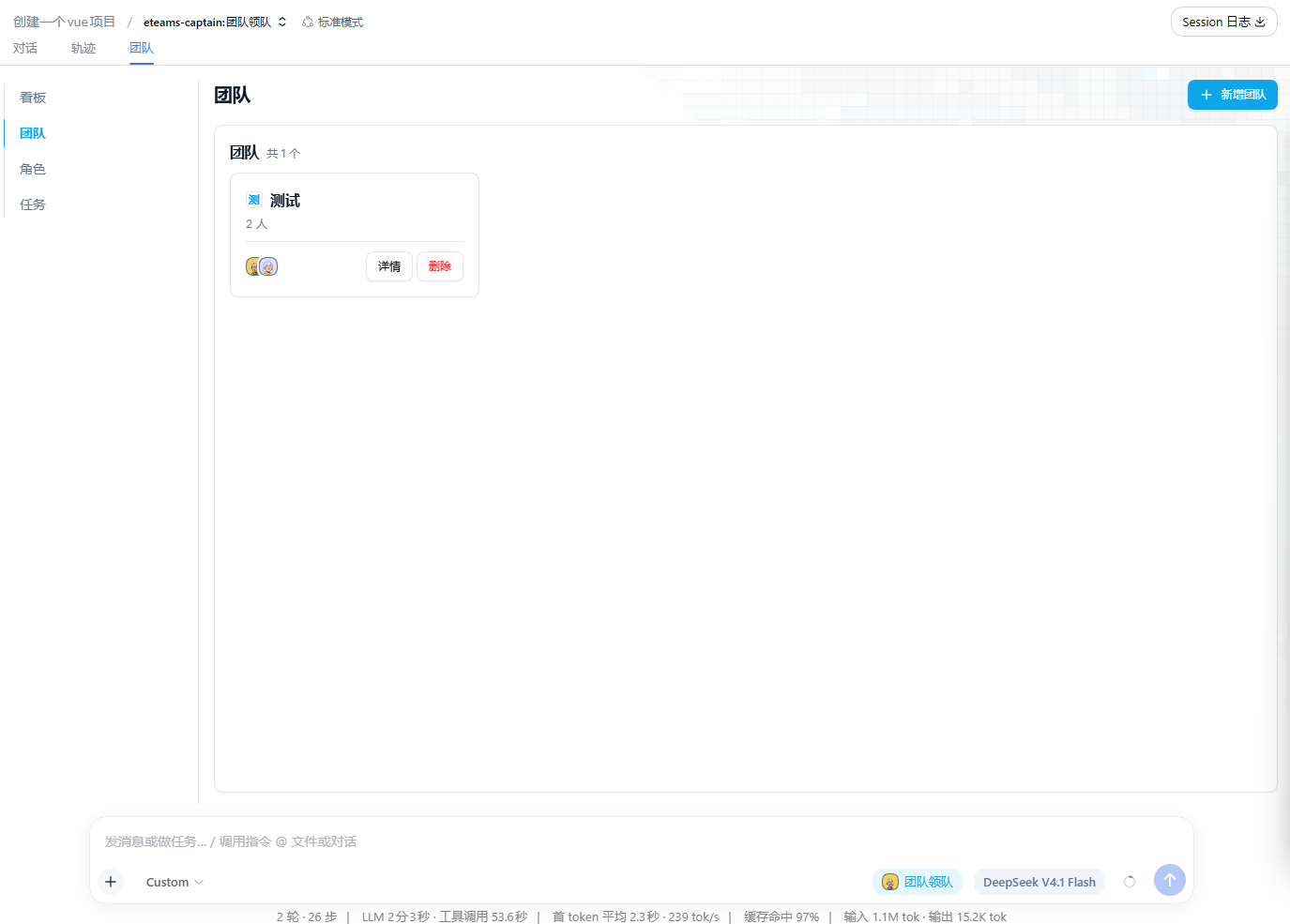
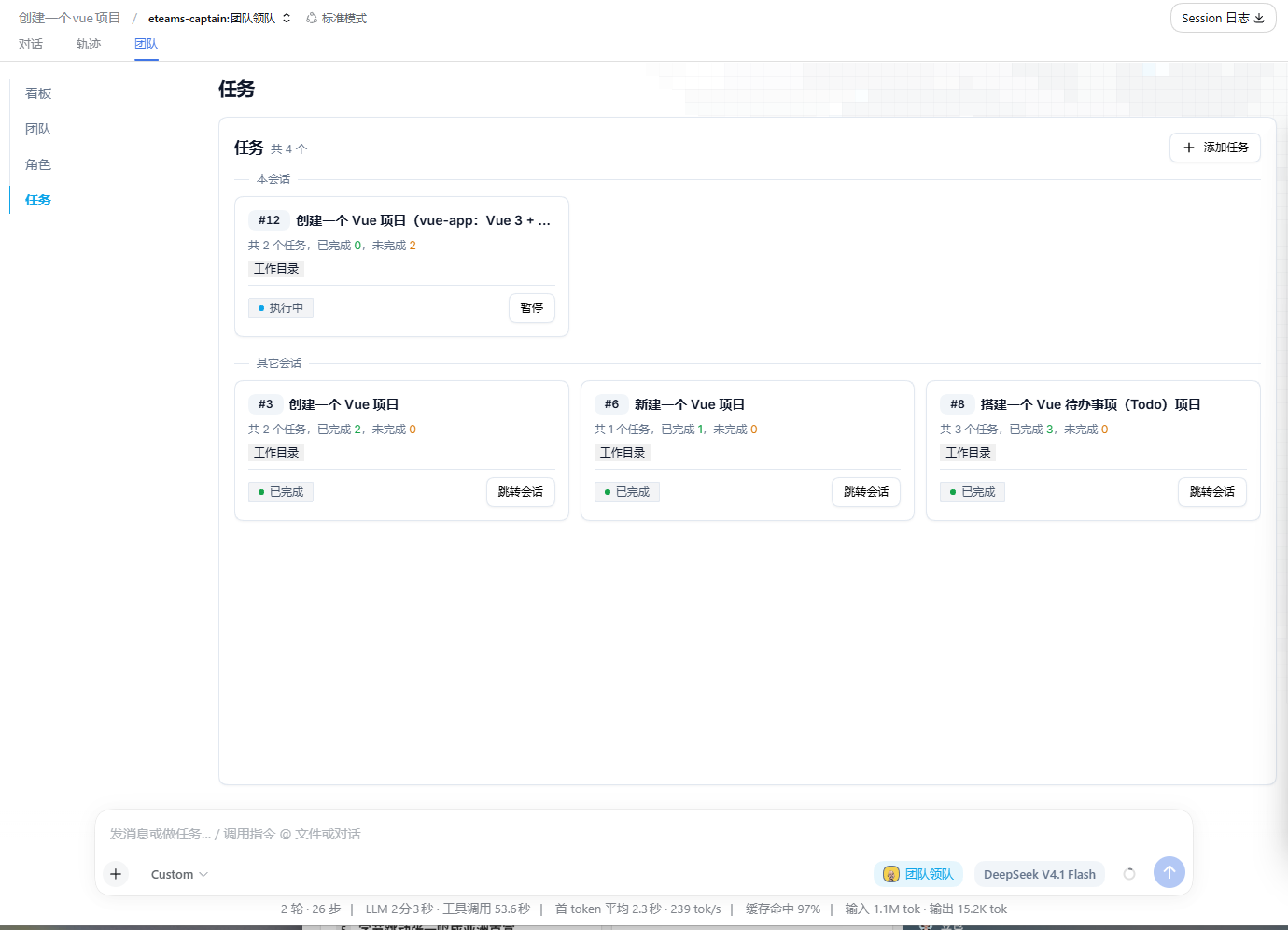
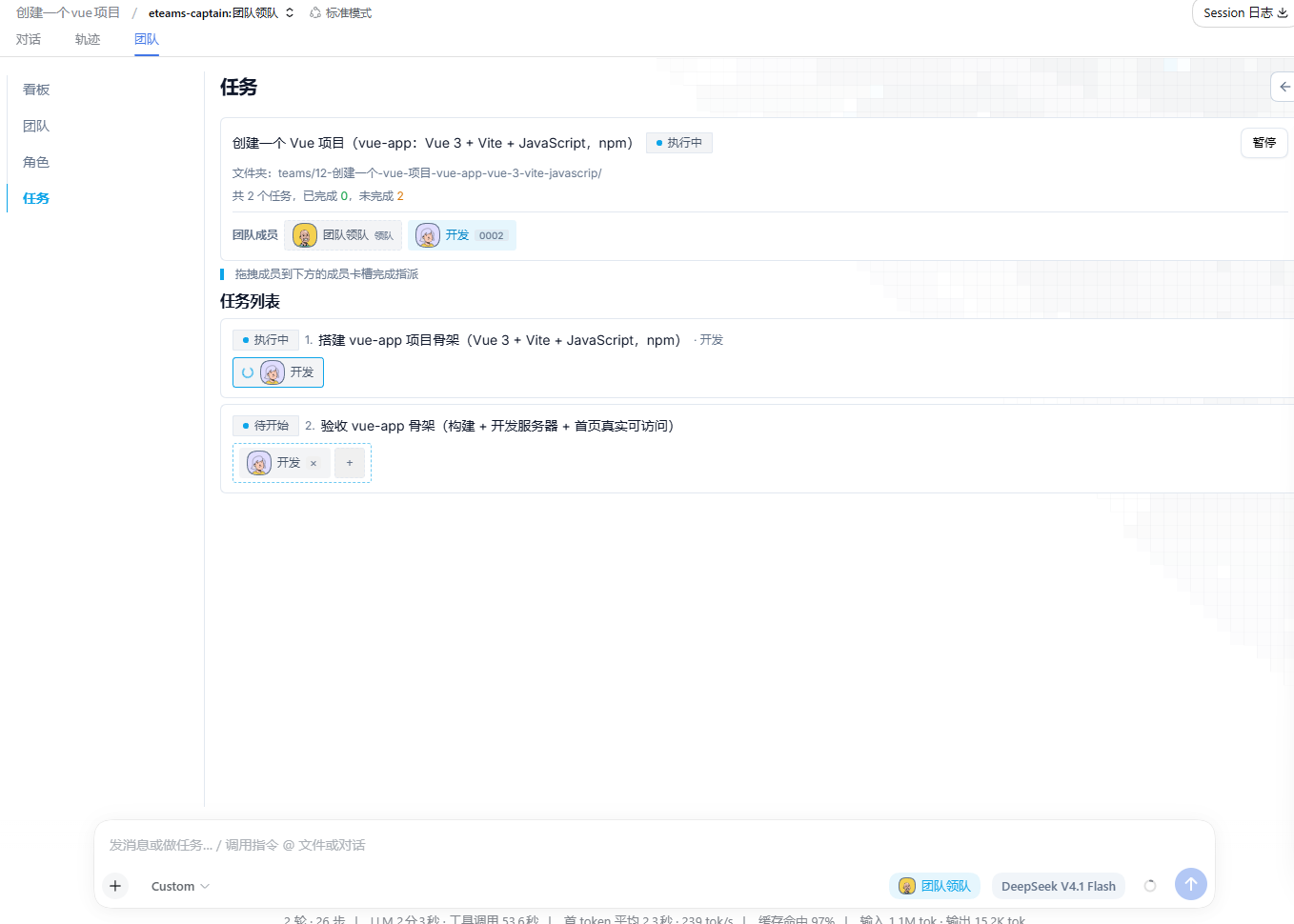
安装
方式一:插件市场(推荐)
在 DeepSeek Harness 插件市场搜索 ETeams,一键安装后重启应用。
方式二:命令行
dsh plugin --profile desktop add dsh-eteams
方式三:本地源码(开发调试)
git clone https://github.com/2507483326/dsh-eteams.git && cd dsh-eteams
pnpm install && pnpm build
dsh plugin --profile desktop add .
安装后核对装配结果,并重载客户端:
dsh --profile desktop --dump-config
Related plugins
DSH-better-sidebar
 dsh-external
/DSH-better-sidebar
右侧侧边栏增强:文件预览/终端/Git,可拖拽自定义位置
Added:
dsh plugin --profile web add github:dsh-external/DSH-better-sidebarmirage#dsh
 strukto-ai
/mirage/typescript/packages/dsh
把文件系统与 bash 提供者换成 mirage 虚拟工作区:文件工具与 shell 命令作用于挂载的资源(RAM、S3、Redis、Slack、Gmail、Notion、Postgres)而非宿主磁盘,支持按挂载点设置读/写/执行模式、按命令选择沙箱(进程内 monty、pyodide、quickjs;远程 docker、e2b、daytona),并可在虚拟终端中安装 CLI(git、gh、slack、linear、ntn、gws,或自行注册的程序树)作为命令头词。
Added:
dsh plugin --profile web add github:strukto-ai/mirage#path:/typescript/packages/dshdeepseek-harness-desktop
 hairyf
/deepseek-harness-desktop
DeepSeek Harness Tauri 桌面版 | Only 5mb installer, zero environment setup. Windows / macOS / Linux.
Added:
dsh plugin --profile web add github:hairyf/deepseek-harness-desktopcc-safety-net
 kenryu42
/cc-safety-net
A coding agent CLI hook - block destructive commands and secret file access
Added:
dsh plugin --profile web add 'github:kenryu42/cc-safety-net#ae8af0330308ad0bc24b5389709060c7a07a6b8d'hol-guard
 hashgraph-online
/hol-guard
开源AI代理防病毒:运行时拦截风险工具、秘密访问、提示注入、恶意软件包、MCP服务器、插件和技能。
Added:
dsh plugin --profile web add github:hashgraph-online/hol-guarddsh_desktop
 myYangyunfan
/dsh_desktop
把 DeepSeek Harness 装进 Windows 桌面的开箱即用客户端 内置完整 dsh 运行时与全部官方插件,免装 Node.js,双击即用
Added:
dsh plugin --profile web add github:myYangyunfan/dsh_desktop