Development & Runtime
dsh-desktop
LvsH13/dsh-desktop · ★ 1
 LvsH13
DeepSeek Harness 的 Windows 桌面端插件:托盘鲸鱼图标、桌面快捷方式、开机自启直达桌面窗口,一键切换桌面/网页端。 A Windows desktop companion for DeepSeek Harness: system tray (whale) icon, desktop shortcut, login auto-start straight into the desktop window, and one-click desktop/web switching.
An English summary is not available; the Chinese summary is shown.
Repository is no longer available (checked 2026-10-31). This entry is retained for tracking and cannot be installed.
README
Table of contents
🐋 Dsh-Desktop
A desktop companion plugin for DeepSeek Harness — tray whale icon · desktop shortcut · auto-start straight to the desktop window · one-click desktop/web switching






A Windows desktop companion for DeepSeek Harness: system tray (whale) icon, desktop shortcut, login auto-start straight into the desktop window, and one-click desktop/web switching.
⚠️ Windows-only: This plugin is for Windows 10 / 11. On macOS / Linux it loads without crashing, but the desktop features — tray, desktop shortcut, auto-start — will not work, because they depend on Windows PowerShell and Task Scheduler.
📌 Before you install: requires Node.js ≥ 20 (same as DeepSeek Harness); Microsoft Edge or Google Chrome is recommended (the app-mode desktop window needs a Chromium engine — with neither, it falls back to a plain default-browser window); no admin rights required; uninstall needs manual cleanup (tray, auto-start, shortcut,
%LOCALAPPDATA%\dsh-desktop).
🚀 Key point: the desktop experience = DeepSeek Harness + one plugin — no extra installation. DeepSeek Harness's desktop experience is delivered entirely as a Web plugin. No separate desktop client to download, no reinstall, no admin rights required. If you already have a DeepSeek Harness Web environment, install this plugin and restart to get the full desktop experience.
✨ Features
| Feature | Description |
|---|---|
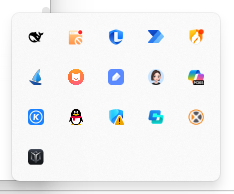
| 🐋 System tray companion | A whale icon in the notification area with a right-click menu: Open / Restart / Quit the harness |
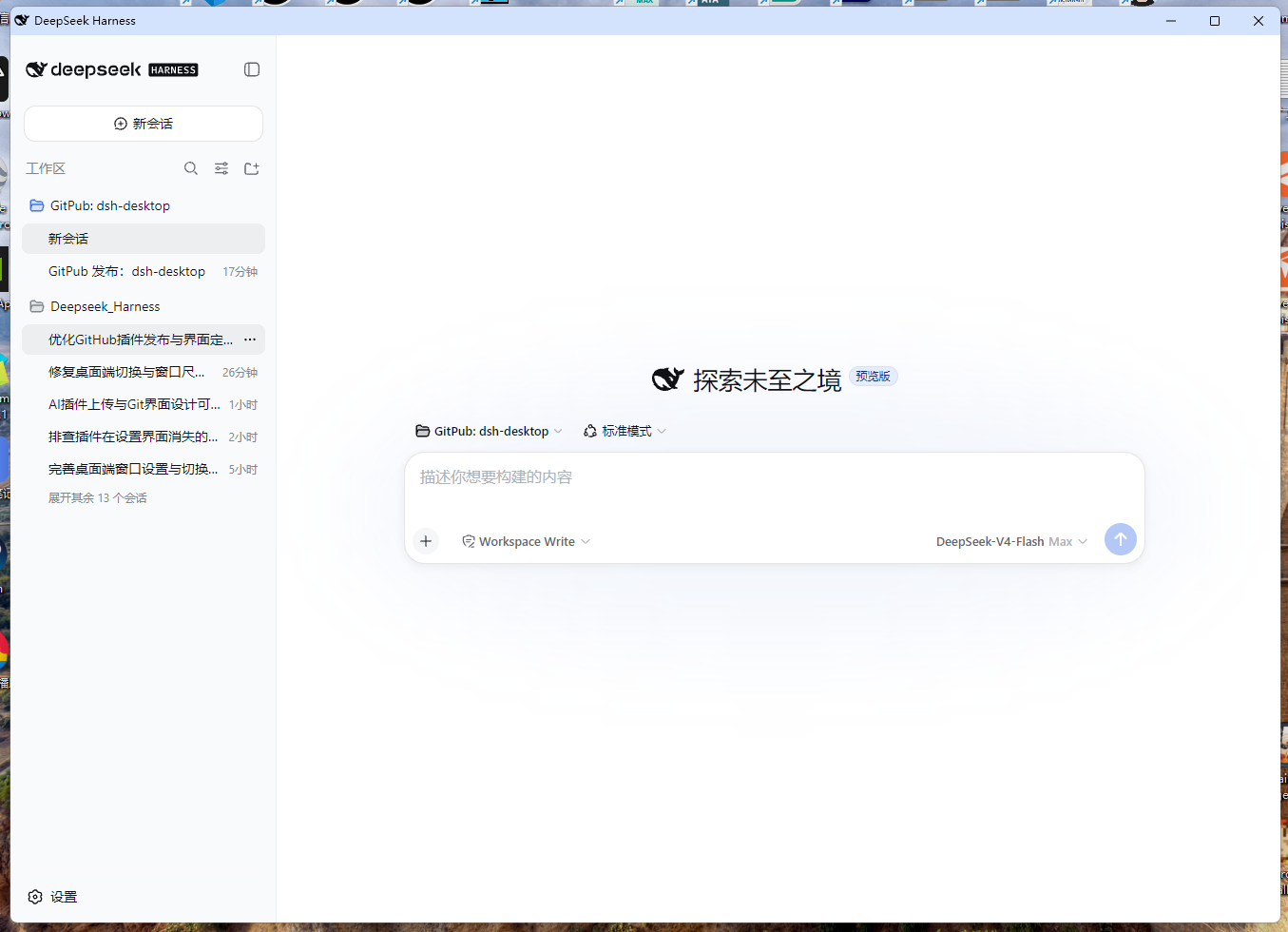
| 🖥️ Native desktop window | Rendered by your local Chromium in app mode (--app): 1352:972 adaptive ratio, centered, freely resizable; a dedicated browser profile keeps extensions, notifications and sign-in prompts out of the window; no startup flicker |
| 🔄 One-click desktop/web switching | The Settings button shows Switch to Desktop in web mode and Switch to Web in desktop mode; state is detected without WMI, so the label is always truthful |
| ⚡ Fast boot | The logon task uses a wscript.exe hidden launcher (cold-start <1s) to start node <entry> web directly (the exact entry is recorded in harness.json); before the service is ready, the desktop window shows the built-in boot page and auto-redirects once ready; no npx round trip, no port conflicts |
| 🔁 Login auto-start toggle | Registers a Task Scheduler logon trigger (the DSHDesktop task, no admin rights; HKCU\...\Run is only the fallback if registration fails) — fires immediately at sign-in, no startup-queue wait |
| 🚀 No console flash | Every external PowerShell launch (shortcut / tray / logon task) goes through a wscript.exe hidden runner (Win32 SW_HIDE) — no console window ever flashes during boot, open or switching |
| 🛡️ Reopen · tray self-heal · race guards | Reopen immediately after quit; a single-flight launch mutex ignores repeated clicks instead of starting competing Node flows; quit-marker wait, self-healing readiness wait and tray ownership guards against races |
| 🪟 Show/hide terminal | Toggle the harness terminal window from Settings |
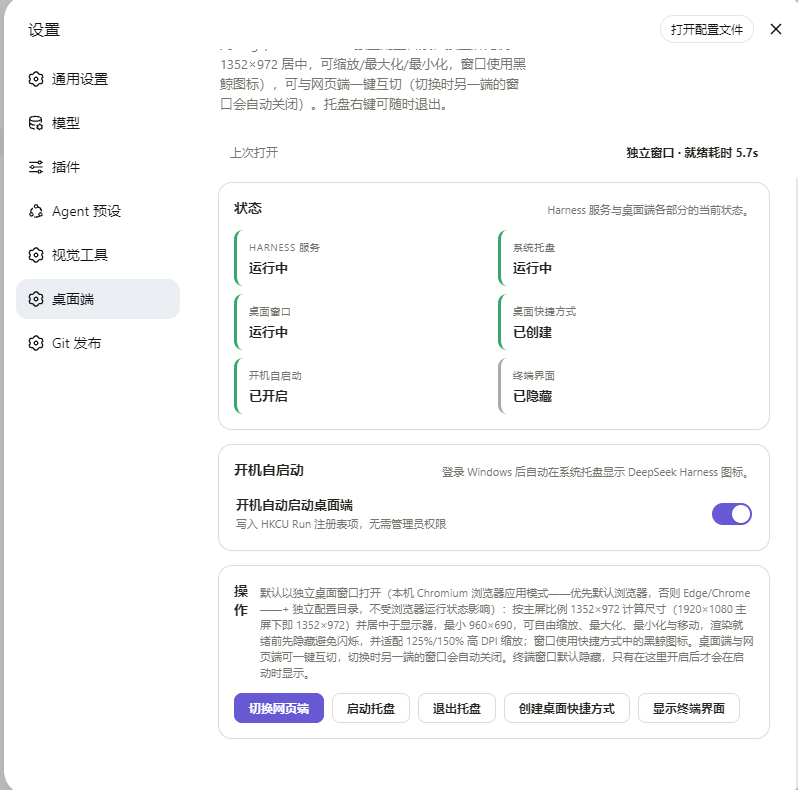
| ⚙️ Native Settings panel | A new Desktop section in the DSH Web UI: status cards, one-click actions, last-open diagnostics |
0.7.7 iteration
- Fixed slow quit-to-reopen behavior by closing known desktop-window PIDs directly and skipping unnecessary WMI scans for a normal single-node shutdown.
- Fixed repeated shortcut/tray clicks starting competing PowerShell and Node launch flows.
- Added tray Restart, which rebuilds the Harness service and desktop window while preserving the tray and auto-start configuration.
📦 Installation
Requirements
| Item | Requirement |
|---|---|
| OS | Windows 10 / 11 (built-in Windows PowerShell 5.1) |
| Runtime | Node.js ≥ 20 (the same Node you use for DeepSeek Harness) |
| Harness | DeepSeek Harness Web profile (dsh web) |
| Browser | Chromium-based recommended (Edge ships with Windows); the desktop window uses your default browser when it is Chromium-based, otherwise Edge → Chrome |
⚡ Option 1: Install with a single command (recommended)
Run in any terminal with an installed, working dsh CLI; the plugin manager handles dependency installation:
dsh plugin --profile web add github:LvsH13/dsh-desktop
Then restart the running Web profile:
- A 🐋 whale tray icon appears in the notification area;
- A new Desktop section shows up in Settings;
- Once auto-start is enabled, the logon task opens the desktop window with the boot page within seconds (no console flash).
Option 2: Install from a source checkout
git clone https://github.com/LvsH13/dsh-desktop.git
dsh plugin --profile web add "ABSOLUTE/PATH/TO/cloned/dsh-desktop"
Restart the Web profile afterwards.
Option 3: Manual install (standard Web plugin flow)
- Go to the web profile directory (default
%USERPROFILE%\.dsh\profiles\web); - Add this package to the
dependenciesofpackage.json— one command:npm install github:LvsH13/dsh-desktop - Add the following entry to the
insertlist of the profile'scordis.patch.yml:- insert: - id: dsh-desktop name: '@dsh-external/dsh-desktop' - Restart the Web profile — the plugin is now active.
Uninstall
dsh plugin --profile web remove "@dsh-external/dsh-desktop"
Optionally: quit the tray, disable auto-start (delete the DSHDesktop scheduled task; if the Run-key fallback was used, also delete the DSHDesktop value under HKCU\...\Run), delete the desktop shortcut and remove %LOCALAPPDATA%\dsh-desktop.
🚀 Usage
Open Settings → Desktop:
| Panel | What it does |
|---|---|
| Status | Live state of the harness service, tray, desktop window, desktop shortcut, auto-start, terminal |
| Auto-start | Enable/disable login auto-start (Task Scheduler logon trigger, Run-key fallback); when enabled, login starts the service in seconds and opens the desktop window with the boot page directly |
| Actions | Switch to Desktop / Switch to Web (labeled by the current mode), start/quit tray, create desktop shortcut, show/hide terminal |
The Last open line reports the previous launch: readiness time (e.g. ready in 1.2s) and window mode (standalone window / default browser), or the failure reason — check this first when something feels slow.
⚙️ Configuration
| Item | Location / Notes |
|---|---|
| Companion directory | %LOCALAPPDATA%\dsh-desktop\ (auto-migrated from v0.1's $DSH_HOME\desktop) |
dsh-tray.ps1 |
Core tray/launcher script (window layout, single instance, readiness polling, quit signal) |
harness.json |
Exact CLI entry of the running installation: node, DSH_HOME, origin, port |
state.json |
showTerminal / autoStart state |
open-state.json |
Last-open diagnostics (readiness time, window mode) |
| Boot page | boot.html — the black-whale-on-white page shown in the desktop window until the service is ready, then auto-redirects to the UI |
| Auto-start method | Task Scheduler logon trigger (the DSHDesktop task, no admin rights); HKCU\...\Run is only the fallback when registration fails; the active method is recorded in %LOCALAPPDATA%\dsh-desktop\autostart-method.json (task / runkey) |
| Desktop/web state detection | Dual-channel: recorded window PID (primary) + WMI command-line match (fallback) — reliable even without WMI |
| Runtime dependency | schemastery (the only runtime dependency) |
⚠️ Keep
dsh-tray.ps1as UTF-8 with BOM — Windows PowerShell 5.1 misreads BOM-less UTF-8.
📸 Showcase
| 🖥️ Desktop DeepSeek Harness | 🐋 Tray icon |
|---|---|
 |
 |
| 📌 Desktop shortcut | 🗔 Taskbar |
| :---: | :---: |
 |
 |
| ⚙️ Settings panel · dsh-desktop | |
| :---: | :---: |
 |
📄 License
🔖 Part of the dsh-plugin ecosystem: dsh-plugin topic · GitHub repository
Related plugins
DSH-better-sidebar
 dsh-external
/DSH-better-sidebar
右侧侧边栏增强:文件预览/终端/Git,可拖拽自定义位置
Added:
dsh plugin --profile web add github:dsh-external/DSH-better-sidebarmirage#dsh
 strukto-ai
/mirage/typescript/packages/dsh
把文件系统与 bash 提供者换成 mirage 虚拟工作区:文件工具与 shell 命令作用于挂载的资源(RAM、S3、Redis、Slack、Gmail、Notion、Postgres)而非宿主磁盘,支持按挂载点设置读/写/执行模式、按命令选择沙箱(进程内 monty、pyodide、quickjs;远程 docker、e2b、daytona),并可在虚拟终端中安装 CLI(git、gh、slack、linear、ntn、gws,或自行注册的程序树)作为命令头词。
Added:
dsh plugin --profile web add github:strukto-ai/mirage#path:/typescript/packages/dshdeepseek-harness-desktop
 hairyf
/deepseek-harness-desktop
DeepSeek Harness Tauri 桌面版 | Only 5mb installer, zero environment setup. Windows / macOS / Linux.
Added:
dsh plugin --profile web add github:hairyf/deepseek-harness-desktopcc-safety-net
 kenryu42
/cc-safety-net
A coding agent CLI hook - block destructive commands and secret file access
Added:
dsh plugin --profile web add 'github:kenryu42/cc-safety-net#ae8af0330308ad0bc24b5389709060c7a07a6b8d'hol-guard
 hashgraph-online
/hol-guard
开源AI代理防病毒:运行时拦截风险工具、秘密访问、提示注入、恶意软件包、MCP服务器、插件和技能。
Added:
dsh plugin --profile web add github:hashgraph-online/hol-guarddsh_desktop
 myYangyunfan
/dsh_desktop
把 DeepSeek Harness 装进 Windows 桌面的开箱即用客户端 内置完整 dsh 运行时与全部官方插件,免装 Node.js,双击即用
Added:
dsh plugin --profile web add github:myYangyunfan/dsh_desktop