Themes & Appearance
dsh-wallpaper-engine
elysia395/dsh-wallpaper-engine · ★ 4,189
 elysia395
Wallpaper Engine backgrounds for the DSH web GUI: plays local Video/Web wallpapers behind the chat, renders Scene wallpapers as extracted static frames, and adds content-rating/type filters, custom uploads and an iOS-style liquid-glass settings window.
安装
dsh plugin --profile web add github:elysia395/dsh-wallpaper-engineGitHub 源码安装:首次需按提示配置 allowBuilds 构建授权后重试
For install and environment setup, plus plugin development tutorials, see DSH community docs ↗
Screenshots


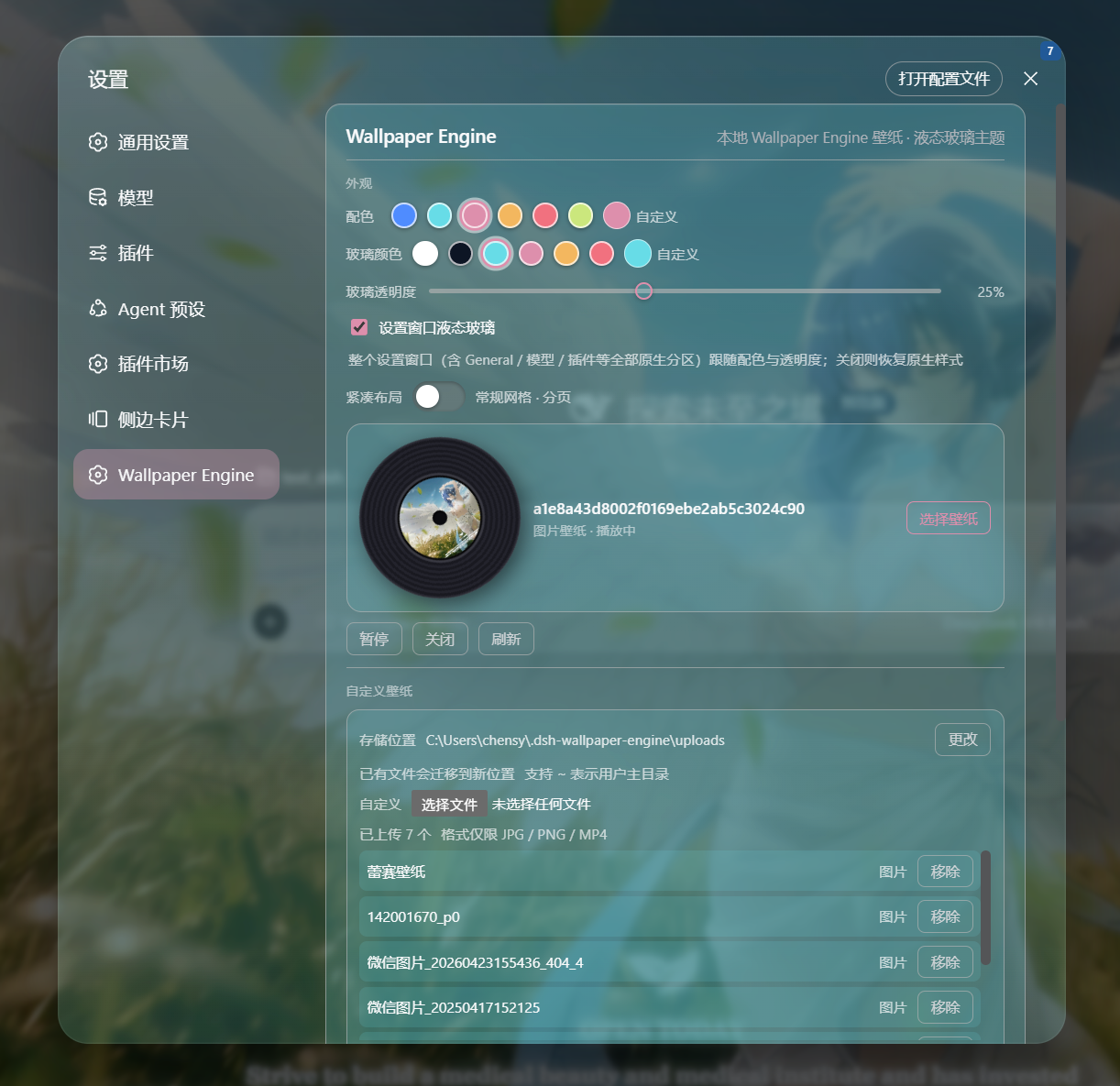

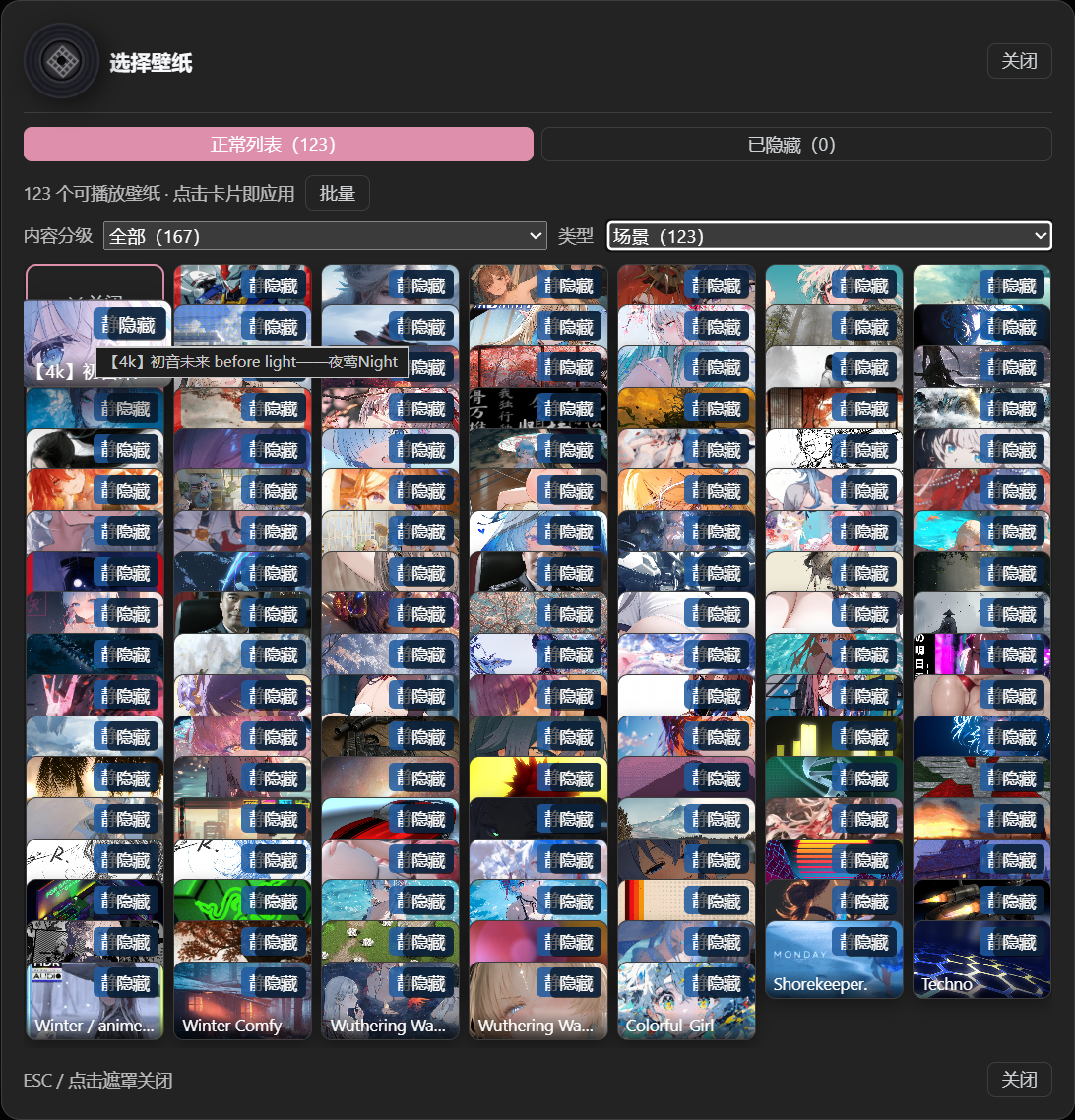

README




Bring local Wallpaper Engine Scene, Web and Video wallpapers into DSH, with liquid glass, typography, mascots and shareable appearance presets. The plugin registers no agent tools or prompt text, so it adds no model token overhead.
- Wallpapers: live Scene / Web rendering, video playback, local image / video uploads and WE project directories.
- Appearance: liquid glass for settings, conversation and sidebar; colors, transparency, blur, borders and fonts.
- Glass subpackage: liquid glass is a standalone subpackage row,
wallpaper-engine-glass, which can be disabled on its own in the plugin manager; with it disabled the host — except for the wallpaper shown in the content area — returns to its native look, while wallpapers, fonts and mascots keep working. - Extensions: mascots, conversation avatars, click / pointer-trail effects, 3D parallax and optional official
dsh-petintegration. - Library: filters, hide / restore, rotation lists and whole-configuration preset import / export.
| Type | How it works in DSH | Support |
|---|---|---|
| Scene | Built-in WebWallGL live rendering, with fallback chain | Supported; no WE process required |
| Web | Web page mounting, WE API shim and sandboxing | Supported; depends on the page and browser |
| Video | Browser playback with transcoding, fps cap and pause control | Supported |
| Custom image / video | Upload local JPG / PNG / MP4 | Supported; files stay local |
Application wallpapers require launching third-party executables and are not supported; they never enter the library or rotation candidates.
Requires Node.js >= 22.12.0, a DSH 0.2 kernel (including 0.2.0-rc.1/rc.2) and pnpm. Close DSH completely before installing.
npm (recommended)
dsh plugin --profile web add dsh-plugin-wallpaper-engine
Use desktop instead of web for the desktop host.
The repository ships a multi-package release set: installing the main package resolves the same-version subpackages (current package/tarball counts and publishOrder live in RELEASING; per-version changes in CHANGELOG).
From source
node scripts/install-source.mjs --profile desktop --dsh-home "<DSH data directory>" --app-closed
Keep the source directory in place after installation. See upgrading and contributing; see the beginner guide if you are new to the command line.
- Open Settings → Wallpaper Engine → Library, or pull the mascot cord above the chat.
- Pick a thumbnail in the in-panel library and adjust playback / appearance; changes apply immediately and persist on the host.
- Pause / play controls only the current playback; clearing the current wallpaper never deletes the source file.
- Windows, macOS and Linux share the same source. macOS has no Wallpaper Engine client: upload images / videos or point custom-wallpaper storage at WE project directories.
- Scene rendering depends on browser WebGL and drivers; complex workshop projects may differ. Failures degrade gracefully.
- Occlusion pause, focus-loss pause and audio loopback are platform-adapted; online lyrics are off by default.
- When running with other skins / plugins, read Coexistence first.
Bug reports, platform feedback, documentation fixes and feature PRs are welcome. Include host / plugin versions, OS, wallpaper type, reproduction steps and sanitized logs.
- How it works · Troubleshooting · Upgrading
- Changelog · Coexistence · Code structure
- Contributing · Release process
Special thanks to all contributors for their contributions to this project ❤️
Related plugins
dsh-web-ui
 dsh-external
/dsh-web-ui
DSH Web UI 皮肤集合(skins/qq98、ths,热插拔客户端插件包)
Added:
dsh plugin --profile web add github:dsh-external/dsh-web-uidsh-deep-whale
 Small-tailqwq
/dsh-deep-whale
DSH Web 鲸鱼娘皮肤系列(深海女仆工坊 maid-atelier)。
Added:
dsh plugin --profile web add github:Small-tailqwq/dsh-deep-whalemaid-atelier
Small-tailqwqSmall-tailqwq/dsh-deep-whale/maid-atelier
DSH Web 鲸鱼娘皮肤系列(深海女仆工坊 maid-atelier)。
Added:
dsh plugin --profile web add github:Small-tailqwq/dsh-deep-whale#path:/maid-atelierdeepseek-harness-desktop
 ningbainb
/deepseek-harness-desktop
开源Windows桌面客户端和GUI——DeepSeek Harness——零配置安装器,包含Codex、插件、技能、SSH、移动远程访问和11种皮肤。
Added:
dsh plugin --profile web add github:ningbainb/deepseek-harness-desktopopen-sea-skin
 d-dev0101
/open-sea-skin
Interactive website · 中文 · Architecture · Release guide
Added:
dsh plugin --profile web add github:d-dev0101/open-sea-skindsh-liang-skin
 kingOfSoySauce
/dsh-liang-skin
DeepSeek Harness 滑动变阻器皮肤
Added:
dsh plugin --profile web add github:kingOfSoySauce/dsh-liang-skin