
Themes & Appearance
air-pixel-liquid-glass
AIR-pixel/air-pixel-liquid-glass · ★ 2
 AIR-pixel
A configurable Liquid Glass theme for DeepSeek Harness with translucent surfaces, wallpaper, desktop transparency, window blur, custom cursors, click ripples, and per-side conversation contrast controls.
Manifest details
安装
dsh plugin --profile web add 'github:AIR-pixel/air-pixel-liquid-glass#c0e2fbff0cbfeb5416e6d3542e5863ccb7360cbc'GitHub 源码安装:首次需按提示配置 allowBuilds 构建授权后重试
For install and environment setup, plus plugin development tutorials, see DSH community docs ↗
README
A configurable Liquid Glass theme plugin for DeepSeek Harness. It adds translucent interface surfaces, an optional wallpaper, desktop transparency, window blur, custom cursors, click ripples, and per-side conversation contrast controls.
Screenshots
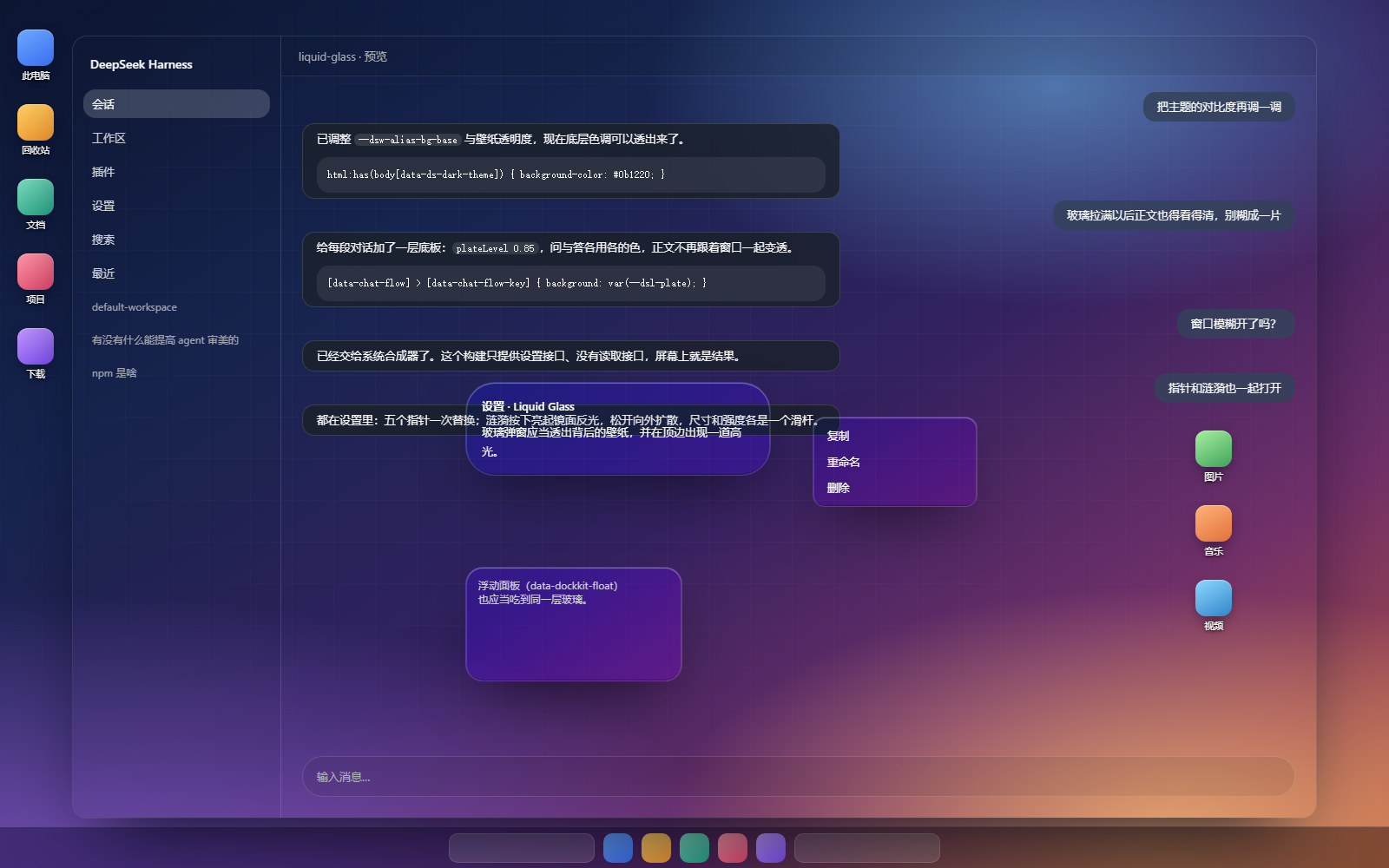
Full transparency: strength 2.0 (效果强度) with desktop transparency on (透出桌面), so the desktop reaches the eye unfiltered. The per-side conversation plates are what keep the body copy readable this far up the slider.
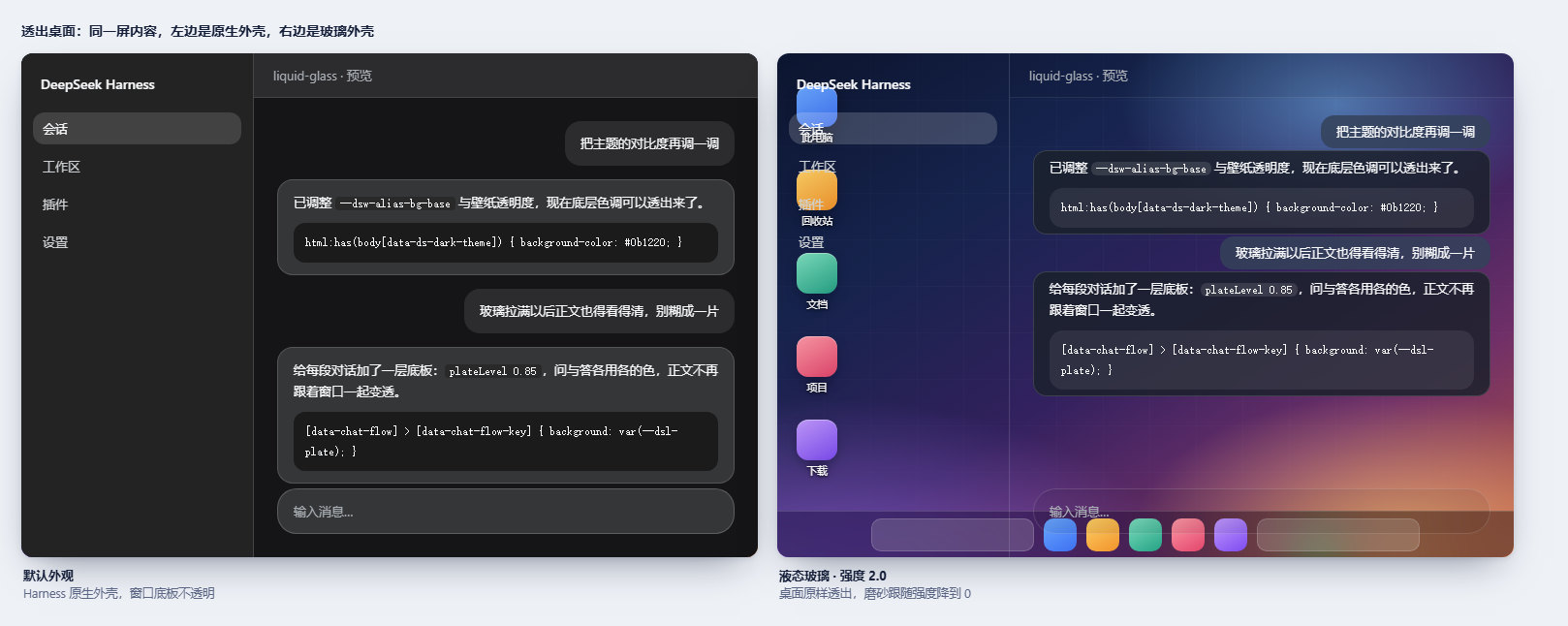
The same screen with and without the theme:
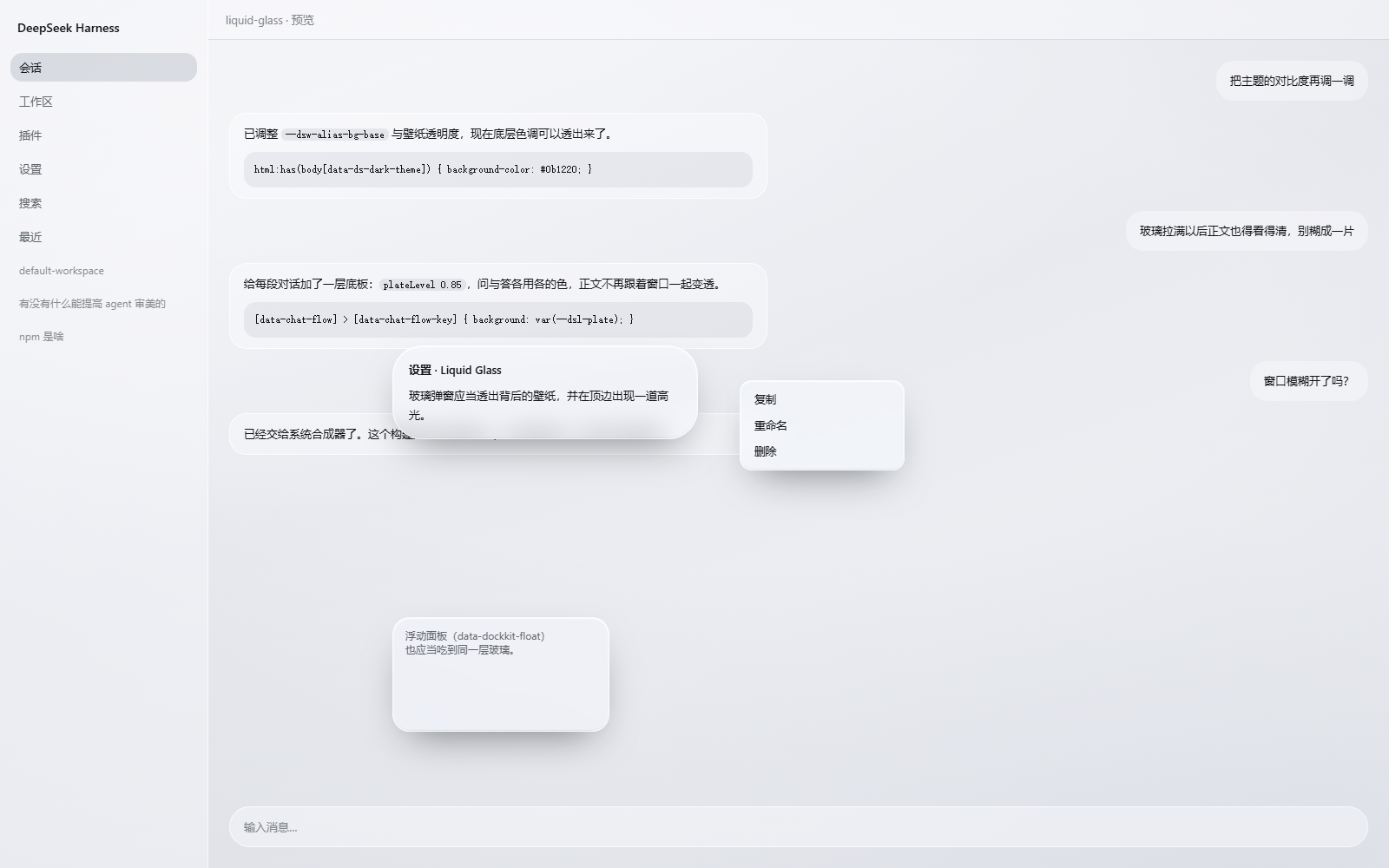
At the default strength, over the theme's own wallpaper — sidebar, pane, dialog, menu and floating panel:
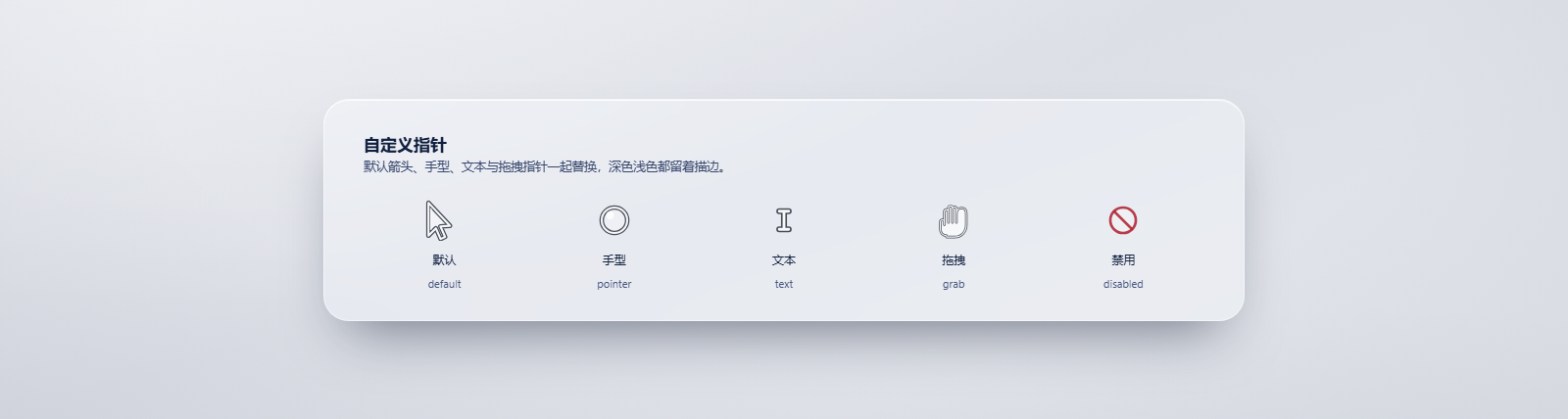
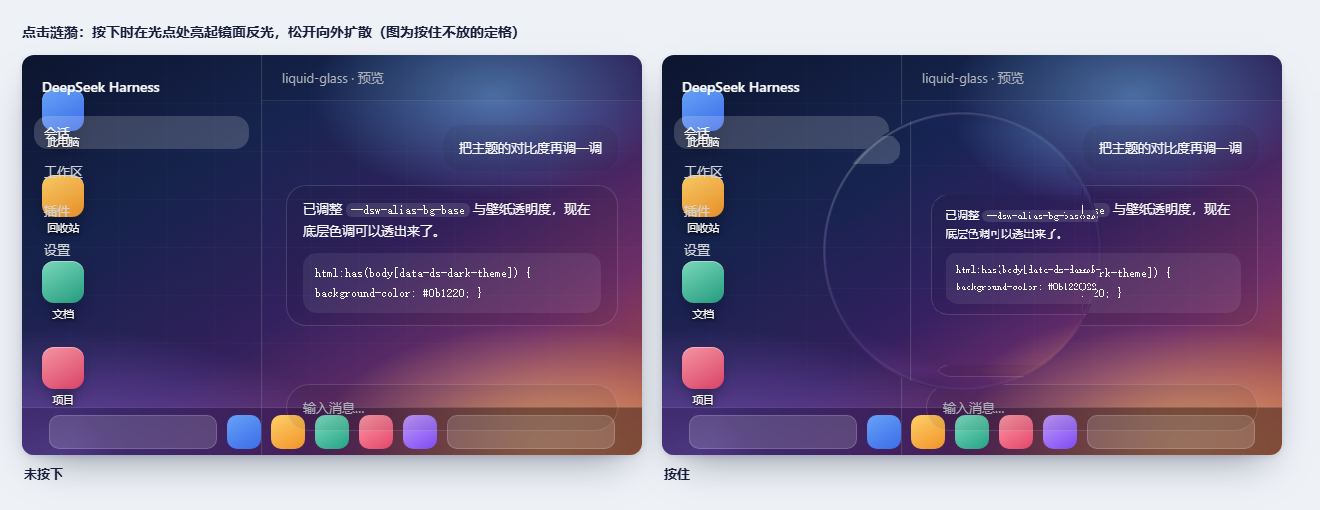
| Custom cursors | Click ripple |
|---|---|
 |
 |
The four tint presets, light and dark:
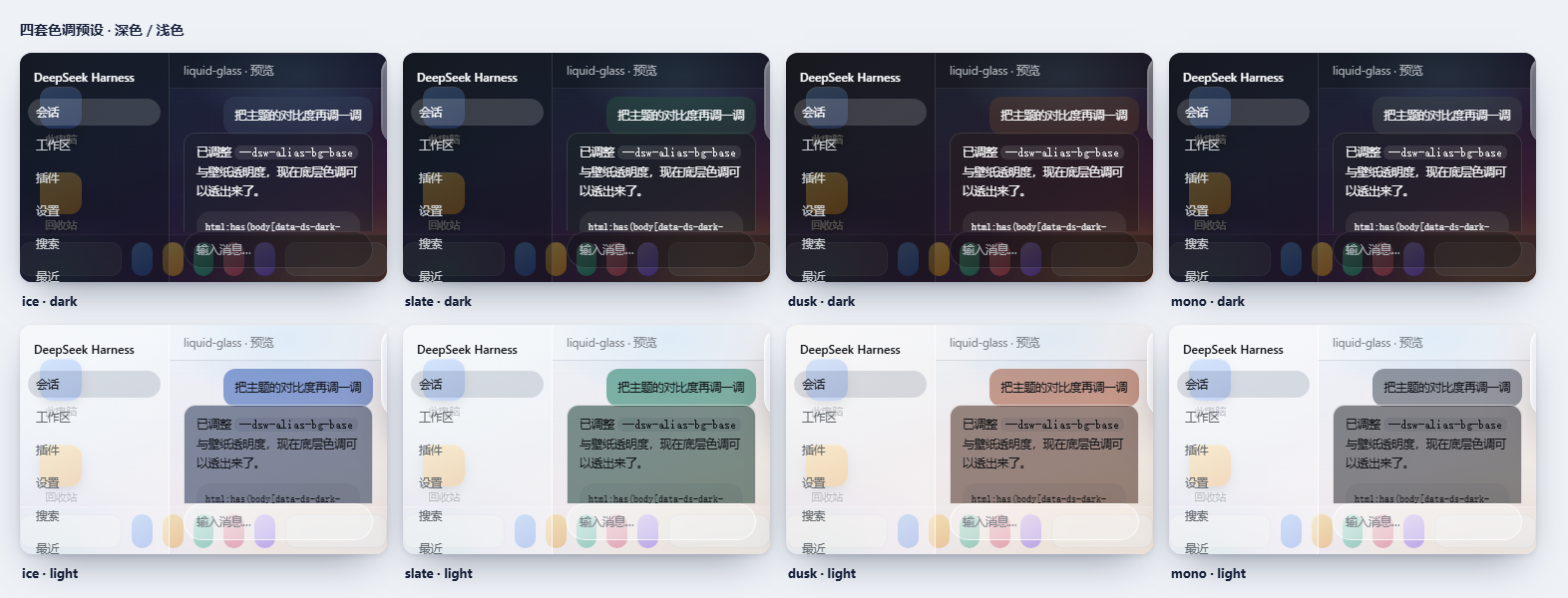
These are renders, not photographs. node tools/docshots.mjs boots the real client.js in a stand-in shell over a drawn desktop. A screen capture cannot show this feature at all: PrintWindow drops the alpha channel, so a see-through window comes back as a black rectangle — measured in tools/appshot.py.
Features
- Frosted surfaces with adjustable strength, blur, tint, and wallpaper.
- Optional transparent desktop and Windows window material controls. Desktop transparency requires the included client patch helper; the setting reports when the patch is unavailable.
- Custom cursors and click ripples, each independently configurable.
- Separate contrast settings for human and assistant messages.
- English and Chinese settings UI.
Install
Install air-pixel-liquid-glass as a DeepSeek Harness bundle, then enable Liquid Glass in Settings. The desktop transparency and window blur controls need their host-side patch; the theme and other visual options do not.
Development
Requires Node.js. Run the syntax and behavior checks with:
node tools/preflight.mjs
node tools/verify.mjs
node tools/patcheck.mjs
node tools/mutationaudit.mjs
Regenerate the images above with node tools/docshots.mjs (writes assets/, which screenshots.json points the plugin market at). Some visual inspection scripts need Python with Pillow. See DEVELOPMENT.md for architecture, checks, and rename migration details.
Compatibility
Designed for DeepSeek Harness on Windows and the web GUI. Desktop transparency and window blur depend on the installed Harness build and supported Windows compositor APIs.
Verified against Harness core 0.2.1-rc.2; that is the only core this version declares support for. The slots seat moved into the core's client runner in the 0.2.x line, so 0.1.x cores are out — stay on plugin 0.1.0 there.
Permissions and behavior
The plugin injects theme styles and custom cursors into the Harness web UI, reads and writes its own JSON settings through a local host API, and logs diagnostic status through the host logger. The optional tools/asarpatch.py helper modifies the installed Harness app.asar only when run explicitly by the user; it keeps a backup and supports checking or reverting the patch. The plugin does not make external network requests.
License
MIT. See LICENSE.
Related plugins
dsh-web-ui
 dsh-external
/dsh-web-ui
DSH Web UI 皮肤集合(skins/qq98、ths,热插拔客户端插件包)
dsh plugin --profile web add github:dsh-external/dsh-web-uidsh-wallpaper-engine
 elysia395
/dsh-wallpaper-engine
DSH 网页界面壁纸:把本机 Wallpaper Engine 的 Video/Web 壁纸实时播放到聊天界面后方,Scene 壁纸提取主纹理作为静态帧,支持内容分级/类型过滤、自定义壁纸上传与 iOS 液态玻璃设置窗口。
dsh plugin --profile web add github:elysia395/dsh-wallpaper-enginedsh-deep-whale
 Small-tailqwq
/dsh-deep-whale
DSH Web 鲸鱼娘皮肤系列(深海女仆工坊 maid-atelier)。
dsh plugin --profile web add github:Small-tailqwq/dsh-deep-whalemaid-atelier
Small-tailqwqSmall-tailqwq/dsh-deep-whale/maid-atelier
DSH Web 鲸鱼娘皮肤系列(深海女仆工坊 maid-atelier)。
dsh plugin --profile web add github:Small-tailqwq/dsh-deep-whale#path:/maid-atelierdeepseek-harness-desktop
 ningbainb
/deepseek-harness-desktop
开源Windows桌面客户端和GUI——DeepSeek Harness——零配置安装器,包含Codex、插件、技能、SSH、移动远程访问和11种皮肤。
dsh plugin --profile web add github:ningbainb/deepseek-harness-desktopopen-sea-skin
 d-dev0101
/open-sea-skin
Interactive website · 中文 · Architecture · Release guide
dsh plugin --profile web add github:d-dev0101/open-sea-skin