Themes & Appearance
dsh-client-ui-skin-claude
PAKIKNOWLEDGE/dsh-client-ui-skin-claude · ★ 15
 PAKIKNOWLEDGECurated
Claude-style skin with a warm-black canvas, clay accent, and serif UI that follows the native light and dark themes.
Archived repository
安装
dsh plugin --profile web add github:PAKIKNOWLEDGE/dsh-client-ui-skin-claudeGitHub 源码安装:首次需按提示配置 allowBuilds 构建授权后重试
For install and environment setup, plus plugin development tutorials, see DSH community docs ↗
README
Table of contents
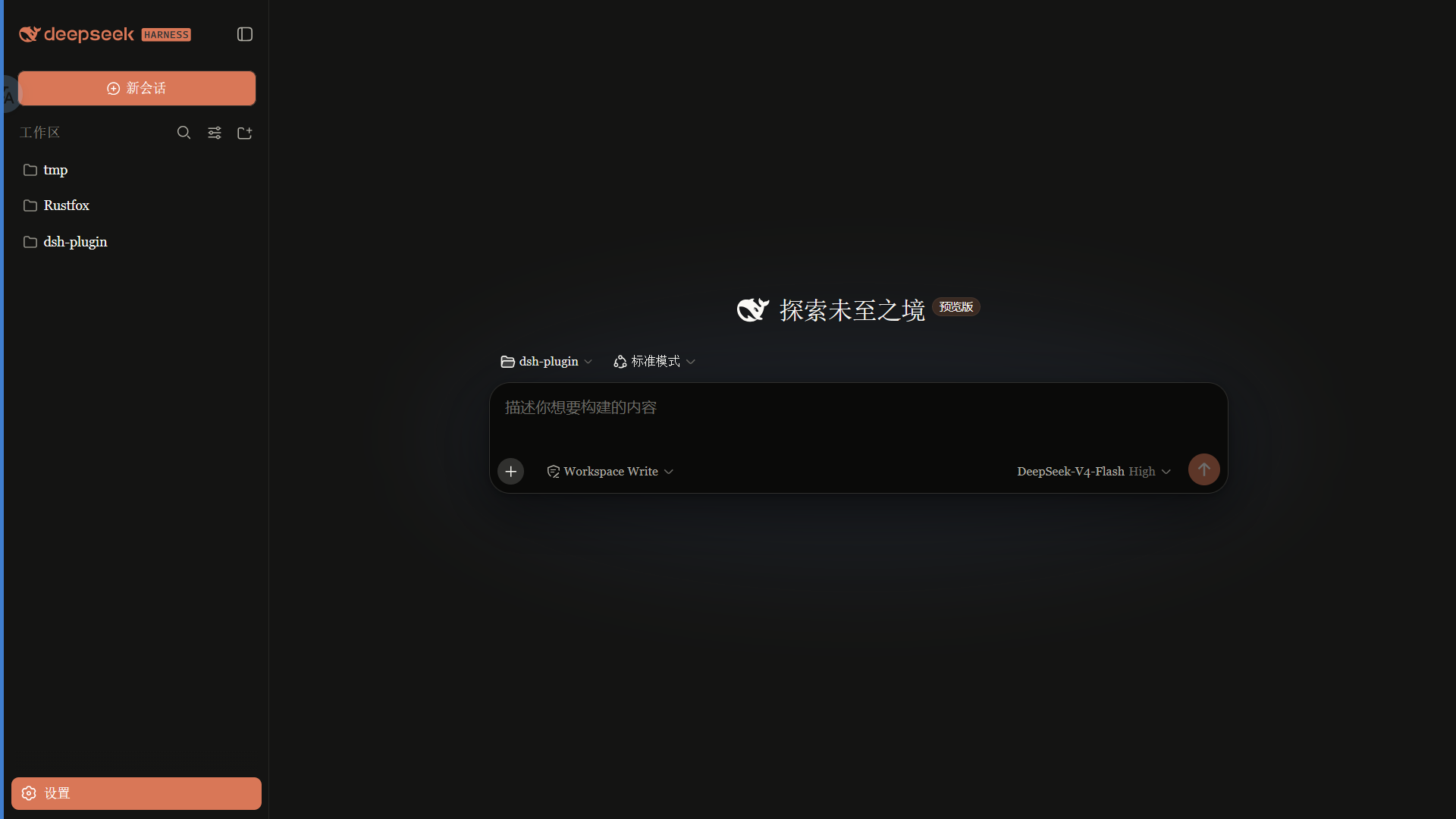
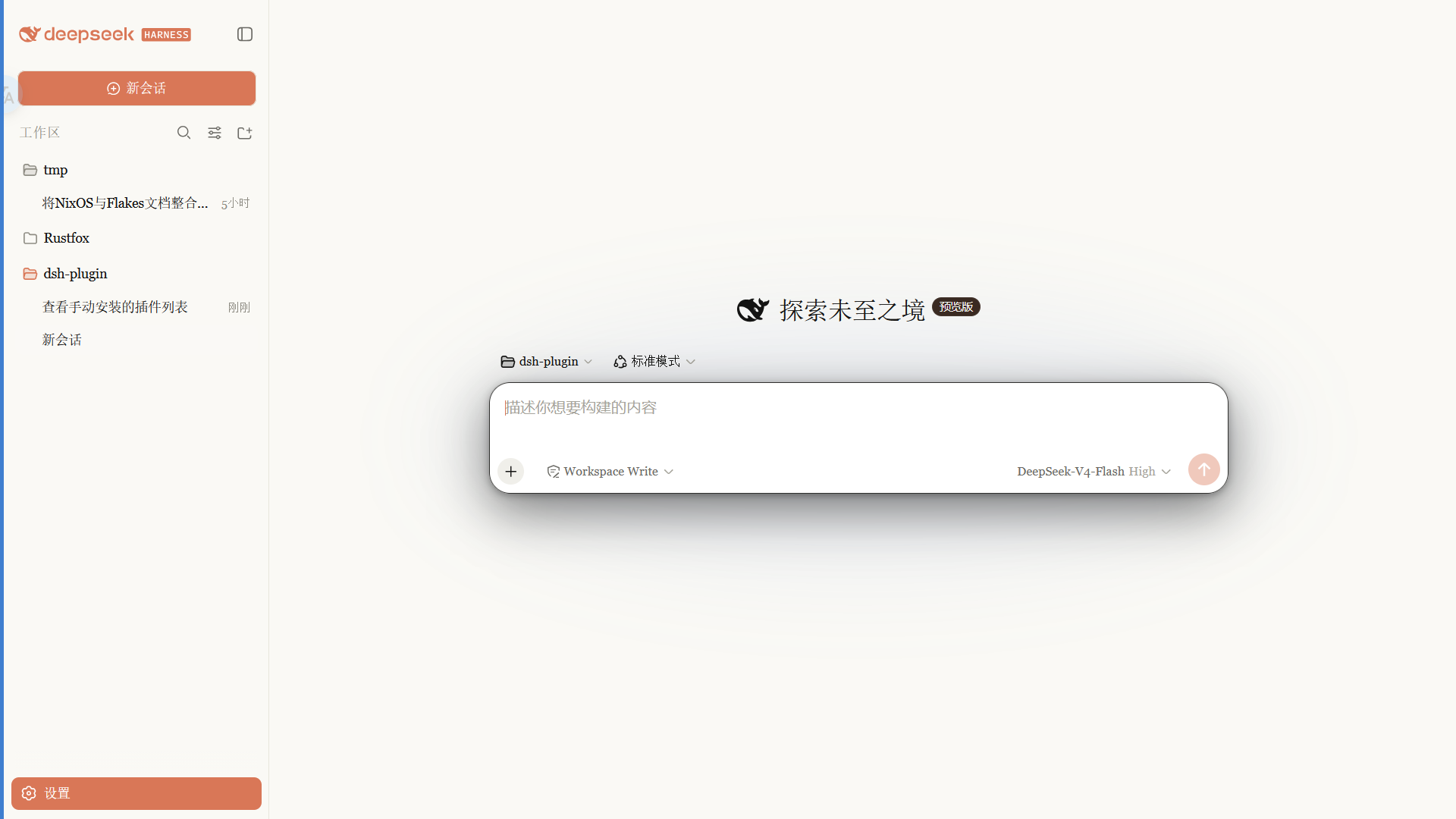
A Claude-style skin for the DSH Web GUI: warm-black canvas, clay accent, built-in Anthropic font modes, follows the native light/dark theme.
 ·
Features
- Warm-black (#141413) canvas with an Anthropic clay (#d97757) accent
- Font modes:
- Anthropic native (default): Anthropic Sans for UI, Anthropic Serif for conversation, Anthropic Mono for code
- Skin serif: keeps the original serif UI style
- System default: leaves DSH fonts untouched
- Slim scrollbars, clay selection/focus, pill badges
- Light and dark variants that follow the system theme
Fonts
Important: the npm package does not ship font files. Font files are available in the
fonts/folder of this repository; install them manually, then refresh/restart the web UI.
| Font | Used for | File |
|---|---|---|
| Anthropic Sans Web Text | UI | fonts/AnthropicSansWebText.ttf |
| Anthropic Serif Web Text | Conversation / Markdown | fonts/AnthropicSerifWebText.ttf |
| Anthropic Mono Variable | Code / code blocks | fonts/AnthropicMonoVariable.ttf |
Install: on Windows double-click each .ttf → Install; on macOS import with Font Book. Refresh the page afterwards.
The Anthropic fonts are proprietary to Anthropic and are provided for personal use only. They are not covered by the MIT license (see the font notice in LICENSE).
Install
From npm (recommended, prebuilt, no build permission needed):
dsh plugin --profile web add @pakiknowledge/dsh-client-ui-skin-claude
Or from GitHub:
dsh plugin --profile web add github:PAKIKNOWLEDGE/dsh-client-ui-skin-claude
Restart dsh web, then refresh the page.
Switching fonts
Open Settings → General → Font style:
- Anthropic native (default): Sans UI / Serif body / Mono code
- Skin serif: Georgia-style serif UI
- System default: keep DSH's default fonts
The selection applies instantly and is saved in browser localStorage.
If you previously installed
dsh-anthropic-fontsseparately, remove it first to avoid two font overrides fighting each other.
Switching skins
Only one skin is active at a time. Edit ~/.dsh/cordis.patch.yml:
# outside the dsh-skin managed section
- insert:
    - id: ui-skin-claude
      name: '@pakiknowledge/dsh-client-ui-skin-claude'
(and add disabled: true to the currently active skin's row). The config watcher hot-reloads within seconds; refresh the page.
Uninstall
- Remove the
ui-skin-claudeinsert row from~/.dsh/cordis.patch.yml. dsh plugin --profile web remove @pakiknowledge/dsh-client-ui-skin-claude- Restart
dsh web.
License
MIT
Related plugins
dsh-web-ui
 dsh-external
/dsh-web-ui
DSH Web UI 皮肤集合(skins/qq98、ths,热插拔客户端插件包)
Added:
dsh plugin --profile web add github:dsh-external/dsh-web-uidsh-wallpaper-engine
 elysia395
/dsh-wallpaper-engine
DSH 网页界面壁纸:把本机 Wallpaper Engine 的 Video/Web 壁纸实时播放到聊天界面后方,Scene 壁纸提取主纹理作为静态帧,支持内容分级/类型过滤、自定义壁纸上传与 iOS 液态玻璃设置窗口。
Added:
dsh plugin --profile web add github:elysia395/dsh-wallpaper-enginedsh-deep-whale
 Small-tailqwq
/dsh-deep-whale
DSH Web 鲸鱼娘皮肤系列(深海女仆工坊 maid-atelier)。
Added:
dsh plugin --profile web add github:Small-tailqwq/dsh-deep-whalemaid-atelier
Small-tailqwqSmall-tailqwq/dsh-deep-whale/maid-atelier
DSH Web 鲸鱼娘皮肤系列(深海女仆工坊 maid-atelier)。
Added:
dsh plugin --profile web add github:Small-tailqwq/dsh-deep-whale#path:/maid-atelierdeepseek-harness-desktop
 ningbainb
/deepseek-harness-desktop
开源Windows桌面客户端和GUI——DeepSeek Harness——零配置安装器,包含Codex、插件、技能、SSH、移动远程访问和11种皮肤。
Added:
dsh plugin --profile web add github:ningbainb/deepseek-harness-desktopopen-sea-skin
 d-dev0101
/open-sea-skin
Interactive website · 中文 · Architecture · Release guide
Added:
dsh plugin --profile web add github:d-dev0101/open-sea-skin