
Themes & Appearance
dsh-blue-whale
starslittle/dsh-blue-whale · ★ 1
 starslittleCurated
A DeepSeek Chat-style blue-whale color skin. Light and dark follow the built-in appearance.
Manifest details
安装
dsh plugin --profile web add github:starslittle/dsh-blue-whaleGitHub 源码安装:首次需按提示配置 allowBuilds 构建授权后重试
For install and environment setup, plus plugin development tutorials, see DSH community docs ↗
Screenshots
README
Table of contents
English · 中文
A DeepSeek Chat-style blue-whale color skin. Light and dark follow the built-in appearance.
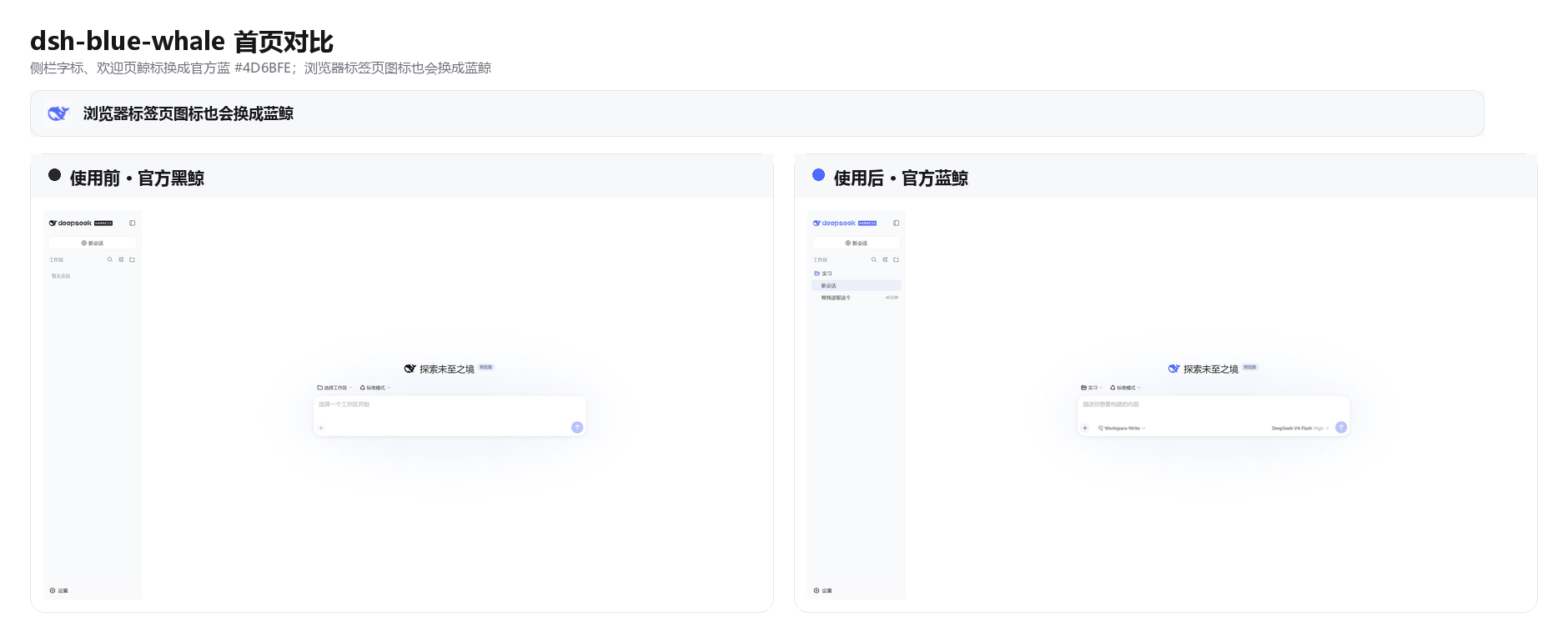
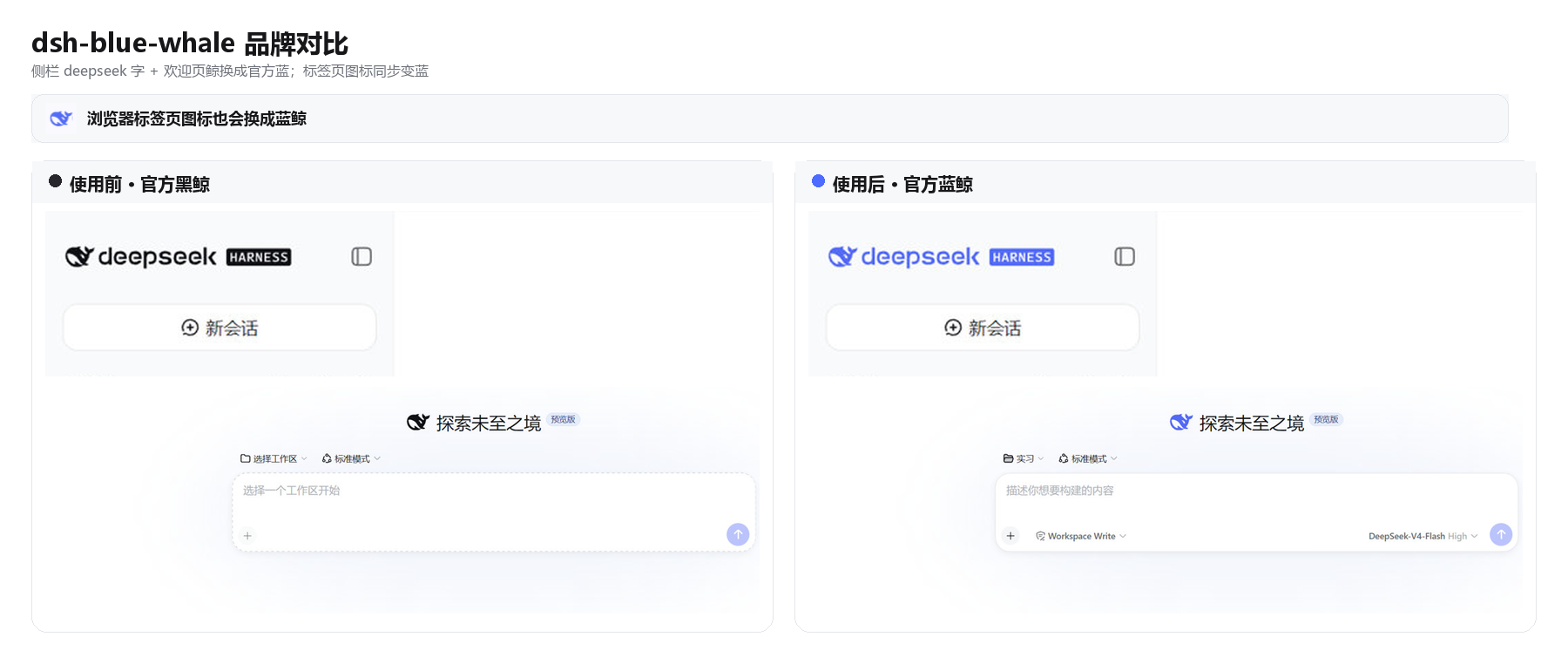
DSH ships as a black whale. chat.deepseek.com is a blue one. This plugin puts Chat blue #4D6BFE on the wordmark, hero fish, tab favicon, and primary actions. Light / dark / follow-system stay on the built-in Appearance setting.
Install
dsh plugin --profile web add dsh-blue-whale
GitHub fallback:
dsh plugin --profile web add github:starslittle/dsh-blue-whale
Restart dsh web, then hard-refresh the browser (Ctrl+Shift+R). The skin is on by default.
Open Settings → General → Blue Whale. A green dot means it is on. Turn off matches the stock capsule control; Turn on is the blue fill.
Check that it loaded
| What you see | What to do |
|---|---|
Sidebar whale and deepseek letters are blue |
It is on |
| Still the black whale | Restart, then hard-refresh |
| Turning the switch off restores the stock colors | Expected |
What it changes
| Stock DSH | This skin | |
|---|---|---|
Sidebar whale + deepseek |
near-black / near-white | #4D6BFE |
| Hero whale | same | #4D6BFE |
| Browser tab icon | black (white in OS dark) | #4D6BFE |
| Brand / send / accents | black or white | #4D6BFE |
| Page background | built-in light / dark | unchanged |
| Light / dark switch | built-in Appearance | still built-in |
Supporting colors come from DSH's own --dsw-static-deepseek-* scale.
What it does not do
- It does not change layout or density
- It does not change a desktop shell's window or tray icon
- Headless and TUI profiles have nothing to paint
Turning it off or uninstalling restores the stock colors immediately.
License
MIT
Related plugins
dsh-web-ui
 dsh-external
/dsh-web-ui
DSH Web UI 皮肤集合(skins/qq98、ths,热插拔客户端插件包)
dsh plugin --profile web add github:dsh-external/dsh-web-uidsh-wallpaper-engine
 elysia395
/dsh-wallpaper-engine
DSH 网页界面壁纸:把本机 Wallpaper Engine 的 Video/Web 壁纸实时播放到聊天界面后方,Scene 壁纸提取主纹理作为静态帧,支持内容分级/类型过滤、自定义壁纸上传与 iOS 液态玻璃设置窗口。
dsh plugin --profile web add github:elysia395/dsh-wallpaper-enginedsh-deep-whale
 Small-tailqwq
/dsh-deep-whale
DSH Web 鲸鱼娘皮肤系列(深海女仆工坊 maid-atelier)。
dsh plugin --profile web add github:Small-tailqwq/dsh-deep-whalemaid-atelier
Small-tailqwqSmall-tailqwq/dsh-deep-whale/maid-atelier
DSH Web 鲸鱼娘皮肤系列(深海女仆工坊 maid-atelier)。
dsh plugin --profile web add github:Small-tailqwq/dsh-deep-whale#path:/maid-atelierdeepseek-harness-desktop
 ningbainb
/deepseek-harness-desktop
开源Windows桌面客户端和GUI——DeepSeek Harness——零配置安装器,包含Codex、插件、技能、SSH、移动远程访问和11种皮肤。
dsh plugin --profile web add github:ningbainb/deepseek-harness-desktopopen-sea-skin
 d-dev0101
/open-sea-skin
Interactive website · 中文 · Architecture · Release guide
dsh plugin --profile web add github:d-dev0101/open-sea-skin